mSign
Gratis
2.3.5for iPhone, iPad and more
9.5
8 Ratings
MCT Technology, Inc.
Developer
101.1 MB
Size
21/08/2021
Update Date
Education
Category
4+
Age Rating
Age Rating
لقطات الشاشة لـ mSign
About mSign
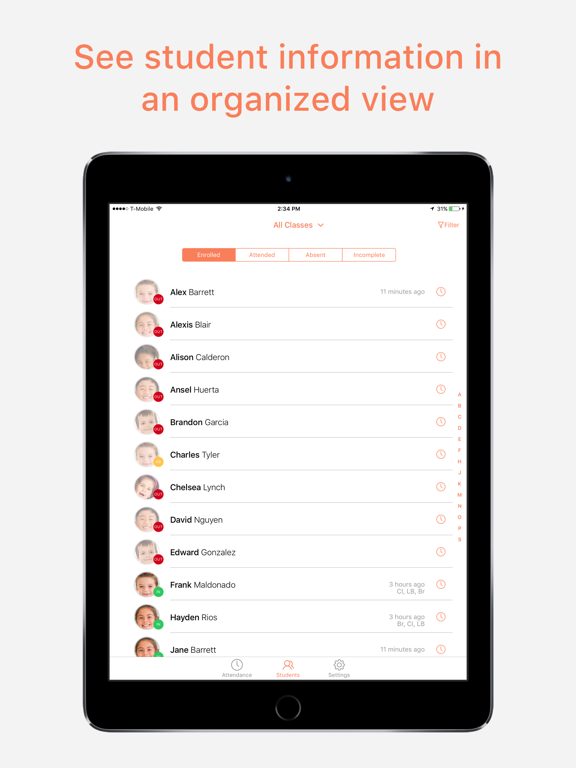
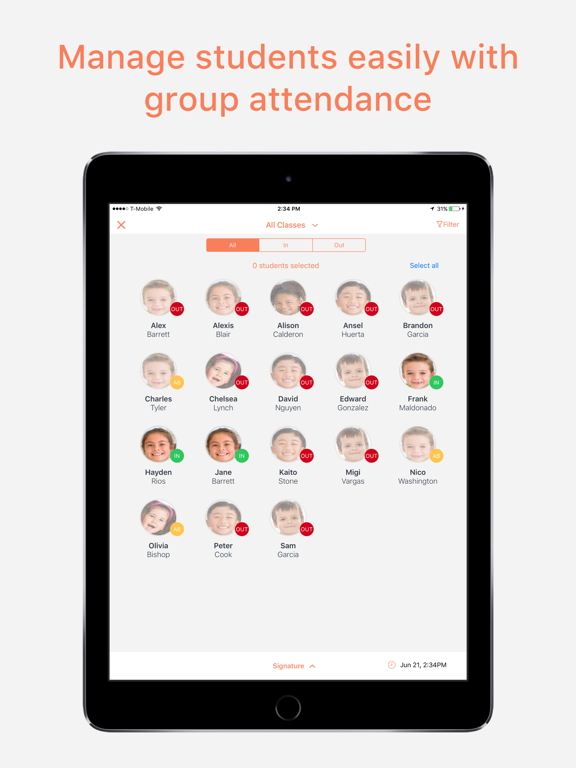
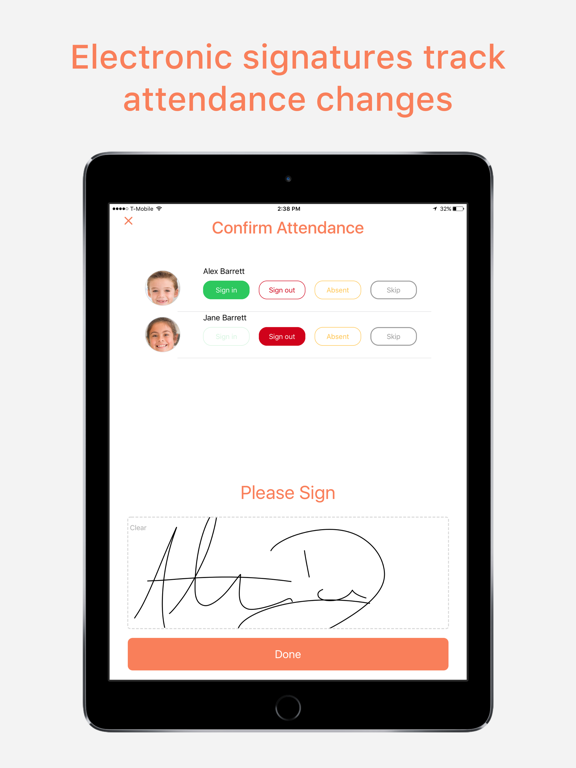
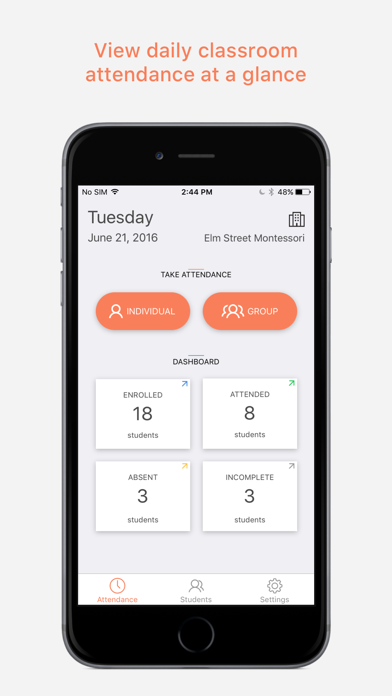
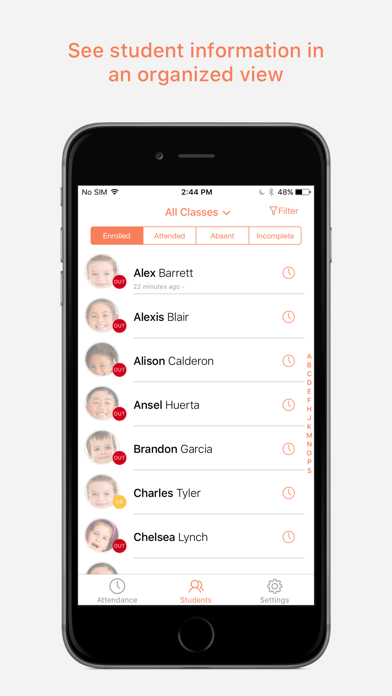
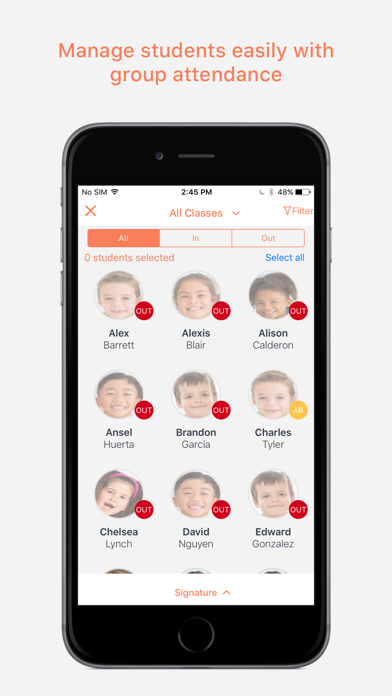
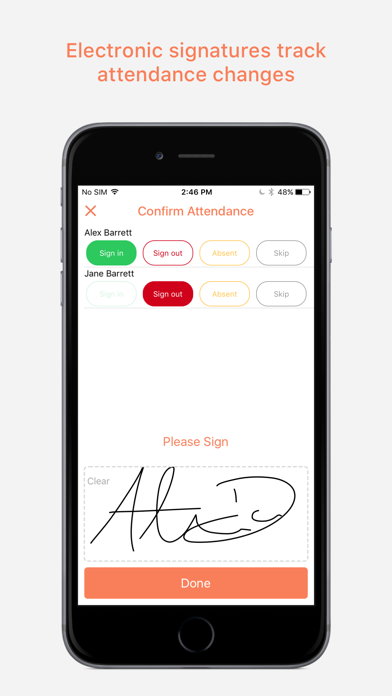
mSign is an intuitive app that makes attendance tracking and related activities fun and simple.
Whether you are a teacher/instructor or a business owner, you can kiss the attendance paper trail goodbye. Say hello to a bright and easy interface that frees up your time. Save trees and focus on your quality of service instead of tracking papers.
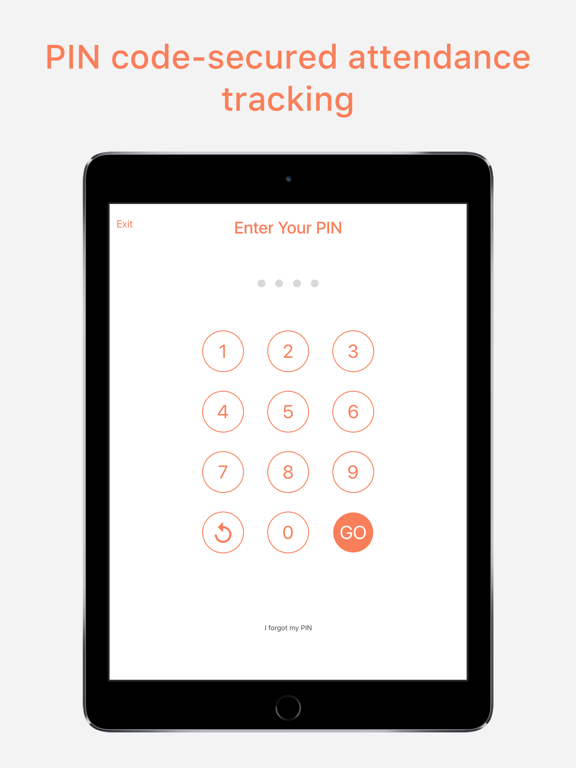
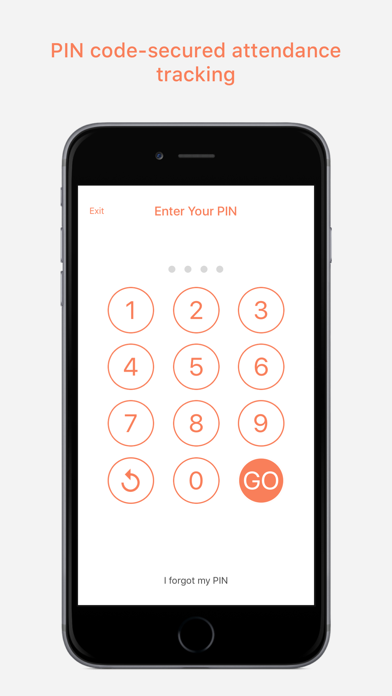
Your data is encrypted, attendance can be PIN code-secured, GPS-tracked and you can even attach real time pictures. We look forward to a journey with you to the future!
Whether you are a teacher/instructor or a business owner, you can kiss the attendance paper trail goodbye. Say hello to a bright and easy interface that frees up your time. Save trees and focus on your quality of service instead of tracking papers.
Your data is encrypted, attendance can be PIN code-secured, GPS-tracked and you can even attach real time pictures. We look forward to a journey with you to the future!
Show More
تحديث لأحدث إصدار 2.3.5
Last updated on 21/08/2021
الإصدارات القديمة
Get the latest version for all of the available mSign features. Changes in this version include:
Minor bug fixes and various improvements.
Show More
Version History
2.3.5
21/08/2021
Get the latest version for all of the available mSign features. Changes in this version include:
Minor bug fixes and various improvements.
2.3.4
23/06/2021
Get the latest version for all of the available mSign features. Changes in this version include:
Minor bug fixes and various improvements.
2.3.3
09/04/2021
1. Contactless attendance improvements with dynamic and static QR Code.
2. Added dual sign in/out mode with either QR code or PIN entry.
2.3.2
04/09/2020
1. Change the Zendesk support method.
2.3.1
21/07/2020
1. "Zendesk" online support is available.
2.3.0
05/06/2020
1. Help provider implement best practice from CDC Guidance for Child Care Program, parents can sign in and out digitally outside of the facility to limit direct contact with parents.
2. Fix some bugs.
2. Fix some bugs.
2.2.9
03/06/2020
Help provider implement best practice from CDC Guidance for Child Care Program, parents can sign in and out digitally outside of the facility to limit direct contact with parents.
2.2.8
15/11/2019
1. bug fixed.
2.2.7
17/10/2019
1. Enable comments for the "Group Attendance" feature
2. Enable "Notes" and "Tag" for the contact info
3. Some bug fixed
2. Enable "Notes" and "Tag" for the contact info
3. Some bug fixed
2.2.6
30/01/2019
bug fix
2.2.5
31/08/2018
bug fix
2.2.4
21/08/2018
1. New Feature Added
- Adapt to the iPhone X Screen Size
- Site data permission update
2. Bug Fixed
- Adapt to the iPhone X Screen Size
- Site data permission update
2. Bug Fixed
2.2.3
01/08/2018
1.Add a new feature to allow the parent to pickup the child(ren) of other families with same pin code with teacher's authorisation.
2.bug fix
2.bug fix
2.2.2
30/07/2018
1.Add a new feature to allow the parent to pickup the child(ren) of other families with same pin code with teacher's authorisation.
2.bug fix
2.bug fix
2.2.1
12/07/2018
Add a new feature to restrict the absence input method.
2.2.0
01/06/2018
bug fix
2.1.10
30/03/2018
Bug fixed.
2.1.9
21/03/2018
Bug fixed.
2.1.8
29/12/2017
Bug fixed.
2.1.7
04/12/2017
Bug Fixed:
1. Child count is incorrect problem after sign in/out
2. Child status is incorrect problem after sign in/out
1. Child count is incorrect problem after sign in/out
2. Child status is incorrect problem after sign in/out
2.1.5
24/03/2017
New version 2.1.5
Features:
- The time and date of attendance is now recorded based on the device and not the time zone configuration
- Added authority permissions to allow greater flexibility of who has access to the app. This will not make any changes for existing users!
- Absence Reporting: When absence is selected, users will be automatically prompted to specify why
- Notifications: Administrative users can now create messages to display on the PIN screen!
- Security Update: When editing attendance individually, the Teacher Pin must be entered as confirmation
Bug Fixes:
- Corrected an issue preventing signatures from transferring from the device to online reports
- Using a Teacher PIN will now accurately report the user's name
- Correction of Schedule display
- Sign in will now be automatically selected for children if there is no sign in or out for the day
- Corrected an issue displaying multiple signatures for children in rapid succession
- Lowered frequency of the message alerting users of no internet connection
Features:
- The time and date of attendance is now recorded based on the device and not the time zone configuration
- Added authority permissions to allow greater flexibility of who has access to the app. This will not make any changes for existing users!
- Absence Reporting: When absence is selected, users will be automatically prompted to specify why
- Notifications: Administrative users can now create messages to display on the PIN screen!
- Security Update: When editing attendance individually, the Teacher Pin must be entered as confirmation
Bug Fixes:
- Corrected an issue preventing signatures from transferring from the device to online reports
- Using a Teacher PIN will now accurately report the user's name
- Correction of Schedule display
- Sign in will now be automatically selected for children if there is no sign in or out for the day
- Corrected an issue displaying multiple signatures for children in rapid succession
- Lowered frequency of the message alerting users of no internet connection
2.1.4
09/11/2016
mSign 2.1.4 Change Log:
1. Added fail-safe upload to prevent data not submitting
2. Added debug view to see failed data submission
3. Added option to stop syncing
1. Added fail-safe upload to prevent data not submitting
2. Added debug view to see failed data submission
3. Added option to stop syncing
2.1.3
01/09/2016
Data syncing visibility
- Added feature to show when data has not yet pushed to the server
- Added ability to cancel the data sync
- Added ability to manually sync data
Color Coded sync bar
- Green: Pushing data to the server
- Yellow: Data was unable to send
- Red: No active internet connection
- Added feature to show when data has not yet pushed to the server
- Added ability to cancel the data sync
- Added ability to manually sync data
Color Coded sync bar
- Green: Pushing data to the server
- Yellow: Data was unable to send
- Red: No active internet connection
2.1.2
21/07/2016
Fixed - Resolved critical issue where offline data was not being sent to the server, preventing new incoming data from sending
2.1.1
25/06/2016
- Updated user-interface
- Forgotten password recovery
- Forgotten PIN recovery
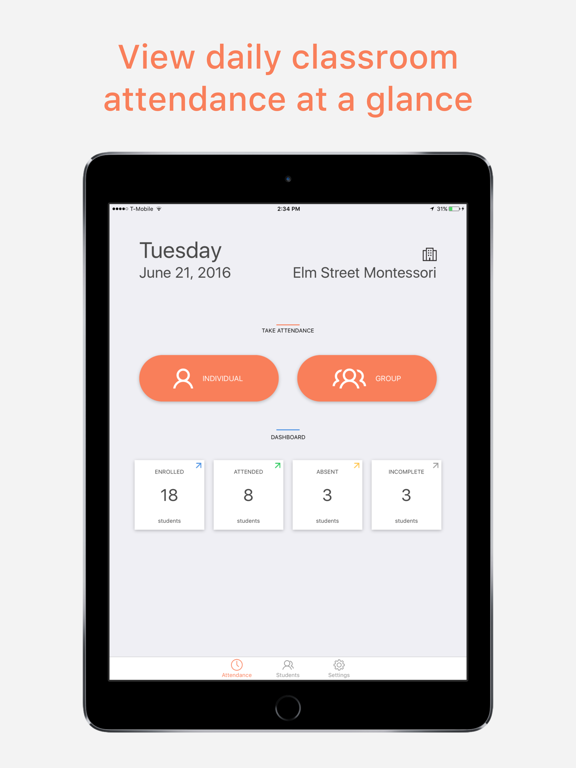
- Dashboard attendance tracker;
- Teacher PIN;
- Group attendance time over-write
- Student profile content
- Classroom filter
- Intercom support
- View device and app info
- Attendance type selection
- Attendance confirmation screen
- Offline capabilities improved
- Offline notification bar
- Automatic syncing

- Forgotten password recovery
- Forgotten PIN recovery
- Dashboard attendance tracker;
- Teacher PIN;
- Group attendance time over-write
- Student profile content
- Classroom filter
- Intercom support
- View device and app info
- Attendance type selection
- Attendance confirmation screen
- Offline capabilities improved
- Offline notification bar
- Automatic syncing
mSign FAQ
انقر هنا لمعرفة كيفية تنزيل mSign في بلد أو منطقة محظورة.
تحقق من القائمة التالية لمعرفة الحد الأدنى من المتطلبات mSign.
iPhone
Requiere iOS 10.0 o posterior.
iPad
Requiere iPadOS 10.0 o posterior.
iPod touch
Requiere iOS 10.0 o posterior.
mSign هي مدعومة على اللغات Español, Chino simplificado, Inglés