Lightwright Touch

Lightwright Touch


59,99 €

1.3.6for iPhone, iPad and more
West Side Systems
Developer
4,2 MB
Size
Aug 31, 2020
Update Date
Productivity
Category
Age Rating
4+
Apps in this category do not contain restricted content.
9+
Apps in this category may contain mild or occasional cartoon, fantasy or real-life violence, as well as occasional or mild adult, sexually suggestive or horrifying content and may not be suitable for children under 9 years of age.
12+
Apps in this category may contain occasional mild indecent language, frequent or intense cartoon or real-life violence, minor or occasional adult or sexually suggestive material, and simulated gambling, and may be for children under 12 years of age.
17+
You must be at least 17 years old to access this App.
Apps in this category may contain frequent and intense offensive language; Frequent and intense cartoon, fantasy or realistic violence: frequent and intense adult, scary and sexually suggestive subjects: as well as sexual content, nudity, tobacco, alcohol and drugs, may not be suitable for children under 17 years of age.
Lightwright Touch Screenshots
Lightwright Touch PlakatLightwright Touch PlakatLightwright Touch Plakat
Lightwright Touch PlakatLightwright Touch PlakatLightwright Touch PlakatLightwright Touch Plakat

About Lightwright Touch

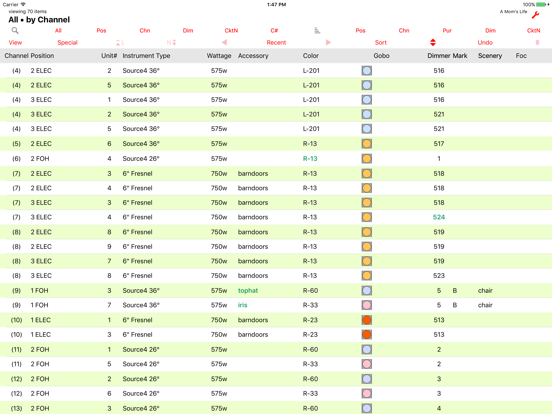
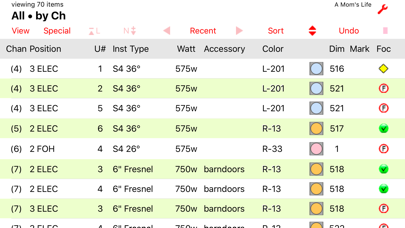
Lightwright Touch provides mobile viewing and editing of Lightwright® 5 or 6 lighting equipment data. If you use Lightwright, or schedules and hookups printed from Lightwright, this is the portable, navigable, editable worksheet tool you have been waiting for.

+Export your show from Lightwright and sync to Lightwright Touch through iTunes, or email, or file sharing
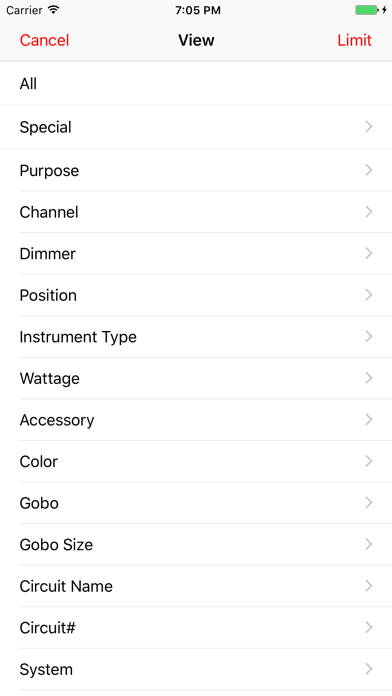
+View and Sort your worksheet using familiar Lightwright functions
+Columns can be added, removed, and rearranged to best suit your mobile needs
+"Log" feature speeds selection of prior view/sort displays
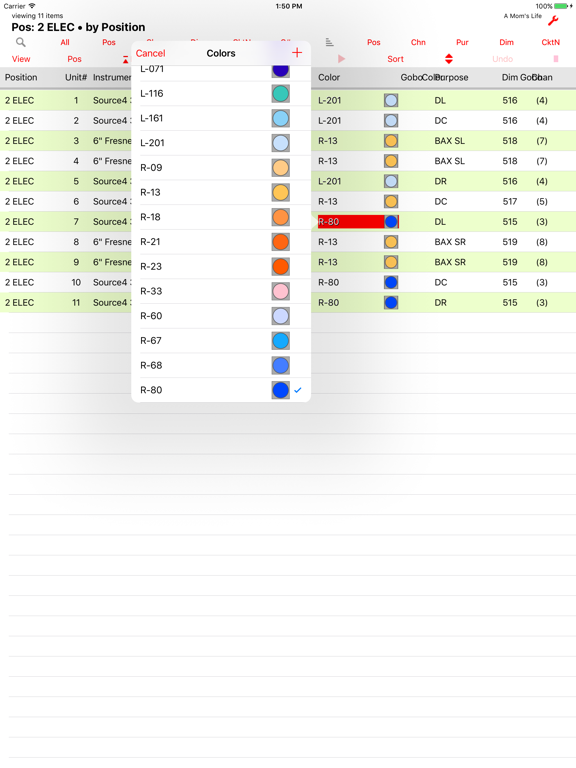
+Edit worksheet data quickly with item pick-lists
+Add a note to any worksheet row, or to a general notes page
+Store multiple shows on Lightwright Touch
+Transfer shows back to Lightwright for reconciliation with the original show file
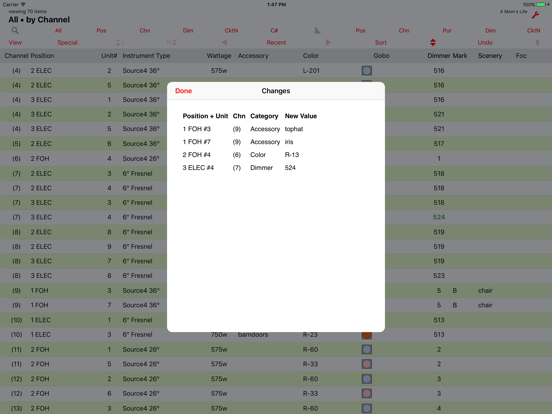
+View and email notes or your changes
+Supports any device orientation, and multiple font sizes

Please note that Lightwright Touch does not do everything that Lightwright does. (The fact that it costs 1/10 as much might have been be a clue.) This version does not support focus charts and worknotes. Also you cannot start a new show on Lightwright Touch. It's great for viewing existing shows and doing minor editing on the fly, but heavy-duty worksheet management is better left to Lightwright at this time. Lightwright Touch is an accessory to Lightwright, not a replacement for it.

Works with files exported from Lightwright 5.0.22 or later, and Lightwright 6.0.13 or later.

Show More

Was ist neu in der neuesten Version 1.3.6

Last updated on Aug 31, 2020
Alte Versionen
Resolves conflict with dark display appearance setting.
Show More
Version History
1.3.6
Aug 31, 2020
Resolves conflict with dark display appearance setting.
1.3.5
Oct 28, 2019
IOS 13 compatibility
1.3.4
Oct 29, 2018
Support for viewing Vectorworks coordinate data.
Fixes for iPhone X family screens.
1.3.3
Jun 16, 2018
Fixes issues with Cable and Data Cable columns.
1.3.2
Oct 30, 2017
Updates to the user guide.
Internal fixes and performance improvements.
1.3.1
Aug 29, 2017
With files exported from Lightwright 6.0.13 or later, Lightwright Touch correctly displays and edits Load category data.
1.3.0
Jan 13, 2017
Now supports Lightwright 6 files. Not all of the many new LW6 features are supported, but LWT will now open shows exported from LW6, and supports the new Address category. The IP address data type is also supported now.

On the iOS side, LWT has a completely updated appearance, and can now be used in iPad slide-over and split-view modes. Run it side-by-side with a PDF viewer app showing your plot, or a remote control app for your lighting console of choice.
1.2.6
Oct 18, 2012
Support for iPhone 5 and iPod touch 4" screen.
Support for iOS 4.2 to 6.
Bug fixes.
1.2.5
Aug 4, 2011
Added option to view only rows which have notes.
Added Limit feature to apply overall category/value limit on view selection.
1.2.4
Jul 19, 2011
View Marked >
View Not Marked >
View All Marked
View All Not Marked
...plus some minor improvements and fixes.
1.2.3
Jun 13, 2011
Fixes an issue where adding a row note could cause a crash in some situations.
1.2.2
Jun 5, 2011
View multiple items in an itemized category.
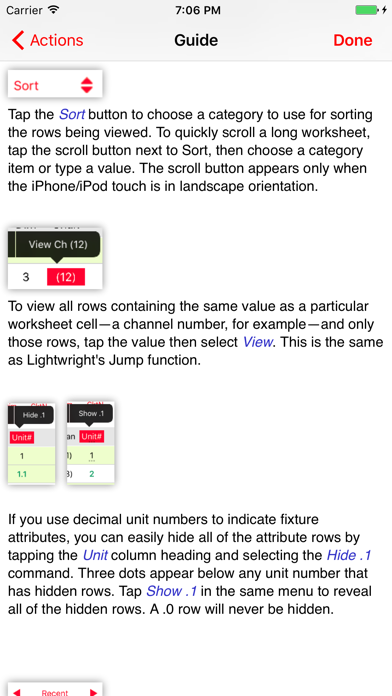
Function to hide rows having decimal unit numbers.
1.2.1
May 19, 2011
1.2.1: improvements to editing, minor bug fixes
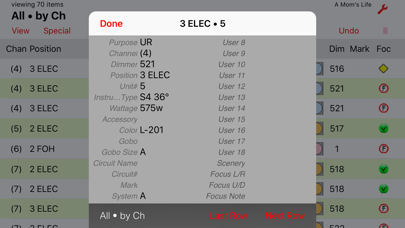
1.2: Support for iPhone and iPod touch, row detail view, toolbar colors, Lightwright "repeat view" button, text for marks, improved user interface menus, displays, and gestures for quicker access to information.
1.2
May 9, 2011
Support for iPhone and iPod touch, row detail view, toolbar colors, Lightwright "repeat view" button, text for marks, improved user interface menus, displays, and gestures for quicker access to information.
1.1.2
Apr 19, 2011
+Old show file is renamed instead of replaced when a new one with the same name is loaded.
+New command links directly to App Store review page.
+Several bugs were fixed.
1.1.1
Mar 15, 2011
1.1.1:
Fixed issue where changes sometimes were not saved properly
1.1:
+ Enter ranges for viewing numeric categories like channels and dimmers
+ Choose from three font sizes
+ Guide now has pictures
+ Sample show file is included
1.1
Mar 10, 2011
+ Enter ranges for viewing numeric categories like channels and dimmers
+ Choose from three font sizes
+ Guide now has pictures
+ Sample show file is included
+ Other design and performance tweaks
1.0
Feb 24, 2011

Lightwright Touch FAQ

Lightwright Touch ist in anderen Regionen außerhalb der folgenden eingeschränkten Ländern verfügbar:
Malta,Latvia,Finland,Slovakia,Luxembourg,Croatia,Italy,Slovenia,Denmark,Hungary,Ireland,Cyprus,Spain,Portugal,Romania,Lithuania,Poland,Estonia,Bulgaria,Sweden,Russia,Czech Republic,Austria,Belgium,Germany,Netherlands,Greece,France
Lightwright Touch unterstützt Englisch
Klicken Sie hier, um zu erfahren, wie Sie Lightwright Touch in eingeschränkten Ländern oder Regionen herunterladen können.
Überprüfen Sie die folgende Liste, um die Mindestanforderungen von Lightwright Touch zu sehen.
iPhone
Erfordert iOS 9.0 oder neuer.
iPad
Erfordert iPadOS 9.0 oder neuer.
iPod touch
Erfordert iOS 9.0 oder neuer.

Lightwright Touch Alternative

Das könnte Ihnen auch gefallen

Erhalte mehr von West Side Systems