SmartAngle
무료
1.0for iPhone, iPad
Age Rating
SmartAngle 스크린 샷
About SmartAngle
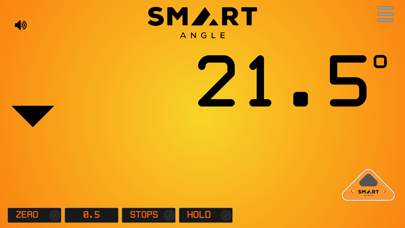
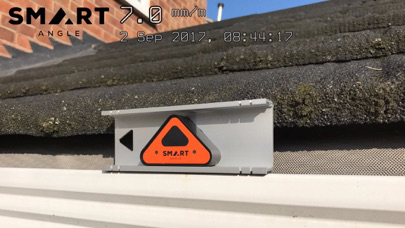
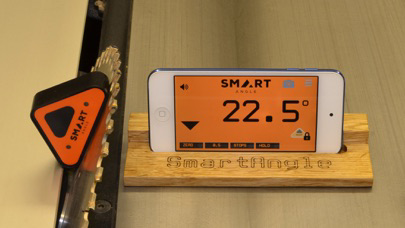
SmartAngle is a small (67mm x 41mm x 17mm) and light (30g) Bluetooth level which connects to your smart phone via an app. SmartAngle provides an extra hand when levelling - the angle is displayed on your smart phone, where you can see it, while you focus on the job, not on holding the level.
The app requires the SmartAngle Bluetooth level which is available from Wordcraft International - www.wordcraft.com.
SmartAngle's technical features include:
Remote angle measurement for Apple iOS phones/tablets.
Bluetooth (BLE 4.0) compatible.
Size: 67mm x 41mm x 17mm.
Weight: 30g.
Power source: CR2032 battery - up to 2 year life on standby.
Single membrane switch to wake SmartAngle from deep sleep.
Power saving functions: user defined auto-timeout period - default 5 minutes. Auto turn off when app loses focus or is ended.
Two LEDs used to indicate power on (unconnected), Bluetooth connected and approaching required stop.
Unlimited digital stops: set the angles and the SmartAngle app tells you when you are there. An initial set of stops is provided: 0, 22.5, 30, 45, 60, 67.5, 90 - and 75.96 (4:1 ratio for safe ladder angle.)
Audible and visual warnings when the correct angle is reached - no need to look at the level - just wait for the "beep".
The tones used for warnings are adjustable - ideal for those who are losing their high frequency hearing.
Voice message to read out angles This feature may be turned on or off with one tap on the screen.
User-defined "voice stability time" - a reading must be stable for this time before the angle is read out. Default: 3 seconds.
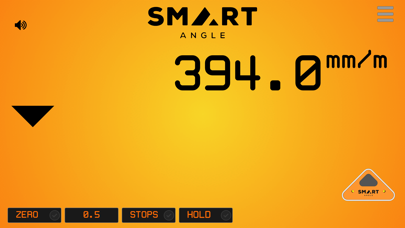
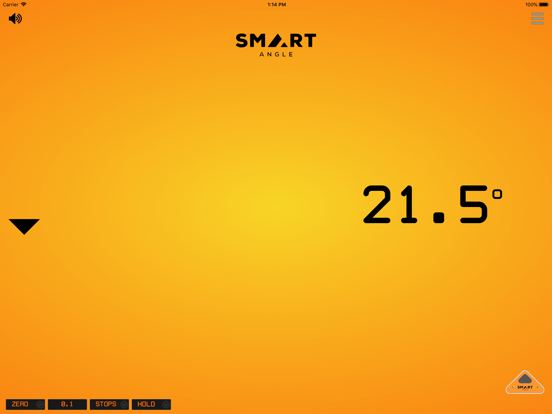
Angles displayed in degrees, percentages (14.26%), ratios/falls/slopes (1:7), mm/m or in/ft. Tap the screen to change from one to another.
Selectable resolution. E.g. for degrees: 1, 1.5, 1.1.
Measures the difference between slopes - measure slope 1, zero, measure slope 2, SmartAngle shows the angle between them.
Temporary zeroing function for measuring relative angles.
Step-by-step calibration instructions and diagrams shown on screen.
Two rare earth magnets (internal) hold the long side to metal surfaces.
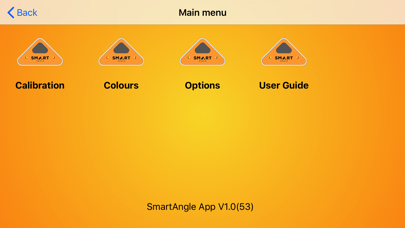
Background colour selection - either as a solid colour or as a radial gradient.

The app requires the SmartAngle Bluetooth level which is available from Wordcraft International - www.wordcraft.com.
SmartAngle's technical features include:
Remote angle measurement for Apple iOS phones/tablets.
Bluetooth (BLE 4.0) compatible.
Size: 67mm x 41mm x 17mm.
Weight: 30g.
Power source: CR2032 battery - up to 2 year life on standby.
Single membrane switch to wake SmartAngle from deep sleep.
Power saving functions: user defined auto-timeout period - default 5 minutes. Auto turn off when app loses focus or is ended.
Two LEDs used to indicate power on (unconnected), Bluetooth connected and approaching required stop.
Unlimited digital stops: set the angles and the SmartAngle app tells you when you are there. An initial set of stops is provided: 0, 22.5, 30, 45, 60, 67.5, 90 - and 75.96 (4:1 ratio for safe ladder angle.)
Audible and visual warnings when the correct angle is reached - no need to look at the level - just wait for the "beep".
The tones used for warnings are adjustable - ideal for those who are losing their high frequency hearing.
Voice message to read out angles This feature may be turned on or off with one tap on the screen.
User-defined "voice stability time" - a reading must be stable for this time before the angle is read out. Default: 3 seconds.
Angles displayed in degrees, percentages (14.26%), ratios/falls/slopes (1:7), mm/m or in/ft. Tap the screen to change from one to another.
Selectable resolution. E.g. for degrees: 1, 1.5, 1.1.
Measures the difference between slopes - measure slope 1, zero, measure slope 2, SmartAngle shows the angle between them.
Temporary zeroing function for measuring relative angles.
Step-by-step calibration instructions and diagrams shown on screen.
Two rare earth magnets (internal) hold the long side to metal surfaces.
Background colour selection - either as a solid colour or as a radial gradient.
Show More
최신 버전 1.0의 새로운 기능
Last updated on Feb 8, 2018
오래된 버전
This update from Apple will improve the functionality of this app. No new features are included.
Show More
Version History
1.0
Feb 8, 2018
This update from Apple will improve the functionality of this app. No new features are included.
SmartAngle FAQ
제한된 국가 또는 지역에서 SmartAngle를 다운로드하는 방법을 알아보려면 여기를 클릭하십시오.
SmartAngle의 최소 요구 사항을 보려면 다음 목록을 확인하십시오.
iPhone
iPad