iHexView

iHexView


$1.99

3.0.1for iPhone
Age Rating
4+
Apps in this category do not contain restricted content.
9+
Apps in this category may contain mild or occasional cartoon, fantasy or real-life violence, as well as occasional or mild adult, sexually suggestive or horrifying content and may not be suitable for children under 9 years of age.
12+
Apps in this category may contain occasional mild indecent language, frequent or intense cartoon or real-life violence, minor or occasional adult or sexually suggestive material, and simulated gambling, and may be for children under 12 years of age.
17+
You must be at least 17 years old to access this App.
Apps in this category may contain frequent and intense offensive language; Frequent and intense cartoon, fantasy or realistic violence: frequent and intense adult, scary and sexually suggestive subjects: as well as sexual content, nudity, tobacco, alcohol and drugs, may not be suitable for children under 17 years of age.
iHexView Screenshots
iHexView posteriHexView posteriHexView posteriHexView posteriHexView poster

About iHexView

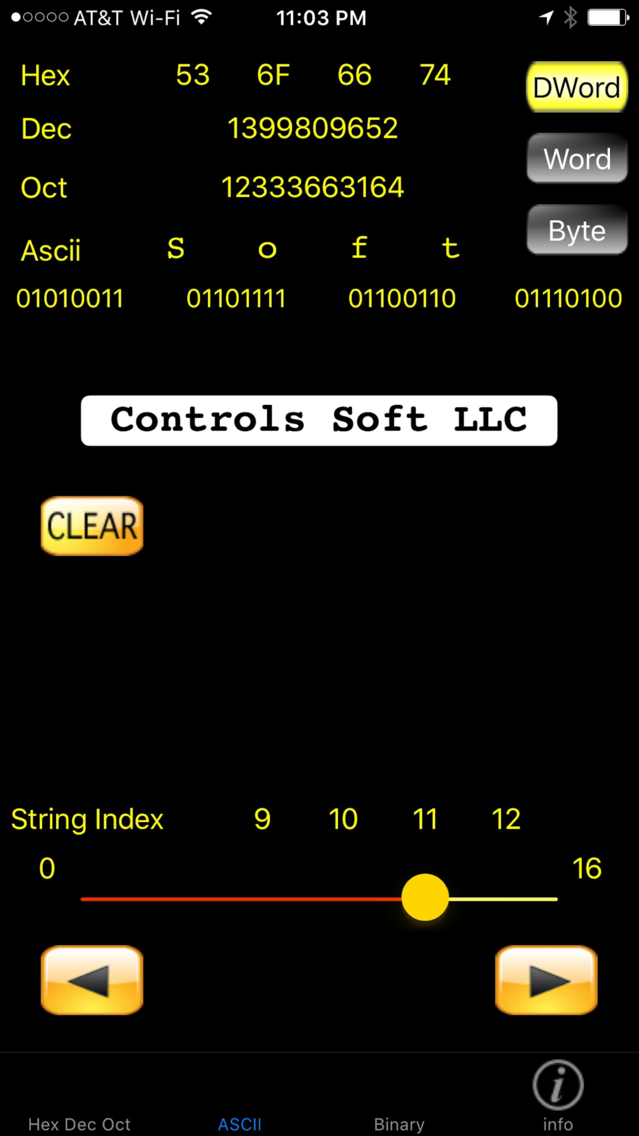
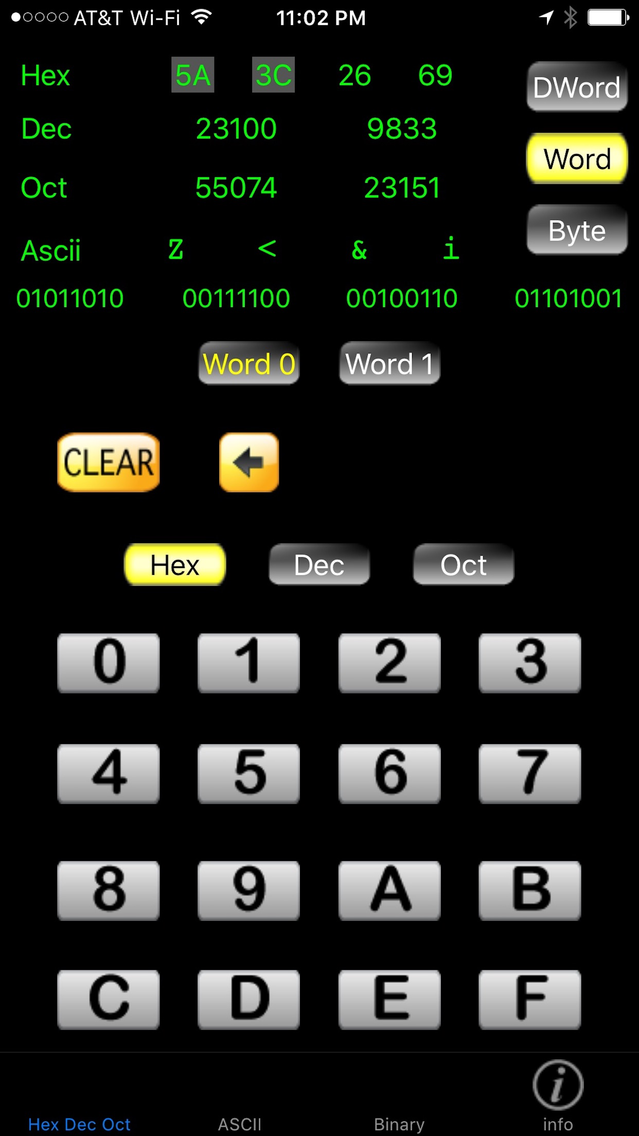
iHexView is a tool used to help in the programming and debug of systems that use ASCII. It is designed for programmers, engineers, and technical support personnel who need a quick reference tool.
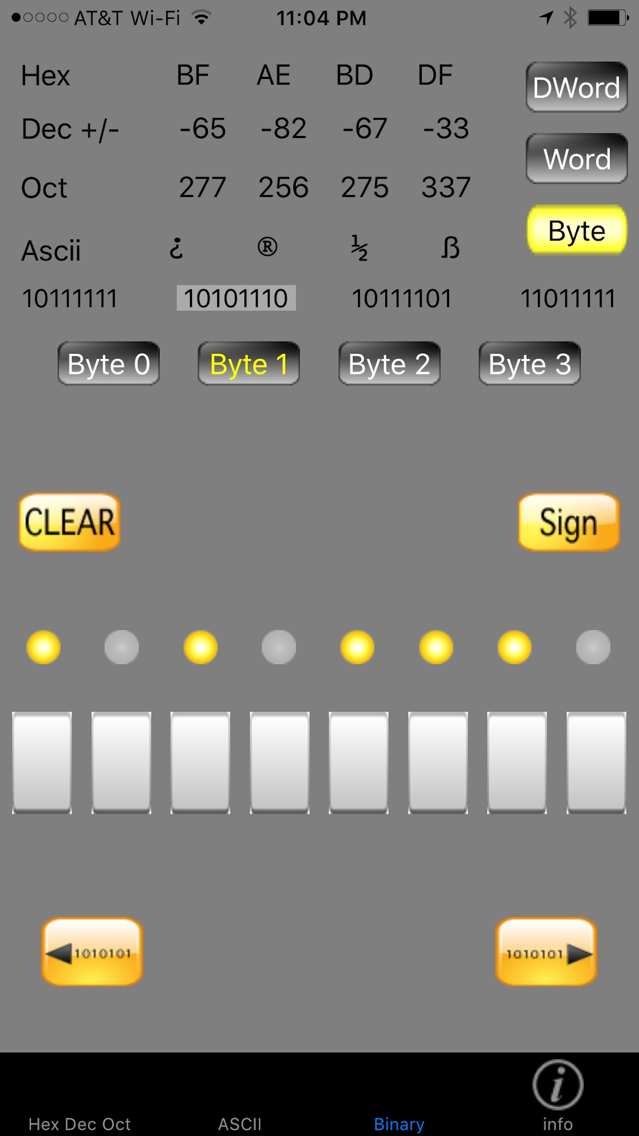
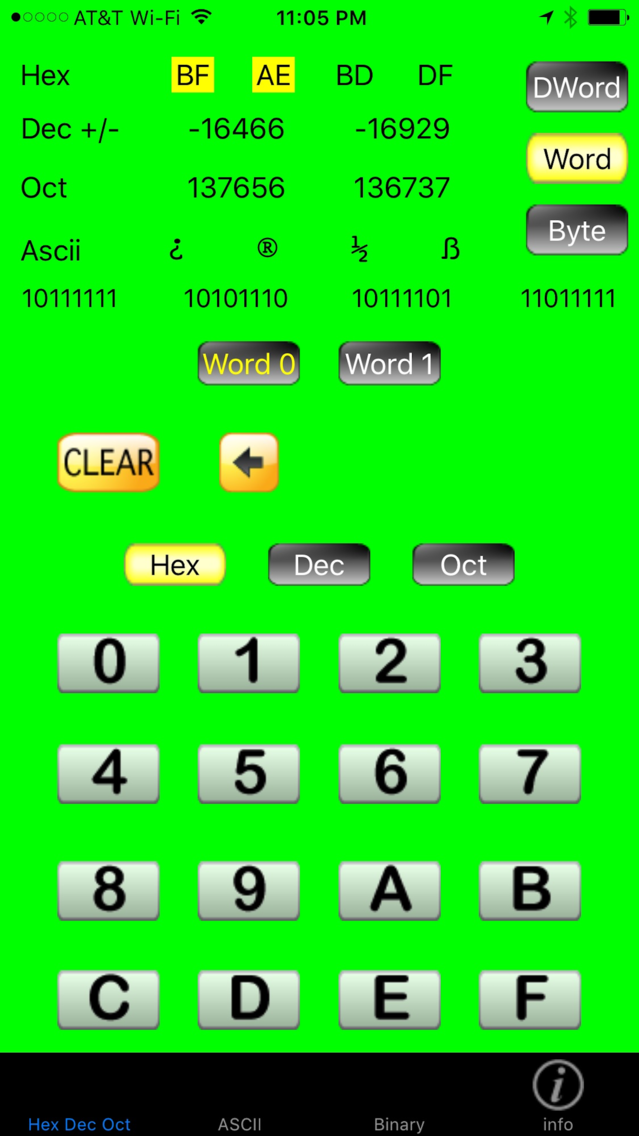
iHexView is used as a base converter for Hex, Dec, Oct, and Binary; and also displays ASCII code values in each of these bases.

Features:
•Data can be entered as Hexadecimal, Decimal, Octal, or Binary as well as ASCII characters.
•The resulting values for each of the bases and ASCII characters are displayed at the same time. Automatically converted as data is entered.
•Decimal, and Octal data can be viewed as one 32 bit double word, as two 16 bit words, as well as bytes.
•Data entered as an ASCII string uses a slider control to load the data into the register so that the contents of the string can be quickly viewed.
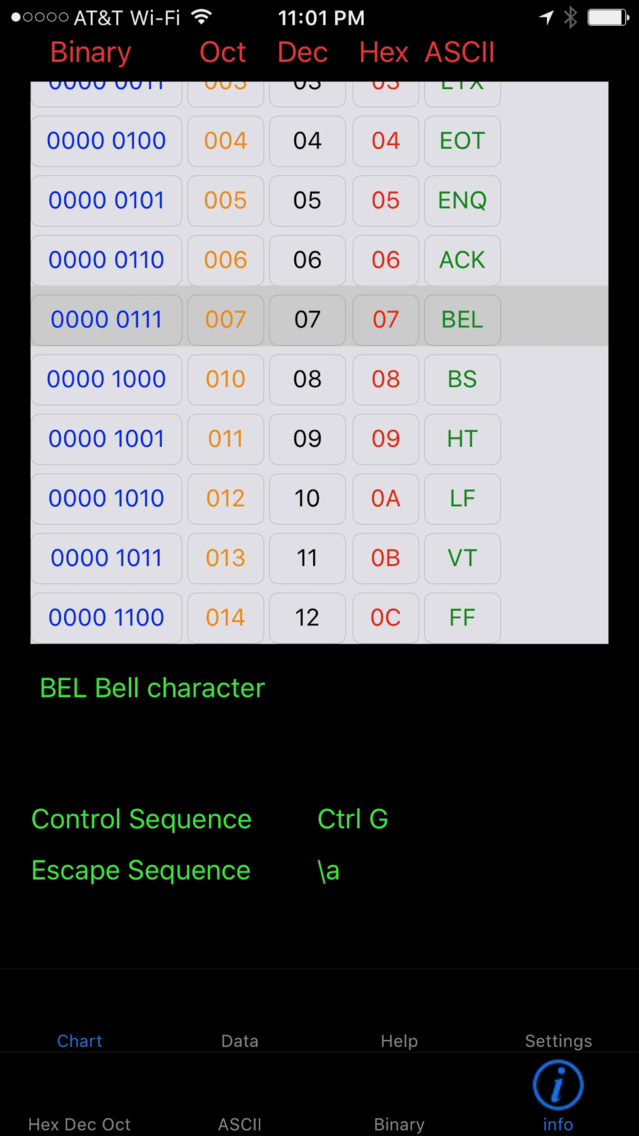
•A standard ASCII chart is available on the info screen as an additional reference.

Changes for iHexView V2.0

Updated the UI, to include new style buttons and layout.
Added new features:
1. New editing features, enabling the selection and changes at the byte level.
2. Added a new Data report screen, where all of the data is listed for the register, and a listing of the ASCII string data including the binary, Hex, Dec, and Oct values.
3. Added a new settings page that will save the users selections so they don't need to be reselected each time the app is opened.
4. Added a new bit shift right/left feature to the binary inout screen.
5. Changed the data registers so that the input screens all work with the same data. Values entered on the HexDecOct screen can be edited on the Binary screen.

Show More

What's New in the Latest Version 3.0.1

Last updated on Jul 23, 2018
Old Versions
In this update we modified the layout for the iPhone X.
Polished the user interface, and fixed bugs.
Show More
Version History
3.0.1
Jul 23, 2018
In this update we modified the layout for the iPhone X.
Polished the user interface, and fixed bugs.
3.0.0
May 11, 2017
Added a Select Color Scheme option to the Settings screen.
Updated the ASCII chart screen to improve the readability and layout.
Updated the Data Report formatting.

*Bug fixes and performance enhancements.
2.0.1
Nov 26, 2012
This Update fixes issues that cause the app to crash on a device running iOS 5.
2.0
Nov 18, 2012
Changes for iHexView V2.0

Updated the UI, to include new style buttons and layout.
Added new features:
1. New editing features, enabling the selection and changes at the byte level.
2. Added a new Data report screen, where all of the data is listed for the register, and a listing of the ASCII string data including the binary, Hex, Dec, and Oct values.
3. Added a new settings page that will save the users selections so they don't need to be reselected each time the app is opened.
4. Added a new bit shift right/left feature to the binary inout screen.
5. Changed the data registers so that the input screens all work with the same data. Values entered on the HexDecOct screen can be edited on the Binary screen.

1.1
May 17, 2009
Changes for version 1.1

1. Increased the size of the binary display.

2. Changed the ASCII font to Courier - improving character distinction, for example uppercase I and lowercase l no longer appear the same.

3. Changed the slider-control max to equal the last string index instead of the string length.
1.0
Apr 21, 2009

iHexView FAQ

Click here to learn how to download iHexView in restricted country or region.
Check the following list to see the minimum requirements of iHexView.
iPhone
iHexView supports English

iHexView Alternative

You May Also Like