UpLogs Work Order
Free
1.1for iPhone
Age Rating
UpLogs Work Order Screenshots
About UpLogs Work Order
Work in Order & Get the Job Done On Time
UpLogs is designed for general contractors, technicians, construction builders, manufacturers, and facility managers so they can keep up with their projects, work orders, and inventory.
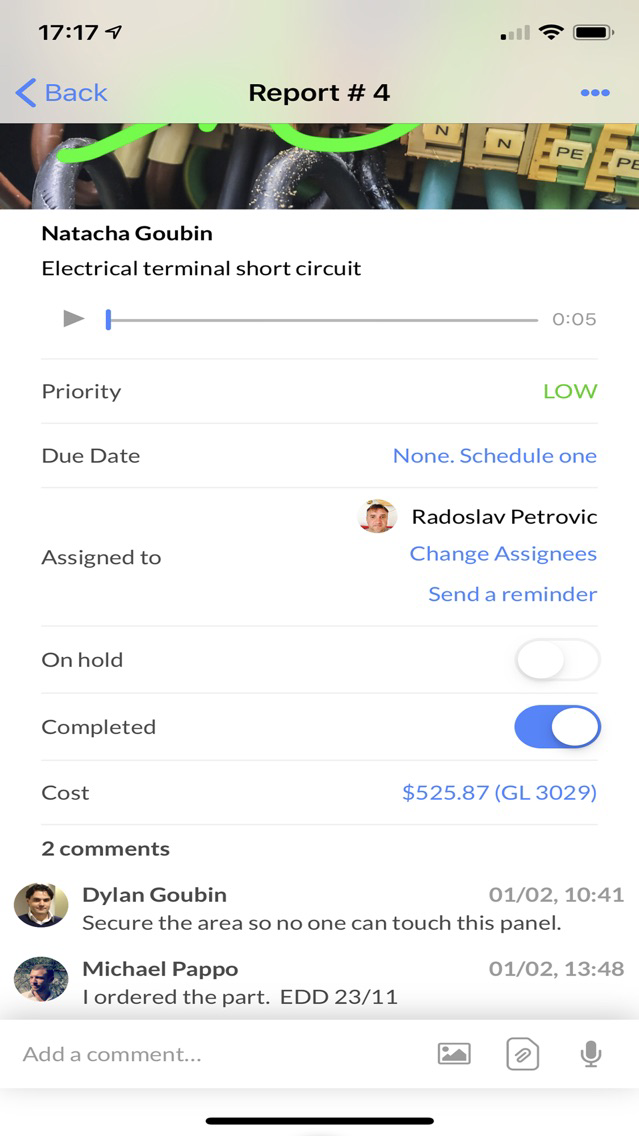
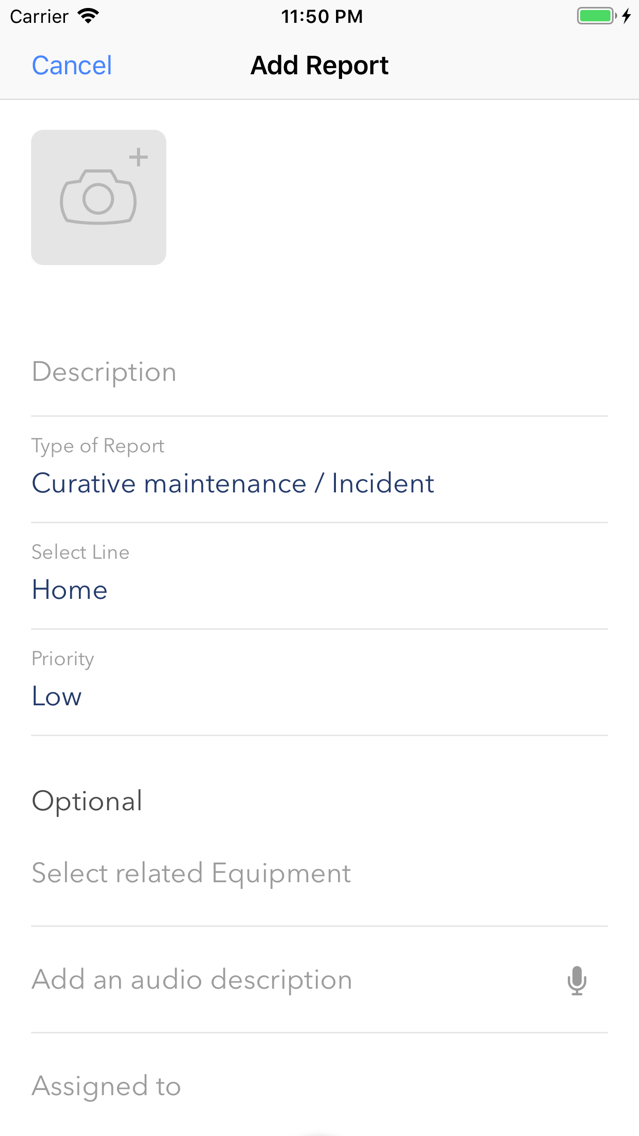
- Create, assign, and track maintenance work orders and preventive maintenance tasks for you and your team.
- Manage your inventory (equipment and parts).
- Keep up with your all projects.
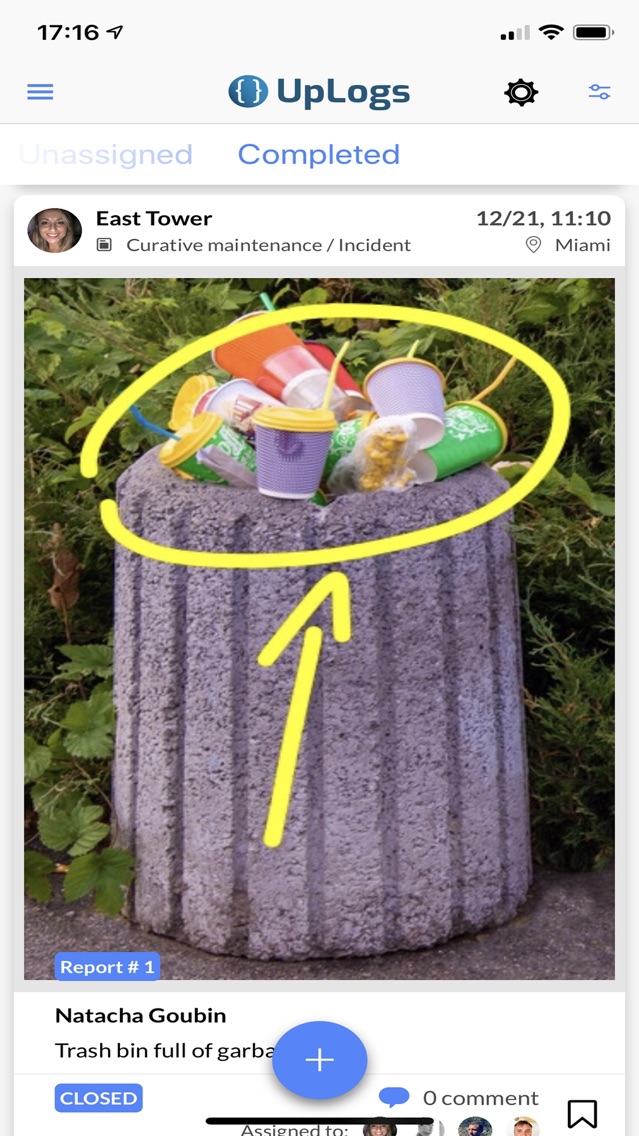
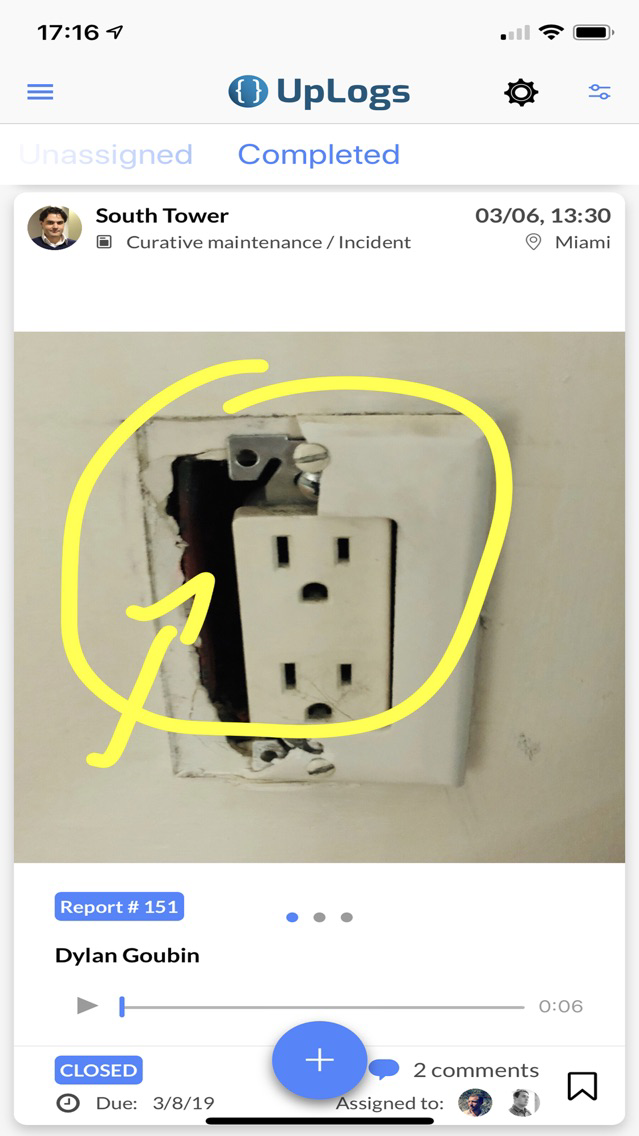
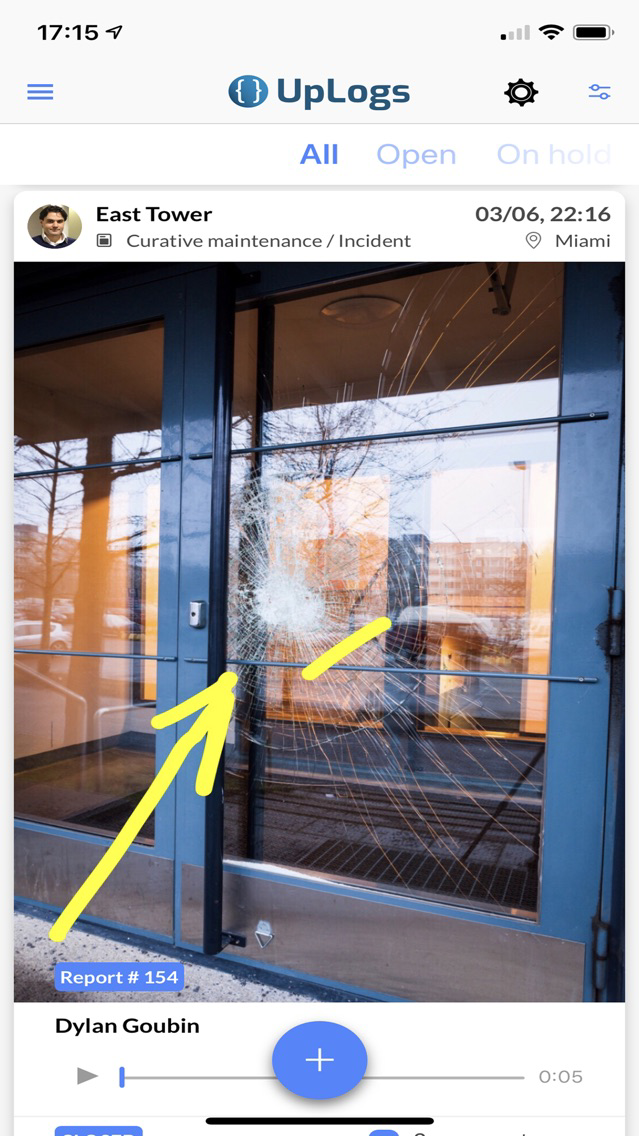
- Take pictures and draw with your fingers areas of interest directly on them (e.g. circle a broken pipe etc.)
- Generate periodic maintenance and project reports in PDF.
##################
UpLogs' Instant Benefits
##################
Whether you are a general contractor, a technician, a chief engineer, a facility manager, or a manufacturing director, using the UpLogs mobile application with your crew will streamline your projects:
• Minimize downtimes
Closely monitor outdated equipment to prevent machinery malfunctions, and schedule equipment services to mitigate their impact.
• Lower maintenance cost
UpLogs helps you to practice good preventive maintenance, train your staff, and spend your equipment dollars wisely. Keep a sharp eye on expenses, and measure success.
• Improve workflow and productivity
Assess the entire operation from top to bottom, looking for areas of improvement, and prioritize critical areas of focus.
• Enhance internal communication
Increase in team member connectivity, and drive your workforce engagement. Make information accessible, strengthen connections, and encourage information sharing.
• Increase transparency
Look at what the maintenance team is currently doing with open eyes in order to analyze results and adjust accordingly.
• Reduce Maintenance Backlog
Reduce failure and downtime risk. Eliminate the non-value added preventive and predictive maintenance tasks. Identify areas of inexperience and provide training.
#############
UpLogs' features
#############
All your business functions in your pocket:
• Work Orders Management
Create, follow, and assign work orders with due dates to your maintenance team members.
• Asset, Part and Machinery Management
UpLogs allows you to accurately track equipment to avoid losses, damages, theft, etc.
• News Feed
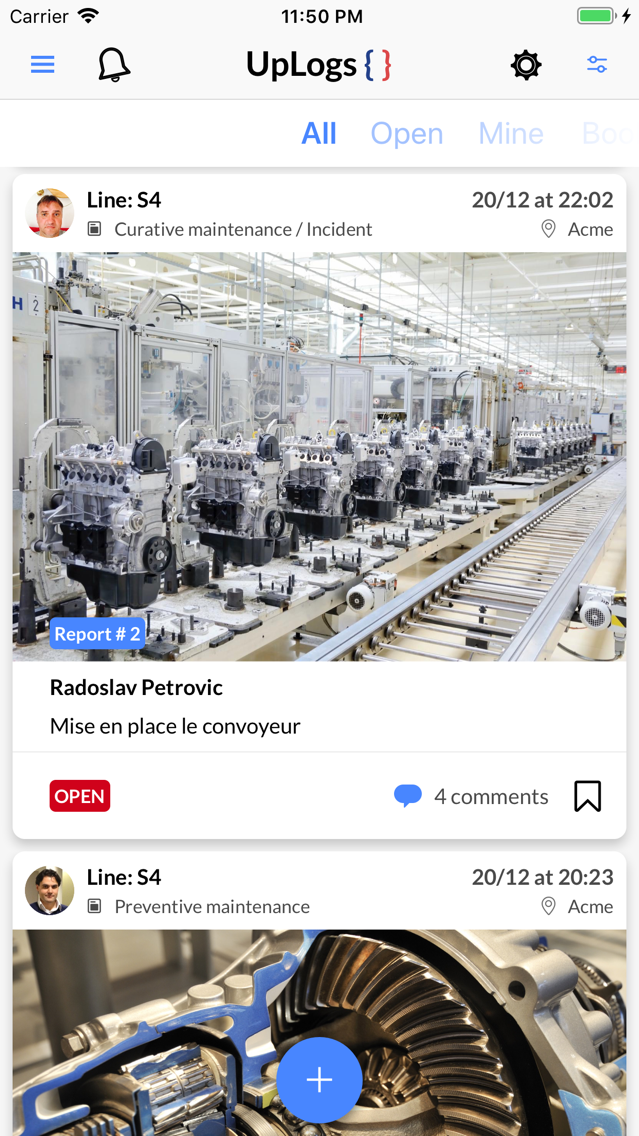
The News Feed will show updates about maintenance operations like status updates and reports.
• Snap pictures & videos
Create maintenance reports & work orders on the spot with pictures, videos, and audio comments.
• Project Management & Collaboration Tools
Add textual comments or record audio files to share information and insights with your colleagues.
• Notifications
Receive notifications on your smartphone for any maintenance updates.
UpLogs is the easiest Enterprise Asset Management (EAM) and Computerized maintenance management system (CMMS) application.
Non-tech savvy will be very comfortable with UpLogs.
Privacy Policy and Terms and Conditions are available here:
https://www.uplogs.com/en-us/legal

UpLogs is designed for general contractors, technicians, construction builders, manufacturers, and facility managers so they can keep up with their projects, work orders, and inventory.
- Create, assign, and track maintenance work orders and preventive maintenance tasks for you and your team.
- Manage your inventory (equipment and parts).
- Keep up with your all projects.
- Take pictures and draw with your fingers areas of interest directly on them (e.g. circle a broken pipe etc.)
- Generate periodic maintenance and project reports in PDF.
##################
UpLogs' Instant Benefits
##################
Whether you are a general contractor, a technician, a chief engineer, a facility manager, or a manufacturing director, using the UpLogs mobile application with your crew will streamline your projects:
• Minimize downtimes
Closely monitor outdated equipment to prevent machinery malfunctions, and schedule equipment services to mitigate their impact.
• Lower maintenance cost
UpLogs helps you to practice good preventive maintenance, train your staff, and spend your equipment dollars wisely. Keep a sharp eye on expenses, and measure success.
• Improve workflow and productivity
Assess the entire operation from top to bottom, looking for areas of improvement, and prioritize critical areas of focus.
• Enhance internal communication
Increase in team member connectivity, and drive your workforce engagement. Make information accessible, strengthen connections, and encourage information sharing.
• Increase transparency
Look at what the maintenance team is currently doing with open eyes in order to analyze results and adjust accordingly.
• Reduce Maintenance Backlog
Reduce failure and downtime risk. Eliminate the non-value added preventive and predictive maintenance tasks. Identify areas of inexperience and provide training.
#############
UpLogs' features
#############
All your business functions in your pocket:
• Work Orders Management
Create, follow, and assign work orders with due dates to your maintenance team members.
• Asset, Part and Machinery Management
UpLogs allows you to accurately track equipment to avoid losses, damages, theft, etc.
• News Feed
The News Feed will show updates about maintenance operations like status updates and reports.
• Snap pictures & videos
Create maintenance reports & work orders on the spot with pictures, videos, and audio comments.
• Project Management & Collaboration Tools
Add textual comments or record audio files to share information and insights with your colleagues.
• Notifications
Receive notifications on your smartphone for any maintenance updates.
UpLogs is the easiest Enterprise Asset Management (EAM) and Computerized maintenance management system (CMMS) application.
Non-tech savvy will be very comfortable with UpLogs.
Privacy Policy and Terms and Conditions are available here:
https://www.uplogs.com/en-us/legal
Show More
What's New in the Latest Version 1.1
Last updated on Aug 9, 2020
Old Versions
- New: Enhanced project management capabilities
- New: Filter for work orders
- Take pictures and draw with your fingers areas of interest directly on them (circle, etc.)
- UX/UI optimization
- New: Filter for work orders
- Take pictures and draw with your fingers areas of interest directly on them (circle, etc.)
- UX/UI optimization
Show More
Version History
1.1
Aug 9, 2020
- New: Enhanced project management capabilities
- New: Filter for work orders
- Take pictures and draw with your fingers areas of interest directly on them (circle, etc.)
- UX/UI optimization
- New: Filter for work orders
- Take pictures and draw with your fingers areas of interest directly on them (circle, etc.)
- UX/UI optimization
1.0.19
Jan 22, 2020
A user can now add a cost for each part and piece of equipment to track CapEx and OpEx.
1.0.17
Oct 14, 2019
Bug fixes
1.0.16
Sep 25, 2019
Bug fixes
1.0.15
Aug 12, 2019
- Performance improvements and bug fixes
- You can now sign up directly from the application
1.0.14
Jun 14, 2019
- Address autocomplete for Locations (Settings > Locations > Add).
When an Admin starts typing an address, autocomplete will fill in the rest.
1.0.13
May 24, 2019
- A non-admin user can put on hold a work order he/she was assigned to perform
1.0.12
May 16, 2019
- A non-admin user can now close a work order he/she was assigned to perform.
1.0.11
May 14, 2019
New activable feature: Non-Admin users can be assigned work orders and preventive maintenance tasks (or not).
1.0.10
Apr 23, 2019
Bug fixes and performance improvements.
UpLogs Work Order FAQ
Click here to learn how to download UpLogs Work Order in restricted country or region.
Check the following list to see the minimum requirements of UpLogs Work Order.
iPhone
UpLogs Work Order supports English, French, German, Hebrew, Portuguese, Spanish, Turkish