Mass Text Message Basic
GratisOffers In-App Purchases
5.1for iPhone, iPod touch
7.1
230 Ratings
David Livengood
Developer
22.9 MB
Size
18/10/2017
Update Date
Productivity
Category
4+
Age Rating
Age Rating
لقطات الشاشة لـ Mass Text Message Basic
About Mass Text Message Basic
Save time with this efficient app for group text messaging. From large group iMessages to individual personalized messages, this app can help you manage your group text messaging.
"Stands out above other text messaging applications" - Rating 9/10 - The iPhone App Review
"...can make you much more productive over the long run." - Rating 8.5/10 - iPhone Apps Finder
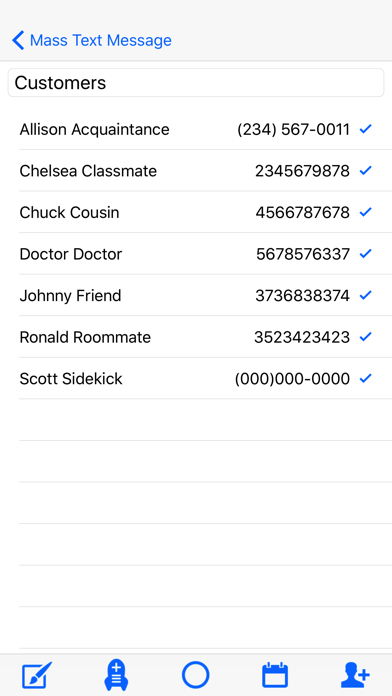
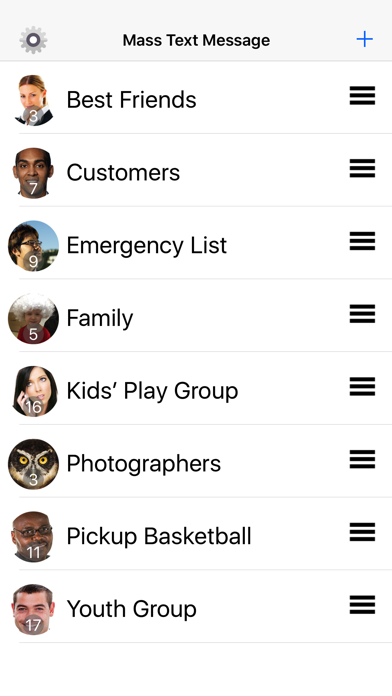
Create a custom group. If you would like to create more than one group, please upgrade to the full version. Once groups are created, you no longer have to select contacts one-by-one for a group message. Simply tap on the group and send out a text in a matter of seconds.
New Features:
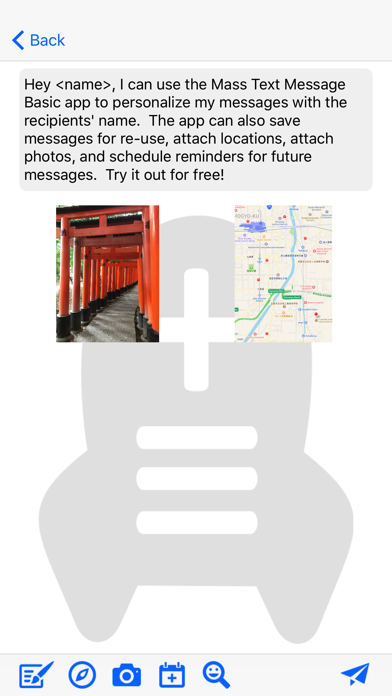
-Personalize your messages with the recipient's name and get delivery confirmations. (Single In-app Purchase - No subscription required)
-Schedule your messages (In-app Purchase)
-Attach pictures and locations
Key Features:
-Create a custom group and efficiently add contacts.
-To create more than one group, please upgrade with in-app purchase
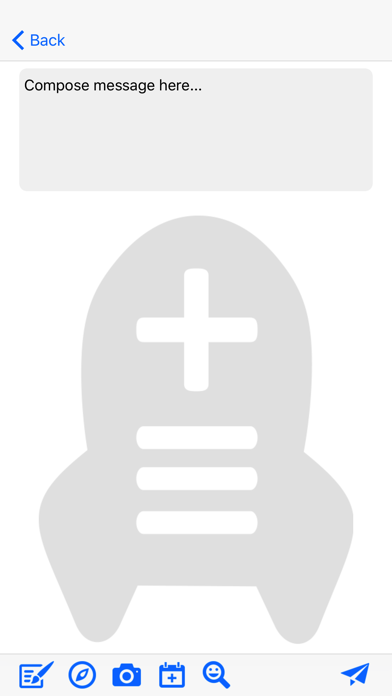
-Ease of use: just tap a group name, then type the text
-ReadyText list saves messages for re-use
-Import groups from Contacts or spreadsheets
-Export groups to share with others.
-Manage groups: split/merge/duplicate groups, add/delete contacts from a group, add/delete groups
-Select/deselect contact(s) for additional flexibility within a group.
-Sent messages appear in Messages history.
-Receive replies in Messages.
-Send messages via Group iMessage or SMS. SMS messages arrive like a standard 1-to-1 text message. Carrier-specific recipient limits may apply. Standard text rates and/or data usage apply.
This app is a powerful addition to the Messages application already on your iPhone. Take a giant leap forward and upgrade your group text messaging.
SETTINGS INFORMATION: For correct operation of the app, please open the Settings app and make these adjustments in the Messages section.
Group Messaging: OFF
If all of your recipients are iMessage users, your text will be sent as a "Group iMessage". All recipients will see other recipients and their replies in a "chat" format. To prevent a Group iMessage, turn off iMessage or add a non-iMessage user to the group text. Be aware that your carrier may limit the number of SMS message recipients.
If issues arise, please email support@masstextmessage.com
Please give us the opportunity to ensure you are satisfied with your purchase.

"Stands out above other text messaging applications" - Rating 9/10 - The iPhone App Review
"...can make you much more productive over the long run." - Rating 8.5/10 - iPhone Apps Finder
Create a custom group. If you would like to create more than one group, please upgrade to the full version. Once groups are created, you no longer have to select contacts one-by-one for a group message. Simply tap on the group and send out a text in a matter of seconds.
New Features:
-Personalize your messages with the recipient's name and get delivery confirmations. (Single In-app Purchase - No subscription required)
-Schedule your messages (In-app Purchase)
-Attach pictures and locations
Key Features:
-Create a custom group and efficiently add contacts.
-To create more than one group, please upgrade with in-app purchase
-Ease of use: just tap a group name, then type the text
-ReadyText list saves messages for re-use
-Import groups from Contacts or spreadsheets
-Export groups to share with others.
-Manage groups: split/merge/duplicate groups, add/delete contacts from a group, add/delete groups
-Select/deselect contact(s) for additional flexibility within a group.
-Sent messages appear in Messages history.
-Receive replies in Messages.
-Send messages via Group iMessage or SMS. SMS messages arrive like a standard 1-to-1 text message. Carrier-specific recipient limits may apply. Standard text rates and/or data usage apply.
This app is a powerful addition to the Messages application already on your iPhone. Take a giant leap forward and upgrade your group text messaging.
SETTINGS INFORMATION: For correct operation of the app, please open the Settings app and make these adjustments in the Messages section.
Group Messaging: OFF
If all of your recipients are iMessage users, your text will be sent as a "Group iMessage". All recipients will see other recipients and their replies in a "chat" format. To prevent a Group iMessage, turn off iMessage or add a non-iMessage user to the group text. Be aware that your carrier may limit the number of SMS message recipients.
If issues arise, please email support@masstextmessage.com
Please give us the opportunity to ensure you are satisfied with your purchase.
Show More
تحديث لأحدث إصدار 5.1
Last updated on 18/10/2017
الإصدارات القديمة
This app has been updated by Apple to display the Apple Watch app icon.
Allows all phone number categories to be listed
Show More
Version History
5.1
18/10/2017
This app has been updated by Apple to display the Apple Watch app icon.
Allows all phone number categories to be listed
5.0
26/09/2017
Minor bug fixes and UI updates.
4.2
20/09/2017
New Features -
-Personalizer allows you to insert recipients' name and get delivery confirmation
-Scheduling feature
-Streamlined design for creating groups and adding group members
-Updated graphics and icon
-Streamlined import process
-User Guide
-Personalizer allows you to insert recipients' name and get delivery confirmation
-Scheduling feature
-Streamlined design for creating groups and adding group members
-Updated graphics and icon
-Streamlined import process
-User Guide
4.1
18/09/2014
Minor bug fix related to merged contact cards
Minor bug fix for ReadyText function
Updated settings information
Minor bug fix for ReadyText function
Updated settings information
4.0
09/11/2013
-Batch Mode to accommodate iOS7 group size limits
-Copy/paste function for working around iOS7 issues
-New features
-Copy/paste function for working around iOS7 issues
-New features
3.1
02/11/2012
- Landscape support (during message composition)
3.0
23/10/2012
-iOS6 and iPhone 5 support
-New Feature: Import contacts from a spreadsheet file (.csv)
2.1
18/01/2012
Added New Features:
- Import groups from Address Book groups
- Export groups for sharing or backup
General Bug Fixes.
Please visit the support web site for more specific information on new features.
MassTextMessage.com
- Import groups from Address Book groups
- Export groups for sharing or backup
General Bug Fixes.
Please visit the support web site for more specific information on new features.
MassTextMessage.com
1.0
20/07/2010
Mass Text Message Basic FAQ
انقر هنا لمعرفة كيفية تنزيل Mass Text Message Basic في بلد أو منطقة محظورة.
تحقق من القائمة التالية لمعرفة الحد الأدنى من المتطلبات Mass Text Message Basic.
iPhone
Requiere iOS 10.1 o posterior.
iPod touch
Requiere iOS 10.1 o posterior.
Mass Text Message Basic هي مدعومة على اللغات Inglés
في Mass Text Message Basic عمليات شراء داخل التطبيق. يرجى التحقق من خطة الأسعار على النحو التالي:
MTM Personalizer
USD 0.99
MTM Scheduler
USD 0.99
Mass Text Message Upgrade
USD 2.99