This app has been updated by Apple to display the Apple Watch app icon.
Support 64bit OS.
Speed Text HD is united to this app!
SpeedText HD users are encouraged to use this application.
- BugFix: Green mark is not displayed after sending to Evernote.
- BugFix: The cursor location is wrong after you rotate screen.
- Drawing by iPad mini is adjusted smoothly.
- available for iPhone5 !
- OAuth authorization for Evernote
- BugFix: Toolbar items is not displayed.
BugFix: The word space function (Settings->word space) doesn't function.
- For evernote integration, the notebook is settable. (Settings -> Evernote login)
- The page displays the green/red mark independently of the scrolling, after you send a page to evernote.
BugFix:The content of the display of a day of the week might become a mistake on the japanese calendar.
- On a list tab, month view or all list is selectable(Settings -> Month List)
BugFix:The deletion of the note of the backup screen of the setting menu doesn't function.
BugFix:the app terminate on iPad when the app start in the x2 mode.
- The input screen is displayed when the app starts (the multitask model only).
- Sending to Evernote function on background is available (the multitask model only).
- BugFix:The reaction process to the input has been adjusted again.
- Data backup function using iTunes (iOS4.0 or later only).
- Add, dupilicate, delete, export and import note.
- Exported note can be saved in your PC by using file-sharing function of iTunes.
BugFix:The reaction process to the input has been adjusted.
- High-resolution representation for a retina display of iPhone4!
- Increase a little rate of reaction in input pad.
- For mail, a default 'subject' header is settable. (Settings -> Mail)
- Requires iPhone OS version is changed to 3.0 or later.
- BS button and return button are available when a input pad is hidden.
- The location of page move buttons are changed. (Selectable to display on Settings -> Page->Pre/Next page button).
- For mail, a default 'to' header is settable. (Settings -> Mail)
- For mail, a image type is settable (Width of image, ruled lines and white back. Settings -> Mail)
- Cut/Copy as a jpeg image format for another app.
- Custom scheme is available. ('speedtext://')
- The maximum page hight has expanded to twice.
- Bug Fix: Shadow drawing is wrong on iPad.
Bug Fix:When Setting 'New Page at New Day' is Off and you delete all page, application can not start
- Cursor selecting became easily. Cursor move when slide your finger on page, not only touch.
- Check box icon on page became easily to be checked. When you tap a white check icon, navigater is displayed.
- Option "New page at new day" is available. When swich is off, new page is not created automatically at first use of a day.
- Evernote integration is available !:
- Page image be able to send to evernote.
- Icon tag on app is able to use as evernote tag. (Default is off. Set it on Settings -> Evernote/Tags).
- Green mark is displayed on the page which have complated to send. (Selectable to display on Settings -> Evernote/settings->Display mark/on Page).
- Green mark is displayed on the list which have complated to send. (Selectable to display on Settings -> Evernote/settings->Display mark/on List).
- Red mark is displayed when the page is changed after send. (Default is off. Selectable to display on Settings -> Evernote/settings->Display mark/Red as local change).
- Background upload.
- Notation about evernote integration:
- When you resend a page. In Evernote, a note created previously is updated , not crated as new note.
- When you send pages created by previous version SpeedText, note created date in evernote will be a page date and time will be 00:00:00.
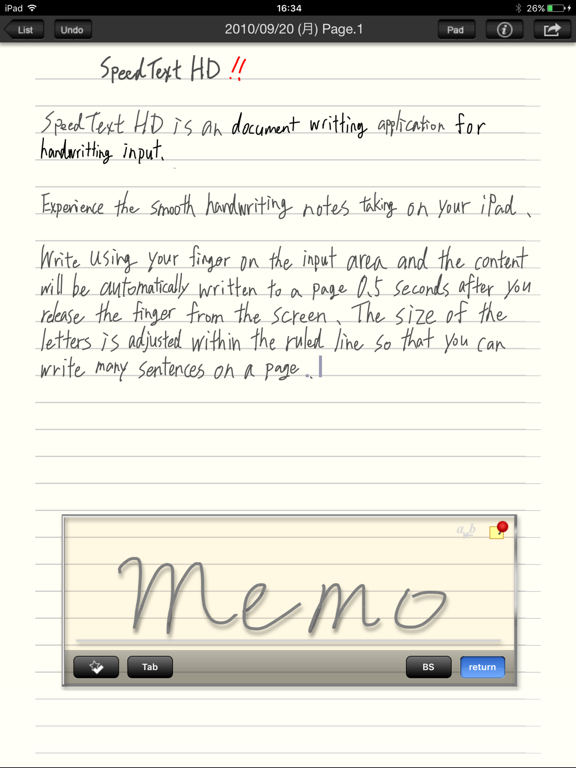
- Selectable pen styles (color and size).
- Changeable pen styles of written words when you select words and touch pen icon.
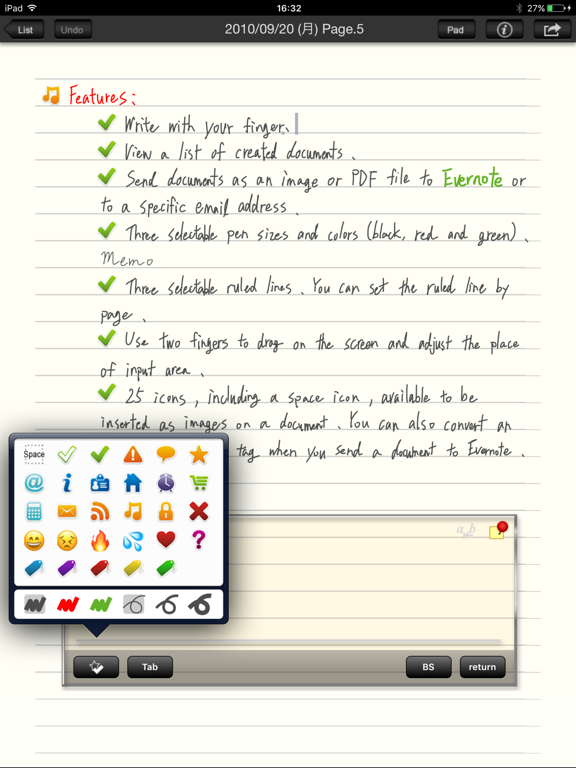
- Easy to select icon in icon select box(slide touch make other icon be selected).
- Edit view:
- Selectable the smooth line mode at drawing area (On, Off).
- Selectable the shadow of drawing line (On, Off).
- The icon tag button is available. Icon of 29 type and space character can be inserted.
- Check box icon on page is able to check when you flick icon to right.
- Added navigation bar to head and the add button is moved to there.
- Add button behavior is changed to add a page into today's the last page from adding a page into the last page of day of displaying page.
- A blank page which is added is not saved.
- Auto scroll type is chenged from on/off to scroll avoiding overlap with drawing area or scroll at bottom of screen.
- Bug Fix:The edit view swerves to the right after display a setting view at landscape mode.
- List view:
- Three icon search tabs are available. (The function is the same. Another search condition can be preserved respectively.)
- Enable to search pages and search lines which include specified icon.
- List tab is changed to month lists from a all-in-one list.
- List popup animation is changed to a navigation bar like.
- The date display design is changed to a tag seal like from a section header.
- The drawing speed of data in the list has improved a little.
- Bug Fix:At the cut operation, selected words are not delete completely.
- Bug Fix:After you set rotation lock at the setting view, a screen layout is broken until you restart app.
- Copy, Cut, Paste is available (iPhoneOS 3.0 or later only)
- Sending Mail is available (iPhoneOS 3.0 or later only)
This update is for iPhoneOS 3.0 or later user.
But other function can be used on iPhoneOS 2.2.1.
- Automatic extending text pad height (Max 300% at landscape mode, 200% at portrait mode).
- In lock timer mode, return button is enable to fix writing. So you can keep the lock timer mode.
- Cursor design changed.
- Fix a bug which input area is cleared in rare cases when text pad is scrolling automatically.
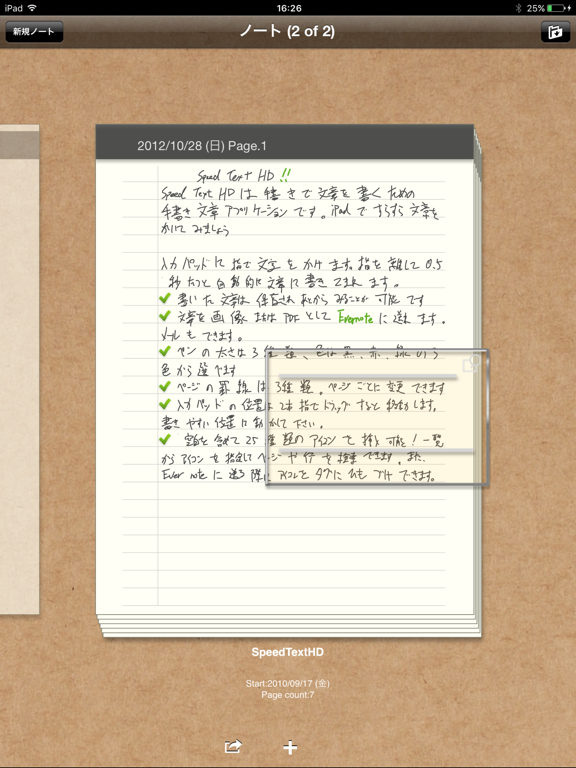
- List View is availavle.
- Continuing write button which box up wordspace is available.
- Lock timer button and continuing write button are selectable (Yes,No).
- Lock timer button and continuing write button are blocked while you are writing on the input pad to avoid a mistaken tap.
- Fix a bug which cursor does not go to end of page at first.
- Input pad margin is available and selectable(Yes,No).
- Auto adjusting of word size is available and selectable(Yes,No).
- Auto scroll is enable and selectable(Yes,No).
- Lock timer button is available.
- Toolbar button layout is changed.
- Input pad design is changed.
- Undo is available.
- Icon is changed.
New Features (Ver 1.1):
- Landscape mode is available (select from Auto, Portrait Fix, Landscape Fix).
- Selectable input wait (minimum: 0.2second, maximum: 0.8second).
- Selectable the input pad height (High, Middle, Low).
- Selectable word space (minimum: 0px, maximum: 24px).
- When the last pad is reached, an add button appears in order to add a new page easily.
- The toolbar is blocked while you are writing on the input pad to aboid a mistaken tap.
- Fix a bug which hide the tool bar durring a call.