BionicGym
Grátis
5.1.0for iPhone
Age Rating
BionicGym Capturas de tela
About BionicGym
For use with BionicGym [including BionicGym PRO-HIIT]
Please register with correct email as it is linked to your account if you upgrade to PRO-HIIT.
To pair please use code “123456”.
Device may appear as with Quintec BLE or BionicGym.
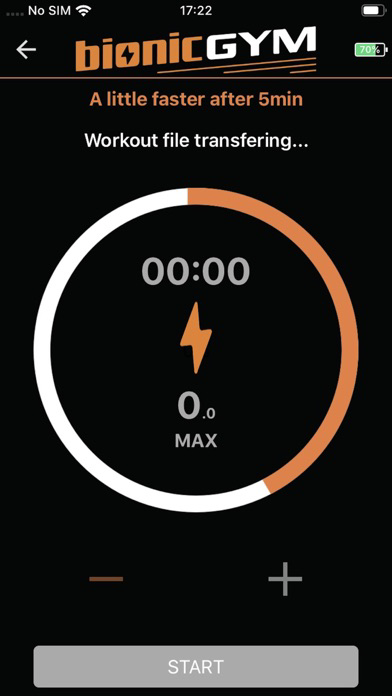
Need internet connection to download workout-files.
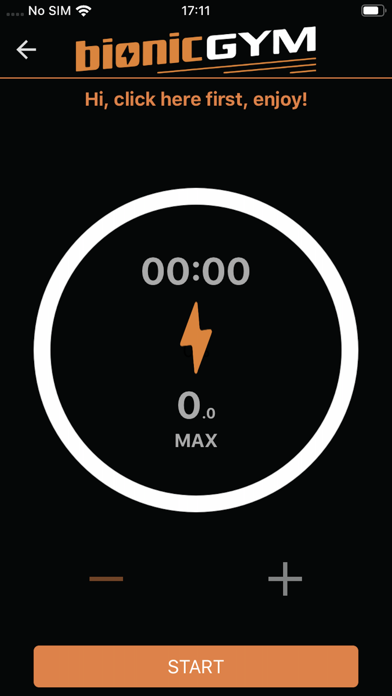
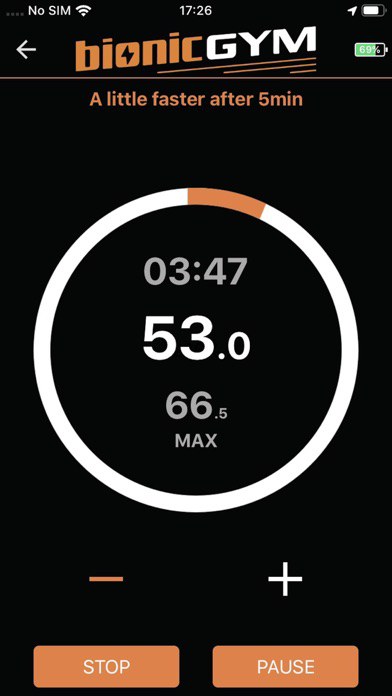
There is a Pause/Stop button on your BionicGym unit too.
Upgrade to PRO-HIIT (“unleash the full power of BionicGym”… more intense workouts and access to the HIIT programs too). In the drop-down menu select Upgrade and enter code. You then have access to the full suite of workouts.
Upgrade codes will have been emailed to you if already purchased. Or visit our webstore / in-app links.
For correct setup – so you get the best results – there are in-app videos.
Train regularly, especially in the first week or two as your body needs to adapt to the workouts.
(Assuming you are healthy and fit) increase the intensity SLOWLY during a session and from one session to the next. If you find it challenging stay at that level and let your body get used to the new intensity level – this can take a few minutes. If feeling unwell at any stage always stop.
For the first training session it is best to use it standing up beside a table or sofa to support you. Be distracted! e.g watch a video.
Try out different workouts to see what works best for you – e.g. the Zones.
Enjoy training with BionicGym and please share.
Thanks to all our users. If you were a Backer on Indiegogo our special thanks and heartfelt appreciation as you made this possible!

Please register with correct email as it is linked to your account if you upgrade to PRO-HIIT.
To pair please use code “123456”.
Device may appear as with Quintec BLE or BionicGym.
Need internet connection to download workout-files.
There is a Pause/Stop button on your BionicGym unit too.
Upgrade to PRO-HIIT (“unleash the full power of BionicGym”… more intense workouts and access to the HIIT programs too). In the drop-down menu select Upgrade and enter code. You then have access to the full suite of workouts.
Upgrade codes will have been emailed to you if already purchased. Or visit our webstore / in-app links.
For correct setup – so you get the best results – there are in-app videos.
Train regularly, especially in the first week or two as your body needs to adapt to the workouts.
(Assuming you are healthy and fit) increase the intensity SLOWLY during a session and from one session to the next. If you find it challenging stay at that level and let your body get used to the new intensity level – this can take a few minutes. If feeling unwell at any stage always stop.
For the first training session it is best to use it standing up beside a table or sofa to support you. Be distracted! e.g watch a video.
Try out different workouts to see what works best for you – e.g. the Zones.
Enjoy training with BionicGym and please share.
Thanks to all our users. If you were a Backer on Indiegogo our special thanks and heartfelt appreciation as you made this possible!
Show More
Novidades da Última Versão 5.1.0
Last updated on May 7, 2026
Versões Antigas
1. Ensured that while a workout is running, the app stays on the workout screen and continuously attempts reconnection.
2. Resolved workout screen freeze.
3. Ensured no crashes occur.
2. Resolved workout screen freeze.
3. Ensured no crashes occur.
Show More
Version History
5.1.0
May 7, 2026
1. Ensured that while a workout is running, the app stays on the workout screen and continuously attempts reconnection.
2. Resolved workout screen freeze.
3. Ensured no crashes occur.
2. Resolved workout screen freeze.
3. Ensured no crashes occur.
BionicGym FAQ
Clique aqui para saber como baixar BionicGym em um país ou região restrita.
Confira a lista a seguir para ver os requisitos mínimos de BionicGym.
iPhone