E-num
Grátis
3.7.1for iPhone, iPad and more
8.1
8 Ratings
VEBMANI.RU, OOO
Developer
11,3 MB
Size
Aug 28, 2023
Update Date
Productivity
Category
4+
Age Rating
Age Rating
E-num Capturas de tela
About E-num
1. About E-num
--------------
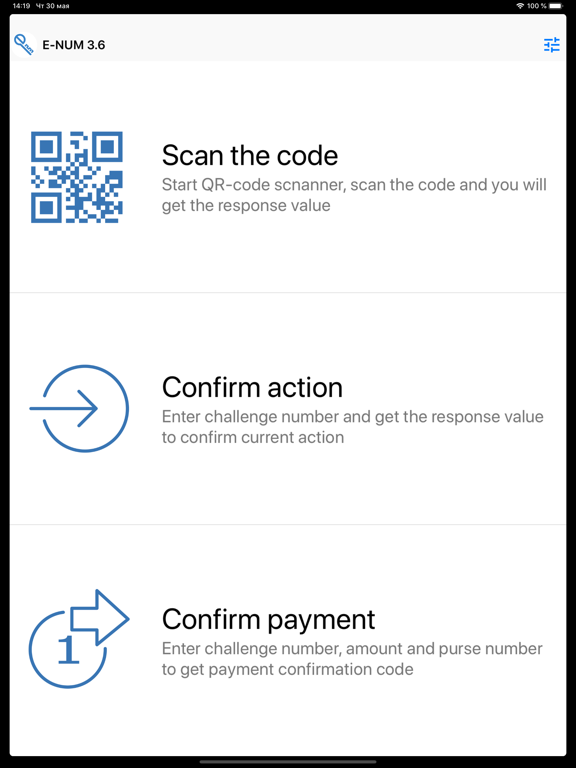
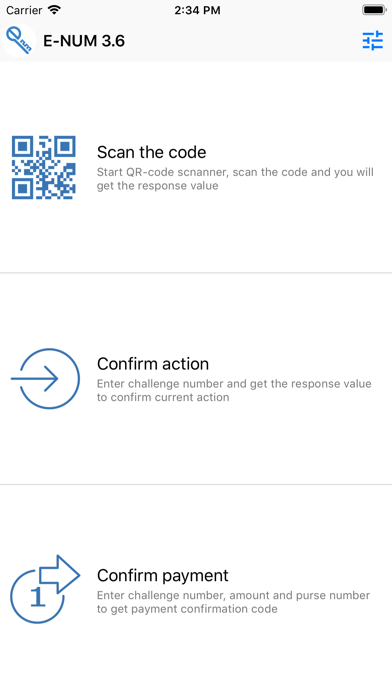
E-num is an up-to-date system of authentication providing high-level security. Security is based on both cryptographic tools and architectural level. A secret access key is stored not on your computer but on your mobile phone. Thus, you can use it to work on different computers. Moreover, your key cannot be damaged or modified by Trojan Hourses and other harmful programs.
2. Authorization process
---------------------
E-num is easy to use: there is no need to memorize complicated passwords. The authorization process is based on the challenge-response model.
Authorization process by using E-NUM is very simple: on the authorization page the user enters his email and received a Challenge Value.
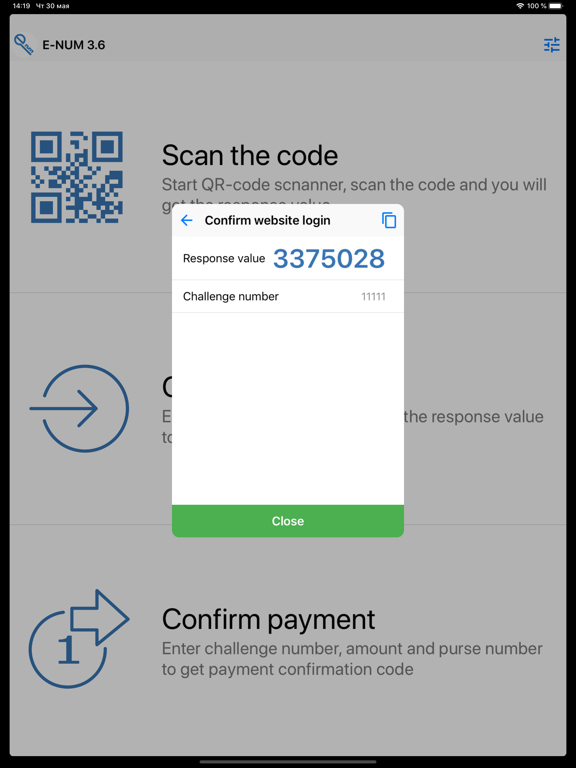
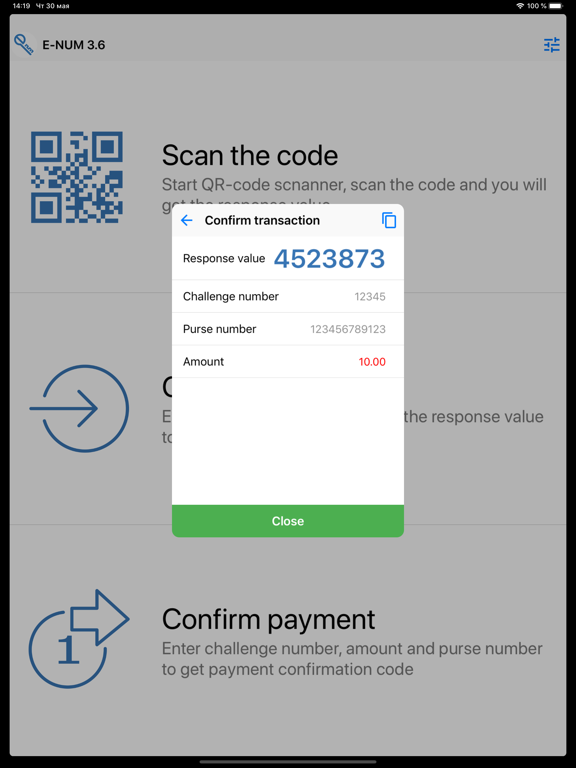
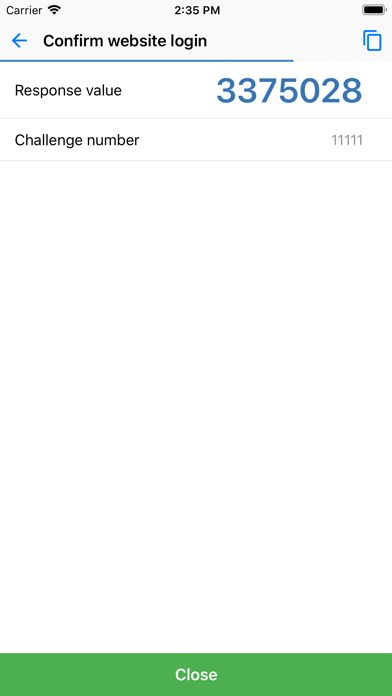
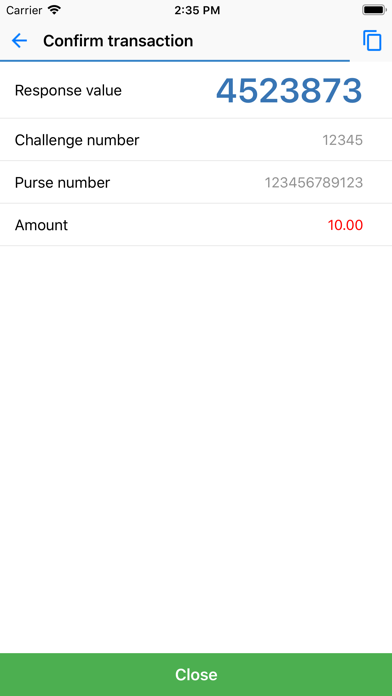
Users launches the E-num application on the mobile phone and enters the Challenge Value. After that a number-answer will be shown on the phone display.
User enters the number-answer in the authorization field on the website and gets access to secured sections.
3. Advantages
------------
The key advantage of E-NUM if compared with its analogs is efficiency and economy for both suppliers and consumers.
No additional authorizing server is required to implement the E-NUM authorization system on a website of an Internet store, in banking or corporate systems, because all necessary information is stored in the E-NUM database. Data exchange is performed by using E-num interfaces provided by the system via the secure https protocol. Clients use their (Java compatible) mobile phones to get authorized at websites integrated with E-NUM.
Users do not need any kind of expensive devices. A unique cipherpad is embedded in the Java application designed for mobile phones.

--------------
E-num is an up-to-date system of authentication providing high-level security. Security is based on both cryptographic tools and architectural level. A secret access key is stored not on your computer but on your mobile phone. Thus, you can use it to work on different computers. Moreover, your key cannot be damaged or modified by Trojan Hourses and other harmful programs.
2. Authorization process
---------------------
E-num is easy to use: there is no need to memorize complicated passwords. The authorization process is based on the challenge-response model.
Authorization process by using E-NUM is very simple: on the authorization page the user enters his email and received a Challenge Value.
Users launches the E-num application on the mobile phone and enters the Challenge Value. After that a number-answer will be shown on the phone display.
User enters the number-answer in the authorization field on the website and gets access to secured sections.
3. Advantages
------------
The key advantage of E-NUM if compared with its analogs is efficiency and economy for both suppliers and consumers.
No additional authorizing server is required to implement the E-NUM authorization system on a website of an Internet store, in banking or corporate systems, because all necessary information is stored in the E-NUM database. Data exchange is performed by using E-num interfaces provided by the system via the secure https protocol. Clients use their (Java compatible) mobile phones to get authorized at websites integrated with E-NUM.
Users do not need any kind of expensive devices. A unique cipherpad is embedded in the Java application designed for mobile phones.
Show More
Novidades da Última Versão 3.7.1
Last updated on Aug 28, 2023
Versões Antigas
qr code scanner activation from push notification improvement
Show More
Version History
3.7.1
Aug 28, 2023
qr code scanner activation from push notification improvement
3.7.0
Apr 28, 2023
Added the ability to show the answer number in the notification (Settings / Notifications)
Do not ask for confirmation at startup if you have recently unlocked the device with biometrics
UI improvements
Other fixes
Do not ask for confirmation at startup if you have recently unlocked the device with biometrics
UI improvements
Other fixes
3.6.10
Mar 8, 2023
bugs fixes
3.6.9
Feb 24, 2023
bugs fixes
3.6.8
Feb 3, 2022
bug fixes
3.6.7
Jan 21, 2022
bug fixes
3.6.6
Jan 20, 2021
bug fixes and performance improvements
3.6.5
Dec 31, 2020
bug fixes and performance improvements
3.6.4
Sep 29, 2020
bug fixes and performance improvements
3.6.3
Sep 10, 2020
bug fixes and performance improvements
3.6.2
Apr 9, 2020
bug fixes and performance improvements
3.6.1
Dec 11, 2019
bug fixes and performance improvements
3.6
Jun 19, 2019
bug fixes
3.5.3
Jan 20, 2018
bugs fixes
3.5.2
Aug 24, 2016
bugs fixes
3.5.1
Aug 6, 2016
bugs fixed for iOS lover than 9.3
3.5
Aug 3, 2016
updated application UI
Apple Wath support
new options in the Interface Options
- You can choose the layout of the buttons to enter data using the numeric keypad
Apple Wath support
new options in the Interface Options
- You can choose the layout of the buttons to enter data using the numeric keypad
3.4.1
Nov 12, 2015
bug fixes
3.4.0
Nov 4, 2015
- ios 9 compatibility
- improved stability and bug fixes
3.3.0
Dec 3, 2014
minor fixes
3.2.0
Aug 23, 2014
- Updated UI
- Improved integrated scanner
- Now you can copy the response value to the clipboard by clicking on it
- Improved integrated scanner
- Now you can copy the response value to the clipboard by clicking on it
3.1.1
May 23, 2014
minor improvments
3.0.1
Nov 18, 2013
some improvements
3.0
Nov 13, 2013
- Instead of typing the numbers or scanning the QR-code, you can get challenge-response, obtained by clicking the Push-notification (when the option "Notifications-> Receive Push-notification" is on)
- The last challenge-response can be viewed at the centre of notifications (option "Notifications-> Remember challenge-response")
- New option "Security-> Require PIN when changing from other applications"
- Convenient wizard for setting the PIN
- Supports iOS7
- The last challenge-response can be viewed at the centre of notifications (option "Notifications-> Remember challenge-response")
- New option "Security-> Require PIN when changing from other applications"
- Convenient wizard for setting the PIN
- Supports iOS7
2.1
Jun 8, 2012
New GUI!
E-num FAQ
Clique aqui para saber como baixar E-num em um país ou região restrita.
Confira a lista a seguir para ver os requisitos mínimos de E-num.
iPhone
Requer o iOS 10.0 ou posterior.
iPad
Requer o iPadOS 10.0 ou posterior.
Apple Watch
Requer o watchOS 2.2 ou posterior.
iPod touch
Requer o iOS 10.0 ou posterior.
E-num suporta Inglês, Russo