myUTS
Grátis
1.4.1for iPhone, iPad
UNITED SOFTWARE AND TECHNOLOGIES INTERNATIONAL (PVT.) LIMITED
Developer
Feb 10, 2026
Update Date
Travel
Category
Age Rating
myUTS Capturas de tela
About myUTS
UTS Tracking
The App comprehensively covers all the functionalities required to serve Vehicle tracking users.
Following are a brief description of myUTS features:
• Dashboard presents tracking information in grid view and charts. The Statuses of vehicles have been shown in the form of a Pie-Chart. Click at the Statuses to view the number of vehicles currently holding that status.
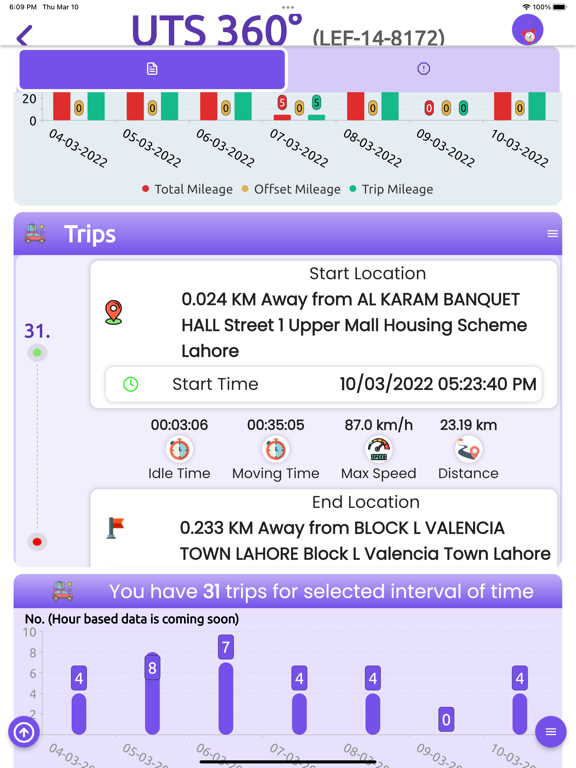
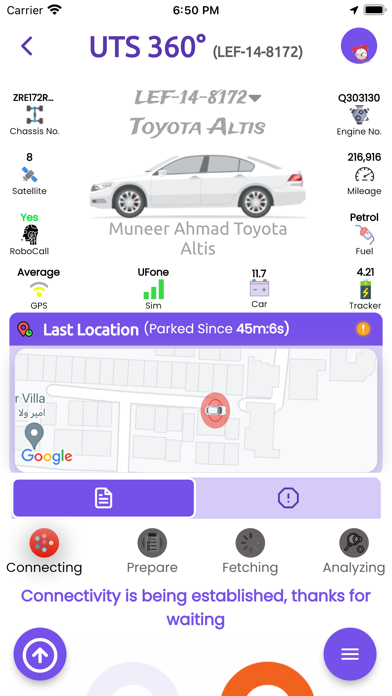
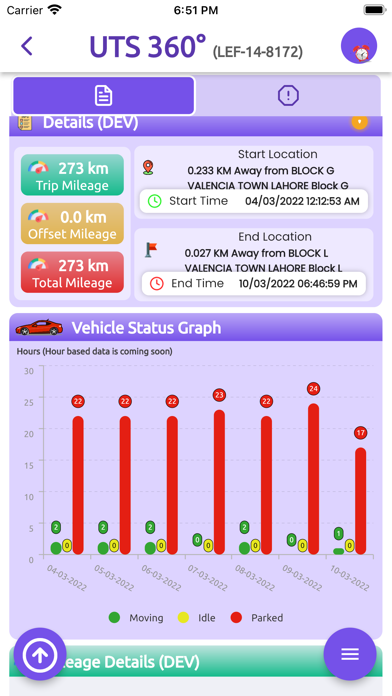
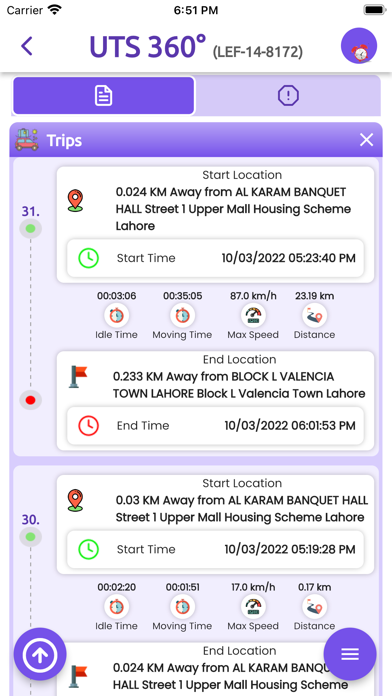
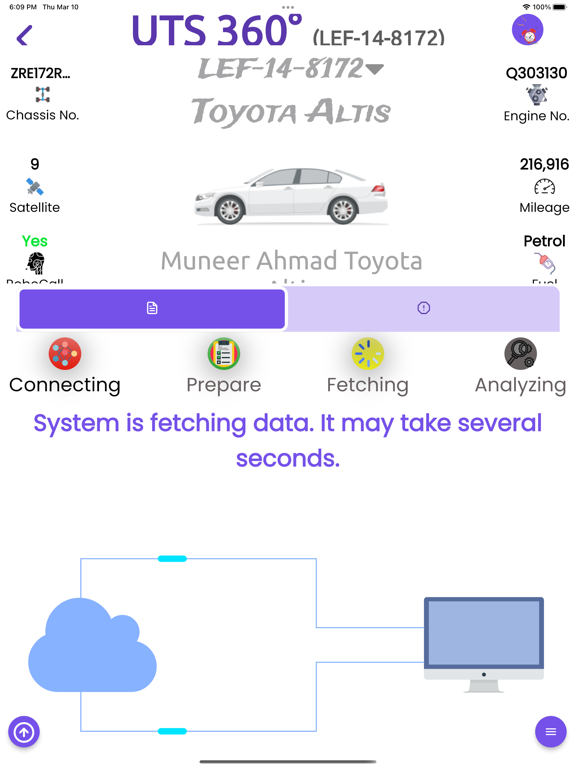
• In 360 view Use can view all the information about his vehicle tracking in various types of graphs and grids.
• Vehicles List: All the user vehicles have been shown in the form of a list. Click at any vehicle registration number to view its data.
• The Overview tab shows the Total vehicle of users and their current statuses.
- Moving
- Idle
- Stop
- Offline
- Speed violation
• Click at the side menu bar to view the list. It contains the following tabs:
- Dashboard
- Vehicles list
- Landmarks
- Customer Care
- Pre Inform
- Products
- Settings
- Contact
• Notifications are being got from API like vehicle ignition on/Off, Engine on/Off and Geo-fence in/out, etc.
• Click the Alerts tab from Vehicles List, all the alerts received by that vehicle are shown in the form of a list. It shows the following details of the vehicle:
- Alerts Name
- Status
- Power Status: On/Off
- Location
- Speed
- Date and Time
• Landmark: the vehicle’s track history has been shown on the map.
• Customer Care: this function has been designed to facilitate the user to generate requests for various services such as package change, complaints, Add Geofence, and many more.
• Pre-inform: through this service, users can intimate control room instantly about vehicle preparing and traveling beyond geofence or outstation traveling. It is required as per tracking companies’ contracts.
• Destination: The user can check trip destination as per the given date range and vehicle registration number.
• App will also provide other useful information such as a List of authorized Drivers, Robocall Alerts details, and vehicle management.
• Users can check trick-wise fuel consumption, estimated fuel cost, and engine temperature.
• myUTS provides the best-estimated values of mileage covered, approximate date of next Oil change
• App also provides customer support service. Users can generate requests and contact the customer care department via email or direct Call.
• Reports: different types of reports are available for instant information.
You can track your vehicles on this App. If you have an active account on http://webtrack.unitedtracker.com
or you can obtain your user name and password of your registered vehicle on United Track by calling on
+92 42 111 000 320
also you can test the application using demo username and password bellow:
username: test1234
password: test@1234

The App comprehensively covers all the functionalities required to serve Vehicle tracking users.
Following are a brief description of myUTS features:
• Dashboard presents tracking information in grid view and charts. The Statuses of vehicles have been shown in the form of a Pie-Chart. Click at the Statuses to view the number of vehicles currently holding that status.
• In 360 view Use can view all the information about his vehicle tracking in various types of graphs and grids.
• Vehicles List: All the user vehicles have been shown in the form of a list. Click at any vehicle registration number to view its data.
• The Overview tab shows the Total vehicle of users and their current statuses.
- Moving
- Idle
- Stop
- Offline
- Speed violation
• Click at the side menu bar to view the list. It contains the following tabs:
- Dashboard
- Vehicles list
- Landmarks
- Customer Care
- Pre Inform
- Products
- Settings
- Contact
• Notifications are being got from API like vehicle ignition on/Off, Engine on/Off and Geo-fence in/out, etc.
• Click the Alerts tab from Vehicles List, all the alerts received by that vehicle are shown in the form of a list. It shows the following details of the vehicle:
- Alerts Name
- Status
- Power Status: On/Off
- Location
- Speed
- Date and Time
• Landmark: the vehicle’s track history has been shown on the map.
• Customer Care: this function has been designed to facilitate the user to generate requests for various services such as package change, complaints, Add Geofence, and many more.
• Pre-inform: through this service, users can intimate control room instantly about vehicle preparing and traveling beyond geofence or outstation traveling. It is required as per tracking companies’ contracts.
• Destination: The user can check trip destination as per the given date range and vehicle registration number.
• App will also provide other useful information such as a List of authorized Drivers, Robocall Alerts details, and vehicle management.
• Users can check trick-wise fuel consumption, estimated fuel cost, and engine temperature.
• myUTS provides the best-estimated values of mileage covered, approximate date of next Oil change
• App also provides customer support service. Users can generate requests and contact the customer care department via email or direct Call.
• Reports: different types of reports are available for instant information.
You can track your vehicles on this App. If you have an active account on http://webtrack.unitedtracker.com
or you can obtain your user name and password of your registered vehicle on United Track by calling on
+92 42 111 000 320
also you can test the application using demo username and password bellow:
username: test1234
password: test@1234
Show More
Novidades da Última Versão 1.4.1
Last updated on Feb 10, 2026
Versões Antigas
What’s New in myUTS
We’ve made some exciting updates to improve your experience:
Bug Fixes
We’ve resolved various issues to ensure a more reliable experience.
Improved Security & Stability
Your data is safer than ever with enhanced security and overall app stability.
Update now to experience the best version of myUTS yet!
We’ve made some exciting updates to improve your experience:
Bug Fixes
We’ve resolved various issues to ensure a more reliable experience.
Improved Security & Stability
Your data is safer than ever with enhanced security and overall app stability.
Update now to experience the best version of myUTS yet!
Show More
Version History
1.4.1
Feb 10, 2026
What’s New in myUTS
We’ve made some exciting updates to improve your experience:
Bug Fixes
We’ve resolved various issues to ensure a more reliable experience.
Improved Security & Stability
Your data is safer than ever with enhanced security and overall app stability.
Update now to experience the best version of myUTS yet!
We’ve made some exciting updates to improve your experience:
Bug Fixes
We’ve resolved various issues to ensure a more reliable experience.
Improved Security & Stability
Your data is safer than ever with enhanced security and overall app stability.
Update now to experience the best version of myUTS yet!
myUTS FAQ
Clique aqui para saber como baixar myUTS em um país ou região restrita.
Confira a lista a seguir para ver os requisitos mínimos de myUTS.
iPhone
iPad