Description -education support
Gratis
2.0.1for iPhone, iPod touch
Age Rating
Description -education support Screenshots
About Description -education support
Writing questions can indeed be improved by actually writing a lot.
However, simply solving problems sometimes makes it difficult to realize that progress. Our application has a feature that allows you to visualize your achievements and easily look back at your past solutions. By looking back, you will be able to compare yourself with your past results and identify future challenges and areas for improvement, which will be the driving force to keep you motivated to continue practicing written exercises.
By looking back and continuously motivating yourself to practice writing exercises, you will have more opportunities to practice writing exercises.
If you are concerned about your motivation to practice writing questions as you proceed with your self-study challenge, or if you are studying at a school or prep school and have difficulty with writing questions, together we will explore new ways to overcome the common challenges of writing questions.
How to use the application:
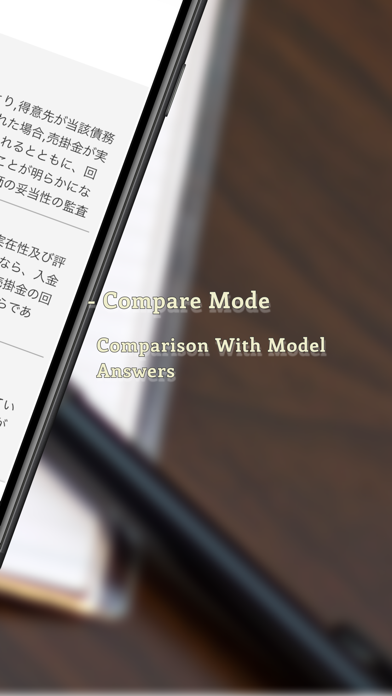
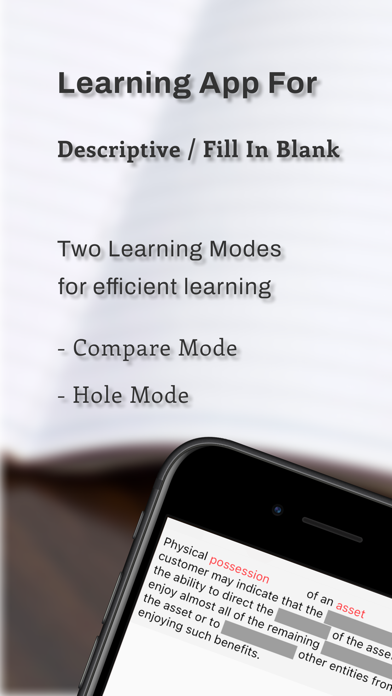
-Compare Mode
(1) Input model answers and user answers: Input the model answers you want to use as reference and the answers you want to compare into the app.
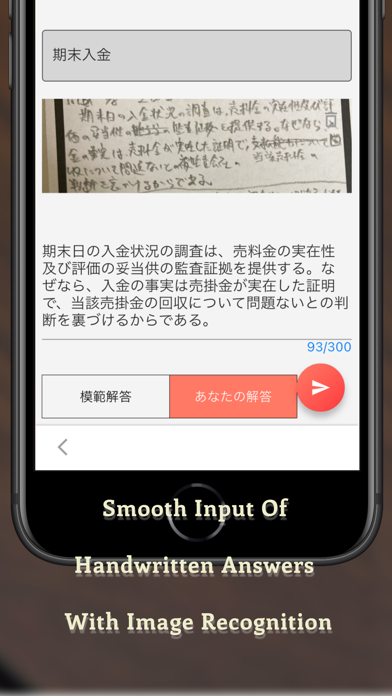
(2) Image recognition: To save you the trouble of entering model answers and answers, you can also recognize text from photos or saved images.
(3) Comparison with model answers: The app compares the answers you have entered with the model answers in terms of differences.
*Note: The answers will be provided to the AI for comparison. Never enter confidential or personal information.
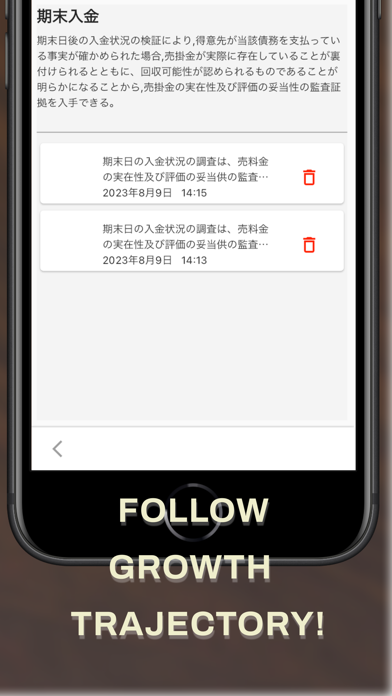
(4) Accumulation and review of growth: Answers are stored in the application, and the learning process can be reviewed in chronological order.
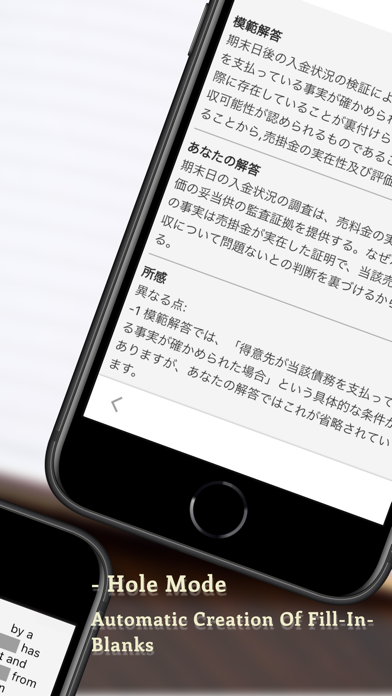
-Hole Mode
(1) Input sentences to be filled in: The data is the same as the model answers in the sentence comparison mode.
(2) Fill-in-the-blank questions: When a question is selected, a fill-in-the-blank question is automatically generated. The part to be filled in will change each time you try to solve the question.

However, simply solving problems sometimes makes it difficult to realize that progress. Our application has a feature that allows you to visualize your achievements and easily look back at your past solutions. By looking back, you will be able to compare yourself with your past results and identify future challenges and areas for improvement, which will be the driving force to keep you motivated to continue practicing written exercises.
By looking back and continuously motivating yourself to practice writing exercises, you will have more opportunities to practice writing exercises.
If you are concerned about your motivation to practice writing questions as you proceed with your self-study challenge, or if you are studying at a school or prep school and have difficulty with writing questions, together we will explore new ways to overcome the common challenges of writing questions.
How to use the application:
-Compare Mode
(1) Input model answers and user answers: Input the model answers you want to use as reference and the answers you want to compare into the app.
(2) Image recognition: To save you the trouble of entering model answers and answers, you can also recognize text from photos or saved images.
(3) Comparison with model answers: The app compares the answers you have entered with the model answers in terms of differences.
*Note: The answers will be provided to the AI for comparison. Never enter confidential or personal information.
(4) Accumulation and review of growth: Answers are stored in the application, and the learning process can be reviewed in chronological order.
-Hole Mode
(1) Input sentences to be filled in: The data is the same as the model answers in the sentence comparison mode.
(2) Fill-in-the-blank questions: When a question is selected, a fill-in-the-blank question is automatically generated. The part to be filled in will change each time you try to solve the question.
Show More
Was ist neu in der neuesten Version 2.0.1
Last updated on Jun 2, 2024
Alte Versionen
- Minor UI fixes
Show More
Version History
2.0.1
Sep 19, 2023
- Minor UI fixes
2.0.0
Sep 5, 2023
・Added fill-in-the-blanks questions mode automatically maked by the AI.You can solve the same sentence from different perspectives, preventing from getting stuck in a rut!
1.0.2
Aug 13, 2023
・Minor UI fixes
1.0.1
Aug 11, 2023
・Added notes for input
1.0.0
Aug 10, 2023
Description -education support FAQ
Klicken Sie hier, um zu erfahren, wie Sie Description -education support in eingeschränkten Ländern oder Regionen herunterladen können.
Überprüfen Sie die folgende Liste, um die Mindestanforderungen von Description -education support zu sehen.
iPhone
Erfordert iOS 11.0 oder neuer.
iPod touch
Erfordert iOS 11.0 oder neuer.
Description -education support unterstützt Englisch, Japanisch