FME Mobile
Your data at your fingertips
Gratis
2.4.1for iPhone, iPad
Age Rating
FME Mobile Screenshots
About FME Mobile
Cut out delivery time and process your data instantly with FME Mobile (formerly FME Data Express). This free, easy-to-use app lets you run FME Flow jobs directly from your iPhone or iPad.
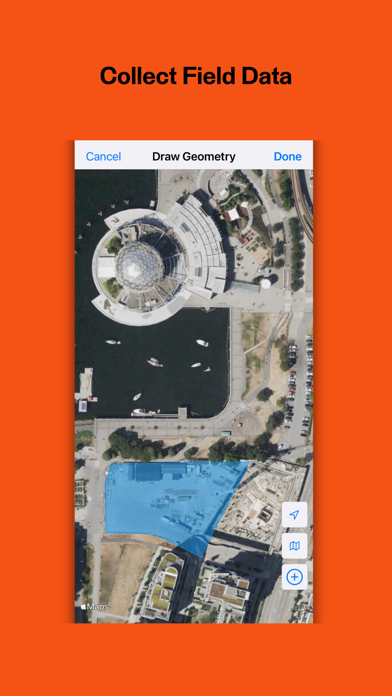
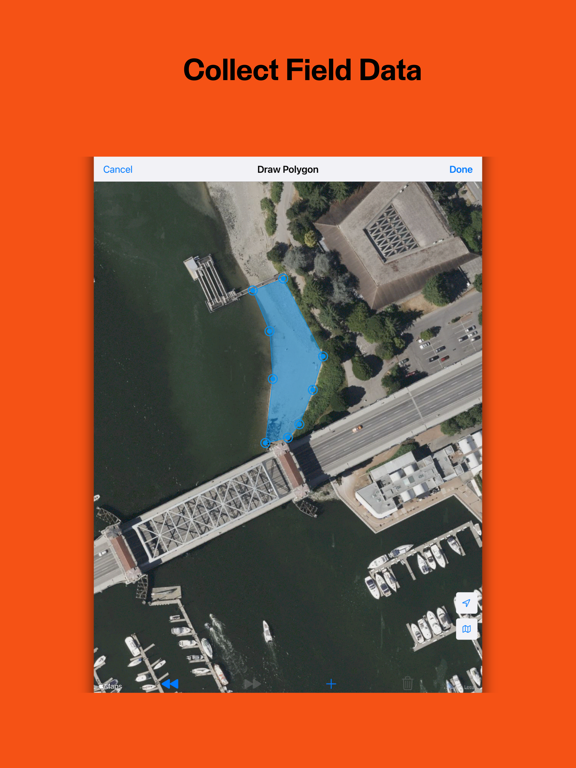
Anyone in your organization can collect data, images, and location information and simply and conveniently integrate data on the go. Transform your data and send it to the right location and into the right hands.
Connect your entire organization and unlock valuable insights by using FME Mobile on the go.
Download FME Mobile today and discover:
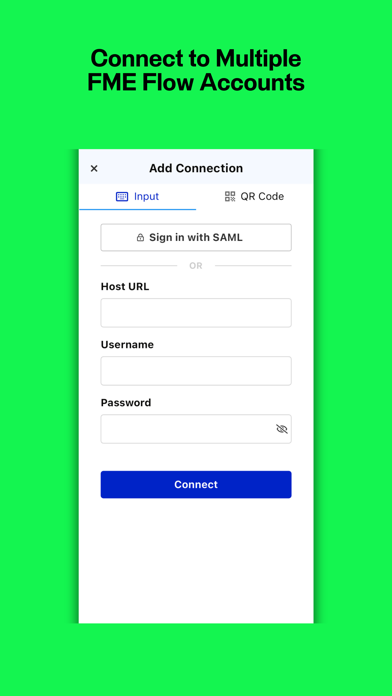
- Easily switch between different FME Flow accounts.
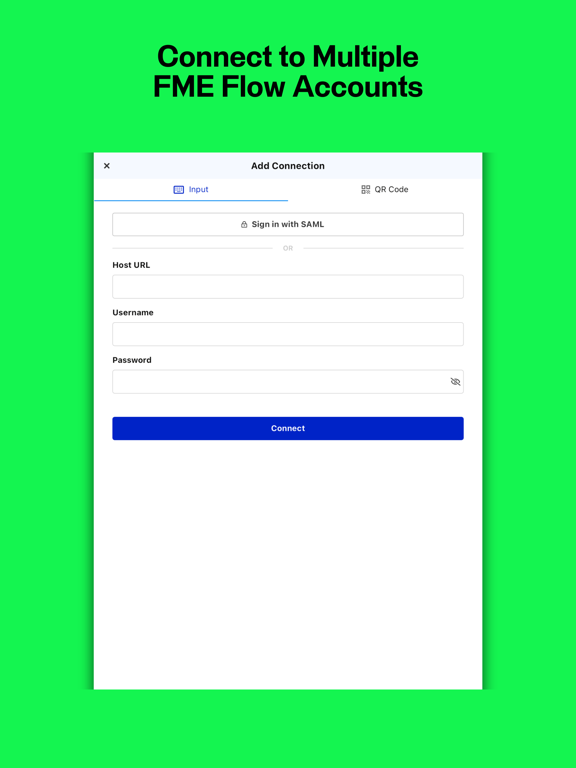
- Sign into FME Flow using either username/password or SAML.
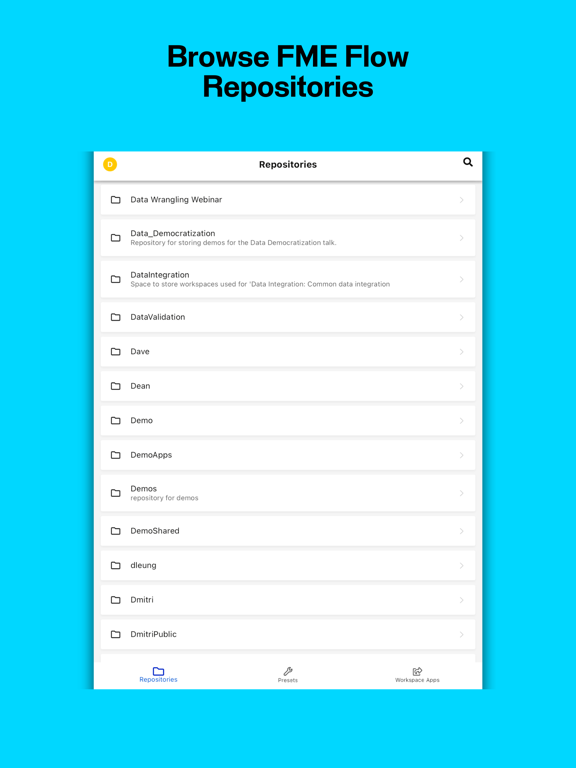
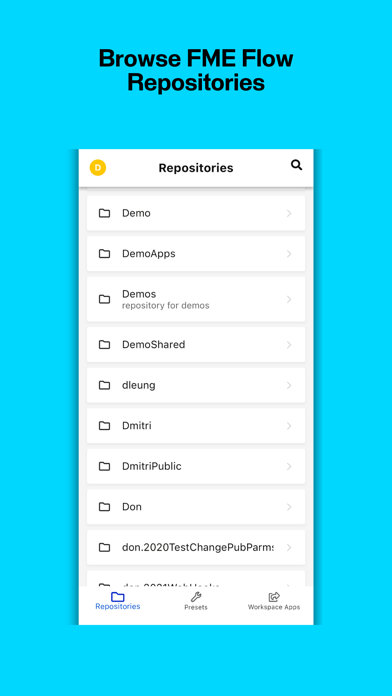
- Browse repositories on FME Flow.
- Configure workspace parameters and directly run the workspace. Data results stream back to the app.
- Supports most FME parameter types.
- Supports Job Submit, Data Download, and Data Streaming.
- QR code and barcode scanning for data inputting.
- Parameter values can be saved as presets.
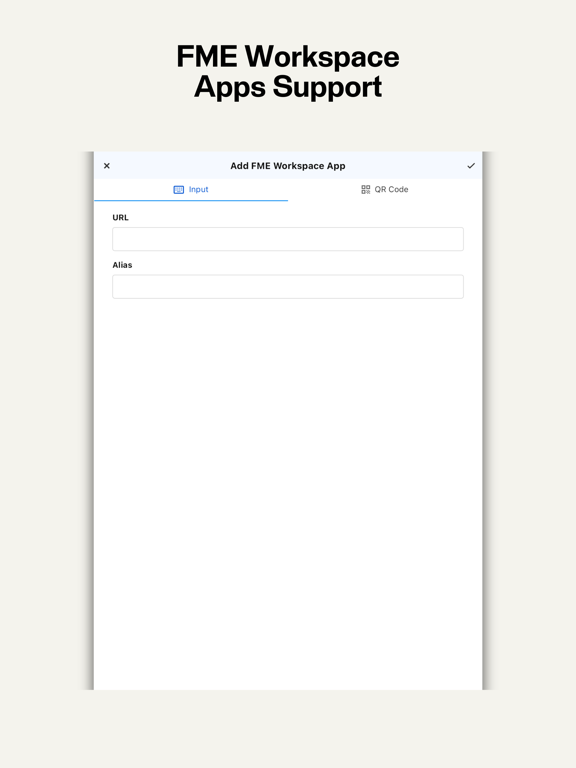
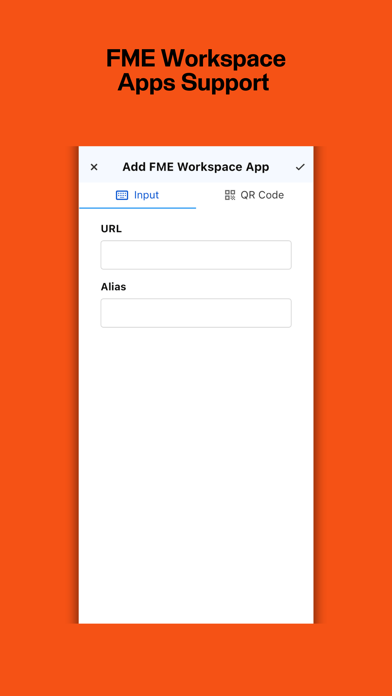
- FME Flow Apps support.
For instructions on how to get started, visit fme.ly/Mobile.
Terms and Conditions: https://www.safe.com/legal/terms-and-conditions/fme-mobile-terms-of-use/
Anyone in your organization can collect data, images, and location information and simply and conveniently integrate data on the go. Transform your data and send it to the right location and into the right hands.
Connect your entire organization and unlock valuable insights by using FME Mobile on the go.
Download FME Mobile today and discover:
- Easily switch between different FME Flow accounts.
- Sign into FME Flow using either username/password or SAML.
- Browse repositories on FME Flow.
- Configure workspace parameters and directly run the workspace. Data results stream back to the app.
- Supports most FME parameter types.
- Supports Job Submit, Data Download, and Data Streaming.
- QR code and barcode scanning for data inputting.
- Parameter values can be saved as presets.
- FME Flow Apps support.
For instructions on how to get started, visit fme.ly/Mobile.
Terms and Conditions: https://www.safe.com/legal/terms-and-conditions/fme-mobile-terms-of-use/
Show More
Was ist neu in der neuesten Version 2.4.1
Last updated on Jul 6, 2024
Alte Versionen
No further updates are currently planned for FME Mobile
Our focus is now directed to the FME AR mobile app for iOS which combined with Flow Apps can replicate the functionality of FME Mobile. This app will remain available but as its no longer supported we cannot guarantee proper functionality. Additional information and feedback at https://support.safe.com/hc/en-us/articles/27456086648461-FME-Mobile-Deprecation
Show More
Version History
2.4.1
Jul 6, 2024
No further updates are currently planned for FME Mobile
Our focus is now directed to the FME AR mobile app for iOS which combined with Flow Apps can replicate the functionality of FME Mobile. This app will remain available but as its no longer supported we cannot guarantee proper functionality. Additional information and feedback at https://support.safe.com/hc/en-us/articles/27456086648461-FME-Mobile-Deprecation
2.4.0
Aug 30, 2023
App Design
We’ve introduced a fresh new look, including a new logo, icons, and colours.
Guided Onboarding
We’ve added a guide to help new users get started.
Improved Mobile Parameters
It’s now easier to configure parameters used in FME Flow Apps, including geometry, file picking, passwords, and more.
We’ve introduced a fresh new look, including a new logo, icons, and colours.
Guided Onboarding
We’ve added a guide to help new users get started.
Improved Mobile Parameters
It’s now easier to configure parameters used in FME Flow Apps, including geometry, file picking, passwords, and more.
2.3.0
Aug 19, 2022
Users can now sign in via SAML
Users can now use QR to add connections and server apps
Minor quality of life changes
Users can now use QR to add connections and server apps
Minor quality of life changes
2.2.1
Aug 10, 2022
Links are now clickable.
Can now drag and re-arrange Server Apps
Fixed UI and file input bugs
Can now drag and re-arrange Server Apps
Fixed UI and file input bugs
2.2.0
May 17, 2022
Security enhancements
Maintain compatibility with FME Server 2022.0
Automatically append colons to parameter prompts
Maintain compatibility with FME Server 2022.0
Automatically append colons to parameter prompts
2.1.0
Jan 13, 2022
Workspace presets are now reorderable
Multiple choice parameters are now more user friendly
Deletion confirmation for presets
Bugfix: fix issue with using zip files in file parameters
Fixed various usability issues
Multiple choice parameters are now more user friendly
Deletion confirmation for presets
Bugfix: fix issue with using zip files in file parameters
Fixed various usability issues
2.0.2
Oct 19, 2021
Internal database schema update
2.0.1
Oct 12, 2021
Fixed a crash when invalid coordinates are present in Geometry parameter
2.0.0
Jul 15, 2021
Brand new look and improved navigation
Faster access to Workspace Presets and FME Server Apps
1.5.0
Jan 29, 2021
Added exif location data support for photos (GPSLatitude, GPSLatitudeRef, GPSLongitude, GPSLongitudeRef, GPSImgDirection, GPSImgDirectionRef)
Added ability to manually edit geometry parameters
Minor bug fixes
Added ability to manually edit geometry parameters
Minor bug fixes
1.4.0
Nov 23, 2020
Added support for Geometry parameter type
Added search functionality in repository list
UI Improvements
Bug fixes
Added search functionality in repository list
UI Improvements
Bug fixes
1.3.3
Sep 23, 2020
Various UI Improvements
Fixed an issue where parameters are not cleared in some instances
1.3.2
May 2, 2020
Data Streaming will now wait for and automatically open job results
Data Streaming will try to automatically launch FME AR when opening .fmear files
Workspaces that support multiple Services will now select "Data Streaming" as default
Removed Data Download Asynchronous mode
Fix UI when editing FME Server App
Fix issue with subsequent submissions of workspaces with multi files
Data Streaming will try to automatically launch FME AR when opening .fmear files
Workspaces that support multiple Services will now select "Data Streaming" as default
Removed Data Download Asynchronous mode
Fix UI when editing FME Server App
Fix issue with subsequent submissions of workspaces with multi files
1.3.1
Mar 4, 2020
Added Barcode Scanning functionality for String Parameters
Fixed issue when running synchronous jobs and port number is specified on host name
Added hint when saving workspace presets for the first time
Fixed issue when running synchronous jobs and port number is specified on host name
Added hint when saving workspace presets for the first time
1.3.0
Nov 20, 2019
Workspace Presets: save your workspace parameters and quickly load them for subsequent runs
1.2.1
Aug 29, 2019
New:
- Camera and image picker no longer requires "_JPG" in file parameter names
- Notify user if permissions are switched off when trying to use Camera and Photos
Fixes:
- Fixed issue with workspaces that uses 'MAX_INT' as number constraints
- Fixed issue when sending a single file in a multi-file parameter
- Camera now sends images as JPG instead of PNG
- Camera and image picker no longer requires "_JPG" in file parameter names
- Notify user if permissions are switched off when trying to use Camera and Photos
Fixes:
- Fixed issue with workspaces that uses 'MAX_INT' as number constraints
- Fixed issue when sending a single file in a multi-file parameter
- Camera now sends images as JPG instead of PNG
1.2.0
Jul 11, 2019
New features:
New FME 2019.1 Server Apps are now supported!
FME Data Express will show the Server App's name and description, as well as apply the Server App's parameter visibility and default values.
Server Apps also supports Siri Shortcuts
Bug fixes:
- fixed an issue where some Job Submitter services being run as Data Download
- fixed issue with editing currently active FME Server connection
- fixed issue with running Workspaces with no Parameters in Data Download
New FME 2019.1 Server Apps are now supported!
FME Data Express will show the Server App's name and description, as well as apply the Server App's parameter visibility and default values.
Server Apps also supports Siri Shortcuts
Bug fixes:
- fixed an issue where some Job Submitter services being run as Data Download
- fixed issue with editing currently active FME Server connection
- fixed issue with running Workspaces with no Parameters in Data Download
1.1.1
Jun 13, 2019
Bug Fix:
- fix issue where workspaces with Data Download service only are reported as not supported
1.1.0
Jun 11, 2019
New Features:
- support for Job Submit service
- support Synchronous and Asynchronous Data Download service
- support for email addresses in Async Data Download and Job Submit services
- support for scanning QR Code to populate Text parameters
- ability to edit saved FME Server apps and connections
Improvements:
- error handling when launching stale shortcuts
- allow password peeking in password fields
- support for Job Submit service
- support Synchronous and Asynchronous Data Download service
- support for email addresses in Async Data Download and Job Submit services
- support for scanning QR Code to populate Text parameters
- ability to edit saved FME Server apps and connections
Improvements:
- error handling when launching stale shortcuts
- allow password peeking in password fields
1.0.1
Mar 29, 2019
Enhancements:
- Preview result directly for known file types; otherwise, show the existing options menu
- Request location access only when it is necessary
- Dismiss the action sheet before showing the file picker

- Preview result directly for known file types; otherwise, show the existing options menu
- Request location access only when it is necessary
- Dismiss the action sheet before showing the file picker
1.0.0
Mar 27, 2019
FME Mobile FAQ
Klicken Sie hier, um zu erfahren, wie Sie FME Mobile in eingeschränkten Ländern oder Regionen herunterladen können.
Überprüfen Sie die folgende Liste, um die Mindestanforderungen von FME Mobile zu sehen.
iPhone
Erfordert iOS 16.1 oder neuer.
iPad
Erfordert iPadOS 16.1 oder neuer.
FME Mobile unterstützt Englisch