TimeForge Manager

TimeForge Manager


Gratis

3.4for iPhone, iPad and more
Resolution Systems, Inc.
Developer
29,6 MB
Size
Feb 16, 2021
Update Date
Business
Category
Age Rating
4+
Apps in this category do not contain restricted content.
9+
Apps in this category may contain mild or occasional cartoon, fantasy or real-life violence, as well as occasional or mild adult, sexually suggestive or horrifying content and may not be suitable for children under 9 years of age.
12+
Apps in this category may contain occasional mild indecent language, frequent or intense cartoon or real-life violence, minor or occasional adult or sexually suggestive material, and simulated gambling, and may be for children under 12 years of age.
17+
You must be at least 17 years old to access this App.
Apps in this category may contain frequent and intense offensive language; Frequent and intense cartoon, fantasy or realistic violence: frequent and intense adult, scary and sexually suggestive subjects: as well as sexual content, nudity, tobacco, alcohol and drugs, may not be suitable for children under 17 years of age.
TimeForge Manager Screenshots
TimeForge Manager PlakatTimeForge Manager PlakatTimeForge Manager PlakatTimeForge Manager Plakat
TimeForge Manager PlakatTimeForge Manager PlakatTimeForge Manager PlakatTimeForge Manager PlakatTimeForge Manager Plakat

About TimeForge Manager

As a busy manager in a fast-paced environment, there is very little time to stand still.

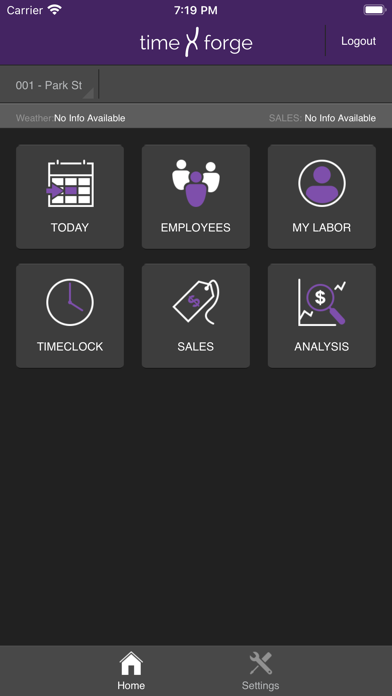
You need a way to manage labor schedules, employee attendance, and sales data directly at your fingertips. It’s essential that you quickly make decisions affecting your business, and to do that you need the be able to access the information fast. Look no further. The TimeForge Manager app, compatible with your smartphone and tablet, is an easy and cost-effective solution that puts controlled labor in the palm of your hand.

Features:
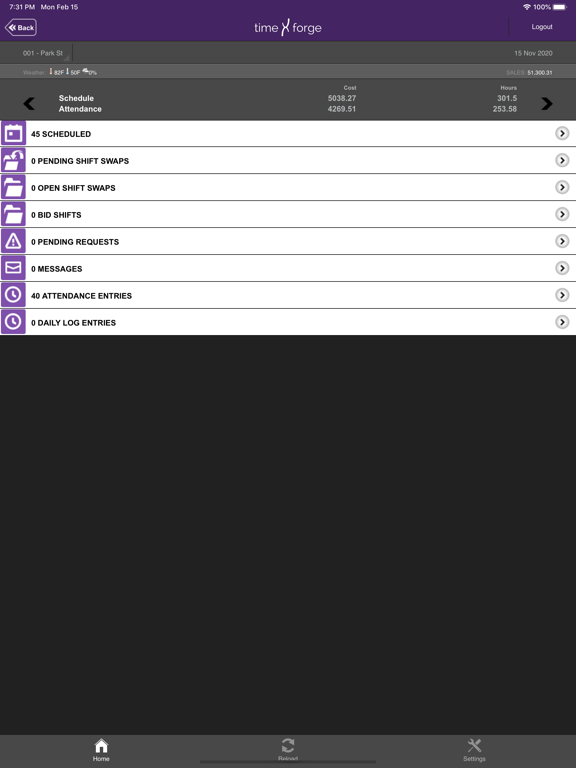
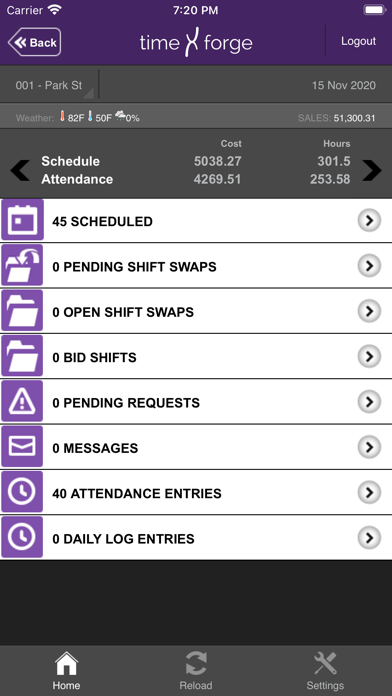
- View a daily breakdown of scheduled employees.
- View employee attendance.
- View employees who are currently clocked in.
- View pending Shift Swaps and Bid Shifts.
- View pending Employee Requests.
- Easily read your TimeForge Messages.
- Keep track of your TimeForge Daily Log.
- Find employee contact information, like phone numbers, at your fingertips.
- View your own attendance and scheduled shifts.
- See weather forecasts to adjust your schedule as necessary.
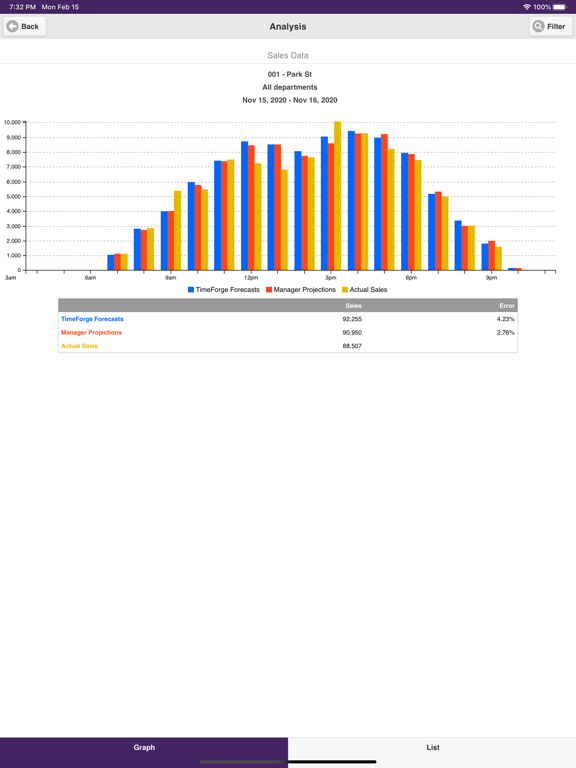
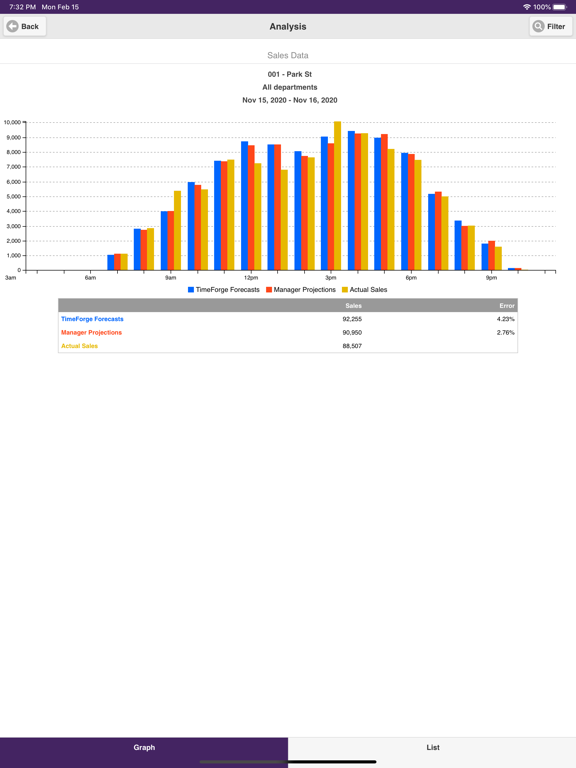
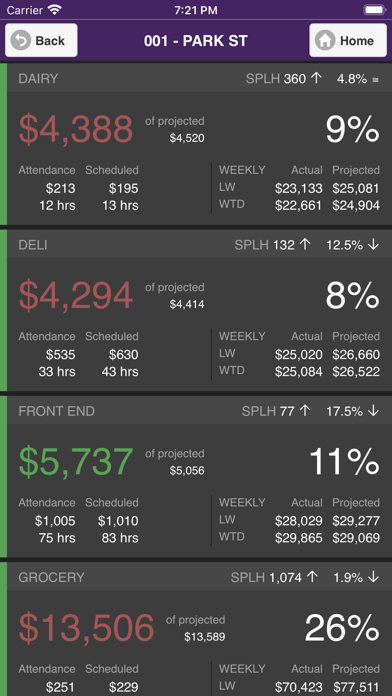
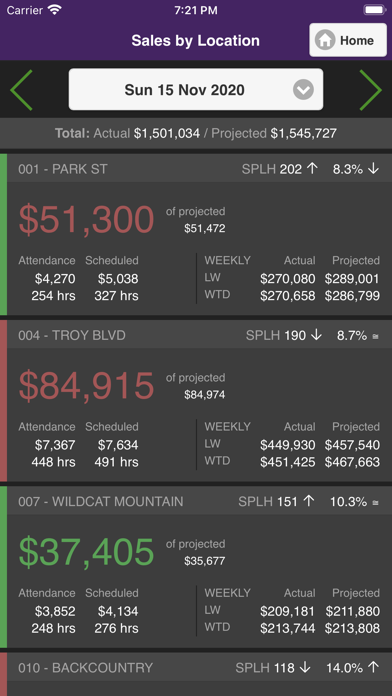
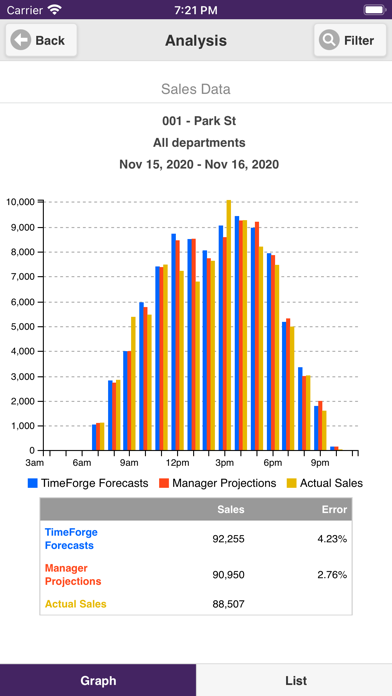
- View your actual sales.


With the TimeForge Manager App, you have the freedom to manage your business without being tied to your computer. Whether it’s monitoring your clocked in employees or observing your labor costs throughout the day, you’ll be prepared for right choices for your staff.

Note: This app requires the credentials of a TimeForge Manager account and is not compatible with TimeForge Employee accounts.

Show More

Was ist neu in der neuesten Version 3.4

Last updated on Feb 16, 2021
Alte Versionen
Improved sales dashboard and bug fixes
Show More
Version History
3.4
Feb 16, 2021
Improved sales dashboard and bug fixes
3.1.6
Nov 13, 2020
Bug fixes
3.0.292
Aug 1, 2019
Updated Branding with some new features and bug fixes sprinkled in!
3.0.286
Jun 30, 2017
Bug fixes.
3.0.272
Oct 24, 2016
Bug fixes for IOS version 10.
3.0.269
Jul 5, 2016
Bug Fixes: We fixed the auto-refreshing function in TimeClock mode. Now you will be able to see your employees' punches whether they happen in the web or mobile app.
3.0.263
May 4, 2016
Validation for Analysis Graph and department sorting on schedule
3.0.253
Apr 8, 2016
Single Sign On
3.0.237
Mar 11, 2016
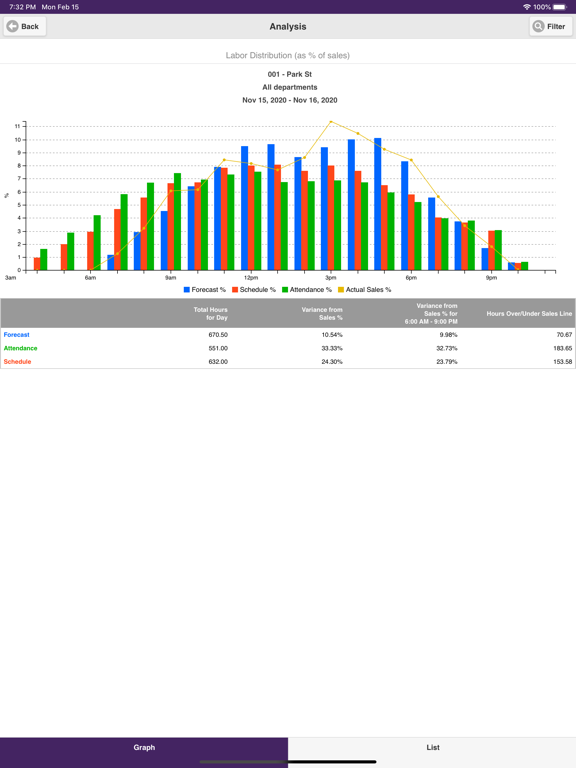
Brand new visual analysis tool helps you check your sales per labor hour and labor percentage at-a-glance!
3.0.214
Feb 1, 2016
- New easy to use sales dashboard with enhanced integrated analytics
- Sortable sales analytics to keep track of hourly sales
- At-a-glace color coding so you can run your store with quick up to the minute sales and labor numbers
- Refined UI for easy maneuverability within the application
2.2.8
Aug 4, 2015
Improvements and fixes to the Sales by Department screen
2.2.7
Jul 10, 2015
Sales tile enhancements
2.2.6
Jun 10, 2015
sales by departments, hours, items.
2.2
May 26, 2015
Added new tile to show sales numbers by department, hours, and items
1.9
Oct 15, 2014
1. Date Ticker Label Not Showing Correct Date (Fixed)
1.8
Sep 18, 2014
1. Ui Improvements in all pages.
2. Message Sorting Added.
3. Reverse Sorting Added.
4. First time Sign up module added.
1.7
Aug 23, 2014
1. Sometimes Employee not able to clockin/clockout in timeclock mode (Fixed)
1.6
Aug 6, 2014
1. Take Break Issue (Fixed)
2. Refresh on Sorting Based.
3. End Break Loader Issue (Fixed)
1.5
Jul 29, 2014
1. Last location hidden issue resolved
1.4
Jul 21, 2014
1. Added Version in Settings
2. Network Handling Improved
3. Checking invalid password on startup (If device is already authorised) to check changed password.
1.3
May 2, 2014
1. TimeClock Mode.
2. Add/Edit/Delete shifts under schedules.
1.2
Oct 1, 2013
1.Date show proper month
2.Sales category will be shown in place of Sales,If no sales categories has been selected default value sales will be used.
3."undefined" issue rectified if there aren't any messages.
4.Location will switch instantly.
5.Pressing physical back button on date picker will now closes the date picker.
6.Date picker now shows correct date even we have changed the date through next previous button or through swiping left or right.
The schedule / attendance box has been stretched out.
1.1
May 7, 2013
1. New Dashboard added.
2. Added Employees List.
3. Added My Labor Tile.
1.0
Feb 19, 2013

TimeForge Manager FAQ

Klicken Sie hier, um zu erfahren, wie Sie TimeForge Manager in eingeschränkten Ländern oder Regionen herunterladen können.
Überprüfen Sie die folgende Liste, um die Mindestanforderungen von TimeForge Manager zu sehen.
iPhone
Erfordert iOS 11.0 oder neuer.
iPad
Erfordert iPadOS 11.0 oder neuer.
iPod touch
Erfordert iOS 11.0 oder neuer.
TimeForge Manager unterstützt Englisch

TimeForge Manager Alternative

Das könnte Ihnen auch gefallen

Erhalte mehr von Resolution Systems, Inc.