Lifesize Room Controller
Free
2.2.1for iPad
Age Rating
Lifesize Room Controller Screenshots
About Lifesize Room Controller
Experience video conferencing in the most effortless and effective way possible.
Lifesize delivers award-winning, cloud-based video conferencing technology that allows you to connect, communicate, and collaborate—from one-on-one audio and video calls to full-scale company meetings spanning multiple locations.
With the Lifesize Room Controller app, you can manage your video conferencing experience right from your iPad—whether you are using a Lifesize Icon integrated room system or a room kit running our software-based Lifesize Dash solution.
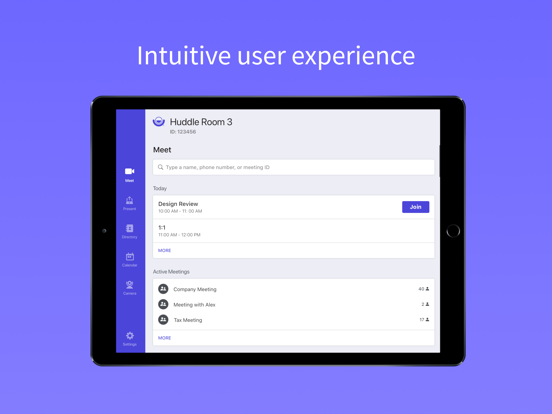
Search your company directory, start or join a meeting, share your screen wirelessly, access in-call controls, and more all with the tap of your finger.
Lifesize. Work together.
Features include:
• Touchscreen control for your Lifesize video conferencing experience
• Tap to call any contact, room, or meeting instantly
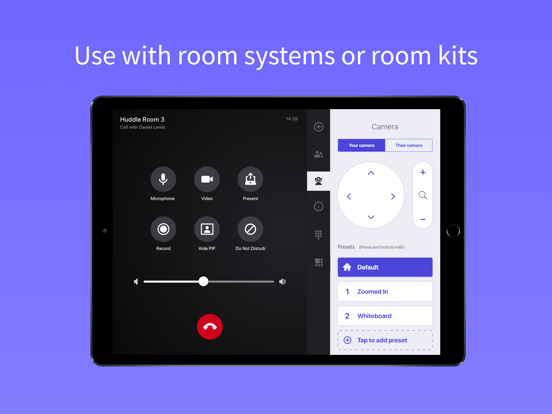
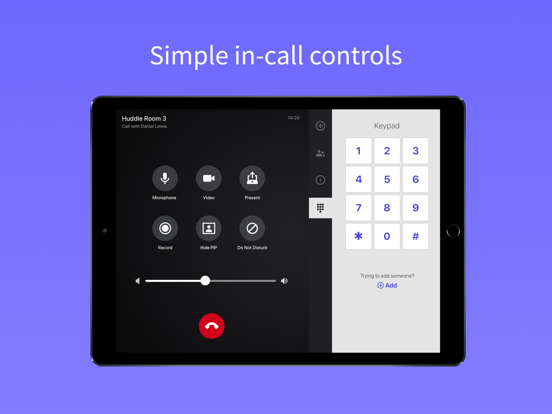
• Simple in-call controls for video, audio, presentation, and more
• Share content from your device to an in-room display or with remote participants during a call
• Position a supported room system camera with interactive controls and configurable presets
• Record calls and meetings for access on demand from cloud video library
• Comprehensive, name-based directory with universal search, contact status, and favorites
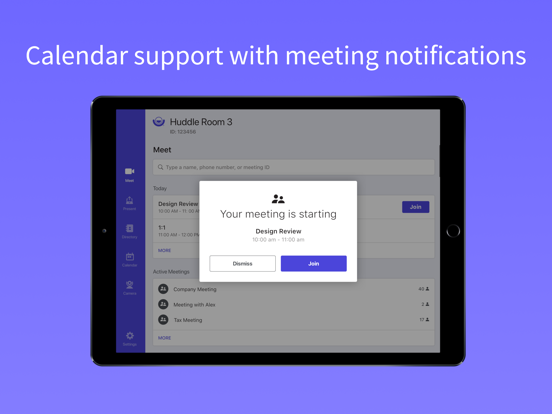
• Real-time calendar integration with one-touch join for meetings on the schedule or in progress
• Compatible with Lifesize Icon 700 with Phone HD, Lifesize Icon 300 with Micpod 3, and Lifesize Dash
Have a question or need help? Contact us at https://www.lifesize.com/support/contact-support

Lifesize delivers award-winning, cloud-based video conferencing technology that allows you to connect, communicate, and collaborate—from one-on-one audio and video calls to full-scale company meetings spanning multiple locations.
With the Lifesize Room Controller app, you can manage your video conferencing experience right from your iPad—whether you are using a Lifesize Icon integrated room system or a room kit running our software-based Lifesize Dash solution.
Search your company directory, start or join a meeting, share your screen wirelessly, access in-call controls, and more all with the tap of your finger.
Lifesize. Work together.
Features include:
• Touchscreen control for your Lifesize video conferencing experience
• Tap to call any contact, room, or meeting instantly
• Simple in-call controls for video, audio, presentation, and more
• Share content from your device to an in-room display or with remote participants during a call
• Position a supported room system camera with interactive controls and configurable presets
• Record calls and meetings for access on demand from cloud video library
• Comprehensive, name-based directory with universal search, contact status, and favorites
• Real-time calendar integration with one-touch join for meetings on the schedule or in progress
• Compatible with Lifesize Icon 700 with Phone HD, Lifesize Icon 300 with Micpod 3, and Lifesize Dash
Have a question or need help? Contact us at https://www.lifesize.com/support/contact-support
Show More
What's New in the Latest Version 2.2.1
Last updated on Oct 8, 2020
Old Versions
Thank you for using the Lifesize Room Controller app! Here's what's new in this release:
- Some housekeeping and other bug fixes
Show More
Version History
2.2.1
Oct 8, 2020
Thank you for using the Lifesize Room Controller app! Here's what's new in this release:
- Some housekeeping and other bug fixes
Lifesize Room Controller FAQ
Click here to learn how to download Lifesize Room Controller in restricted country or region.
Check the following list to see the minimum requirements of Lifesize Room Controller.
iPad