ToolSmart
Free
3.3.0for iPhone, iPod touch
3.1
26 Ratings
General Tools & Instruments
Developer
100.4 MB
Size
Dec 19, 2017
Update Date
Productivity
Category
4+
Age Rating
Age Rating
ToolSmart Screenshots
About ToolSmart
These days professional Craftsmen, Tradesmen, and DIYers around the country count on General to help them work smarter, faster, and better. ToolSmart™ is a great example. With one easy-to-use app — integrated with four new tools — the ToolSmart™ product line is about to eliminate millions of headaches. Here’s a closer look at our introductory line:
ToolSmart™ is the first full line of measuring and inspection tools that connect wirelessly to a smartphone app, allowing you to:
· Work Smarter – All ToolSmart™ tools connect seamlessly with the ToolSmart™ app.
· Measure Better – With ToolSmart™, there is no more jotting down your numbers on little scraps of paper or even the thing you are measuring. Keep track of all your measurements in one organized location right in the palm of your hand.
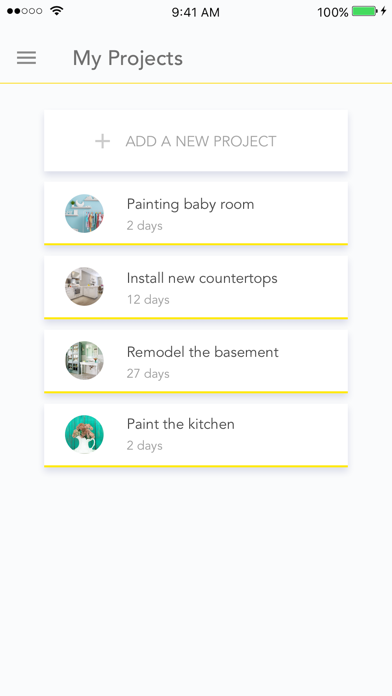
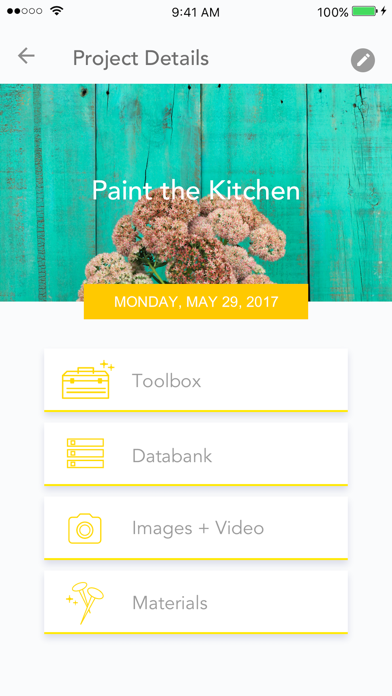
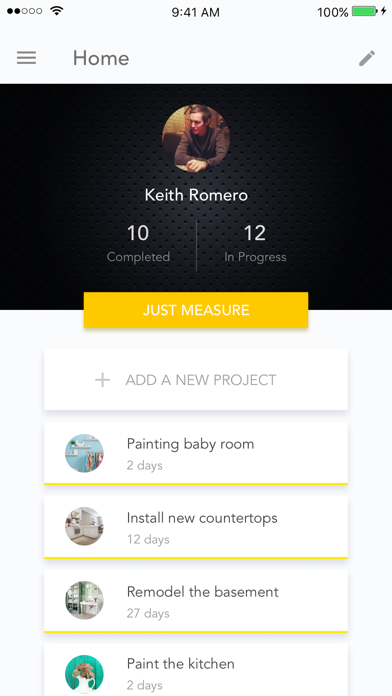
· Be More Productive – With “My Projects”, you can easily keep track of all your jobs, arrange your measurements by project, calculate the amount of materials you need and order them straight from the app.
ToolSmart™ Laser Distance Measurer
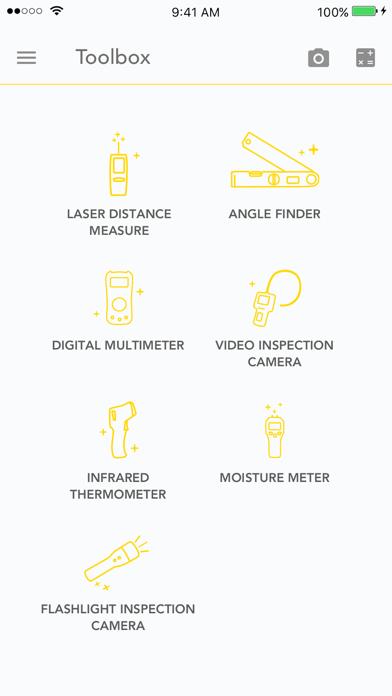
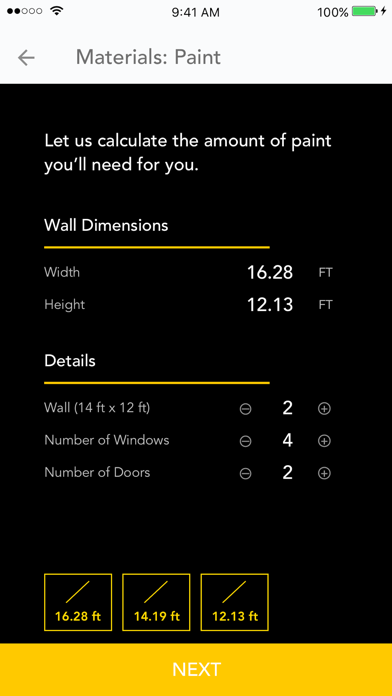
Does all the things a laser measurer should, measuring distances up to 100 feet with the push of a button. But the real benefit comes when it is used with “My Projects” to calculate the precise amount of materials you need to complete your job. Paint, Flooring, and Crown are just a few of the materials you’ll be able to calculate. Once you have your amount, shop directly within the app and view related materials that will help you get the job done right.
ToolSmart™ Digital Angle Finder
Quickly determines the angle of any corner. This tool is especially useful for crown moulding and flooring applications to make sure you get perfect cuts every time.
ToolSmart™ Video Inspection Camera
Puts hard-to-reach places in plain view with the help of an 8mm camera mated to a flexible 3.3-foot probe. If conditions are less than ideal, you can use your smartphone as a second view screen. For jobs requiring documentation, images and videos can be saved to the ToolSmart™ app with the push of a button. Everything needed to write a report, share details with clients, or come up with an estimate is organized and ready to go.
ToolSmart™ Digital Multimeter
Reads voltage, current, resistance, temperature, and more with turn of the dial. It also allows a smartphone to serve as a second viewing screen in case conditions are dark, or there’s more than one person on the job. All data goes directly from the meter to the ToolSmart™ app.

ToolSmart™ is the first full line of measuring and inspection tools that connect wirelessly to a smartphone app, allowing you to:
· Work Smarter – All ToolSmart™ tools connect seamlessly with the ToolSmart™ app.
· Measure Better – With ToolSmart™, there is no more jotting down your numbers on little scraps of paper or even the thing you are measuring. Keep track of all your measurements in one organized location right in the palm of your hand.
· Be More Productive – With “My Projects”, you can easily keep track of all your jobs, arrange your measurements by project, calculate the amount of materials you need and order them straight from the app.
ToolSmart™ Laser Distance Measurer
Does all the things a laser measurer should, measuring distances up to 100 feet with the push of a button. But the real benefit comes when it is used with “My Projects” to calculate the precise amount of materials you need to complete your job. Paint, Flooring, and Crown are just a few of the materials you’ll be able to calculate. Once you have your amount, shop directly within the app and view related materials that will help you get the job done right.
ToolSmart™ Digital Angle Finder
Quickly determines the angle of any corner. This tool is especially useful for crown moulding and flooring applications to make sure you get perfect cuts every time.
ToolSmart™ Video Inspection Camera
Puts hard-to-reach places in plain view with the help of an 8mm camera mated to a flexible 3.3-foot probe. If conditions are less than ideal, you can use your smartphone as a second view screen. For jobs requiring documentation, images and videos can be saved to the ToolSmart™ app with the push of a button. Everything needed to write a report, share details with clients, or come up with an estimate is organized and ready to go.
ToolSmart™ Digital Multimeter
Reads voltage, current, resistance, temperature, and more with turn of the dial. It also allows a smartphone to serve as a second viewing screen in case conditions are dark, or there’s more than one person on the job. All data goes directly from the meter to the ToolSmart™ app.
Show More
What's New in the Latest Version 3.3.0
Last updated on Dec 19, 2017
Old Versions
This app has been updated by Apple to display the Apple Watch app icon.
Get inspirations for your project
Minor bug fixes
Get inspirations for your project
Minor bug fixes
Show More
Version History
3.3.0
Dec 19, 2017
This app has been updated by Apple to display the Apple Watch app icon.
Get inspirations for your project
Minor bug fixes
Get inspirations for your project
Minor bug fixes
3.2.0
Sep 23, 2017
* Optional registration. Now a user can access the app without registration.
* Minor bug fixes.
* Minor bug fixes.
3.1.0
Aug 25, 2017
* Project Engine
* Bug fixes and improvement
3.0.0
May 31, 2017
* New and improved UI
* Bug fixes to enable user to enter their own measurements
* Added customized user profiles
* New onboarding flow
* Re-designed project dashboard
* Bug fixes to enable user to enter their own measurements
* Added customized user profiles
* New onboarding flow
* Re-designed project dashboard
2.1.0
Apr 17, 2017
* Resolved measurement dragging from Databank onto pictures and calculators
* Resolved decimal display issue when IRT is set to Celsius and App is set to Fahrenheit
* Resolved material indicator display
* Updated App OS and Device compatibility
* Resolved camera app crash issue
* Resolved decimal display issue when IRT is set to Celsius and App is set to Fahrenheit
* Resolved material indicator display
* Updated App OS and Device compatibility
* Resolved camera app crash issue
2.0.1
Aug 6, 2016
- "My Projects" bug fixing.
2.0
Aug 1, 2016
- The App now supports 3 new tools: Infrared Thermometer, Moisture Meter, and Flashlight Inspection Camera.
- Add sharing (via email/message) feature.
- Saved data, recorded videos, and dimension pictures are able to be deleted.
- Add sharing (via email/message) feature.
- Saved data, recorded videos, and dimension pictures are able to be deleted.
1.3
Jun 30, 2016
- Auto save measurements as soon as they are transmitted.
- Option to choose English or Metric units.
- Ability to delete measurements and other data.
- Share images directly from the app.
- Option to choose English or Metric units.
- Ability to delete measurements and other data.
- Share images directly from the app.
1.2
Jun 8, 2016
- Access to picture galleries on all tools.
- Ability to draw measurements and mark angles on your photos.
- Crown moulding and wallpaper added as material types.
- Ability to draw measurements and mark angles on your photos.
- Crown moulding and wallpaper added as material types.
1.1
Apr 30, 2016
- Ability to draw and label measurements for your pictures under Laser Distance Measurer.
- Added in app calculator.
1.0
Apr 19, 2016
ToolSmart FAQ
Click here to learn how to download ToolSmart in restricted country or region.
Check the following list to see the minimum requirements of ToolSmart.
iPhone
Requires iOS 8.0 or later.
iPod touch
Requires iOS 8.0 or later.
ToolSmart supports English