Quick Timer: The Fastest Timer
Gratuit
1.1.2for iPhone, iPod touch
Age Rating
Quick Timer: The Fastest Timer Captures d'écran
About Quick Timer: The Fastest Timer
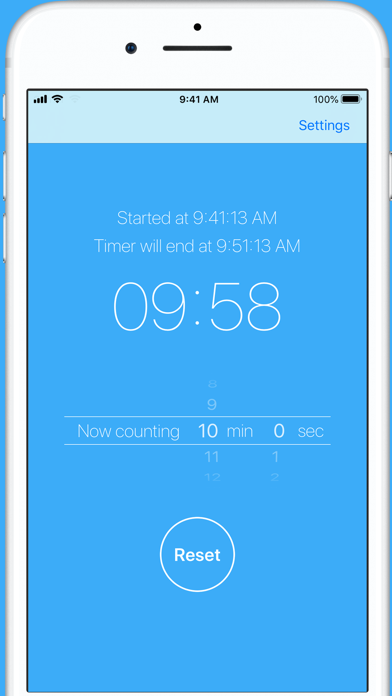
Timer starts at the same time as app launch. Time setting can be changed later!
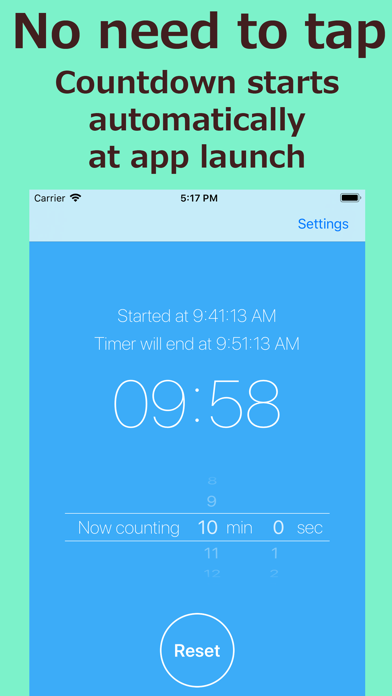
- The fastest timer app to launch -
Just start this app when timer is needed. Countdown starts automatically!
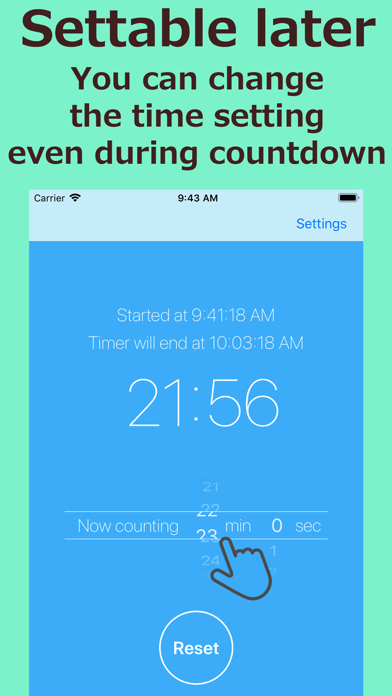
- You can always change the time setting -
Even during countdown, you can freely change the time setting! The count is adjusted without affecting the countdown start time.
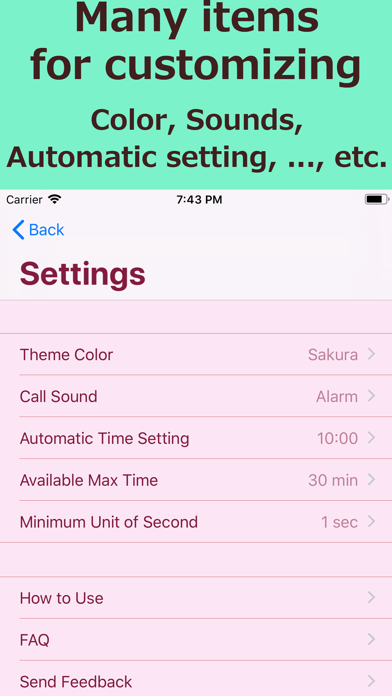
- The default time can be set freely -
You can freely set the default time which is automatically set at app launch. In the case of using on the fixed time setting, even tap is not required after app launch!
Also it can be set to not start timer automatically.
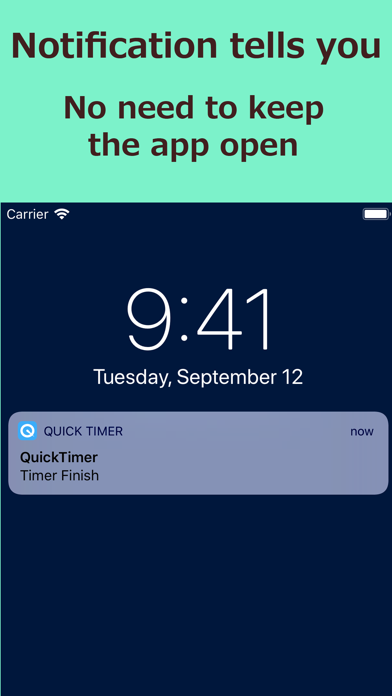
- Notification tells you even in the background -
You do not need to keep the app open. Some notifications tell you the timer finish certainly.
[The background of Quick Timer development]
After filling hot water in the cup ramen, or after putting pasta in the pot ..., "How much time should I measure...?" I am often faced with such situation....
I think there should be app like "at first the timer launch, and settable later", and I made it.
Actually this "settable later" function is more convenient than I had expected; there is no need to hurry to set time before timer launch, and also it can be corrected if there is any mistake, it works quite good.
As such a timer, this have slightly unusual operation, however it will be soon got used to. If you like Quick Timer, please post a review. It helps my development greatly.
Thank you!
■■■ About paid upgrade ■■■
All ads will be hidden in the upgraded version.
● About Auto-Renewing Subscription
Subscription automatically renews unless auto-renewing is turned off at least 24-hours before the current period ends. Your Apple ID account will be charged for auto-renewing within 24-hours before the end of the current period.
● Manage and Cancel Subscriptions
You can manage your subscriptions and turn off auto-renewing from App Store account settings after purchase.
● Notes
・ If you turn off auto-renewing you will have access to your subscribed content until the end of the current period.
・ Current subscriptions cannot be canceled while active.
・ Payments will be charged to your Apple ID account at confirmation of purchase.
● Terms of Use / Privacy Policy
http://take-e.sblo.jp/article/185509242.html

- The fastest timer app to launch -
Just start this app when timer is needed. Countdown starts automatically!
- You can always change the time setting -
Even during countdown, you can freely change the time setting! The count is adjusted without affecting the countdown start time.
- The default time can be set freely -
You can freely set the default time which is automatically set at app launch. In the case of using on the fixed time setting, even tap is not required after app launch!
Also it can be set to not start timer automatically.
- Notification tells you even in the background -
You do not need to keep the app open. Some notifications tell you the timer finish certainly.
[The background of Quick Timer development]
After filling hot water in the cup ramen, or after putting pasta in the pot ..., "How much time should I measure...?" I am often faced with such situation....
I think there should be app like "at first the timer launch, and settable later", and I made it.
Actually this "settable later" function is more convenient than I had expected; there is no need to hurry to set time before timer launch, and also it can be corrected if there is any mistake, it works quite good.
As such a timer, this have slightly unusual operation, however it will be soon got used to. If you like Quick Timer, please post a review. It helps my development greatly.
Thank you!
■■■ About paid upgrade ■■■
All ads will be hidden in the upgraded version.
● About Auto-Renewing Subscription
Subscription automatically renews unless auto-renewing is turned off at least 24-hours before the current period ends. Your Apple ID account will be charged for auto-renewing within 24-hours before the end of the current period.
● Manage and Cancel Subscriptions
You can manage your subscriptions and turn off auto-renewing from App Store account settings after purchase.
● Notes
・ If you turn off auto-renewing you will have access to your subscribed content until the end of the current period.
・ Current subscriptions cannot be canceled while active.
・ Payments will be charged to your Apple ID account at confirmation of purchase.
● Terms of Use / Privacy Policy
http://take-e.sblo.jp/article/185509242.html
Show More
Quoi de neuf dans la dernière version 1.1.2
Last updated on Dec 15, 2025
Vieilles Versions
Fixed a bug that caused the app to crash on iOS14.
Show More
Version History
1.1.2
Apr 8, 2021
Fixed a bug that caused the app to crash on iOS14.
1.1.1
Sep 1, 2020
Fixed a minor bug.
1.1.0
Jan 3, 2020
Hello. In this update a paid upgrade become available.
All ads will be hidden in the upgraded version.
Please use all means!
All ads will be hidden in the upgraded version.
Please use all means!
1.0.2
May 6, 2019
Hello. This time update is answer for the request of adding a function.
●To display the time when the timer will end.
If you like this app, I hope you to write a review. It will be great for me and helps my motivation.
Well then again!
●To display the time when the timer will end.
If you like this app, I hope you to write a review. It will be great for me and helps my motivation.
Well then again!
1.0.1
Mar 15, 2019
@Small bug fix
1.0.0
Mar 13, 2019
Quick Timer: The Fastest Timer FAQ
Cliquez ici pour savoir comment télécharger Quick Timer: The Fastest Timer dans un pays ou une région restreints.
Consultez la liste suivante pour voir les exigences minimales de Quick Timer: The Fastest Timer.
iPhone
Nécessite iOS 11.0 ou version ultérieure.
iPod touch
Nécessite iOS 11.0 ou version ultérieure.
Quick Timer: The Fastest Timer prend en charge Anglais, Japonais