Plotagon Studio
無料
1.6.0for iPhone, iPad
Age Rating
Plotagon Studio スクリーンショット
About Plotagon Studio
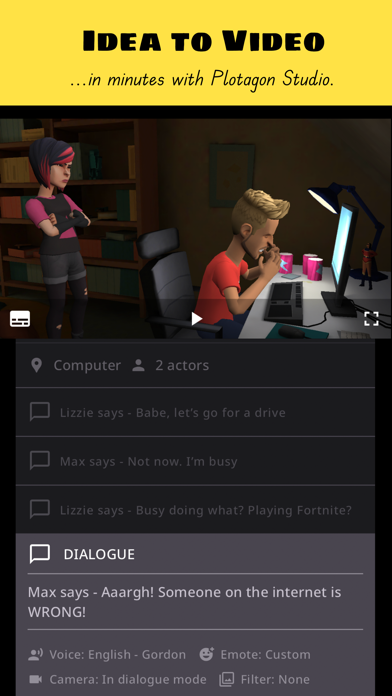
With this app, we aspire to enable anyone with an idea to effortlessly make professional-looking animated videos.
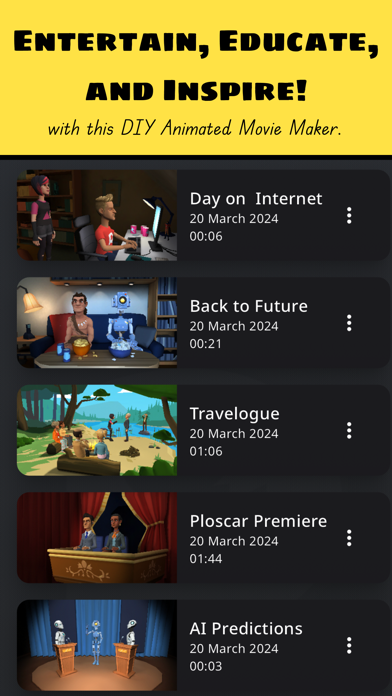
Our customers have used this app to create fan fiction, original narratives, social stories, training material, educational videos, advertising content and much more.
Plotagon Studio comes with a rich library of visual content, lifelike voices and creative tools to help bring your stories to life.
Have you got an idea and wonder what to do next? Follow along:
Step 1: Download this app, obviously!
Step 2: Start creating a Plot. Plots are intuitive storyboards that help you easily organize, preview, and develop your story.
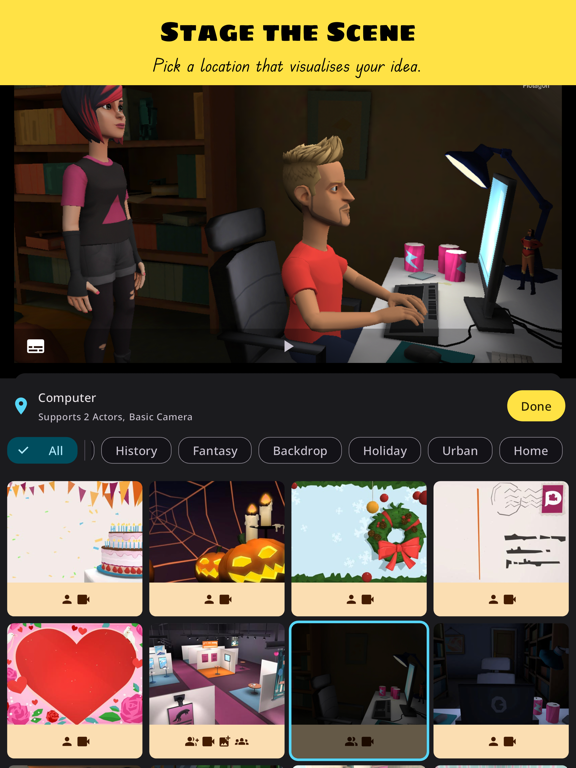
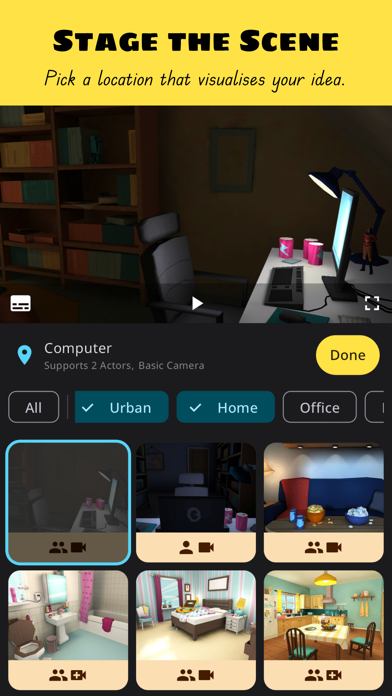
Step 3: Pick a location that visualises your story.
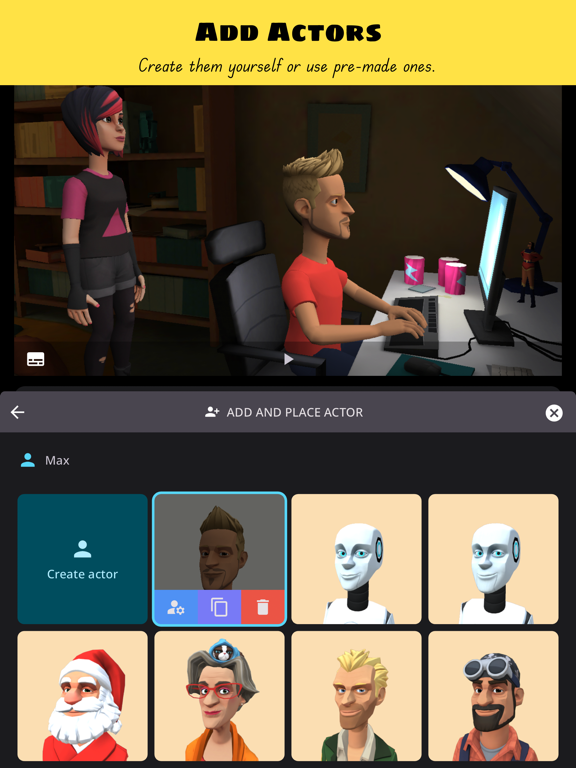
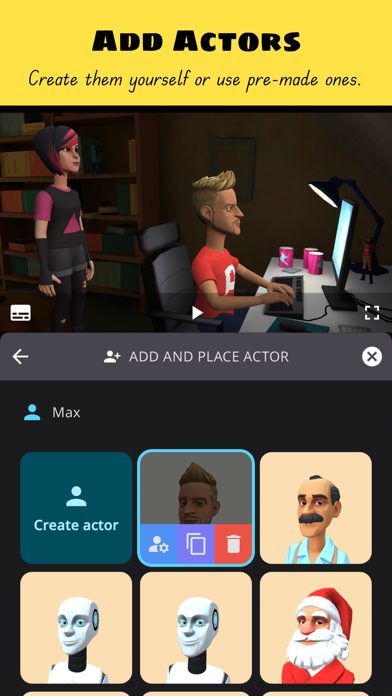
Step 4: Add actors. Create them yourself or pick ones from our library.
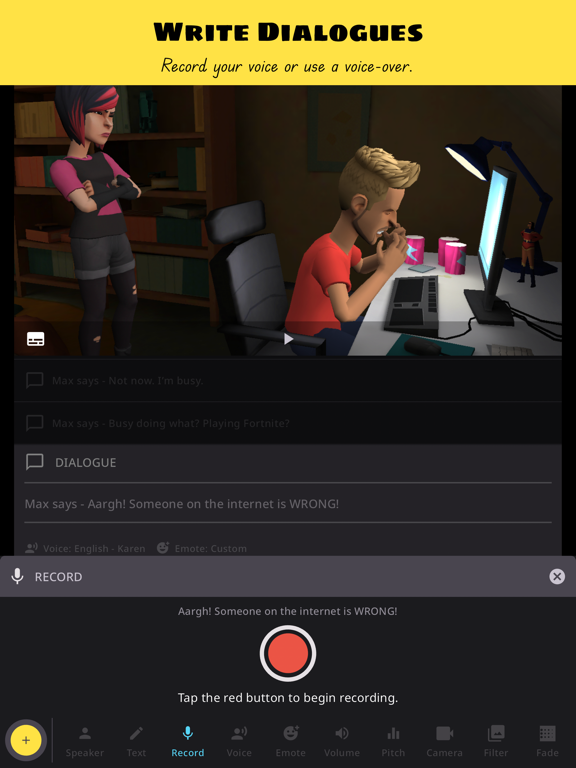
Step 5: Write dialogues, record voice overs, give your actors emotions and actions, add audio effects.
Step 6: Develop your story with our creative tools that allow you to be a video editor in-app. Change camera angles, apply fades and filters.
Step 7: Save the Plot as a video file. Share your film masterpiece with friends, family, and on social media!
That's it! Seven easy steps to becoming the next big content creator internet sensation!* Educate, entertain and inspire with the best DIY animated movie maker!
*Disclaimer: Individual results may vary depending on the quality and virality of produced content! ;-)
If you have read this far, we thank you for your attention. We also hope you are convinced that Plotagon Studio is worth your time. Give it a try and let us know what you think at support@plotagon.com.
Privacy Policy:
https://www.plotagon.com/v2/privacy-policy/
Terms of Service:
https://www.plotagon.com/v2/terms-of-use/

Our customers have used this app to create fan fiction, original narratives, social stories, training material, educational videos, advertising content and much more.
Plotagon Studio comes with a rich library of visual content, lifelike voices and creative tools to help bring your stories to life.
Have you got an idea and wonder what to do next? Follow along:
Step 1: Download this app, obviously!
Step 2: Start creating a Plot. Plots are intuitive storyboards that help you easily organize, preview, and develop your story.
Step 3: Pick a location that visualises your story.
Step 4: Add actors. Create them yourself or pick ones from our library.
Step 5: Write dialogues, record voice overs, give your actors emotions and actions, add audio effects.
Step 6: Develop your story with our creative tools that allow you to be a video editor in-app. Change camera angles, apply fades and filters.
Step 7: Save the Plot as a video file. Share your film masterpiece with friends, family, and on social media!
That's it! Seven easy steps to becoming the next big content creator internet sensation!* Educate, entertain and inspire with the best DIY animated movie maker!
*Disclaimer: Individual results may vary depending on the quality and virality of produced content! ;-)
If you have read this far, we thank you for your attention. We also hope you are convinced that Plotagon Studio is worth your time. Give it a try and let us know what you think at support@plotagon.com.
Privacy Policy:
https://www.plotagon.com/v2/privacy-policy/
Terms of Service:
https://www.plotagon.com/v2/terms-of-use/
Show More
最新バージョン 1.6.0 の更新情報
Last updated on 2026年01月21日
旧バージョン
Portrait mode now available. Make vertical Plots perfect for social media posts!
You can now assign voices to Actors. Keep Actor voices consistent more easily across Plots!
Plus, some bug fixes.
Make sure to update your app and keep the feedback coming!
You can now assign voices to Actors. Keep Actor voices consistent more easily across Plots!
Plus, some bug fixes.
Make sure to update your app and keep the feedback coming!
Show More
Version History
1.6.0
2026年01月21日
Portrait mode now available. Make vertical Plots perfect for social media posts!
You can now assign voices to Actors. Keep Actor voices consistent more easily across Plots!
Plus, some bug fixes.
Make sure to update your app and keep the feedback coming!
You can now assign voices to Actors. Keep Actor voices consistent more easily across Plots!
Plus, some bug fixes.
Make sure to update your app and keep the feedback coming!
Plotagon Studio FAQ
Plotagon Studioは、以下の国または地域では利用できません。
Afghanistan,China
次のリストをチェックして、Plotagon Studioの最低システム要件をご確認ください。
iPhone
iPad
ここをクリック!地理的に制限されているアプリのダウンロード方法をご参考ください。