Simpfony Controller
whole-home audio, simplified.
無料
3.6for iPhone, iPad and more
Age Rating
Simpfony Controller スクリーンショット
About Simpfony Controller
Simpfony -- Whole-home audio, simplified.
LISTEN TO WHAT YOU WANT, WHERE YOU WANT.
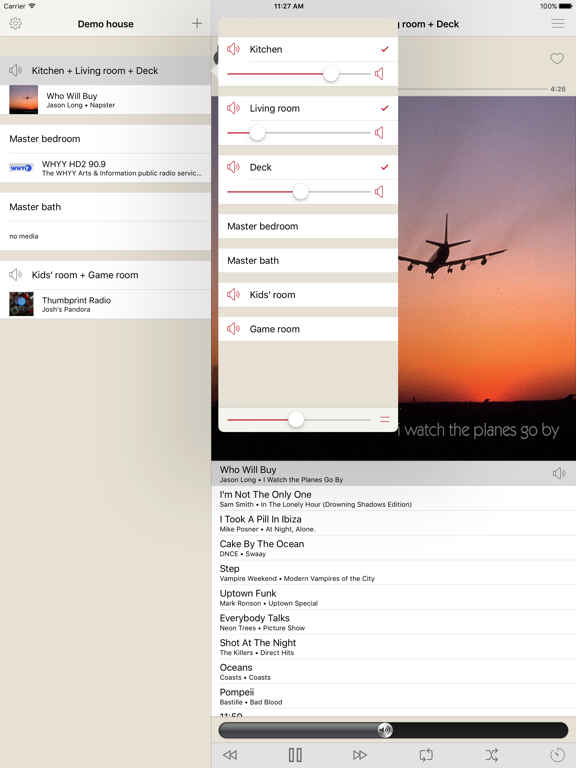
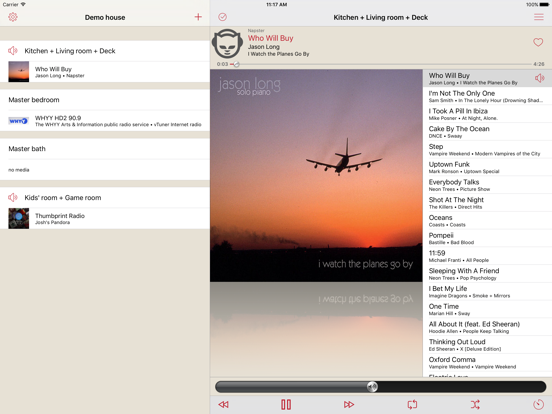
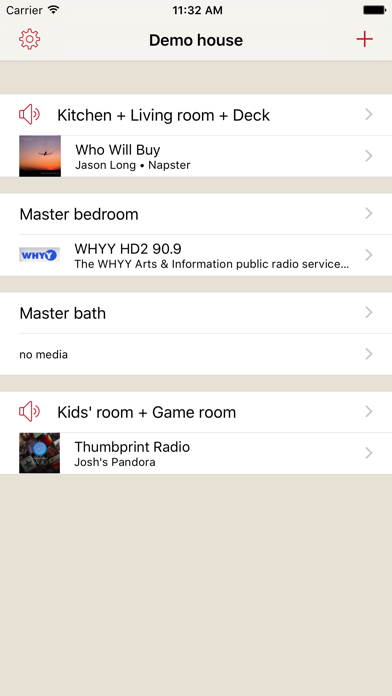
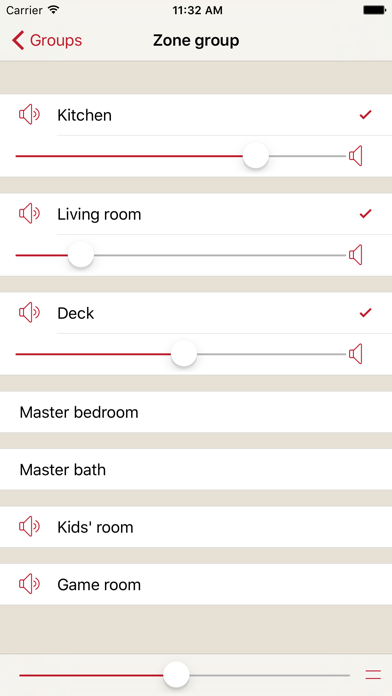
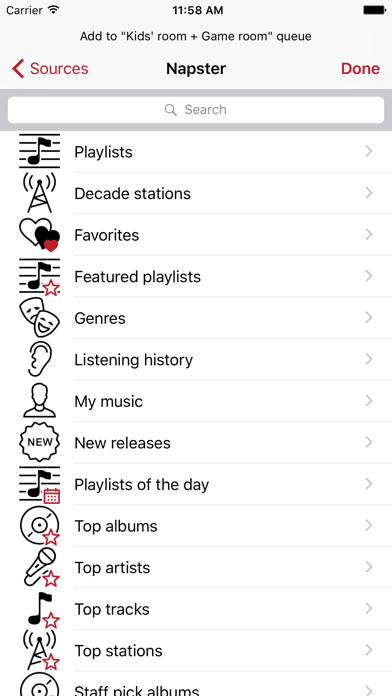
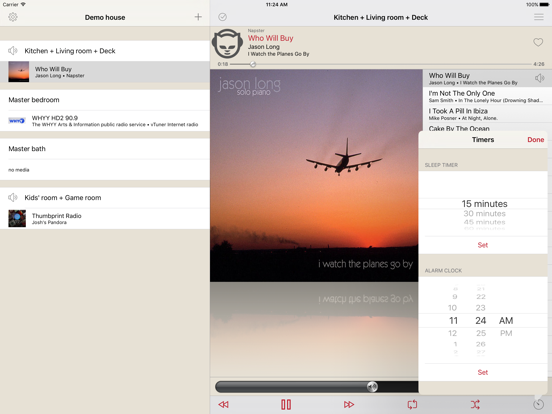
Have you ever wanted to entertain friends to jazz in the kitchen while the kids listen to their favorite hits out by the pool? Then, in the evening, expand the ambiance of your music from the kitchen to the dining room for dinner? With Simpfony you'll have the freedom to enjoy music how you want, where you want, anywhere in your home -- as simply as a tap on your smartphone.
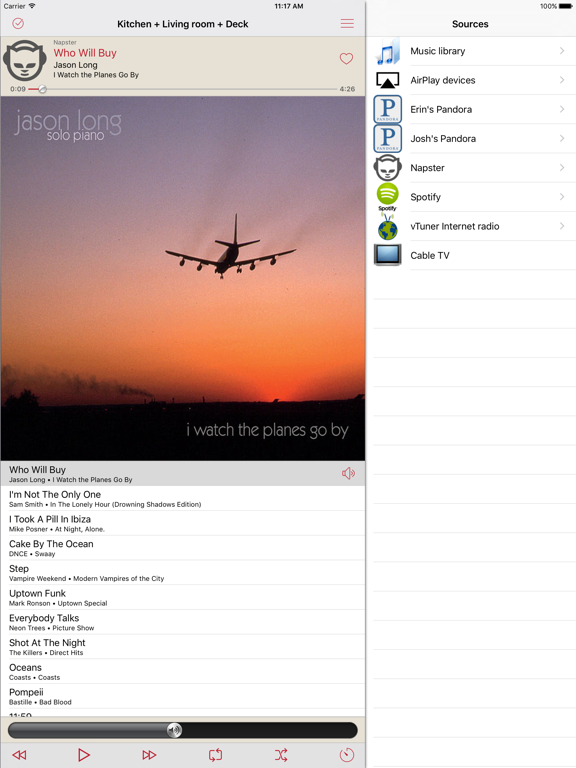
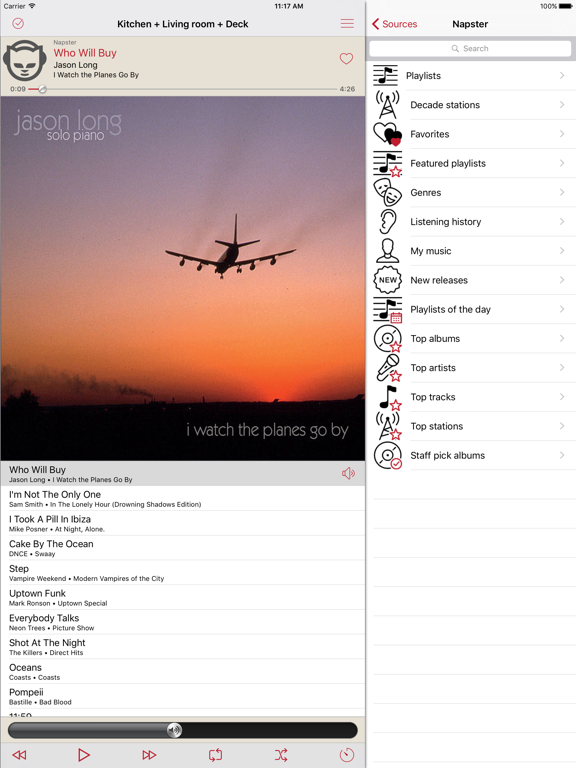
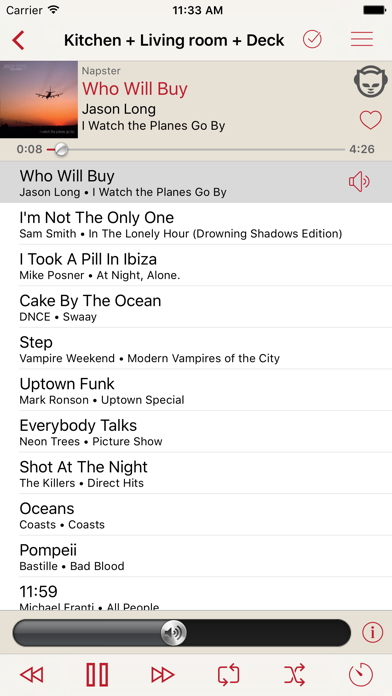
Control your Simpfony whole-home audio system with this free app for your iPad or iPhone.
* requires Simpfony Server.
Simpfony is a full featured whole-home audio solution providing the flexibility to tailor each installation to meet the specific needs, lifestyle, and budget of the customer.
Rather than limiting you to one-size-fits-all “zone players,” Simpfony zones are adding using any standard USB sound device.
LISTEN TO WHAT YOU WANT, WHERE YOU WANT.
Have you ever wanted to entertain friends to jazz in the kitchen while the kids listen to their favorite hits out by the pool? Then, in the evening, expand the ambiance of your music from the kitchen to the dining room for dinner? With Simpfony you'll have the freedom to enjoy music how you want, where you want, anywhere in your home -- as simply as a tap on your smartphone.
Control your Simpfony whole-home audio system with this free app for your iPad or iPhone.
* requires Simpfony Server.
Simpfony is a full featured whole-home audio solution providing the flexibility to tailor each installation to meet the specific needs, lifestyle, and budget of the customer.
Rather than limiting you to one-size-fits-all “zone players,” Simpfony zones are adding using any standard USB sound device.
Show More
最新バージョン 3.6 の更新情報
Last updated on 2020年07月19日
旧バージョン
- Automatically re-connect to known servers.
- Prompt with discovered servers if a known server is not found.
- Scrubbing (seek to position in track) using lock screen controls for sources that support scrubbing.
- Various UI improvements.
- Performance improvements and bug fixes.
- Prompt with discovered servers if a known server is not found.
- Scrubbing (seek to position in track) using lock screen controls for sources that support scrubbing.
- Various UI improvements.
- Performance improvements and bug fixes.
Show More
Version History
3.6
2020年07月19日
- Automatically re-connect to known servers.
- Prompt with discovered servers if a known server is not found.
- Scrubbing (seek to position in track) using lock screen controls for sources that support scrubbing.
- Various UI improvements.
- Performance improvements and bug fixes.
- Prompt with discovered servers if a known server is not found.
- Scrubbing (seek to position in track) using lock screen controls for sources that support scrubbing.
- Various UI improvements.
- Performance improvements and bug fixes.
3.2
2018年07月21日
- NEW Seamlessly integrate wireless and wired zones
- NEW "Snapshots" feature - store commonly used playback groups and queue setups for quick recall and/or automation from external control systems
- Playlists can now be renamed by using a swipe-left gesture in the playlists list (in addition to the existing rename by entering playlist "edit" mode)
- Playlist artwork images
- Performance improvements and bug fixes.
Most new features require Simpfony Server 3.2.
- NEW "Snapshots" feature - store commonly used playback groups and queue setups for quick recall and/or automation from external control systems
- Playlists can now be renamed by using a swipe-left gesture in the playlists list (in addition to the existing rename by entering playlist "edit" mode)
- Playlist artwork images
- Performance improvements and bug fixes.
Most new features require Simpfony Server 3.2.
3.0.3
2017年06月10日
NEW features for 3.0: (most features require Simpfony server 3.0)
- Incremental loading of media browsing and search results for faster display of long lists
- Rename and delete Pandora stations directly in Simpfony Controller by left-swiping on the station listing
- Enhancements to iPad multitasking modes
- Improved messages when playback cannot be started when the account is in use on another device or other errors
- Tranport control buttons on Now Playing panel show busy indicator if operation can take a few seconds to complete
- ...and more
This update also includes stability improvements and bug fixes.
- Incremental loading of media browsing and search results for faster display of long lists
- Rename and delete Pandora stations directly in Simpfony Controller by left-swiping on the station listing
- Enhancements to iPad multitasking modes
- Improved messages when playback cannot be started when the account is in use on another device or other errors
- Tranport control buttons on Now Playing panel show busy indicator if operation can take a few seconds to complete
- ...and more
This update also includes stability improvements and bug fixes.
3.0.2
2017年03月17日
NEW features for 3.0: (most features require Simpfony server 3.0)
- Incremental loading of media browsing and search results for faster display of long lists
- Rename and delete Pandora stations directly in Simpfony Controller by left-swiping on the station listing
- Enhancements to iPad multitasking modes
- Improved messages when playback cannot be started when the account is in use on another device or other errors
- ...and more
This update also includes stability improvements and bug fixes.
- Incremental loading of media browsing and search results for faster display of long lists
- Rename and delete Pandora stations directly in Simpfony Controller by left-swiping on the station listing
- Enhancements to iPad multitasking modes
- Improved messages when playback cannot be started when the account is in use on another device or other errors
- ...and more
This update also includes stability improvements and bug fixes.
2.1.7
2016年11月19日
NEW features for 2.1:
- Device volume buttons now control the volume of the current zone group, including when device is locked or in another application.
- Now Playing info is now displayed on the system-wide Now Playing Info Center (on the lock screen and swipe-up from bottom).
- Current zone group can be controlled (play, pause, next, previous, like, dislike) from the system-wide Now Playing Info Center.
- Full support for all iPad split screen / multitasking modes
- All new favorites feature
This update contains stability improvements and bug fixes.
- Device volume buttons now control the volume of the current zone group, including when device is locked or in another application.
- Now Playing info is now displayed on the system-wide Now Playing Info Center (on the lock screen and swipe-up from bottom).
- Current zone group can be controlled (play, pause, next, previous, like, dislike) from the system-wide Now Playing Info Center.
- Full support for all iPad split screen / multitasking modes
- All new favorites feature
This update contains stability improvements and bug fixes.
2.1.5
2016年10月10日
NEW features for 2.1:
- Device volume buttons now control the volume of the current zone group, including when device is locked or in another application.
- Now Playing info is now displayed on the system-wide Now Playing Info Center (on the lock screen and swipe-up from bottom).
- Current zone group can be controlled (play, pause, next, previous, like, dislike) from the system-wide Now Playing Info Center.
- Full support for all iPad split screen / multitasking modes
- All new favorites feature
This update contains stability improvements and bug fixes.
- Device volume buttons now control the volume of the current zone group, including when device is locked or in another application.
- Now Playing info is now displayed on the system-wide Now Playing Info Center (on the lock screen and swipe-up from bottom).
- Current zone group can be controlled (play, pause, next, previous, like, dislike) from the system-wide Now Playing Info Center.
- Full support for all iPad split screen / multitasking modes
- All new favorites feature
This update contains stability improvements and bug fixes.
2.1.4
2016年08月28日
NEW features for 2.1:
- Device volume buttons now control the volume of the current zone group, including when device is locked or in another application.
- Now Playing info is now displayed on the system-wide Now Playing Info Center (on the lock screen and swipe-up from bottom).
- Current zone group can be controlled (play, pause, next, previous, like, dislike) from the system-wide Now Playing Info Center.
- Full support for all iPad split screen / multitasking modes
- All new favorites feature
- Device volume buttons now control the volume of the current zone group, including when device is locked or in another application.
- Now Playing info is now displayed on the system-wide Now Playing Info Center (on the lock screen and swipe-up from bottom).
- Current zone group can be controlled (play, pause, next, previous, like, dislike) from the system-wide Now Playing Info Center.
- Full support for all iPad split screen / multitasking modes
- All new favorites feature
2.1.0
2016年06月22日
NEW features for 2.1:
- Device volume buttons now control the volume of the current zone group, including when device is locked or in another application.
- Now Playing info is now displayed on the system-wide Now Playing Info Center (on the lock screen and swipe-up from bottom).
- Current zone group can be controlled (play, pause, next, previous, like, dislike) from the system-wide Now Playing Info Center.
- Device volume buttons now control the volume of the current zone group, including when device is locked or in another application.
- Now Playing info is now displayed on the system-wide Now Playing Info Center (on the lock screen and swipe-up from bottom).
- Current zone group can be controlled (play, pause, next, previous, like, dislike) from the system-wide Now Playing Info Center.
2.0.13
2016年03月25日
This update contains stability improvements and bug fixes.
2.0.12
2016年02月29日
This update contains stability improvements and bug fixes.
2.0.10
2016年01月09日
This update contains stability improvements and bug fixes.
2.0.9
2015年12月19日
This update contains stability improvements and bug fixes.
2.0.8
2015年11月05日
This update contains stability improvements and bug fixes.
2.0.7
2015年10月09日
This update contains stability improvements and bug fixes.
2.0.6
2015年09月04日
This update contains stability improvements and bug fixes.
2.0.4
2015年06月30日
Public debut release
1.0.11
2014年12月29日
- support for iPhone 6 & 6+ native resolution
1.0.10
2014年12月01日
updates for iOS 8
1.0.8
2014年09月18日
Minor enhancements and bug fixes.
1.0.5
2014年03月10日
a few minor fixes
1.0.0
2013年10月09日
Simpfony Controller FAQ
ここをクリック!地理的に制限されているアプリのダウンロード方法をご参考ください。
次のリストをチェックして、Simpfony Controllerの最低システム要件をご確認ください。
iPhone
iOS 8.0以降が必要です。
iPad
iPadOS 8.0以降が必要です。
iPod touch
iOS 8.0以降が必要です。
Simpfony Controllerは次の言語がサポートされています。 英語


![KaiserTone - 音楽プレイヤー [ハイレゾ]](https://image.winudf.com/v2/image1/MjIyOTM3ODJfMTc2NjU1Njc3NF8wNzM/screen-0.png?fakeurl=1&type=png&w=106)