Age Rating
Smart Comic Reader スクリーンショット
About Smart Comic Reader
A different kind of comic reader that offers a better way to read comics on a smaller screen.
How it works:
1. Import any comic into the app.
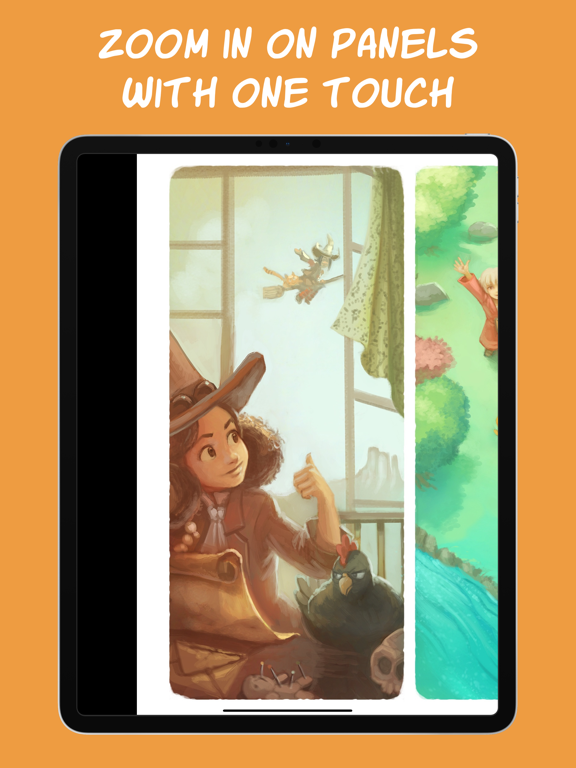
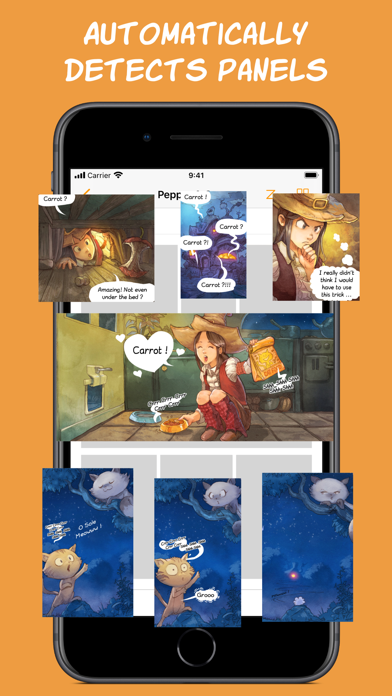
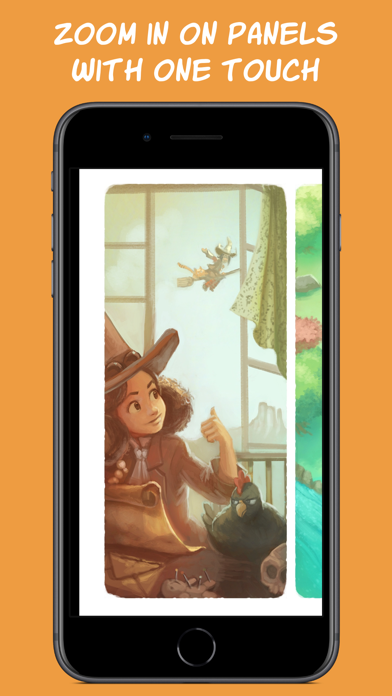
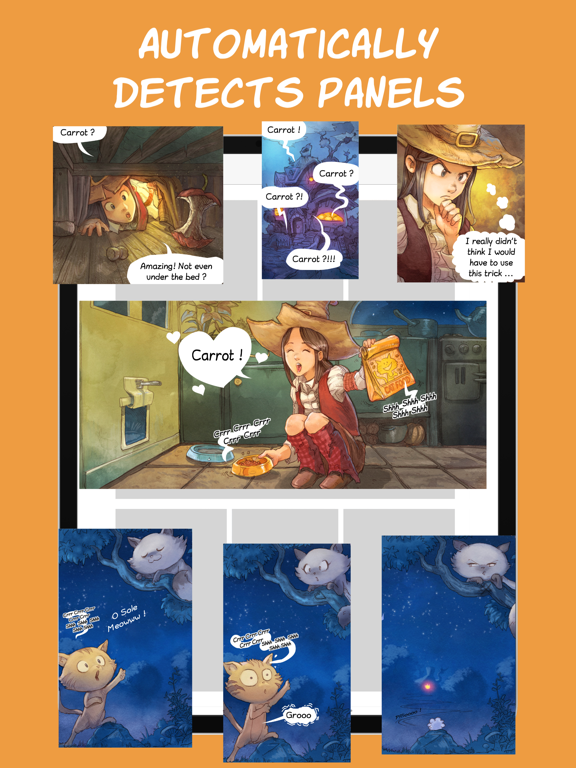
2. Double tap on a panel and watch the app automatically detect its boundaries and zoom in on it.
3. Tap on the side of the screen to easily move to the next panel. If needed, the app will rotate the comic to make maximum use of your screen space.
Key Features
============
Smart Reader:
- Automatically zoom in and move between panels for a smooth reading experience.
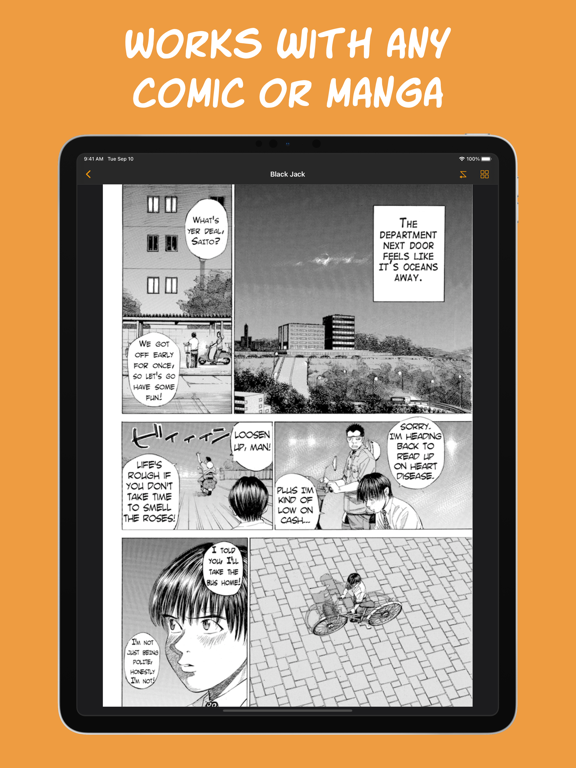
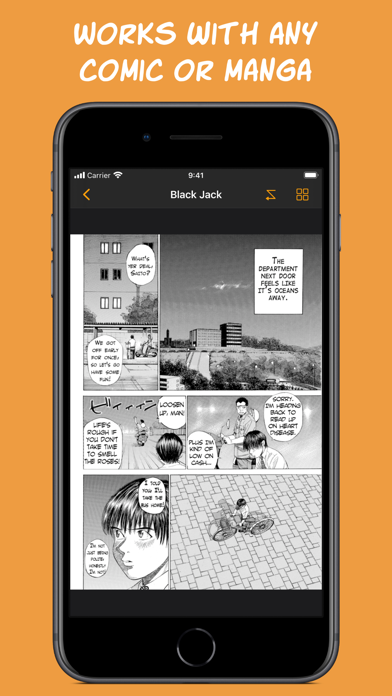
- Works with any comic, western or manga, no matter the art style. Panels do not need well-defined edges to be detected.
- Always stay in control, let the app guide you over the page while you can always manually zoom and pan.
Comic Collection:
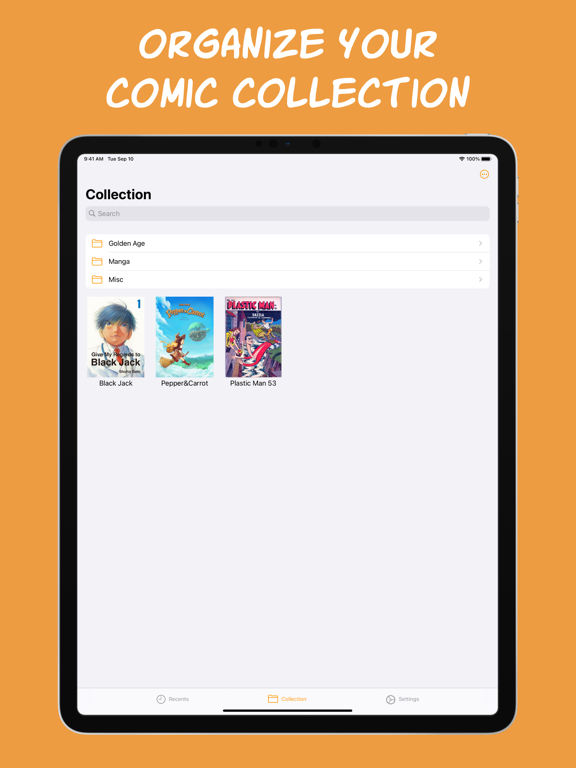
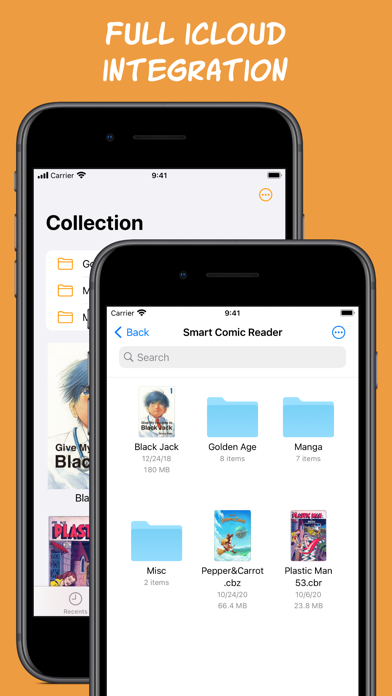
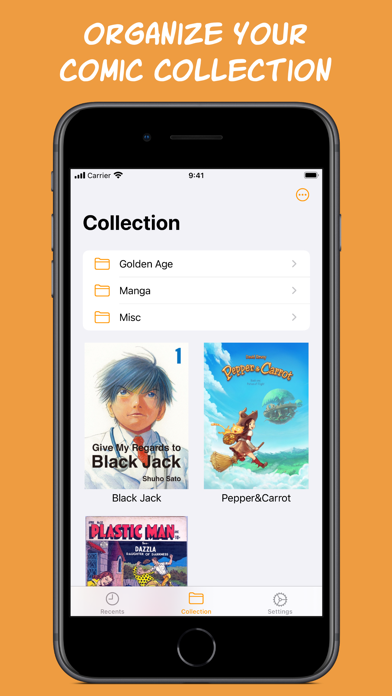
- Import comics from anywhere and organize your comic collection.
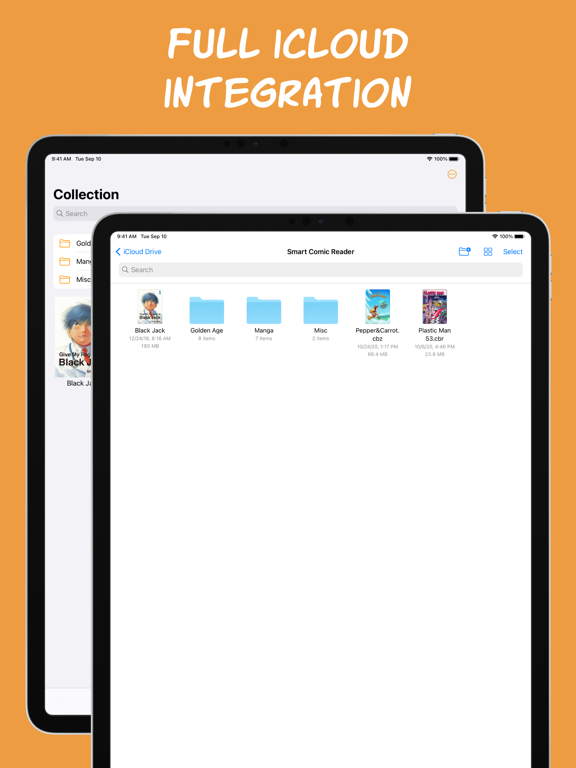
- Comics are stored in iCloud to save storage space and keep your collection in sync across devices.
- Your Smart Comic Reader collection is a regular folder on your iCloud Drive that you can access and manage from any iCloud connected device, like a Mac, or a Windows device using iCloud for Windows.
- Also works locally if iCloud is disabled.
- Supports comics in CBZ/ZIP, CBR/RAR and PDF formats.
And many more features to come!
If you have any questions or suggestions, please do not hesitate to send them to: support@vandijk.dev.
Comics in video and screenshots:
“Pepper&Carrot”, David Revoy, CC-By
“Plastic Man”, Quality Comics, Public Domain
“Say Hello to Black Jack”, Shuho Sato

How it works:
1. Import any comic into the app.
2. Double tap on a panel and watch the app automatically detect its boundaries and zoom in on it.
3. Tap on the side of the screen to easily move to the next panel. If needed, the app will rotate the comic to make maximum use of your screen space.
Key Features
============
Smart Reader:
- Automatically zoom in and move between panels for a smooth reading experience.
- Works with any comic, western or manga, no matter the art style. Panels do not need well-defined edges to be detected.
- Always stay in control, let the app guide you over the page while you can always manually zoom and pan.
Comic Collection:
- Import comics from anywhere and organize your comic collection.
- Comics are stored in iCloud to save storage space and keep your collection in sync across devices.
- Your Smart Comic Reader collection is a regular folder on your iCloud Drive that you can access and manage from any iCloud connected device, like a Mac, or a Windows device using iCloud for Windows.
- Also works locally if iCloud is disabled.
- Supports comics in CBZ/ZIP, CBR/RAR and PDF formats.
And many more features to come!
If you have any questions or suggestions, please do not hesitate to send them to: support@vandijk.dev.
Comics in video and screenshots:
“Pepper&Carrot”, David Revoy, CC-By
“Plastic Man”, Quality Comics, Public Domain
“Say Hello to Black Jack”, Shuho Sato
Show More
最新バージョン 2.0.0 の更新情報
Last updated on 2026年02月24日
旧バージョン
* Improved Gallery:
- Folders are now displayed in a grid with large cover images.
- Ability to change the size at which cover images are displayed in the grid.
- Titles underneath covers can now span two lines.
* Updated icon with support for Dark, Clear and Tinted appearance.
* Additional UI updates and bug fixes.
- Folders are now displayed in a grid with large cover images.
- Ability to change the size at which cover images are displayed in the grid.
- Titles underneath covers can now span two lines.
* Updated icon with support for Dark, Clear and Tinted appearance.
* Additional UI updates and bug fixes.
Show More
Version History
2.0.0
2026年02月24日
* Improved Gallery:
- Folders are now displayed in a grid with large cover images.
- Ability to change the size at which cover images are displayed in the grid.
- Titles underneath covers can now span two lines.
* Updated icon with support for Dark, Clear and Tinted appearance.
* Additional UI updates and bug fixes.
- Folders are now displayed in a grid with large cover images.
- Ability to change the size at which cover images are displayed in the grid.
- Titles underneath covers can now span two lines.
* Updated icon with support for Dark, Clear and Tinted appearance.
* Additional UI updates and bug fixes.
Smart Comic Reader 価格
今日:
¥500
最低価格:
¥300
最高価格:
¥500
Smart Comic Reader FAQ
ここをクリック!地理的に制限されているアプリのダウンロード方法をご参考ください。
次のリストをチェックして、Smart Comic Readerの最低システム要件をご確認ください。
iPhone
iPad
関連動画
Latest introduction video of Smart Comic Reader on iPhone