Age Rating
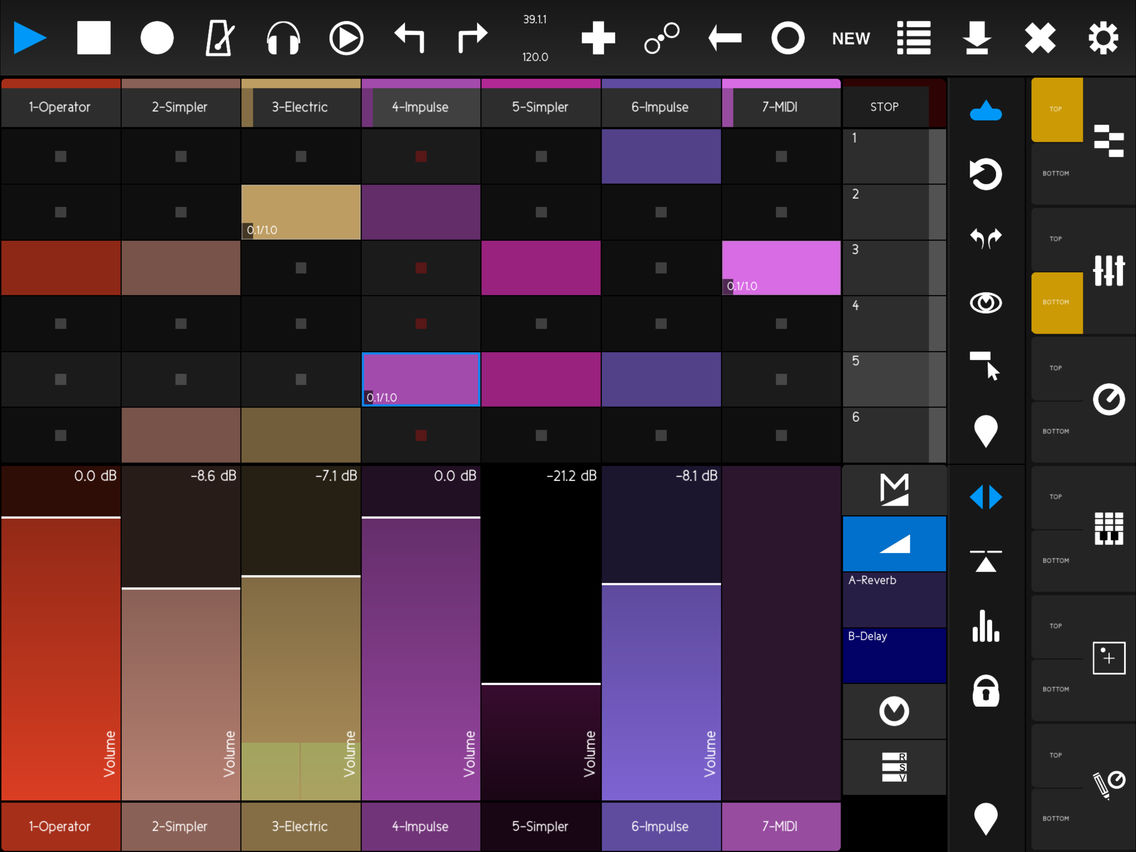
touchAble Mini スクリーンショット
About touchAble Mini
touchAble is THE controller app for Ableton Live. Countless artists around the globe - from bedroom producers to award winning artists - use it on stage, in their studio or while on the road.
# Sonic touch Gold Award 2014
# Best IOS Control App 2013 - HISPASONIC.COM
# Top Gear 2013 ASKAUDIO MAG
# App of the Month - IPADMUSIC.COM
# DJ TECH TOOLS : " A controller that rivals the Push in the hardware space, and almost completely leaves the competition behind in the app space."
# DJ MAG "touchAble can really add a new level of performance to your gigs and recording sessions."
# RESIDENTADVISOR.COM :"If you are an Ableton user , it's an easy recommendation."
# CROSSFADER.COM: "Wireless and compact, this may be the greatest Ableton aid known to man."
# ASKAUDIO MAG: "touchAble promises to be a real game-changer in the world of controller apps."
# DE:BUG MAG: "The New standard of Controller apps for iPad."
touchAble Mini offers no-compromise-control of Ableton Live from your iPhone or iPod. The scaled down interface packs most of the features of the touchAble iPad version into a very ergonomic layout, especially designed for iPhone and iPod.
You can use touchAble with as many iPhones, iPods and iPads as you want.
Each module offers full feedback from Live, making sure you always know what you are tweaking.
The Modules include:
#Clips:
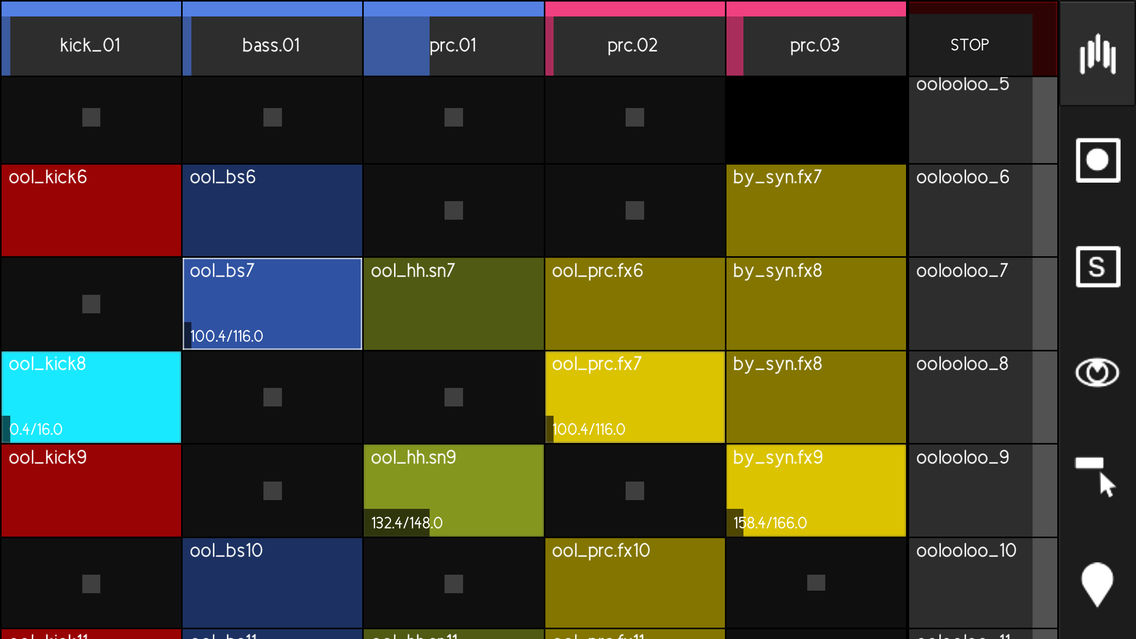
Launch Clips and Scenes, Solo and arm tracks.
Fold/unfold group tracks.
Access to any position in the set with the Overview feature.
Live 9 Users can use this module to manage their Live Set - Create or delete Tracks, Scenes, Clips and even stop buttons - without ever touching your Computer.
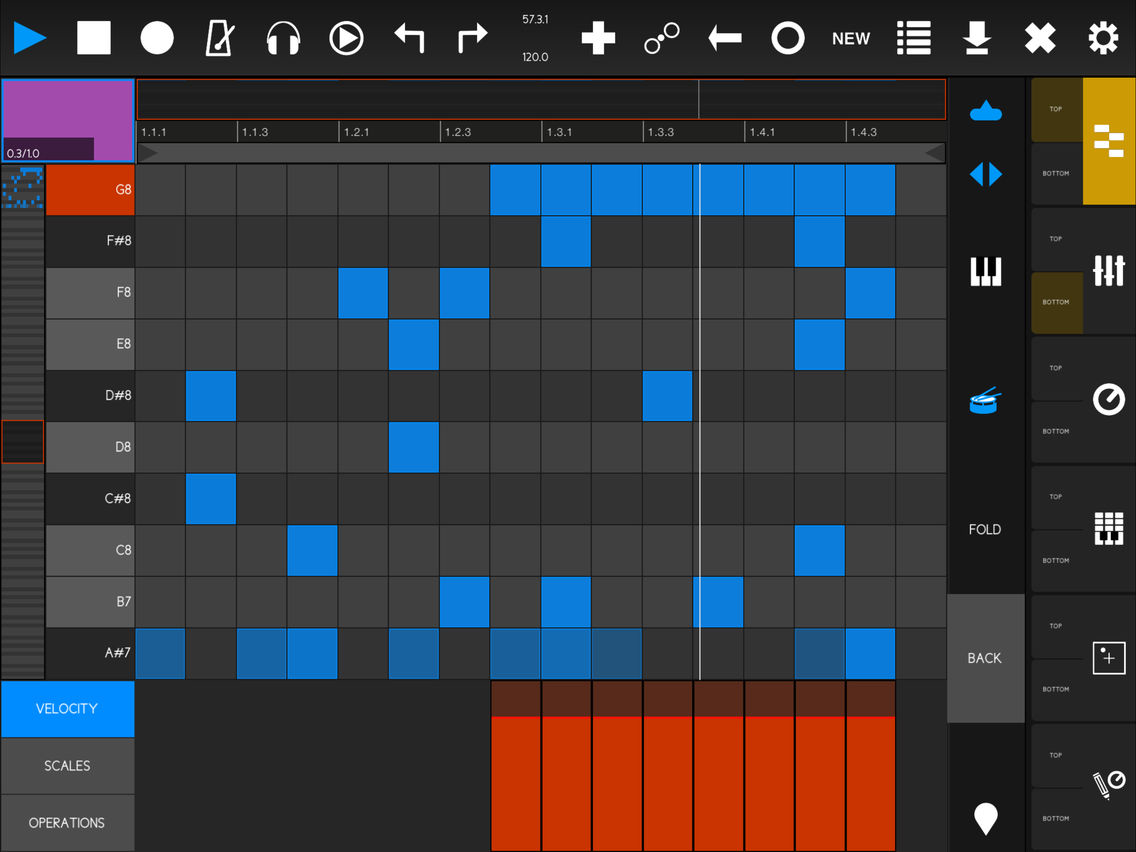
#Edit MIDI Clips with the MIDI Editor.
Drum Mode makes it easy to lay down a drum loop.
Chord Mode allows for precise note placements and lengths - in any scale you want.
#Mixer:
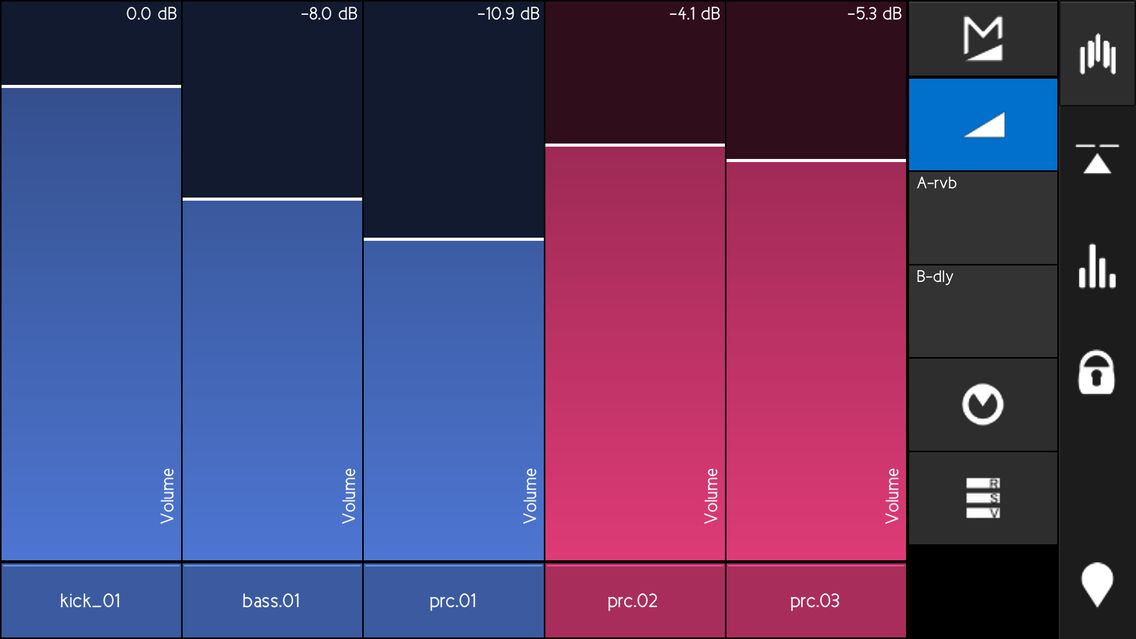
touchAble's Mixer lets you adjust Volumes, Sends and Pans.
Access the Crossfader and change A/B assignments.
Accurate dB readings and level meters allow you to take your eyes off the computer - and only focus on your mix.
The intuitive snap mode and multiple controls per track make it the perfect tool for live performances as well as studio-use.
#Devices:
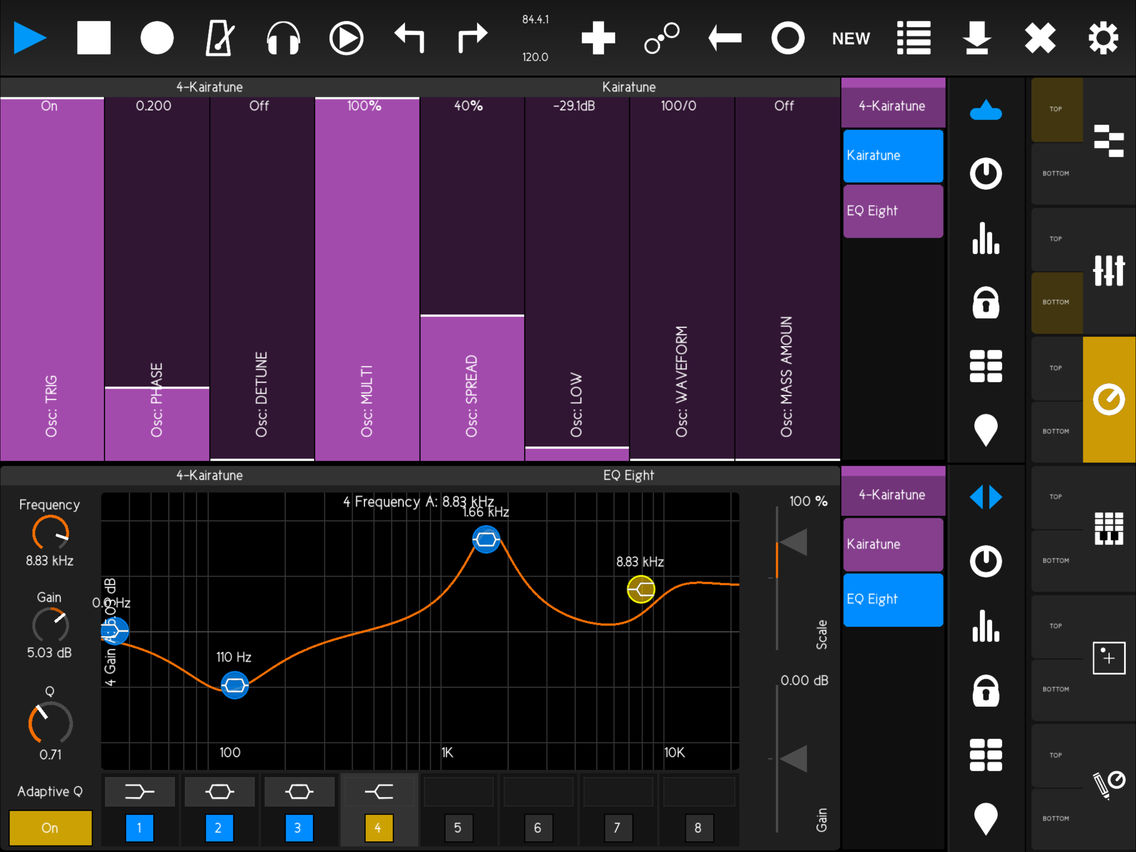
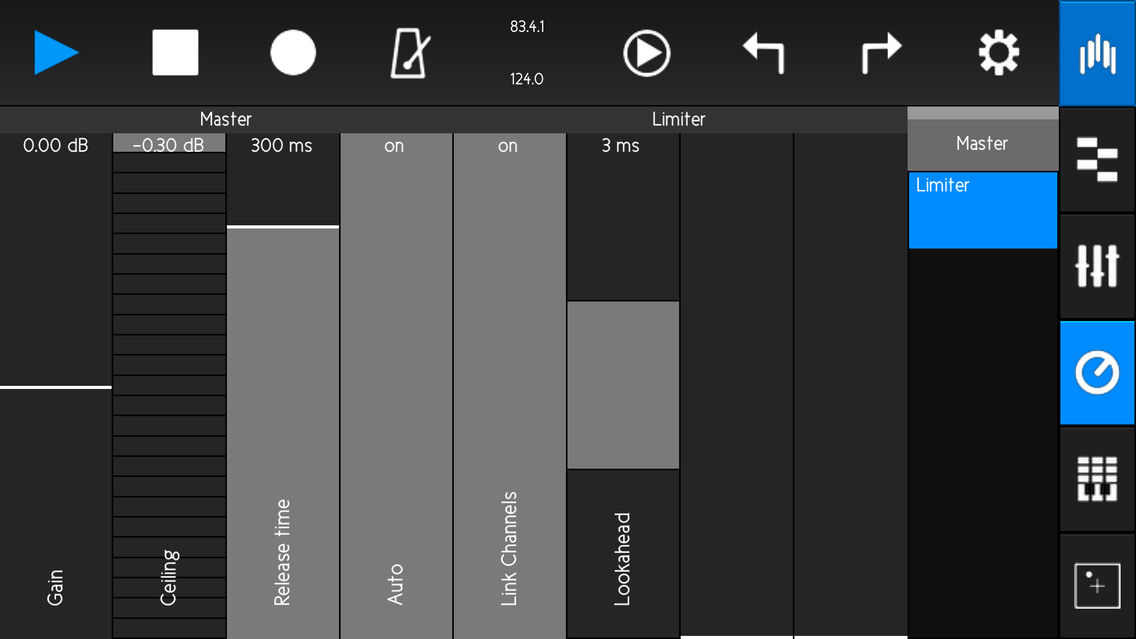
Access Live Devices, VSTs or AUs.
Intelligent Controls adapt to the type of control used in Live.
For some Live devices, a native template mimics the device in Live - providing an interface that will make you feel right at home.
Snap and Combo mode allow for quick control changes in Live situations.
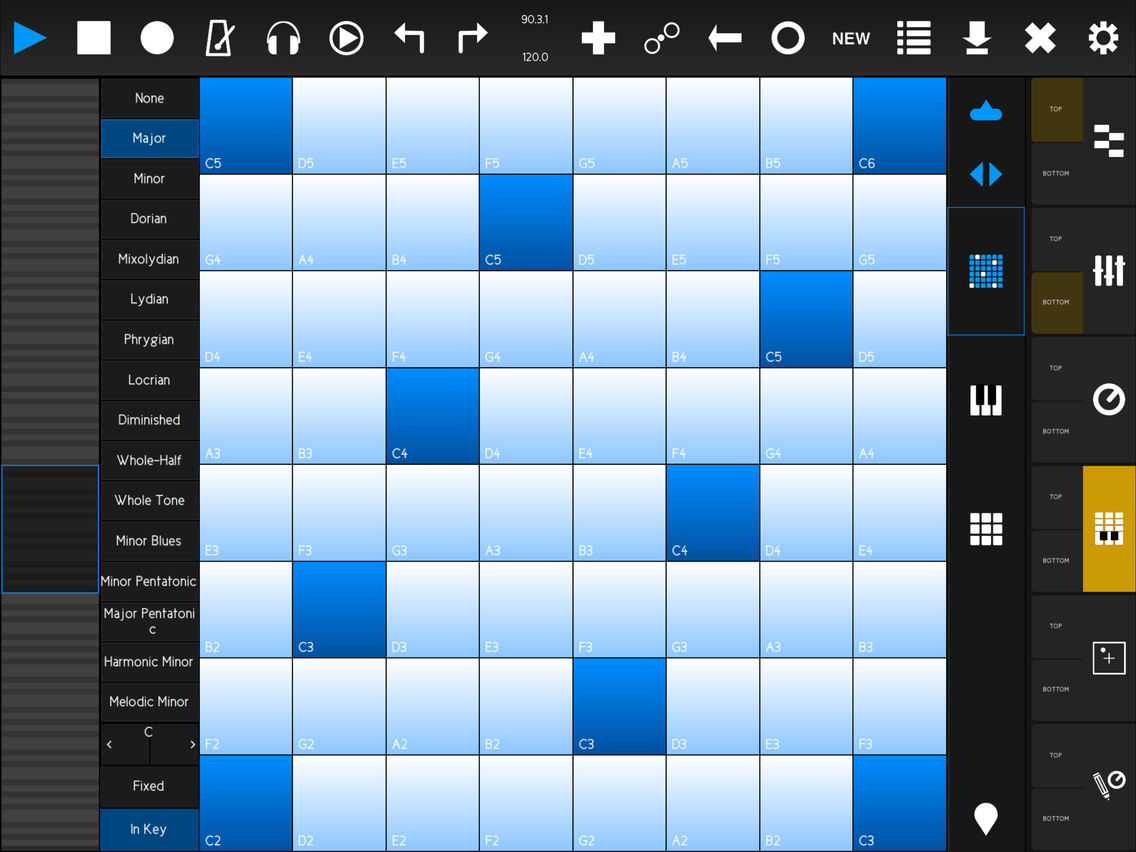
#Keys & Pads
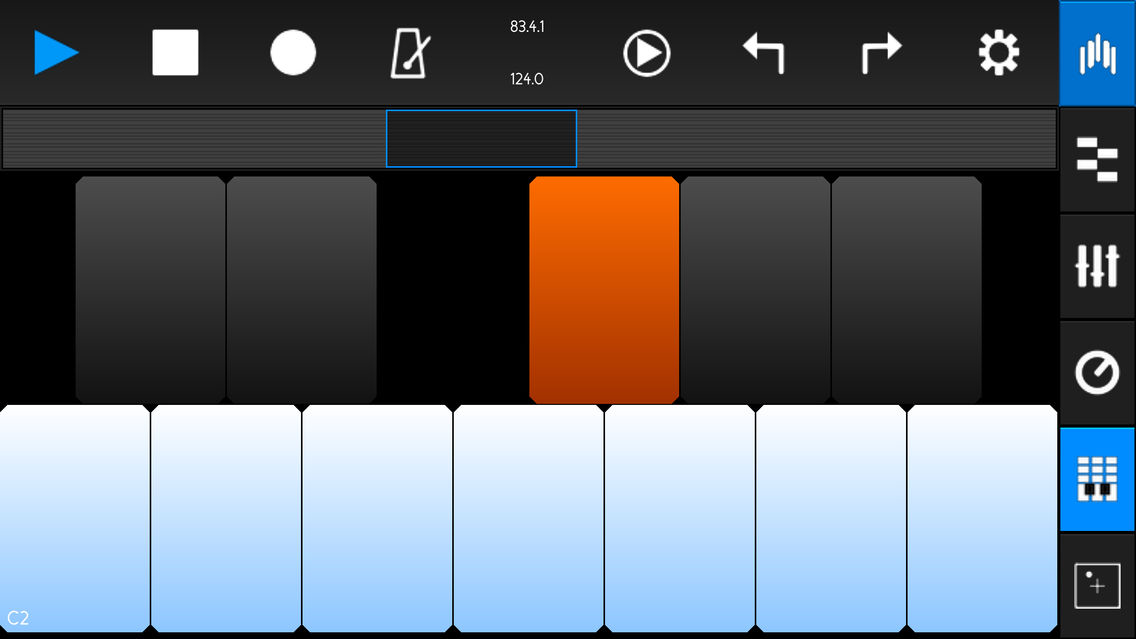
Keyboard and Drum Pad include several performance features :switch the Scale, enable note-repeat or aftertouch or change the current octave & velocity.
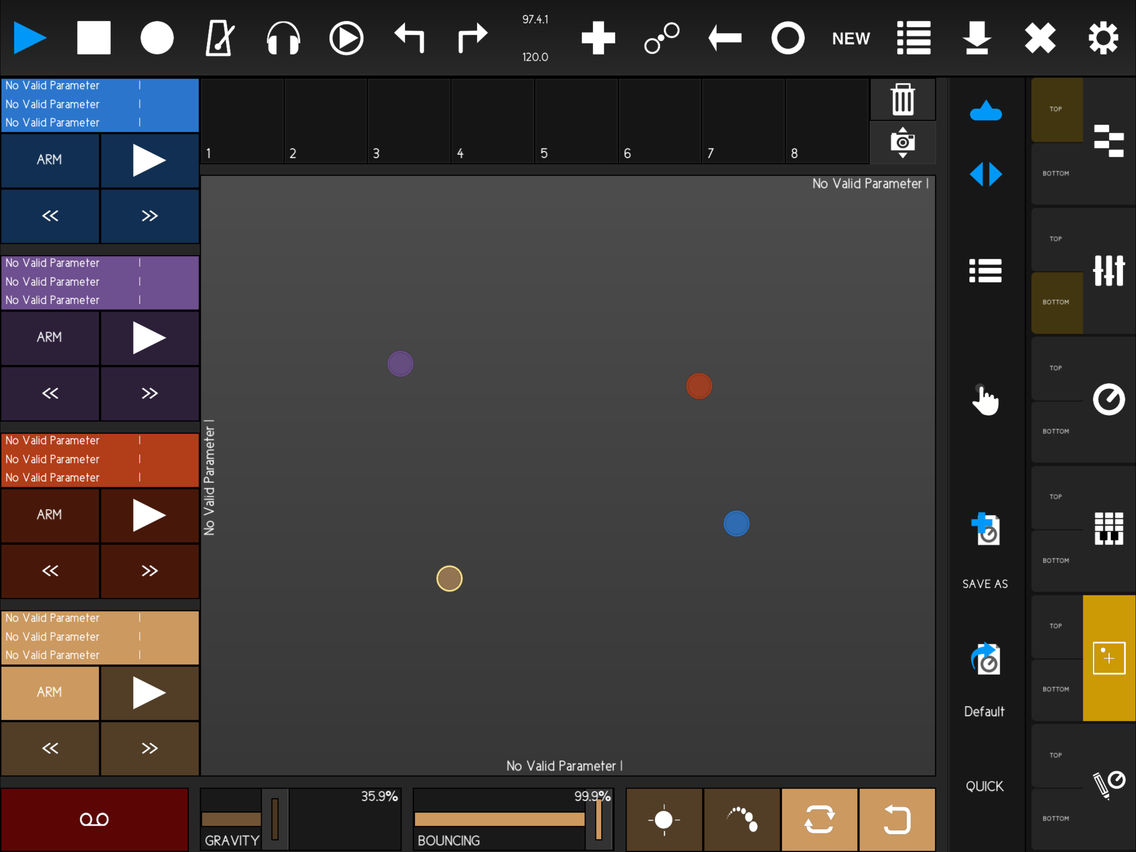
#XY Pad
the XY Pad lets you assign and control up to 12 parameters at once.
Gravity Parameters on each of the dots let you create natural and interesting effects.
Take Snapshots and restore them in an instant - or morph between them.
#Browser
Exclusively available for Live 9 users, the Browser lets you access Lives Library, including all of Live’s Devices & Instruments, your Samples, Drums & Sounds.
Drag and Drop Devices on a track - or drop Samples on one of the DrumPads.
touchAble Mini is compatible with Live 9 (latest version)- Intro, Standard and Suite - and runs on any iPhone/iPod running IOS 8 minimum.
The Server Software requires OSX 10.8 and above or Windows 7 and above.
Download the Server Software from http://www.touch-able.com and follow the installation process.
•Studio session: Use your domestic router network and connect your iPhone/iPod to it.
•Stage performance: Create an Ad-Hoc network and connect your iPhone/iPod to it.
• Or connect using a simple USB cable .
•Run the touchAble Server and Ableton Live.
•Launch touchAble on your iPad and tap the Server to connect.
•Within a few seconds your set will be touchAble.

# Sonic touch Gold Award 2014
# Best IOS Control App 2013 - HISPASONIC.COM
# Top Gear 2013 ASKAUDIO MAG
# App of the Month - IPADMUSIC.COM
# DJ TECH TOOLS : " A controller that rivals the Push in the hardware space, and almost completely leaves the competition behind in the app space."
# DJ MAG "touchAble can really add a new level of performance to your gigs and recording sessions."
# RESIDENTADVISOR.COM :"If you are an Ableton user , it's an easy recommendation."
# CROSSFADER.COM: "Wireless and compact, this may be the greatest Ableton aid known to man."
# ASKAUDIO MAG: "touchAble promises to be a real game-changer in the world of controller apps."
# DE:BUG MAG: "The New standard of Controller apps for iPad."
touchAble Mini offers no-compromise-control of Ableton Live from your iPhone or iPod. The scaled down interface packs most of the features of the touchAble iPad version into a very ergonomic layout, especially designed for iPhone and iPod.
You can use touchAble with as many iPhones, iPods and iPads as you want.
Each module offers full feedback from Live, making sure you always know what you are tweaking.
The Modules include:
#Clips:
Launch Clips and Scenes, Solo and arm tracks.
Fold/unfold group tracks.
Access to any position in the set with the Overview feature.
Live 9 Users can use this module to manage their Live Set - Create or delete Tracks, Scenes, Clips and even stop buttons - without ever touching your Computer.
#Edit MIDI Clips with the MIDI Editor.
Drum Mode makes it easy to lay down a drum loop.
Chord Mode allows for precise note placements and lengths - in any scale you want.
#Mixer:
touchAble's Mixer lets you adjust Volumes, Sends and Pans.
Access the Crossfader and change A/B assignments.
Accurate dB readings and level meters allow you to take your eyes off the computer - and only focus on your mix.
The intuitive snap mode and multiple controls per track make it the perfect tool for live performances as well as studio-use.
#Devices:
Access Live Devices, VSTs or AUs.
Intelligent Controls adapt to the type of control used in Live.
For some Live devices, a native template mimics the device in Live - providing an interface that will make you feel right at home.
Snap and Combo mode allow for quick control changes in Live situations.
#Keys & Pads
Keyboard and Drum Pad include several performance features :switch the Scale, enable note-repeat or aftertouch or change the current octave & velocity.
#XY Pad
the XY Pad lets you assign and control up to 12 parameters at once.
Gravity Parameters on each of the dots let you create natural and interesting effects.
Take Snapshots and restore them in an instant - or morph between them.
#Browser
Exclusively available for Live 9 users, the Browser lets you access Lives Library, including all of Live’s Devices & Instruments, your Samples, Drums & Sounds.
Drag and Drop Devices on a track - or drop Samples on one of the DrumPads.
touchAble Mini is compatible with Live 9 (latest version)- Intro, Standard and Suite - and runs on any iPhone/iPod running IOS 8 minimum.
The Server Software requires OSX 10.8 and above or Windows 7 and above.
Download the Server Software from http://www.touch-able.com and follow the installation process.
•Studio session: Use your domestic router network and connect your iPhone/iPod to it.
•Stage performance: Create an Ad-Hoc network and connect your iPhone/iPod to it.
• Or connect using a simple USB cable .
•Run the touchAble Server and Ableton Live.
•Launch touchAble on your iPad and tap the Server to connect.
•Within a few seconds your set will be touchAble.
Show More
最新バージョン 3.4.7 の更新情報
Last updated on 2019年02月21日
旧バージョン
!!! This is the a legacy version, we have released a successor of touchAble3 called touchAble Pro!!!
For More Information please visit our website http://touch-able.com
Show More
Version History
3.4.7
2019年02月21日
!!! This is the a legacy version, we have released a successor of touchAble3 called touchAble Pro!!!
For More Information please visit our website http://touch-able.com
3.3.6
2018年03月06日
touchAble Mini is now compatible to Live 10.
touchAble can now access DrumPads nested in other Racks.
Updated & improved the touchAble Server.
Please make sure to reinstall the updated Server & Scripts.
Have fun with Live 10 :)
touchAble can now access DrumPads nested in other Racks.
Updated & improved the touchAble Server.
Please make sure to reinstall the updated Server & Scripts.
Have fun with Live 10 :)
3.3.2
2017年04月26日
- fixed bug in simpler template
- fixed bug in editor xy-pad
- fixed usb connection bugs
- fixed bug in editor xy-pad
- fixed usb connection bugs
3.3.0
2017年04月11日
!!IMPORTANT!!!
Download & Install new server 3.3.0 available on touch-able.com
Ipad 1 users: This update will be the last one supporting iOS5
----
Fixed MIDI issues for Windows users
fixed some parameters in Simpler which were previously wrong when Simpler was used in an Instrument Rack or Drum Rack
Fixed a possible crash when adding/deleting devices
Server and connection optimizations
Beat counting works now with different time signatures
Empty midi tracks are now easily identifiable in the Mixer module
The blue Hand feature can now only work if a Push is connected
Several minor fixes
Download & Install new server 3.3.0 available on touch-able.com
Ipad 1 users: This update will be the last one supporting iOS5
----
Fixed MIDI issues for Windows users
fixed some parameters in Simpler which were previously wrong when Simpler was used in an Instrument Rack or Drum Rack
Fixed a possible crash when adding/deleting devices
Server and connection optimizations
Beat counting works now with different time signatures
Empty midi tracks are now easily identifiable in the Mixer module
The blue Hand feature can now only work if a Push is connected
Several minor fixes
3.2.2
2016年06月12日
Fixed possible crash when using Devices & VSTs.
3.2.1
2016年05月27日
*** Please download the latest version of our Server (3.1.3a) from our homepage - and make sure to reinstall the Scripts after the installation. ***
Fixed some parameters that were wrongfully quantized even though they should not be.
Fixed a crash-bug that could happen when the app responded to a freshly selected device.
Fixed a bug in the Script that could prevent touchAble from updating added/deleted devices or tracks.
Fixed a bug that would make it impossible to select a midi channel for the keys/pads.
Fixed some parameters that were wrongfully quantized even though they should not be.
Fixed a crash-bug that could happen when the app responded to a freshly selected device.
Fixed a bug in the Script that could prevent touchAble from updating added/deleted devices or tracks.
Fixed a bug that would make it impossible to select a midi channel for the keys/pads.
3.2
2016年01月18日
Bugfixes:
Envelope curves on 64bit devices
New Filter in Live 9.5
Modwheel
Browser in Live 9.5
Features
Load Plug-Ins from inside the App
Envelope curves on 64bit devices
New Filter in Live 9.5
Modwheel
Browser in Live 9.5
Features
Load Plug-Ins from inside the App
3.1
2015年10月20日
Follow selected Scenes: On your computer, click a scene located anywhere in Live and touchAble's Clip View will follow.
LaunchSync 2 integration: We have collaborated with the awesome Max for Live developer team at Isotonik; you can now link touchAble Clip view with Push, Launchpad, Launchcontrol...
Variable font-size: You can now increase the global font size of touchAble's components, useful on stage for better visualization.
touchAble stays fully active in background.
Countless of bug fixes, optimisations and enhancements.
LaunchSync 2 integration: We have collaborated with the awesome Max for Live developer team at Isotonik; you can now link touchAble Clip view with Push, Launchpad, Launchcontrol...
Variable font-size: You can now increase the global font size of touchAble's components, useful on stage for better visualization.
touchAble stays fully active in background.
Countless of bug fixes, optimisations and enhancements.
3.0
2014年12月03日
touchAble Mini 3 is here!
You can now use a simple USB cable to connect :)
Access to devices in racks in racks in racks in racks in racks.....!
The device module can now follow the selected device in Live (Blue Hand)
Devices can now be loaded to any place of a track's device chain using the browser and drag and drop.
You can now play notes with the keys of the piano roll within the MIDI Clip Editor in the scales tab.
Completely recoded Server. (Goodbye Java!:) From now on, the Server is running in the background as a System Service.
New Settings, including:
- Follow currently launched scene option.
- choose and assign different MIDI channels for Drum Pads, Keyboard, and Piano Roll (MIDI Clip Editor).
- iPads & iPhones Link Mode: combine several Devices to one big control surface.
- Rotary controller sensitivity setting.
- Snap and Timed Snap Mode 4 different envelopes: Exponential, Linear, Logarithmic, Hanning.
Countless of bug fixes, optimisations and enhancements.
Get the latest installer at http://www.touch-able.com/downloads/ and follow the instructions in the quick user guide included in the app
You can now use a simple USB cable to connect :)
Access to devices in racks in racks in racks in racks in racks.....!
The device module can now follow the selected device in Live (Blue Hand)
Devices can now be loaded to any place of a track's device chain using the browser and drag and drop.
You can now play notes with the keys of the piano roll within the MIDI Clip Editor in the scales tab.
Completely recoded Server. (Goodbye Java!:) From now on, the Server is running in the background as a System Service.
New Settings, including:
- Follow currently launched scene option.
- choose and assign different MIDI channels for Drum Pads, Keyboard, and Piano Roll (MIDI Clip Editor).
- iPads & iPhones Link Mode: combine several Devices to one big control surface.
- Rotary controller sensitivity setting.
- Snap and Timed Snap Mode 4 different envelopes: Exponential, Linear, Logarithmic, Hanning.
Countless of bug fixes, optimisations and enhancements.
Get the latest installer at http://www.touch-able.com/downloads/ and follow the instructions in the quick user guide included in the app
2.0.4
2014年06月30日
!!IMPORTANT!!
!!Please download new touchAble Server Package version 2.04!!
http://www.touch-able.com/downloads/
Some fixes and little tweaks
!!Please download new touchAble Server Package version 2.04!!
http://www.touch-able.com/downloads/
Some fixes and little tweaks
2.0.3
2014年02月07日
touchAble Mini 価格
今日:
$39.99
最低価格:
$27.99
最高価格:
$89.99
touchAble Mini FAQ
ここをクリック!地理的に制限されているアプリのダウンロード方法をご参考ください。
次のリストをチェックして、touchAble Miniの最低システム要件をご確認ください。
iPhone
iPad
touchAble Miniは次の言語がサポートされています。 English


![KaiserTone - 音楽プレイヤー [ハイレゾ]](https://image.winudf.com/v2/image1/MjIyOTM3ODJfMTc2NjU1Njc3NF8wNzM/screen-0.png?fakeurl=1&type=png&w=106)