Anycode Wallet Barcode Scanner
무료
4.2.0for iPhone
Age Rating
Anycode Wallet Barcode Scanner 스크린 샷
About Anycode Wallet Barcode Scanner
Your All-In-One Digital Wallet & Barcode Scanner
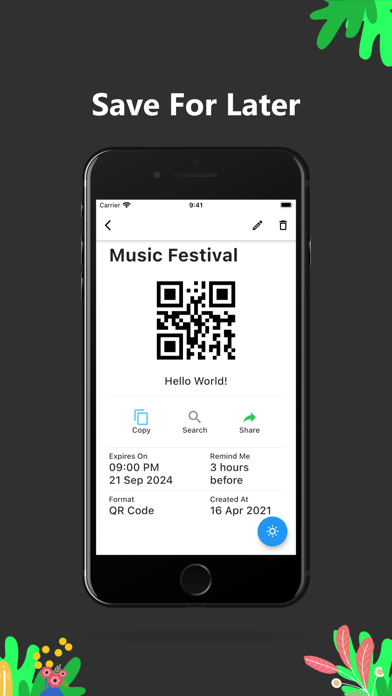
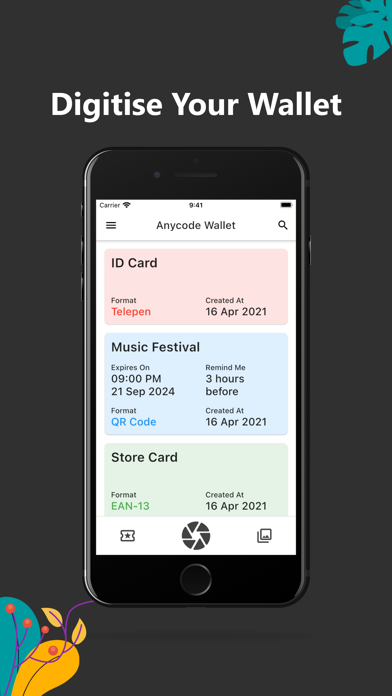
Add any barcode to your wallet by simply scanning them. From store cards and membership cards to boarding passes to concert tickets, keep everything organized in one place.
Easy to Use
Our lightning-fast scanner reads any barcode instantly. Best of all, it works completely offline - no internet required! Display your barcodes when you need them or set helpful reminders so you never forget to use them.
Works with Everything
Anycode Wallet supports a wide range of formats for any situation:
* Shopping: UPC, EAN for retail products and store cards
* Travel: Aztec for tickets, PDF417 for boarding pass wallet
* Events: QR codes for concerts, venues, and more
* Coupons: Scan and store discount codes and offers
* Business: Code 39, Code 128, Data Matrix for inventory
* Specialty: Codabar, ITF, Telepen for specialized uses
With all these formats supported, you really can forget your physical wallet! Simple, reliable, and always ready when you need it.
Create Your Own
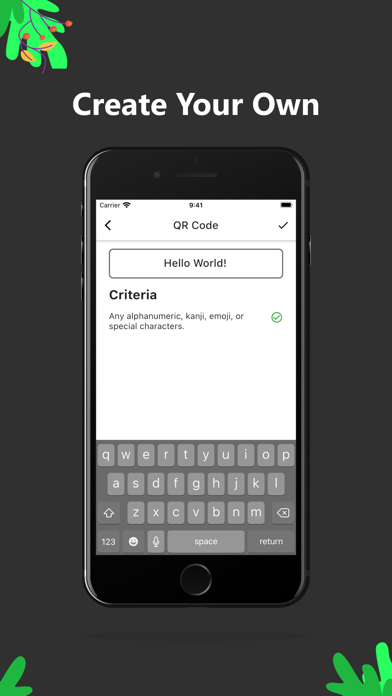
No barcode? No problem! Create any barcode with ease. Whether you need a custom code for your business or want to generate a QR code for sharing, we've got you covered.
Subscription Terms
Choose monthly or yearly subscription to unlock premium features. Payment charged to iTunes Account at purchase confirmation. Subscription auto-renews unless cancelled at least 24 hours before period ends. Account will be charged for renewal within 24 hours prior to end of current period. Manage subscriptions in Apple Account Settings.
EULA: https://www.apple.com/legal/internet-services/itunes/dev/stdeula/
Privacy Policy: https://anycodewallet.com/privacy-policy.html
Terms of Service: https://anycodewallet.com/terms-conditions.html

Add any barcode to your wallet by simply scanning them. From store cards and membership cards to boarding passes to concert tickets, keep everything organized in one place.
Easy to Use
Our lightning-fast scanner reads any barcode instantly. Best of all, it works completely offline - no internet required! Display your barcodes when you need them or set helpful reminders so you never forget to use them.
Works with Everything
Anycode Wallet supports a wide range of formats for any situation:
* Shopping: UPC, EAN for retail products and store cards
* Travel: Aztec for tickets, PDF417 for boarding pass wallet
* Events: QR codes for concerts, venues, and more
* Coupons: Scan and store discount codes and offers
* Business: Code 39, Code 128, Data Matrix for inventory
* Specialty: Codabar, ITF, Telepen for specialized uses
With all these formats supported, you really can forget your physical wallet! Simple, reliable, and always ready when you need it.
Create Your Own
No barcode? No problem! Create any barcode with ease. Whether you need a custom code for your business or want to generate a QR code for sharing, we've got you covered.
Subscription Terms
Choose monthly or yearly subscription to unlock premium features. Payment charged to iTunes Account at purchase confirmation. Subscription auto-renews unless cancelled at least 24 hours before period ends. Account will be charged for renewal within 24 hours prior to end of current period. Manage subscriptions in Apple Account Settings.
EULA: https://www.apple.com/legal/internet-services/itunes/dev/stdeula/
Privacy Policy: https://anycodewallet.com/privacy-policy.html
Terms of Service: https://anycodewallet.com/terms-conditions.html
Show More
최신 버전 4.2.0의 새로운 기능
Last updated on Jan 12, 2026
오래된 버전
Faster app launch and improved scan speed.
Fixed an issue with Codabar barcode rendering.
Show More
Version History
4.2.0
Jan 12, 2026
Faster app launch and improved scan speed.
Fixed an issue with Codabar barcode rendering.
Anycode Wallet Barcode Scanner FAQ
제한된 국가 또는 지역에서 Anycode Wallet Barcode Scanner를 다운로드하는 방법을 알아보려면 여기를 클릭하십시오.
Anycode Wallet Barcode Scanner의 최소 요구 사항을 보려면 다음 목록을 확인하십시오.
iPhone
관련 동영상
Latest introduction video of Anycode Wallet Barcode Scanner on iPhone