ATA®

ATA®


무료

2.4for iPad
Age Rating
4+
Apps in this category do not contain restricted content.
9+
Apps in this category may contain mild or occasional cartoon, fantasy or real-life violence, as well as occasional or mild adult, sexually suggestive or horrifying content and may not be suitable for children under 9 years of age.
12+
Apps in this category may contain occasional mild indecent language, frequent or intense cartoon or real-life violence, minor or occasional adult or sexually suggestive material, and simulated gambling, and may be for children under 12 years of age.
17+
You must be at least 17 years old to access this App.
Apps in this category may contain frequent and intense offensive language; Frequent and intense cartoon, fantasy or realistic violence: frequent and intense adult, scary and sexually suggestive subjects: as well as sexual content, nudity, tobacco, alcohol and drugs, may not be suitable for children under 17 years of age.
ATA® 스크린 샷
ATA® 포스터ATA® 포스터ATA® 포스터ATA® 포스터ATA® 포스터ATA® 포스터ATA® 포스터ATA® 포스터

About ATA®

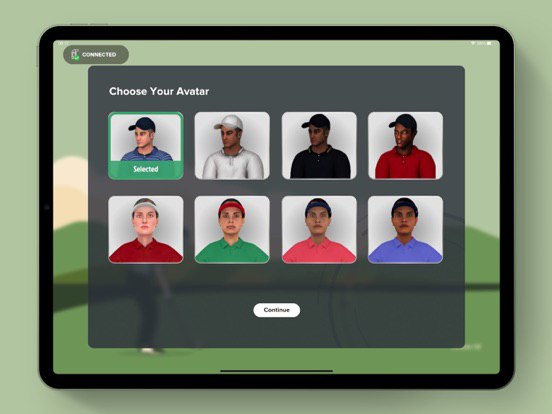
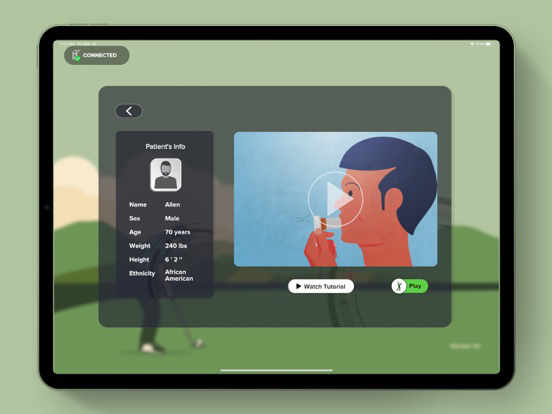
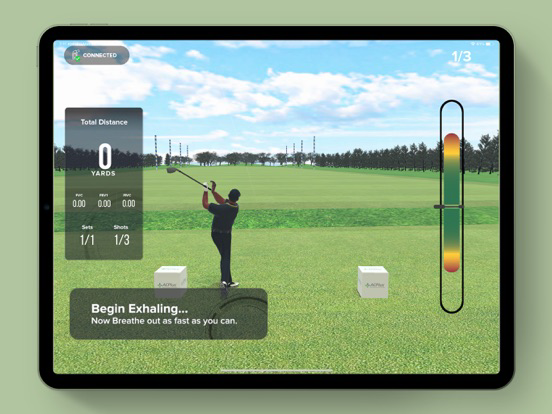
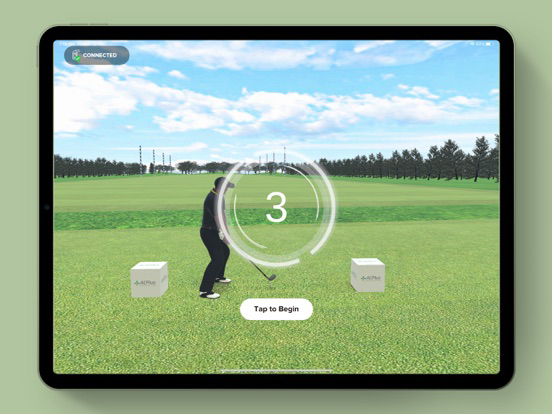
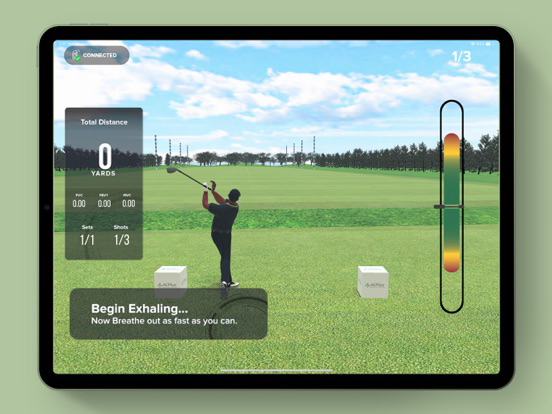
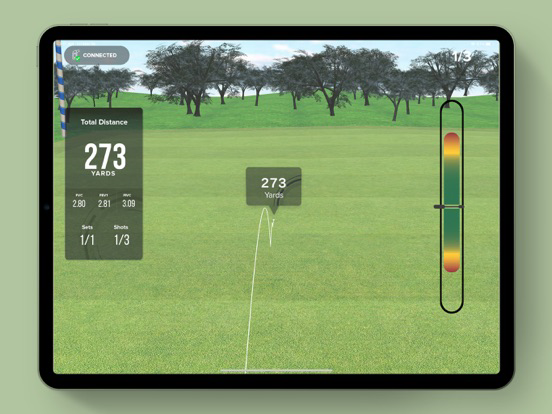
ACPlus has developed a biofeedback therapy system to adjunct the ACPlus Respiratory Assessment (ARA). Using an FDA-cleared Bluetooth spirometer, ACPlus has converted Pulmonary Function Test (PFT) metrics in to gamified activities that patients can perform during therapy, or in the comfort of their own room/home.

Using the following FDA-cleared metrics, ACPlus Respiratory Therapy (ART) converts those metrics to in-game units of measure so the patient can easily understand how they are performing:

• FVC
• FEV1
• FEV1/FVC ratio (%)
• FEF2575
• PEF
• FIVC
Using proprietary algorithms and calculations, ACPlus converts a patients performance against the Global Lung Initiative (GLI) predictions based on the patients demographics, and displays in game results that are easy for the patient to understand, track, and share.

Data and information collected in ACPlus Respiratory Therapy can easily be transmitted back to the ACPlus application for data analysis and documentation.
Show More

최신 버전 2.4의 새로운 기능

Last updated on Jan 15, 2026
오래된 버전
Resistance-Based Reports Enhanced
Exercise reports now display results with their actual resistance levels (e.g., L0, L1, L2) directly on graphs. A resistance filter is available, showing only the levels used in that session for accurate review.

Improved Report Accuracy & ACPlus Sync
Reports sent to ACPlus now exactly match the filtered view selected in ATA. Only relevant repetitions and resistance data are transmitted, ensuring consistency between ATA and ACPlus.

Resonant Breathing Parameter Screen Updated
The parameter screen has been standardised for better usability. “Select Level” has been removed, “Resistance Type” is now labeled as “Mouthpiece Type,” instructions are clearer, and the Play button has been renamed to Start.

Updated Mouthpiece Type Options
The “None” option has been removed. Mouthpiece types now include Airflow Filter, Plastic Tube, and Straw, with consistent naming across ATA and ACPlus reports.

Controlled Breathing Sequence Enhanced
The breathing sequence is now Inhale → Hold → Exhale → Hold, starting with inhale. Both hold steps support 0 seconds, allowing clinicians to skip holds when needed. Dolphin and Lungs visualisations follow this updated flow.

Dolphin Exercise Breathing Detection Improved
Inhale/exhale detection has been refined for more natural breathing. A significant airflow drop (~20% or more) is now required to mark a break, reducing false interruptions during relaxed breathing.

Dolphin Exercise Report Calculations Fixed
Average inhale and exhale calculations have been corrected to resolve previously reported discrepancies.

Standardised Exercise Naming
Exercise names are now consistent across ATA and ACPlus reporting, improving clarity and alignment between systems.

Show More
Version History
2.4
Jan 15, 2026
Resistance-Based Reports Enhanced
Exercise reports now display results with their actual resistance levels (e.g., L0, L1, L2) directly on graphs. A resistance filter is available, showing only the levels used in that session for accurate review.

Improved Report Accuracy & ACPlus Sync
Reports sent to ACPlus now exactly match the filtered view selected in ATA. Only relevant repetitions and resistance data are transmitted, ensuring consistency between ATA and ACPlus.

Resonant Breathing Parameter Screen Updated
The parameter screen has been standardised for better usability. “Select Level” has been removed, “Resistance Type” is now labeled as “Mouthpiece Type,” instructions are clearer, and the Play button has been renamed to Start.

Updated Mouthpiece Type Options
The “None” option has been removed. Mouthpiece types now include Airflow Filter, Plastic Tube, and Straw, with consistent naming across ATA and ACPlus reports.

Controlled Breathing Sequence Enhanced
The breathing sequence is now Inhale → Hold → Exhale → Hold, starting with inhale. Both hold steps support 0 seconds, allowing clinicians to skip holds when needed. Dolphin and Lungs visualisations follow this updated flow.

Dolphin Exercise Breathing Detection Improved
Inhale/exhale detection has been refined for more natural breathing. A significant airflow drop (~20% or more) is now required to mark a break, reducing false interruptions during relaxed breathing.

Dolphin Exercise Report Calculations Fixed
Average inhale and exhale calculations have been corrected to resolve previously reported discrepancies.

Standardised Exercise Naming
Exercise names are now consistent across ATA and ACPlus reporting, improving clarity and alignment between systems.

ATA® FAQ

제한된 국가 또는 지역에서 ATA®를 다운로드하는 방법을 알아보려면 여기를 클릭하십시오.
ATA®의 최소 요구 사항을 보려면 다음 목록을 확인하십시오.
iPad

ATA® 대안

당신은 또한 좋아할 수도 있습니다

Accelerated Care Plus에서 더 많은 것을 얻기