BASIC - Programming Language
₩4,400
1.6for iPhone, iPad
Age Rating
BASIC - Programming Language 스크린 샷
About BASIC - Programming Language
BASIC: 옛날 좋은 시절의 느낌 ! 그리운 프로그램 언어 !
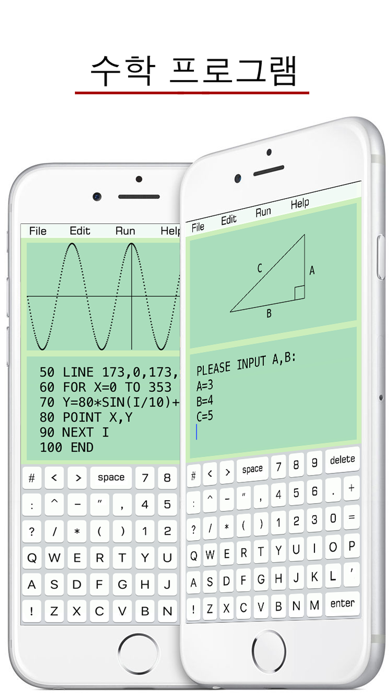
10 INPUT A
20 B = SIN(A)
30 PRINT "ANSWER: ", B
40 END
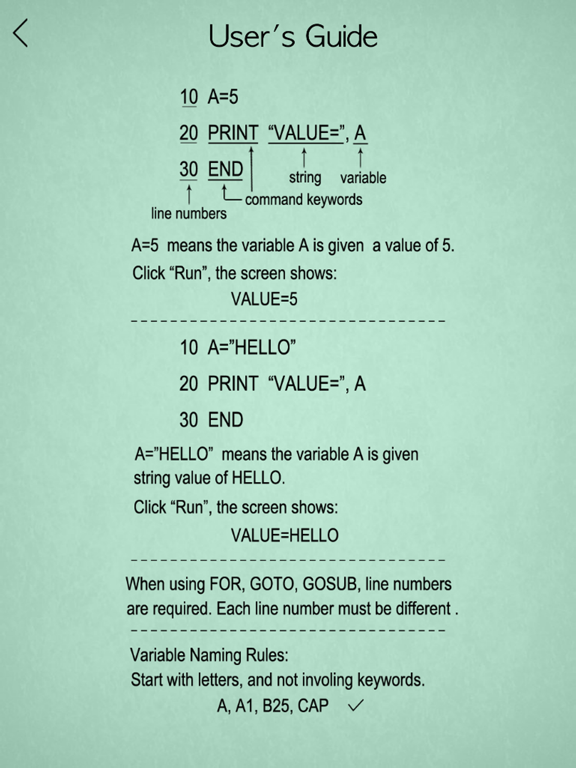
BASIC 사용 설명서:
• PRINT
10 PRINT "HELLO WORLD !"
20 END
• INPUT
10 INPUT “A=”, A
20 PRINT A
30 END
• IF...THEN...
Number Comparison:
10 INPUT A
20 IF A>90 THEN B=“A”
30 PRINT B
40 END
Conditional Operators:
> greater than
< less than
>= greater than or equal to
=> equal to or greater than
<= less than or equal to
=< equal to or less than
= equal to
== equal to
<> not equal to
!= not equal to
THEN can be followed by GOTO, GOSUB, INPUT, PRINT.
String Comparison:
10 INPUT A
20 IF A=“TOM” THEN PRINT “BOY”
30 END
Conditional Operators:
= is
== is
<> is not
!= is not
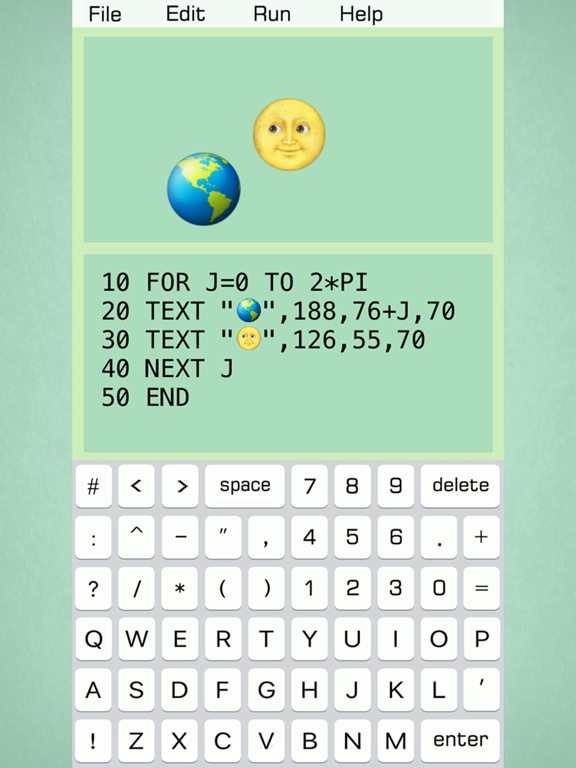
• FOR...NEXT...
10 FOR I=1 TO 4 STEP 2
20 PRINT “HELLO”, I
30 NEXT I
40 END
STEP specifies the counter increment for each loop. If STEP doesn’t exit, the default increment is 1.
FOR...NEXT... loop can be nested.
10 FOR I=1 TO 5
20 FOR J=1 TO 4
30 PRINT I, J
40 NEXT J
50 NEXT I
60 END
• GOTO
10 ...
20 ...
30 ...
40 GOTO 10
50 ...
• GOSUB
10 PRINT “H”
20 GOSUB 100
30 PRINT “L”
40 END
100 PRINT “A”
110 RETURN
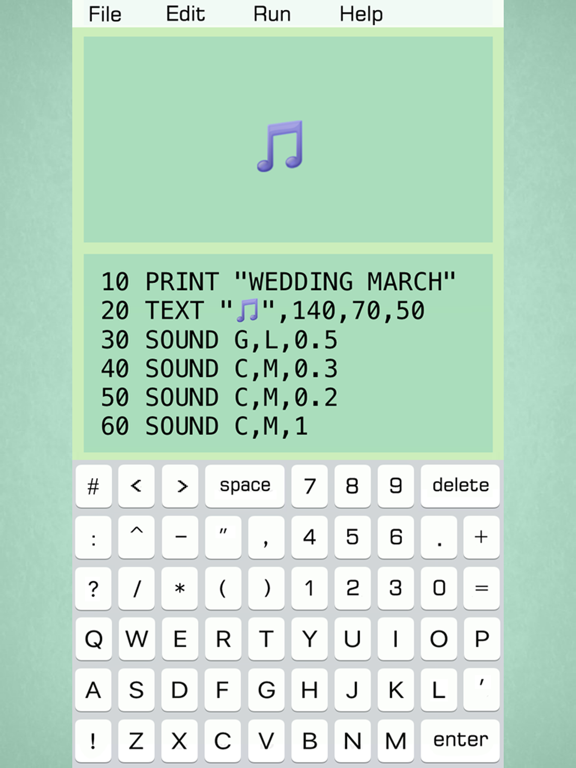
• SOUND
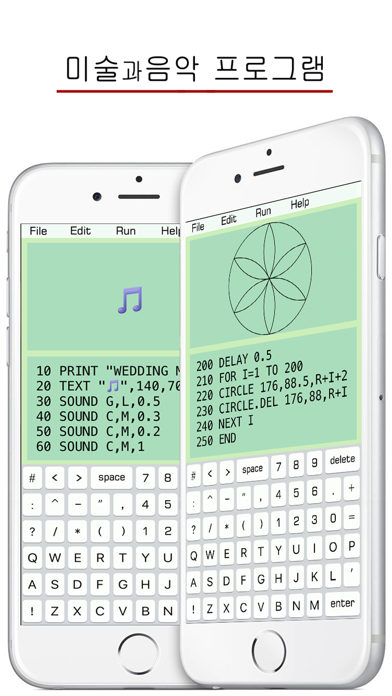
10 SOUND C, M, 0.5
The line 10 plays Middle C piano note for 0.5 seconds.
Note: C, C#, D, D#, E, F, F#, G, G#, A, A#, B
Pitch Range: L (low), M (middle), H (high)
Lasting Time: specifies how long a note lasts.
C, D, E, F, G, A, B can also be labeled as 1, 2, 3, 4, 5, 6, 7. (C# as 1#).
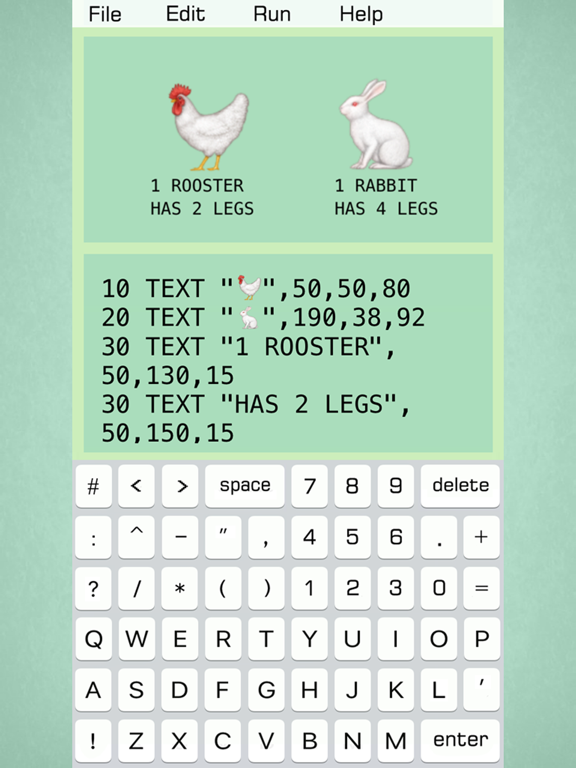
• TEXT
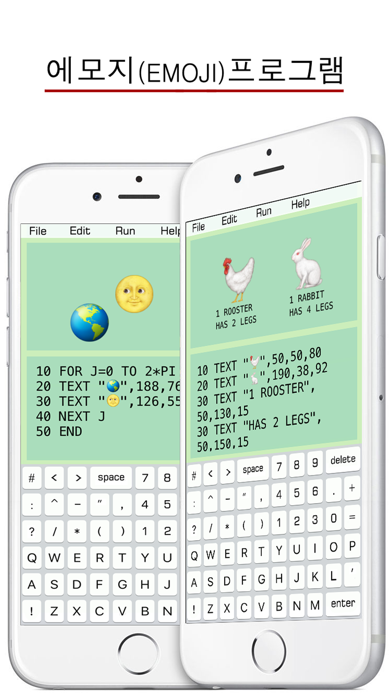
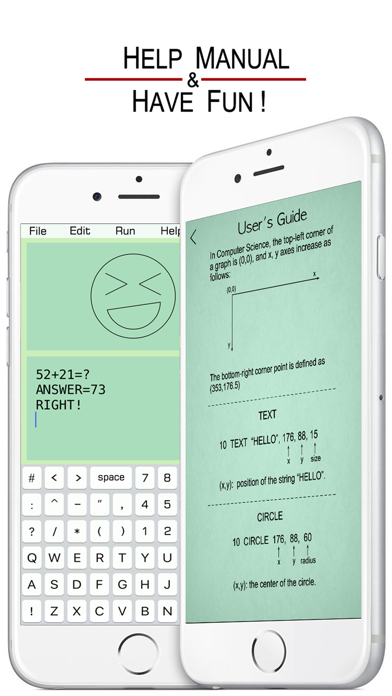
10 TEXT “HELLO”, x, y, size
(x,y): position of the string “HELLO”.
• CIRCLE
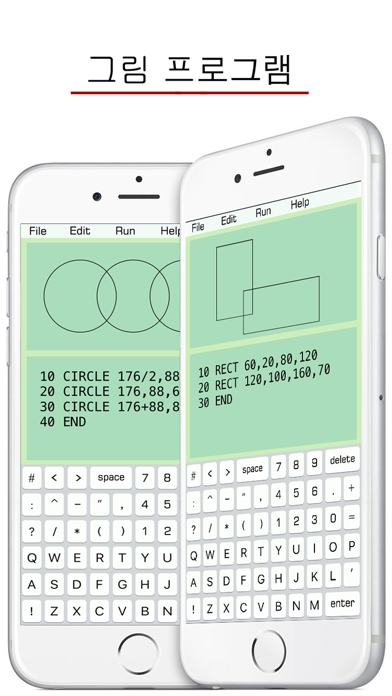
10 CIRCLE x, y, radius
(x,y): the center of the circle.
• RECTANGLE
10 RECT x, y, width, height
(x,y): top-left point of the rectangle.
• LINE
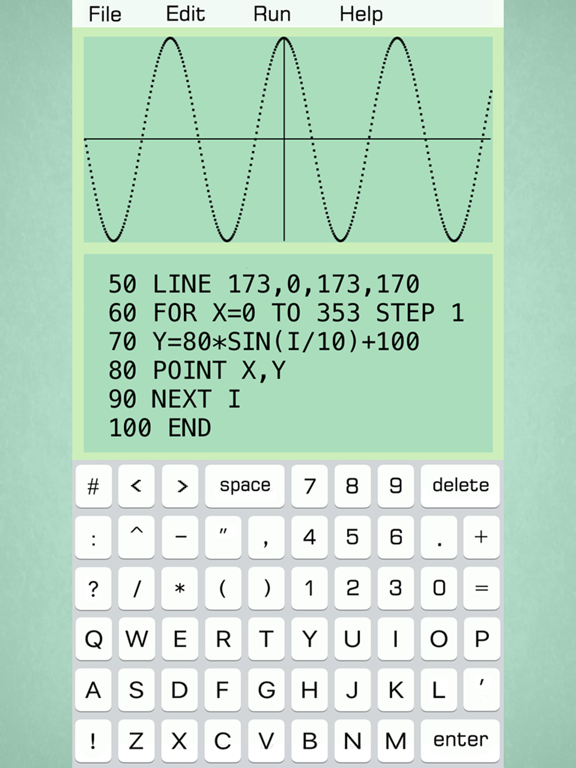
10 LINE x1, y1, x2, y2
(x1,y1): the starting point of the line.
(x2,y2): the ending point of the line.
• POINT
10 POINT x, y
(x,y): the position of the point.
• CLR: clear the edit window.
• CLS: clear the graph window.
• DELAY
10 DELAY 0.5
0.5:lasting time in seconds
This function is used to suspend execution of a program for a particular time.
• CURVE
10 CURVE x, y, radius, 0, PI
0: starting angle
PI: ending angle
The curve draws clockwise with center (x,y).
• Mathematical Functions:
SIN(X), COS(X), TAN(X), COT(X),
ASIN(X), ACOS(X), ATAN(X),
SINH(X), COSH(X), TANH(X),
ASINH(X), ACOSH(X), ATANH(X).
SQR(X): square root of x.
ABS(X): absolute value of x.
FCT(X): x factorial.
LOG(X): natural logarithm of x.
LOG10(X): base-10 logarithm of x.
LOG2(X) :base-2 logarithm of x.
EXP(X): base-e exponential of x.
ERF(X): the error function of x.
ERFC(X): the complementary error function of x.
ROUND(X) :integral nearest to x.
CEIL(X): the smallest integral that is not less than x.
FLOOR(X): the largest integral that is not greater than x.
TGAMMA(X): the gamma function of x.
LGAMMA(X): the natural logarithm of the absolute value of the gamma function of x.
• Reserved Variables:
INKEY : once a key is pressed, the value of INKEY changes.
RND : a random number.
PI : π
• Some Tips:
1. Undo & Redo typing on iPhone with a shake.
2. Copy an Emoji or some character from other places (like Notes), then paste them on the edit window.
3. Exponentiation is expressed as X^Y.

10 INPUT A
20 B = SIN(A)
30 PRINT "ANSWER: ", B
40 END
BASIC 사용 설명서:
10 PRINT "HELLO WORLD !"
20 END
• INPUT
10 INPUT “A=”, A
20 PRINT A
30 END
• IF...THEN...
Number Comparison:
10 INPUT A
20 IF A>90 THEN B=“A”
30 PRINT B
40 END
Conditional Operators:
> greater than
< less than
>= greater than or equal to
=> equal to or greater than
<= less than or equal to
=< equal to or less than
= equal to
== equal to
<> not equal to
!= not equal to
THEN can be followed by GOTO, GOSUB, INPUT, PRINT.
String Comparison:
10 INPUT A
20 IF A=“TOM” THEN PRINT “BOY”
30 END
Conditional Operators:
= is
== is
<> is not
!= is not
• FOR...NEXT...
10 FOR I=1 TO 4 STEP 2
20 PRINT “HELLO”, I
30 NEXT I
40 END
STEP specifies the counter increment for each loop. If STEP doesn’t exit, the default increment is 1.
FOR...NEXT... loop can be nested.
10 FOR I=1 TO 5
20 FOR J=1 TO 4
30 PRINT I, J
40 NEXT J
50 NEXT I
60 END
• GOTO
10 ...
20 ...
30 ...
40 GOTO 10
50 ...
• GOSUB
10 PRINT “H”
20 GOSUB 100
30 PRINT “L”
40 END
100 PRINT “A”
110 RETURN
• SOUND
10 SOUND C, M, 0.5
The line 10 plays Middle C piano note for 0.5 seconds.
Note: C, C#, D, D#, E, F, F#, G, G#, A, A#, B
Pitch Range: L (low), M (middle), H (high)
Lasting Time: specifies how long a note lasts.
C, D, E, F, G, A, B can also be labeled as 1, 2, 3, 4, 5, 6, 7. (C# as 1#).
• TEXT
10 TEXT “HELLO”, x, y, size
(x,y): position of the string “HELLO”.
• CIRCLE
10 CIRCLE x, y, radius
(x,y): the center of the circle.
• RECTANGLE
10 RECT x, y, width, height
(x,y): top-left point of the rectangle.
• LINE
10 LINE x1, y1, x2, y2
(x1,y1): the starting point of the line.
(x2,y2): the ending point of the line.
• POINT
10 POINT x, y
(x,y): the position of the point.
• CLR: clear the edit window.
• CLS: clear the graph window.
• DELAY
10 DELAY 0.5
0.5:lasting time in seconds
This function is used to suspend execution of a program for a particular time.
• CURVE
10 CURVE x, y, radius, 0, PI
0: starting angle
PI: ending angle
The curve draws clockwise with center (x,y).
• Mathematical Functions:
SIN(X), COS(X), TAN(X), COT(X),
ASIN(X), ACOS(X), ATAN(X),
SINH(X), COSH(X), TANH(X),
ASINH(X), ACOSH(X), ATANH(X).
SQR(X): square root of x.
ABS(X): absolute value of x.
FCT(X): x factorial.
LOG(X): natural logarithm of x.
LOG10(X): base-10 logarithm of x.
LOG2(X) :base-2 logarithm of x.
EXP(X): base-e exponential of x.
ERF(X): the error function of x.
ERFC(X): the complementary error function of x.
ROUND(X) :integral nearest to x.
CEIL(X): the smallest integral that is not less than x.
FLOOR(X): the largest integral that is not greater than x.
TGAMMA(X): the gamma function of x.
LGAMMA(X): the natural logarithm of the absolute value of the gamma function of x.
• Reserved Variables:
INKEY : once a key is pressed, the value of INKEY changes.
RND : a random number.
PI : π
• Some Tips:
1. Undo & Redo typing on iPhone with a shake.
2. Copy an Emoji or some character from other places (like Notes), then paste them on the edit window.
3. Exponentiation is expressed as X^Y.
Show More
최신 버전 1.6의 새로운 기능
Last updated on Jul 29, 2025
오래된 버전
Built with iOS SDK 18.
Show More
Version History
1.6
Jul 29, 2025
Built with iOS SDK 18.
BASIC - Programming Language FAQ
제한된 국가 또는 지역에서 BASIC - Programming Language를 다운로드하는 방법을 알아보려면 여기를 클릭하십시오.
BASIC - Programming Language의 최소 요구 사항을 보려면 다음 목록을 확인하십시오.
iPhone
iPad
관련 동영상
Latest introduction video of BASIC - Programming Language on iPhone