Age Rating
Chapter Tap - LDS Scriptures 스크린 샷
About Chapter Tap - LDS Scriptures
ChapterTap - The easiest way to track your daily scripture reading in any of the LDS Standard Works! A must have app for every LDS Church member.
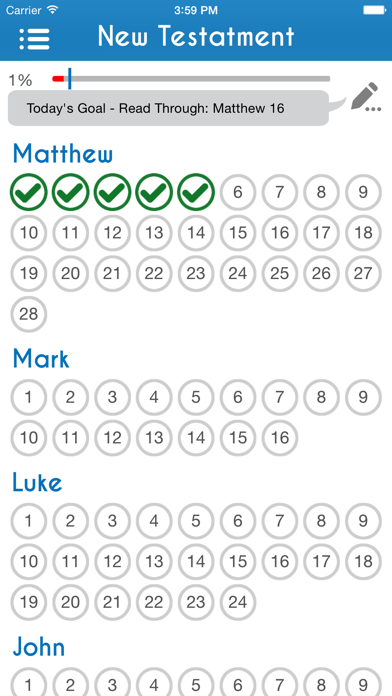
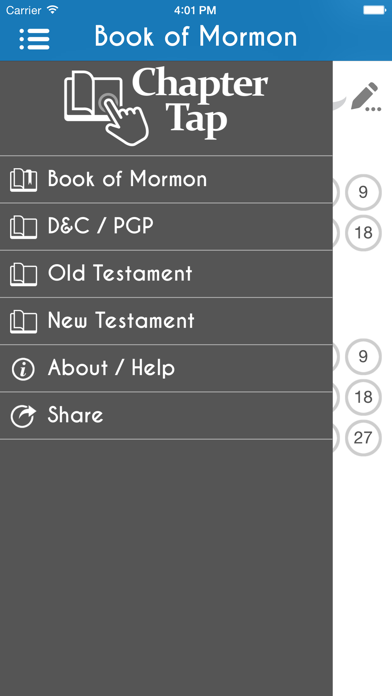
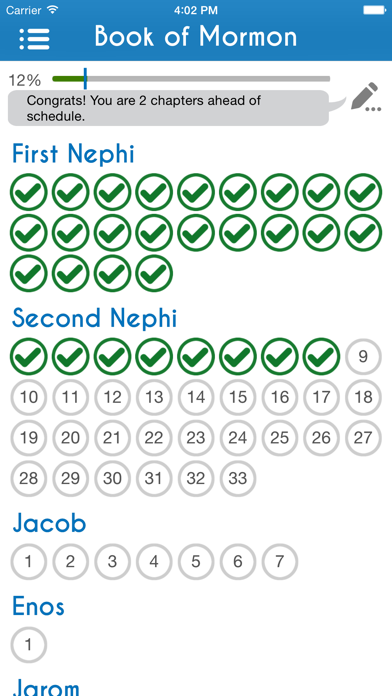
As you read the scriptures in any of the LDS Standard Works, simply tap on the chapters you have read and watch the progress bar instantly update. This app will track which chapters you have read in the Book of Mormon, Doctrine & Covenants, Pearl of Great Price and the Bible.
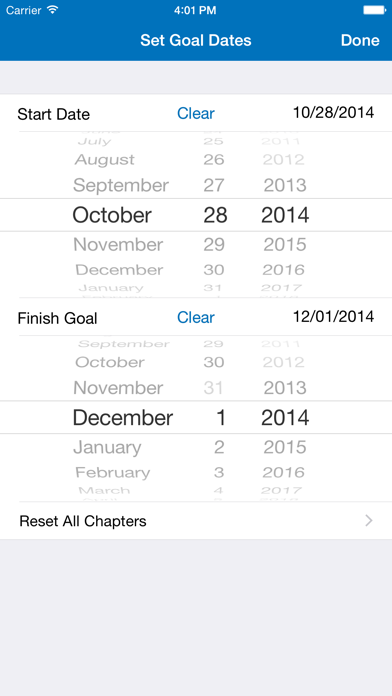
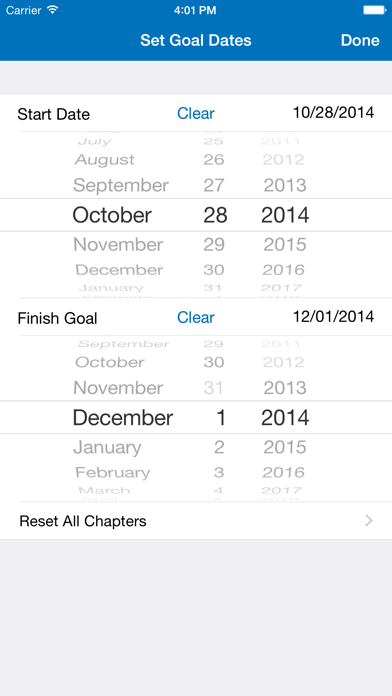
You can also set a goal date when you want to complete any specific scripture volume and Chapter Tap will let you know what chapter you should be reading today and display if you are ahead or behind your goal.
Never forget what chapter you are reading and achieve your scripture reading goals with Chapter Tap!
Features:
• Tap a chapter number to mark that chapter as read/unread.
• Visually see how much of the scriptures you have read at all times.
• Tracks your reading progress in each of the LDS Standard Works.
• Set a finish goal date and the app will tell you what chapter you should be reading today to reach your goal.
• Instantly see if you are ahead, behind or on track with your reading goal.
• Virtual bookmark, so you always know what chapter you are reading, no matter what set of scriptures you are reading from.
We hope you enjoy using Chapter Tap and that it helps you reach your scripture reading goals!
NOTE: This app does not contain the actual scripture text. There are many other free & paid apps for this purpose.
Please send us your feedback, questions and suggestions by visiting ChapterTap.com
App developed by Tom Baker.

As you read the scriptures in any of the LDS Standard Works, simply tap on the chapters you have read and watch the progress bar instantly update. This app will track which chapters you have read in the Book of Mormon, Doctrine & Covenants, Pearl of Great Price and the Bible.
You can also set a goal date when you want to complete any specific scripture volume and Chapter Tap will let you know what chapter you should be reading today and display if you are ahead or behind your goal.
Never forget what chapter you are reading and achieve your scripture reading goals with Chapter Tap!
Features:
• Tap a chapter number to mark that chapter as read/unread.
• Visually see how much of the scriptures you have read at all times.
• Tracks your reading progress in each of the LDS Standard Works.
• Set a finish goal date and the app will tell you what chapter you should be reading today to reach your goal.
• Instantly see if you are ahead, behind or on track with your reading goal.
• Virtual bookmark, so you always know what chapter you are reading, no matter what set of scriptures you are reading from.
We hope you enjoy using Chapter Tap and that it helps you reach your scripture reading goals!
NOTE: This app does not contain the actual scripture text. There are many other free & paid apps for this purpose.
Please send us your feedback, questions and suggestions by visiting ChapterTap.com
App developed by Tom Baker.
Show More
최신 버전 2.0의 새로운 기능
Last updated on Nov 4, 2014
오래된 버전
This app has been updated by Apple to display the Apple Watch app icon.
• All New User Interface
• HD/Retina Graphics for Larger Screens
• iOS 8 Compatibility
• New Share Options
IMPORTANT NOTE: This new version is not compatible with the previous version. As such, upgrading to this version of the app will reset your reading data and goal dates. Be sure to take note of your start/end dates and where you are reading at before the upgrade, so you can re-enter this information in the new version of the app.
• All New User Interface
• HD/Retina Graphics for Larger Screens
• iOS 8 Compatibility
• New Share Options
IMPORTANT NOTE: This new version is not compatible with the previous version. As such, upgrading to this version of the app will reset your reading data and goal dates. Be sure to take note of your start/end dates and where you are reading at before the upgrade, so you can re-enter this information in the new version of the app.
Show More
Version History
2.0
Nov 4, 2014
This app has been updated by Apple to display the Apple Watch app icon.
• All New User Interface
• HD/Retina Graphics for Larger Screens
• iOS 8 Compatibility
• New Share Options
IMPORTANT NOTE: This new version is not compatible with the previous version. As such, upgrading to this version of the app will reset your reading data and goal dates. Be sure to take note of your start/end dates and where you are reading at before the upgrade, so you can re-enter this information in the new version of the app.
• All New User Interface
• HD/Retina Graphics for Larger Screens
• iOS 8 Compatibility
• New Share Options
IMPORTANT NOTE: This new version is not compatible with the previous version. As such, upgrading to this version of the app will reset your reading data and goal dates. Be sure to take note of your start/end dates and where you are reading at before the upgrade, so you can re-enter this information in the new version of the app.
Chapter Tap - LDS Scriptures 가격
오늘:
₩3,300
최저 가격:
₩3,000
최고 가격:
₩3,300
Chapter Tap - LDS Scriptures FAQ
Chapter Tap - LDS Scriptures는 다음 제한 국가 이외의 지역에서 제공됩니다.
Spain,Croatia,Slovenia,Greece,Bulgaria,Germany,Romania,Poland,Malta,Ireland,Luxembourg,Latvia,Czech Republic,Finland,Cyprus,Austria,France,Portugal,Sweden,Slovakia,Italy,Belgium,Hungary,Denmark,Lithuania,Netherlands,Estonia
Chapter Tap - LDS Scriptures의 최소 요구 사항을 보려면 다음 목록을 확인하십시오.
iPhone
Erfordert iOS 7.1 oder neuer.
iPod touch
Erfordert iOS 7.1 oder neuer.
제한된 국가 또는 지역에서 Chapter Tap - LDS Scriptures를 다운로드하는 방법을 알아보려면 여기를 클릭하십시오.