Stay connected to the internet! Wondering what is the speed of your IP? Try this simple and easy app to initiate a quick network ping test. Check network speed in 3 easy steps and make sure you are connected to internet at all times. This app is a combination of tons of useful features which not only allow you to share IP and track its history but also scan IP and customize the app design as many times as you want. Try it now!
--QUICK & EASY TESTING--
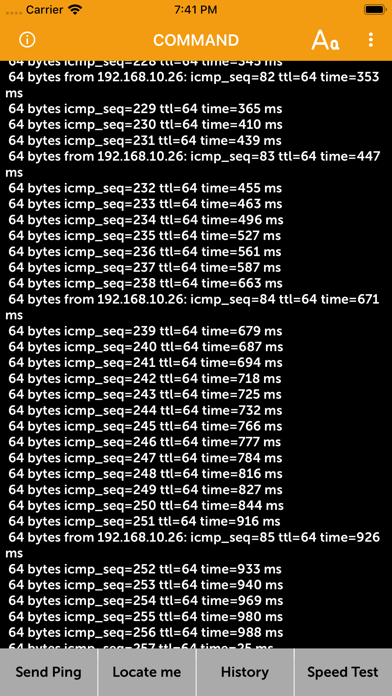
Bid farewell to poor ping and interrupted IP connections as this app lets you test everything in few easy steps. All you need to do is enter the host info such as Host IP address or domain name into the bar and hit the Start button. The results
--SCAN & SHARE YOUR IP ADDRESS--
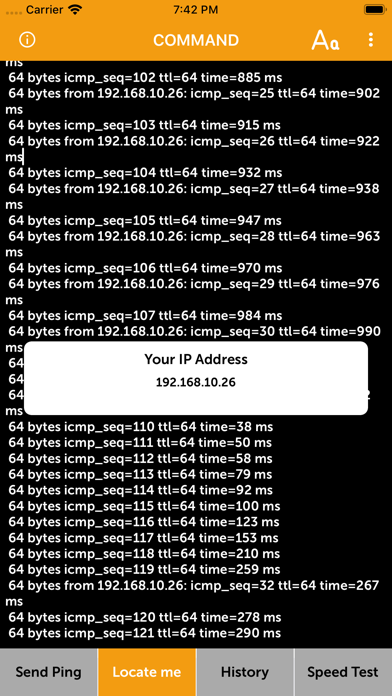
Tap on the QR code scanner to initiate a quick IP address scanning and search. Copy the IP address in your clipboard and share it with anyone you want. Tap on the Share My IP option to share the text format IP address on any app.
--TRACK DATA HISTORY--
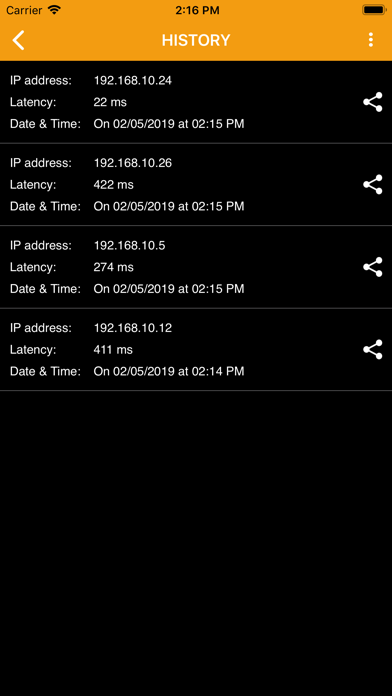
Keep a close breadth with your online IP activity by hovering over to the history tab in the app. If you have viewed any content on your IP address, its history will appear on screen under the History tabs. Apply search filters to pick the desirable information from the history activity list.
--CUSTOMIZE APP DESIGN--
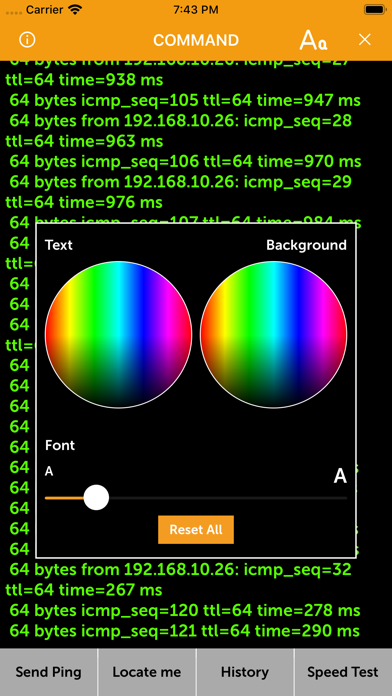
You can also change the app background, alternate the font styles and asjut the font size by swiping the slider easily.
How to use CMD – Ping network speed test:
•. Download and launch the network ping testing app
•. Enter your IP address or paste it from the clipboard
•. Enter other domain information like domain address to check host
•. Hit the Start button to check the ping network speed
•. Find, Copy and share your IP address with any user on any other app with just a few clicks
•. Scan your IP address and locate your virtual location to share it with anyone
•. Copy and paste your IP address on clipboard after QR scanning
•. Check and track your data browsing history by going to history screen
•. Apply history filters for easier navigation across the records
•. Choose background colors, font styles and font sizes to customize app design
•. Reset and set new app backgrounds as many times as you want
•. Scan, ping, customize and enjoy!
•. Simple and easy IP ping tester app UI/UX
•. Hassle-free app design featuring smooth and responsive controls
•. Multiple functionalities present in a single app
•. Locate and track your IP address to find your virtual location
•. Search and test network ping in two ways via domain name and IP address
•. Single tap network ping test for quick speed checks
•. Track and view your IP address history by going on the history tab
•. Scan QR code to extract IP address and save it on your clipboard
•. Share IP address on any other app of your liking
•. Customize app designs as many times as you want by changing backgrounds, altering font styles and adjusting font size
•. Interactive app tabs to offer easier access to multiple app features
Are you ready to make the most out of a hassle-free ping network testing app? Find, share and track history of your IP address with one of the most versatile apps out there. Download and use CMD – Ping network speed test today!
Privacy & Terms:
https://kr.cisinlive.com/autocallrecorder/public/privacy-policy https://kr.cisinlive.com/autocallrecorder/public/terms-and-conditions