CommArea
무료
9.0.2for iPhone, iPad
Age Rating
CommArea 스크린 샷
About CommArea
The CommArea Homeowner and Board App is a mobile-friendly way to interface with your community association. You will be able to make payments, view your account, and access community information all in one place.
If you already have a login to your association website, you can login to the App using the same email address and password you use for your association website. If you do not have a current login to your association site, simply click the register button and submit your information. Once your registration is approved, you will receive an email with a link to set your password and then you will be able to log into your account directly from this app.
If you already have a login and do not remember your password, click the Forgot Password link, enter your email address to request a password reset and you will receive an email with a link to set your password. Once set, you can login with your email address and new password.
Once logged in, Homeowners will have direct access to the following features:
a. Easily switch between accounts if multiple properties are owned
b. Homeowner Dashboard
c. Access association documents
d. Access association directories
e. Access association photos
f. Access Contact Us Page
g. Pay Assessments
h. Access violations – add comments and take pictures from mobile device to add to violation
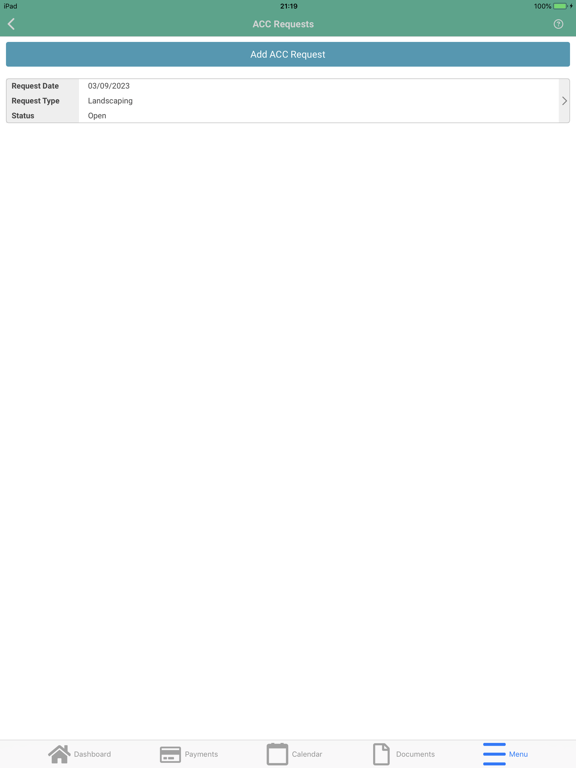
i. Submit ACC Requests and include pictures and attachments (pictures can be taken from mobile device)
j. Access homeowner ledger
k. Submit work orders and check on status of their work orders (add comments and take pictures from mobile device)
In addition, Board Members will be able to take advantage of the following features:
a. Board Tasks
b. ACC Review
c. Board documents
d. Violations Review
e. Invoice Approval
f. Work Order Review

If you already have a login to your association website, you can login to the App using the same email address and password you use for your association website. If you do not have a current login to your association site, simply click the register button and submit your information. Once your registration is approved, you will receive an email with a link to set your password and then you will be able to log into your account directly from this app.
If you already have a login and do not remember your password, click the Forgot Password link, enter your email address to request a password reset and you will receive an email with a link to set your password. Once set, you can login with your email address and new password.
Once logged in, Homeowners will have direct access to the following features:
a. Easily switch between accounts if multiple properties are owned
b. Homeowner Dashboard
c. Access association documents
d. Access association directories
e. Access association photos
f. Access Contact Us Page
g. Pay Assessments
h. Access violations – add comments and take pictures from mobile device to add to violation
i. Submit ACC Requests and include pictures and attachments (pictures can be taken from mobile device)
j. Access homeowner ledger
k. Submit work orders and check on status of their work orders (add comments and take pictures from mobile device)
In addition, Board Members will be able to take advantage of the following features:
a. Board Tasks
b. ACC Review
c. Board documents
d. Violations Review
e. Invoice Approval
f. Work Order Review
Show More
최신 버전 9.0.2의 새로운 기능
Last updated on Aug 28, 2025
오래된 버전
Version 9.0.2 contains the following bug fixes:
•PDF file attachments now open as expected.
•The Make A Payment button color now adheres to the color set by your management company. In addition, the navigation buttons at the bottom of the screen now remain blue.
•UI improvements & bug fixes.
•PDF file attachments now open as expected.
•The Make A Payment button color now adheres to the color set by your management company. In addition, the navigation buttons at the bottom of the screen now remain blue.
•UI improvements & bug fixes.
Show More
Version History
9.0.2
Aug 28, 2025
Version 9.0.2 contains the following bug fixes:
•PDF file attachments now open as expected.
•The Make A Payment button color now adheres to the color set by your management company. In addition, the navigation buttons at the bottom of the screen now remain blue.
•UI improvements & bug fixes.
•PDF file attachments now open as expected.
•The Make A Payment button color now adheres to the color set by your management company. In addition, the navigation buttons at the bottom of the screen now remain blue.
•UI improvements & bug fixes.
CommArea FAQ
제한된 국가 또는 지역에서 CommArea를 다운로드하는 방법을 알아보려면 여기를 클릭하십시오.
CommArea의 최소 요구 사항을 보려면 다음 목록을 확인하십시오.
iPhone
iPad