Age Rating
Data Prepper 스크린 샷
About Data Prepper
Are text files not importing correctly into your spreadsheets?
Did someone send you "just a text file" that looks like gibberish when you open it?
Do you feel that text files just aren't as easy as they used to be?
Then use Data Prepper to pre-process, reformat, and split and combine your text files!
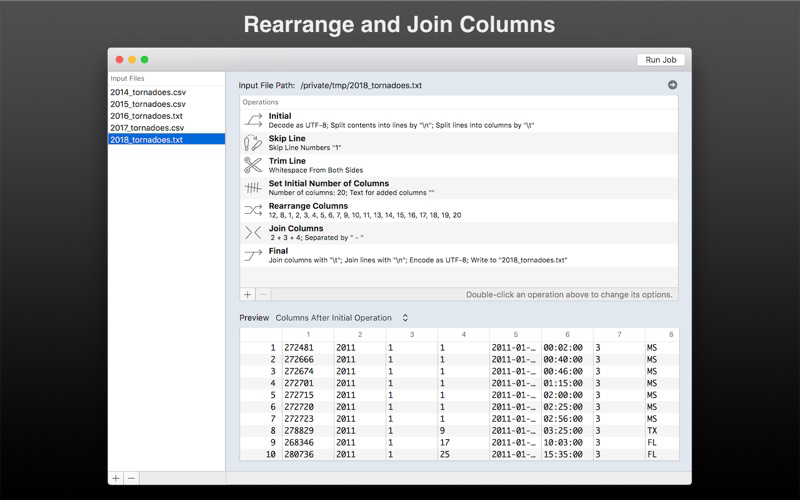
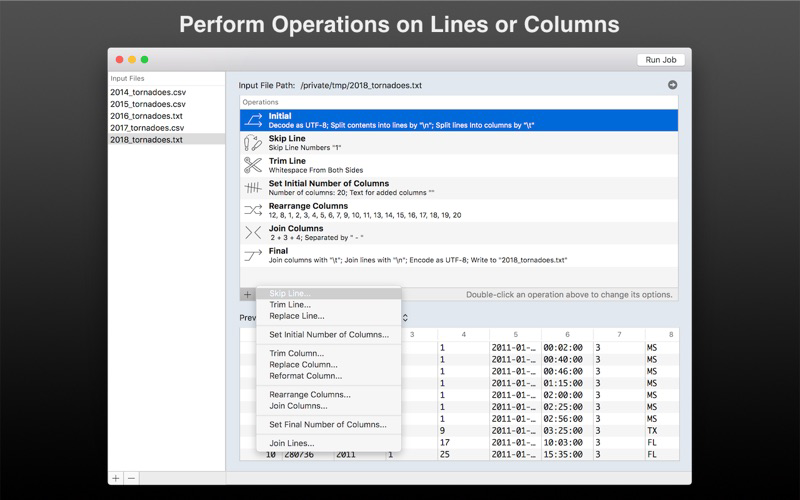
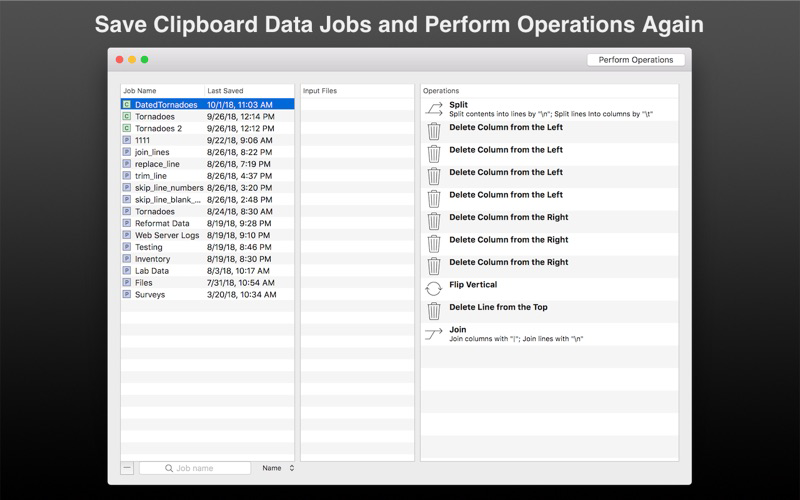
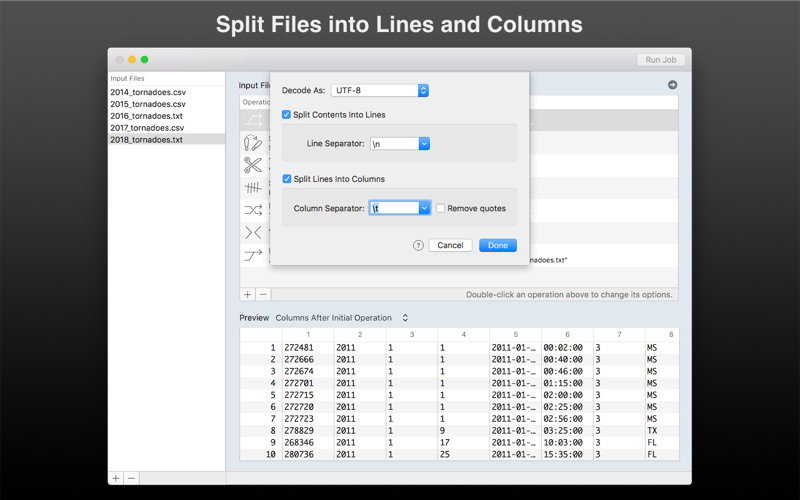
Data Prepper lets you split text files into lines and columns, and then run a job to skip, trim, replace, reformat, rearrange, and join the lines and columns.
You can...
- Replace characters with a text string
- Skip, trim, replace, and join lines
- Trim whitespace, strings, or characters in columns
- Replace strings or regular expressions in columns
- Reformat dates, times, and numbers
- Rearrange columns
- Join columns
- Set the number of columns to include
- Combine multiple files in to one output file
- Supports Tab-delimited, Pipe-delimited, CSV, and other file formats
- Extensive logging shows issues with each input file in the job
Data Prepper can be used for many important tasks, such as:
- Preparing text files before importing into a database
- Making tables from data scraped from the internet
- Reformat dates, times, and numbers the way you prefer
... and much more!
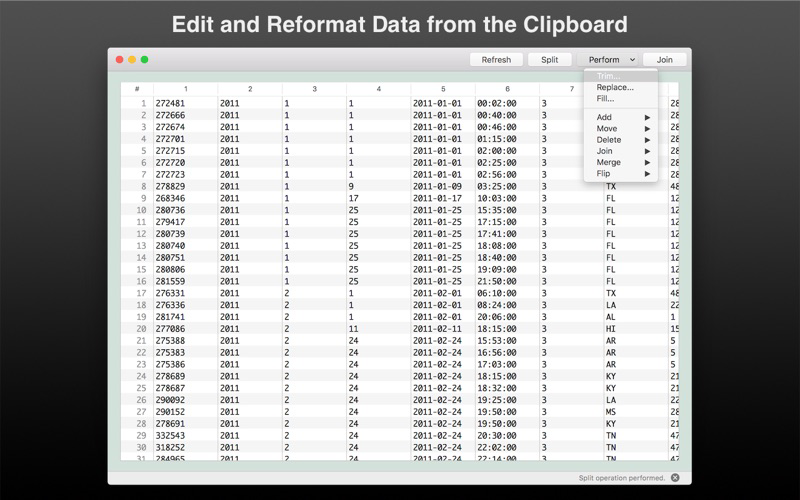
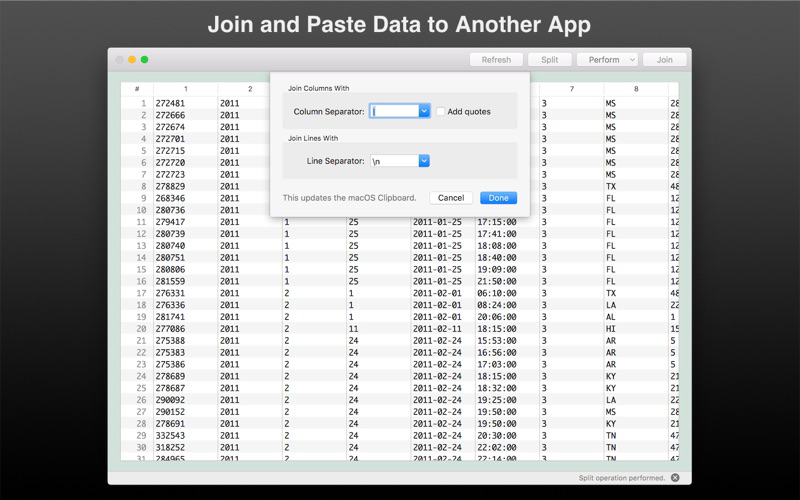
And if you just want to copy data out of one app, rearrange it or reformat it, and paste it into another, then try the included Clipboard Data window!
The Clipboard Data window lets you split text that you copied from another app onto the macOS Clipboard and split it into lines and columns. Then you can...
- Trim, replace, or fill cells
- Add lines and columns
- Move lines and columns around
- Merge lines and columns
... and perform many other operations!
If you get file feeds from a vendor, or need to reformat data before inserting it into a spreadsheet, or need to extract only a few columns and rearrange them before inserting them in a database, then Data Prepper will come in handy.
Computer professionals who are deluged with data can now use Data Prepper and save a lot of time!

Did someone send you "just a text file" that looks like gibberish when you open it?
Do you feel that text files just aren't as easy as they used to be?
Then use Data Prepper to pre-process, reformat, and split and combine your text files!
Data Prepper lets you split text files into lines and columns, and then run a job to skip, trim, replace, reformat, rearrange, and join the lines and columns.
You can...
- Replace characters with a text string
- Skip, trim, replace, and join lines
- Trim whitespace, strings, or characters in columns
- Replace strings or regular expressions in columns
- Reformat dates, times, and numbers
- Rearrange columns
- Join columns
- Set the number of columns to include
- Combine multiple files in to one output file
- Supports Tab-delimited, Pipe-delimited, CSV, and other file formats
- Extensive logging shows issues with each input file in the job
Data Prepper can be used for many important tasks, such as:
- Preparing text files before importing into a database
- Making tables from data scraped from the internet
- Reformat dates, times, and numbers the way you prefer
... and much more!
And if you just want to copy data out of one app, rearrange it or reformat it, and paste it into another, then try the included Clipboard Data window!
The Clipboard Data window lets you split text that you copied from another app onto the macOS Clipboard and split it into lines and columns. Then you can...
- Trim, replace, or fill cells
- Add lines and columns
- Move lines and columns around
- Merge lines and columns
... and perform many other operations!
If you get file feeds from a vendor, or need to reformat data before inserting it into a spreadsheet, or need to extract only a few columns and rearrange them before inserting them in a database, then Data Prepper will come in handy.
Computer professionals who are deluged with data can now use Data Prepper and save a lot of time!
Show More
최신 버전 3.4.2의 새로운 기능
Last updated on Dec 17, 2019
오래된 버전
The "Skip Lines" operation is now "Skip or Keep Lines" and lets you keep only the lines you want from an input file.
Show More
Version History
3.4.2
Dec 17, 2019
The "Skip Lines" operation is now "Skip or Keep Lines" and lets you keep only the lines you want from an input file.
Data Prepper 가격
오늘:
₩14,000
최저 가격:
₩14,000
최고 가격:
₩15,000
Data Prepper FAQ
제한된 국가 또는 지역에서 Data Prepper를 다운로드하는 방법을 알아보려면 여기를 클릭하십시오.
Data Prepper의 최소 요구 사항을 보려면 다음 목록을 확인하십시오.
Mac
macOS 10.10 이상 필요