DynoForms
무료
4.1.9for iPhone, iPad
Age Rating
DynoForms 스크린 샷
About DynoForms
DynoForms is the fastest and easiest way for any business to create dynamic mobile forms.
DynoForms allows users to collect any data using mobile devices and tablets, view gathered data in the Cloud via online reports and integrate data into back office applications.
Our vision is to be the fastest way for any company to mobilize their business and quickly replace paper in the field.
Forms can include advanced functionality such as:
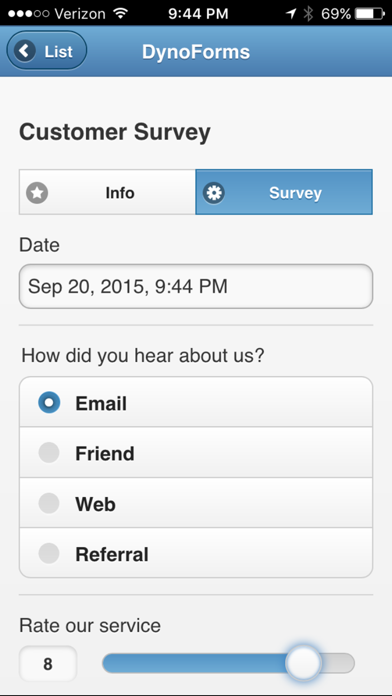
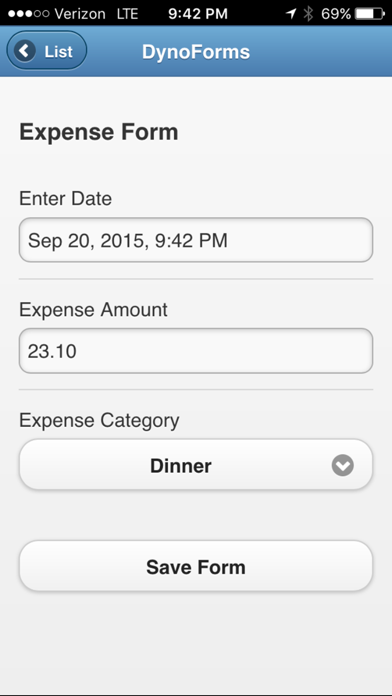
text, checkboxes, sliders and drop down lists
GPS location data
photo capture
barcode scanning
offline capability
charts and more
With the new tasks management feature, organizations can schedule tasks, jobs or any activity and dispatch the tasks to mobile workers. Mobile users can view, update and close tasks easily from the mobile app.
Creating your own mobile forms only takes minutes and requires no programming. Go digital and start replacing paper today!
STEP 1
Install the DynoForms Mobile app and login with your existing DynoForms user account.
STEP 2
Tap "Forms" -> "Fill Out Form" and then select a form from the forms list.
STEP 3
Fill out the form.
STEP 4
Tap "Submit Form" and you are finished!

DynoForms allows users to collect any data using mobile devices and tablets, view gathered data in the Cloud via online reports and integrate data into back office applications.
Our vision is to be the fastest way for any company to mobilize their business and quickly replace paper in the field.
Forms can include advanced functionality such as:
text, checkboxes, sliders and drop down lists
GPS location data
photo capture
barcode scanning
offline capability
charts and more
With the new tasks management feature, organizations can schedule tasks, jobs or any activity and dispatch the tasks to mobile workers. Mobile users can view, update and close tasks easily from the mobile app.
Creating your own mobile forms only takes minutes and requires no programming. Go digital and start replacing paper today!
STEP 1
Install the DynoForms Mobile app and login with your existing DynoForms user account.
STEP 2
Tap "Forms" -> "Fill Out Form" and then select a form from the forms list.
STEP 3
Fill out the form.
STEP 4
Tap "Submit Form" and you are finished!
Show More
최신 버전 4.1.9의 새로운 기능
Last updated on Sep 27, 2023
오래된 버전
Bug fixes and updates for iOS 17 support.
Show More
Version History
4.1.9
Sep 27, 2023
Bug fixes and updates for iOS 17 support.
DynoForms FAQ
제한된 국가 또는 지역에서 DynoForms를 다운로드하는 방법을 알아보려면 여기를 클릭하십시오.
DynoForms의 최소 요구 사항을 보려면 다음 목록을 확인하십시오.
iPhone
iPad