Harmony® Control
무료
5.7.14for iPhone, iPad
Age Rating
Harmony® Control 스크린 샷
About Harmony® Control
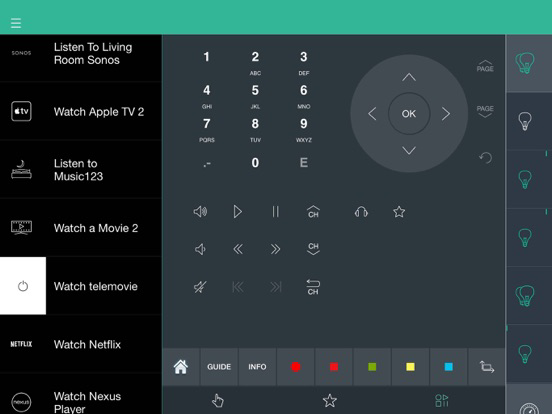
Control your home from your iPhone or iPad. Dim the lights, close the blinds, crank the volume, and start the movie— with one touch. Streamline your life using personalized, multi-device Activities that can be started with one touch. Combine home entertainment—TVs, stereos, cable/satellite set-top boxes, and game consoles—with home automation—connected lights, locks, blinds, thermostats, sensors, and more. Harmony brings it together. You bring it to life.
Use of the Harmony app requires one of the following Logitech Harmony hub-based remote controls: Harmony Pro, Harmony Elite, Harmony Companion, Harmony Hub, Harmony Ultimate Home, Harmony Home Control, Harmony Home Hub, Harmony Ultimate, Harmony Smart Control, Harmony Smart Keyboard, or Harmony Ultimate Hub (each sold separately).
To learn about the full line of Harmony remotes, or to make a purchase, please visit www.logitech.com/harmony-remotes.
Every remote you’ll ever need
Control home entertainment devices with your iPhone or iPad when paired with a Harmony hub-based remote control.
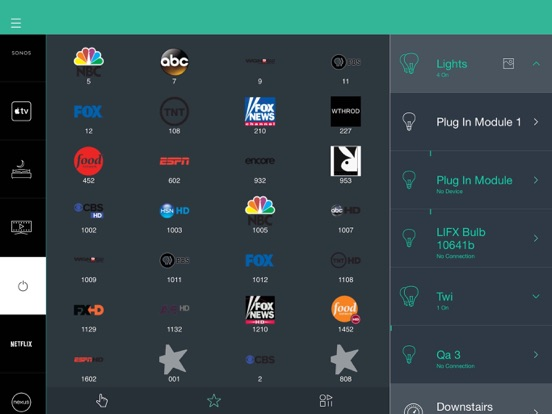
Control connected lights, locks, blinds, thermostats, and more from a single app, whether inside or outside your home. Check devices status and make adjustments remotely.
Set up custom schedules to turn devices on or off at specific times or on specific days.
With just one touch, start multiple devices together using Activities such as Good Morning, Good Night, Watch TV, Listen to Music, or Play Games.
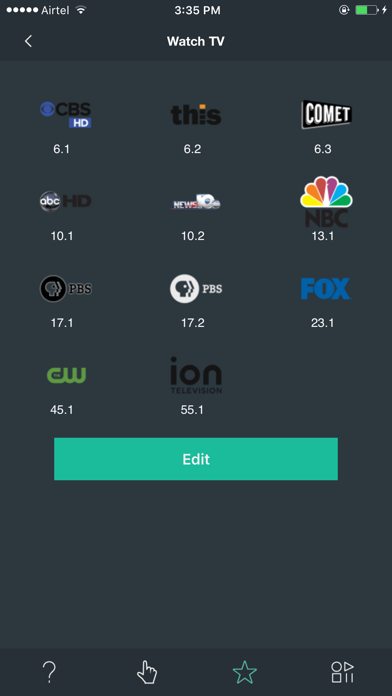
Create up to 50 favorite channels with custom icons for quick access to your entertainment.
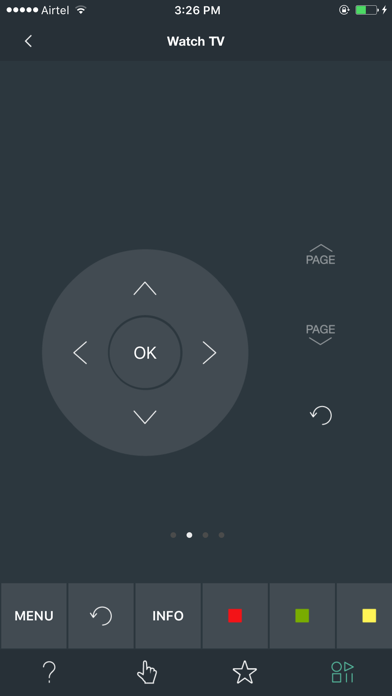
Use swipe or tap gestures directly on the screen to adjust the volume, change channels, fast-forward, rewind, and more.
Install the app on each iPhone or iPad in the house and everyone can have their own personalized favorite channels and custom gestures.
Control devices inside closed media cabinets. Hide the clutter of your entertainment devices and never worry about pointing your phone at your TV.
Compatible with many IR and Bluetooth® game consoles.
Compatible with an ever growing list over 270,000 devices from more than 6,000 brands. See myharmony.com/compatibility for latest compatibility information.
Customer Support
We want to ensure you will enjoy your remote. If you run into issues or have any questions, we have help available.
You can find online support articles at https://support.myharmony.com
Join our online support community at community.myharmony.com
Contact our support team at https://support.myharmony.com/en-us/contact-us
Terms of Use : https://files.myharmony.com/Assets/legal/en/termsofuse.html

Use of the Harmony app requires one of the following Logitech Harmony hub-based remote controls: Harmony Pro, Harmony Elite, Harmony Companion, Harmony Hub, Harmony Ultimate Home, Harmony Home Control, Harmony Home Hub, Harmony Ultimate, Harmony Smart Control, Harmony Smart Keyboard, or Harmony Ultimate Hub (each sold separately).
To learn about the full line of Harmony remotes, or to make a purchase, please visit www.logitech.com/harmony-remotes.
Every remote you’ll ever need
Control home entertainment devices with your iPhone or iPad when paired with a Harmony hub-based remote control.
Control connected lights, locks, blinds, thermostats, and more from a single app, whether inside or outside your home. Check devices status and make adjustments remotely.
Set up custom schedules to turn devices on or off at specific times or on specific days.
With just one touch, start multiple devices together using Activities such as Good Morning, Good Night, Watch TV, Listen to Music, or Play Games.
Create up to 50 favorite channels with custom icons for quick access to your entertainment.
Use swipe or tap gestures directly on the screen to adjust the volume, change channels, fast-forward, rewind, and more.
Install the app on each iPhone or iPad in the house and everyone can have their own personalized favorite channels and custom gestures.
Control devices inside closed media cabinets. Hide the clutter of your entertainment devices and never worry about pointing your phone at your TV.
Compatible with many IR and Bluetooth® game consoles.
Compatible with an ever growing list over 270,000 devices from more than 6,000 brands. See myharmony.com/compatibility for latest compatibility information.
Customer Support
We want to ensure you will enjoy your remote. If you run into issues or have any questions, we have help available.
You can find online support articles at https://support.myharmony.com
Join our online support community at community.myharmony.com
Contact our support team at https://support.myharmony.com/en-us/contact-us
Terms of Use : https://files.myharmony.com/Assets/legal/en/termsofuse.html
Show More
최신 버전 5.7.14의 새로운 기능
Last updated on Mar 7, 2023
오래된 버전
Support for SmartThings platform update ( Note: Users have to re-login with SmartThings credentials)
Bug fixes
Bug fixes
Show More
Version History
5.7.14
Mar 7, 2023
Support for SmartThings platform update ( Note: Users have to re-login with SmartThings credentials)
Bug fixes
Bug fixes
Harmony® Control FAQ
제한된 국가 또는 지역에서 Harmony® Control를 다운로드하는 방법을 알아보려면 여기를 클릭하십시오.
Harmony® Control의 최소 요구 사항을 보려면 다음 목록을 확인하십시오.
iPhone
iPad