MIDbot Coder

MIDbot Coder


무료

1.0.5for iPhone, iPod touch
Globalactive Technology Limited
Developer
3.5MB
Size
Sep 15, 2020
Update Date
Education
Category
4+
Age Rating
Age Rating
4+
Apps in this category do not contain restricted content.
9+
Apps in this category may contain mild or occasional cartoon, fantasy or real-life violence, as well as occasional or mild adult, sexually suggestive or horrifying content and may not be suitable for children under 9 years of age.
12+
Apps in this category may contain occasional mild indecent language, frequent or intense cartoon or real-life violence, minor or occasional adult or sexually suggestive material, and simulated gambling, and may be for children under 12 years of age.
17+
You must be at least 17 years old to access this App.
Apps in this category may contain frequent and intense offensive language; Frequent and intense cartoon, fantasy or realistic violence: frequent and intense adult, scary and sexually suggestive subjects: as well as sexual content, nudity, tobacco, alcohol and drugs, may not be suitable for children under 17 years of age.
MIDbot Coder 스크린 샷
MIDbot Coder 포스터MIDbot Coder 포스터MIDbot Coder 포스터

About MIDbot Coder

Nowadays, learning coding is a trend. Adults learn coding. Teenagers learn coding. Kids also learn coding. Question: How to start learning coding? People always learn coding on a PC using standard programming language which like writing long essay. If you are not familiar with coding, it is very difficult to start.

Recently, visual programming with robots is a hot topic. It really makes learning coding to be easier by building bricks. And it is more realistic to have a robot showing the result. However, Some researches showing that it is not good for a Kid sitting in front of a Computer and staring at the monitor for several hours. Sometimes, there may not be enough spaces or resources for holding coding classes with a lot of PCs and smartphones.
MIDbot™ Coder is your choice.It only contains two part:

-Ideocode puzzles

-Puzzle Reader

Kids only need to read the images on the puzzles and make a sequence. Then, they can use the reader to read the sequence. The result will be shown on a tag. The kids can take out the tag and wear it.

---------------------------------------------
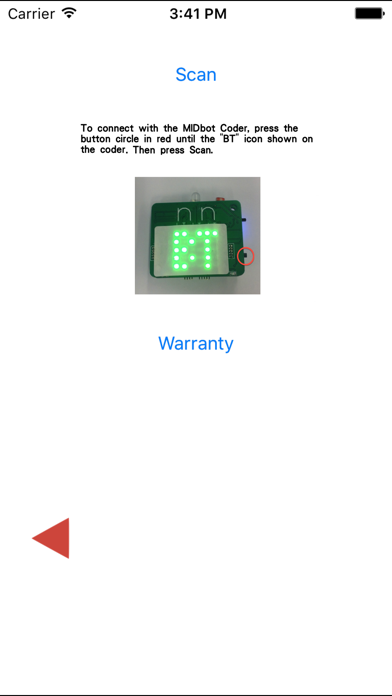
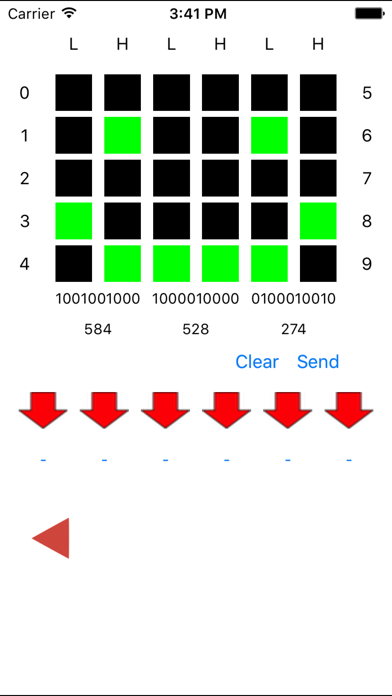
By using this app, you will be able to control the coder robot directly. You may also learn about music, color combinations, binary concept through this app. You may control the color of the LED, play simple music, design your own pattern of the Coder LED board and much more in the future update.

** Note: Devices with Bluetooth Low Energy are required to establish connection with the MIDbot™ Coder

Show More

최신 버전 1.0.5의 새로운 기능

Last updated on Sep 15, 2020
오래된 버전
Capability update
Show More
Version History
1.0.5
Sep 15, 2020
Capability update
1.0.4
Dec 12, 2016
-Introducing "Save the Coder" Game
-Bug fixes
1.0.3
Nov 8, 2016
Fix connection issue on iOS9 or above
1.0.2
Sep 24, 2015
-Controlling iBuddy from your Coder
-Saving data from the Coder
-Updating Firmware if available
1.0.1
Aug 12, 2015

MIDbot Coder FAQ

제한된 국가 또는 지역에서 MIDbot Coder를 다운로드하는 방법을 알아보려면 여기를 클릭하십시오.
MIDbot Coder의 최소 요구 사항을 보려면 다음 목록을 확인하십시오.
iPhone
iOS 8.0 이상 필요.
iPod touch
iOS 8.0 이상 필요.
MIDbot Coder은 다음 언어를 지원합니다. 영어

MIDbot Coder 대안

당신은 또한 좋아할 수도 있습니다

Globalactive Technology Limited에서 더 많은 것을 얻기