
OCRTOOL
$4.99
4.0.0for iPhone
Age Rating
OCRTOOL 스크린 샷
About OCRTOOL
- For iOS 4, The recognition process can be in back ground. When the recognition finished, it inform App badge icon.
-- It is the only AppStore application that general purpose OCR for Japanese/Chinese/Korean language.
* Doesn't correspond to columnar writing such as Japanese, chinese.
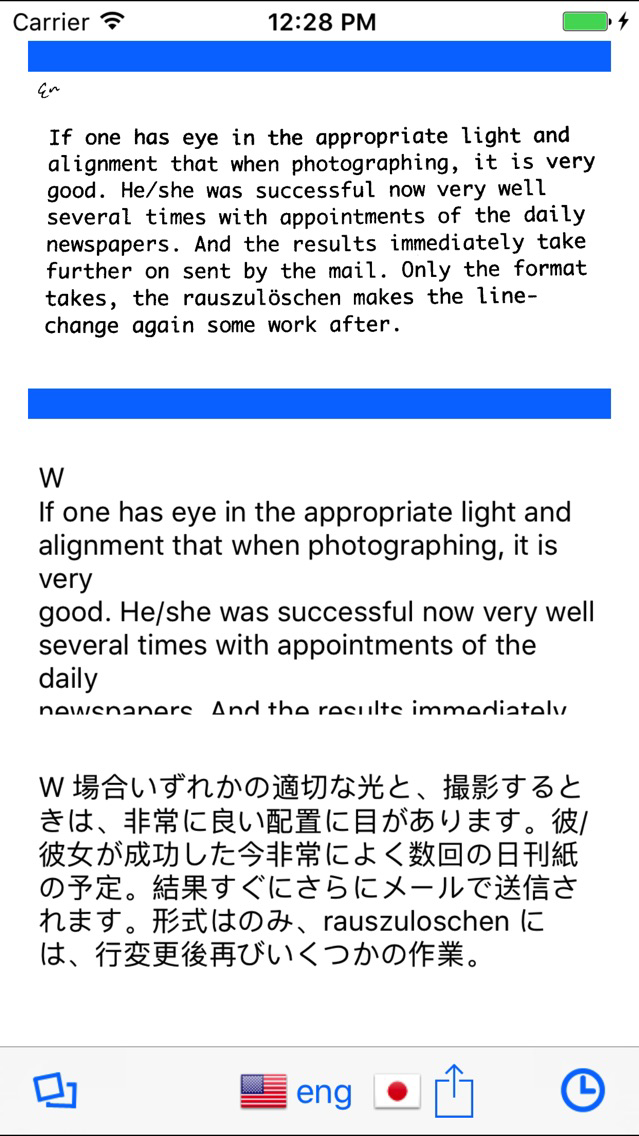
- Take a picture of a text document and using OCR (Optical Character Recognition) this innovative app will convert the image to a text document on your iPhone.
- You can translate other language from OCR result.
- Recognizable / translate language has increased to 36 languages that listed below.
English/German/French/Italian/Dutch/Spanish/
Japanese/SimplifiedChinese/Korean/Vietnamese/Turkish/Ukrainian/Tagalog/
Swedish/Serbian/Slovenian/Slovak/Russian/Romanian/Portuguese/Polish/Norwegian/
Lithuanian/Latvian/Indonesian/Hungarian/Finnish/Greek/Danish/Czech/Catalan/Bulgarian/Arabic/Hindi/Thai/Hebrew
- The OCR reading result can be copied onto the clipboard.
- The OCR reading result can send by mail with image(PDF or JPEG).
- The OCR reading result save automatically up to 1000.
-- It is the only AppStore application that general purpose OCR for Japanese/Chinese/Korean language.
* Doesn't correspond to columnar writing such as Japanese, chinese.
- Take a picture of a text document and using OCR (Optical Character Recognition) this innovative app will convert the image to a text document on your iPhone.
- You can translate other language from OCR result.
- Recognizable / translate language has increased to 36 languages that listed below.
English/German/French/Italian/Dutch/Spanish/
Japanese/SimplifiedChinese/Korean/Vietnamese/Turkish/Ukrainian/Tagalog/
Swedish/Serbian/Slovenian/Slovak/Russian/Romanian/Portuguese/Polish/Norwegian/
Lithuanian/Latvian/Indonesian/Hungarian/Finnish/Greek/Danish/Czech/Catalan/Bulgarian/Arabic/Hindi/Thai/Hebrew
- The OCR reading result can be copied onto the clipboard.
- The OCR reading result can send by mail with image(PDF or JPEG).
- The OCR reading result save automatically up to 1000.
Show More
최신 버전 4.0.0의 새로운 기능
Last updated on May 1, 2019
오래된 버전
- Improvement ocr recognition.
- Update translate service.
- Update translate service.
Show More
Version History
4.0.0
May 1, 2019
- Improvement ocr recognition.
- Update translate service.
- Update translate service.
3.2.0
Jul 13, 2009
- Update translate service.
OCRTOOL FAQ
제한된 국가 또는 지역에서 OCRTOOL를 다운로드하는 방법을 알아보려면 여기를 클릭하십시오.
OCRTOOL의 최소 요구 사항을 보려면 다음 목록을 확인하십시오.
iPhone
OCRTOOL은 다음 언어를 지원합니다. Chinese, English, French, German, Italian, Japanese