Age Rating
Shape Coding 스크린 샷
About Shape Coding
Please try the free Lite version before purchase to ensure all functionality will work on your device.
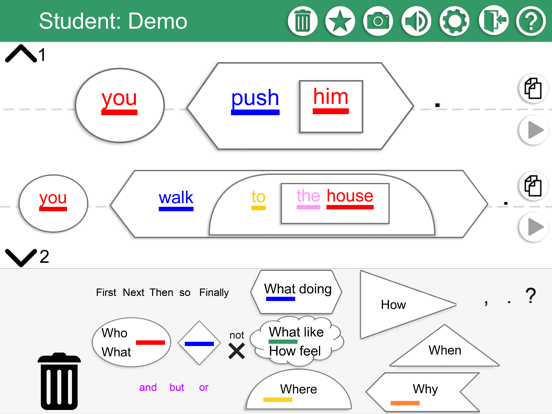
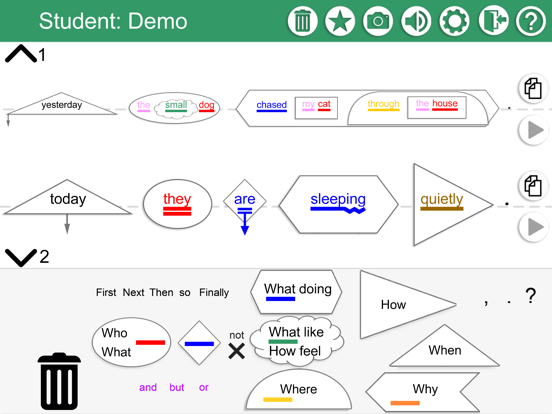
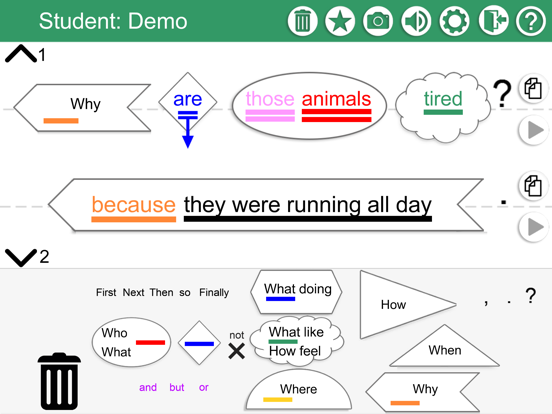
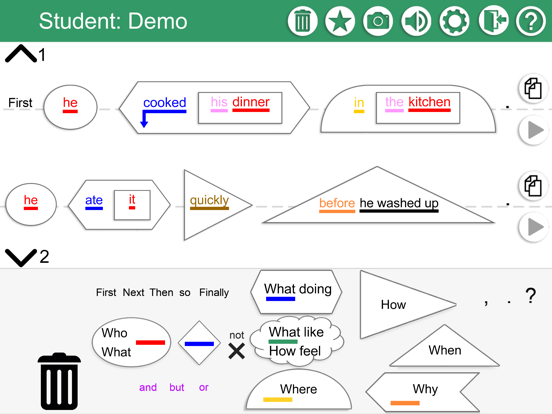
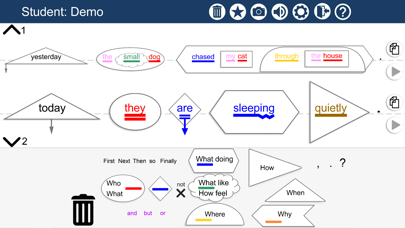
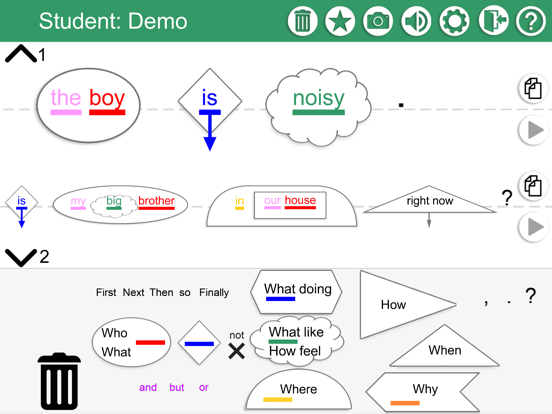
SHAPE CODING® by Susan Ebbels is a flexible app designed for teachers and speech and language therapists / pathologists to use with children and young people who are having difficulties producing and understanding English sentence structure and grammar. It uses the SHAPE CODING® system which has been shown in several research projects to help children and young people with language disorders increase the length and complexity of sentences they can understand and use and to improve the accuracy of their sentence production.
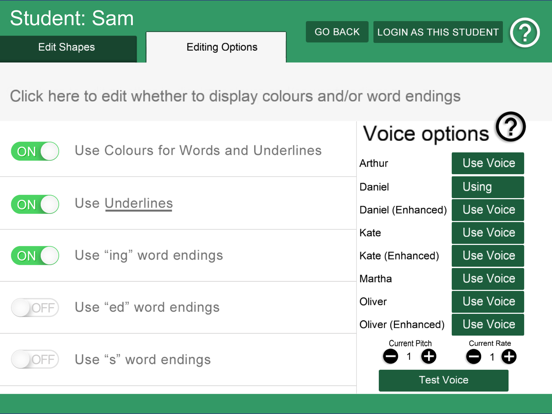
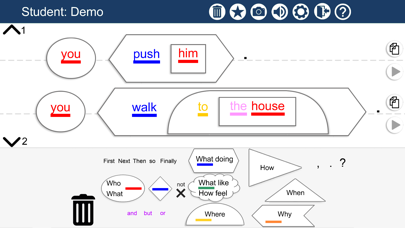
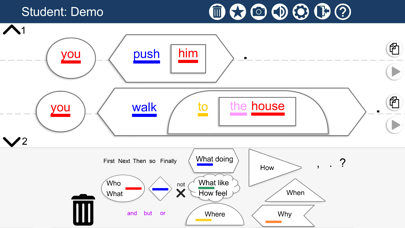
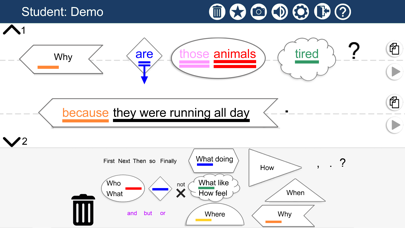
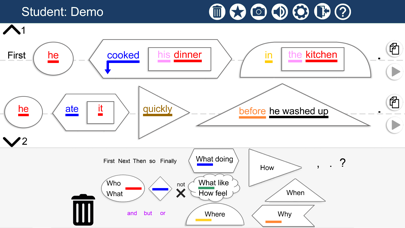
The SHAPE CODING® system uses a visual coding system to show the rules for how words are put together in sentences, to develop the child’s understanding of spoken and written grammar and to develop their ability to use grammar successfully to express themselves. The system includes use of colours (word classes), arrows (tense and aspect), lines (singular and plural) and shapes (syntactic structure). These are all included in the app, but the professional controlling the app can choose which features display for individual students.
Multiple “teachers” can use the app and each “teacher” can have multiple students. The app is personalised for each student. The app is designed to be flexible so that professionals can adapt the levels and information displayed to suit the current levels and targets of individual students. The default first setting for each new student includes only basic sentence structures. Further complexity can be turned on (and off) by the “teacher” and individual settings are preserved for each student between uses.
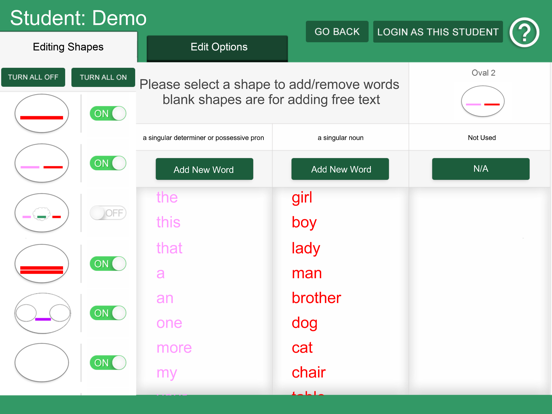
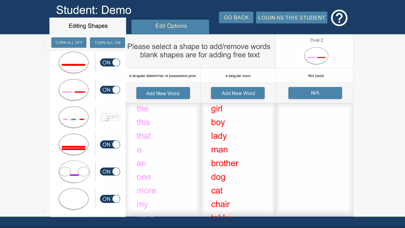
The app is equipped with a basic set of words which can be inserted into the shapes to make sentences. However, additional words can be added for individual students, or indeed for all students working with a particular “teacher” (this can be useful for names and topics which are common across a class of students for example). These can either be added before a session with a student, or during a session and can be saved for future use if desired.
The app uses text-to-speech, so that students who struggle to read can also use the app.
This app assumes a certain degree of familiarity with the SHAPE CODING® system. For more information see www.shapecoding.com. Training on how to use the SHAPE CODING® system is available from https://training.moorhouseinstitute.co.uk/.
For a demonstration of some of the features of the app see https://shapecoding.com/demo-videos/, and for Frequently Asked Questions see: https://shapecoding.com/app-info/faqs/.
Follow us on Twitter @ShapeCoding, Facebook @ShapeCoding and Instagram @shape_coding or if you have any problems or feedback, please contact us at training@moorhouseschool.co.uk
Please review our privacy policy https://shapecoding.com/privacy-policy-apple/

SHAPE CODING® by Susan Ebbels is a flexible app designed for teachers and speech and language therapists / pathologists to use with children and young people who are having difficulties producing and understanding English sentence structure and grammar. It uses the SHAPE CODING® system which has been shown in several research projects to help children and young people with language disorders increase the length and complexity of sentences they can understand and use and to improve the accuracy of their sentence production.
The SHAPE CODING® system uses a visual coding system to show the rules for how words are put together in sentences, to develop the child’s understanding of spoken and written grammar and to develop their ability to use grammar successfully to express themselves. The system includes use of colours (word classes), arrows (tense and aspect), lines (singular and plural) and shapes (syntactic structure). These are all included in the app, but the professional controlling the app can choose which features display for individual students.
Multiple “teachers” can use the app and each “teacher” can have multiple students. The app is personalised for each student. The app is designed to be flexible so that professionals can adapt the levels and information displayed to suit the current levels and targets of individual students. The default first setting for each new student includes only basic sentence structures. Further complexity can be turned on (and off) by the “teacher” and individual settings are preserved for each student between uses.
The app is equipped with a basic set of words which can be inserted into the shapes to make sentences. However, additional words can be added for individual students, or indeed for all students working with a particular “teacher” (this can be useful for names and topics which are common across a class of students for example). These can either be added before a session with a student, or during a session and can be saved for future use if desired.
The app uses text-to-speech, so that students who struggle to read can also use the app.
This app assumes a certain degree of familiarity with the SHAPE CODING® system. For more information see www.shapecoding.com. Training on how to use the SHAPE CODING® system is available from https://training.moorhouseinstitute.co.uk/.
For a demonstration of some of the features of the app see https://shapecoding.com/demo-videos/, and for Frequently Asked Questions see: https://shapecoding.com/app-info/faqs/.
Follow us on Twitter @ShapeCoding, Facebook @ShapeCoding and Instagram @shape_coding or if you have any problems or feedback, please contact us at training@moorhouseschool.co.uk
Please review our privacy policy https://shapecoding.com/privacy-policy-apple/
Show More
최신 버전 4.3의 새로운 기능
Last updated on Jun 6, 2024
오래된 버전
Bug fixes
Show More
Version History
4.3
Jun 6, 2024
Bug fixes
Shape Coding 가격
오늘:
₩33,000
최저 가격:
₩29,000
최고 가격:
₩33,000
Shape Coding FAQ
제한된 국가 또는 지역에서 Shape Coding를 다운로드하는 방법을 알아보려면 여기를 클릭하십시오.
Shape Coding의 최소 요구 사항을 보려면 다음 목록을 확인하십시오.
iPhone
iPad