SmartPresent
무료
1.0.0for iPhone
Age Rating
SmartPresent 스크린 샷
About SmartPresent
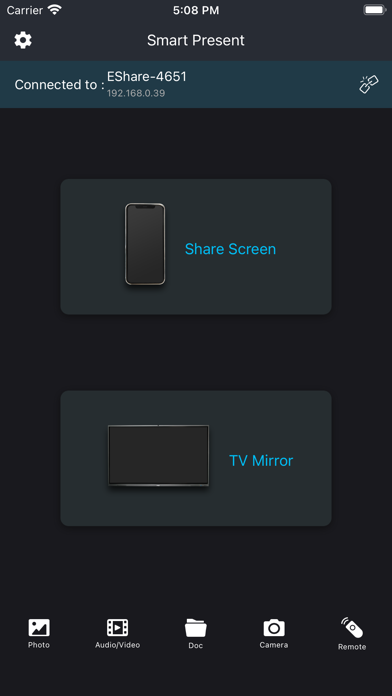
Smart Present allows you to control AIOS/AVS/SmartPresent endpoint from your iPad or iPhone. Use this app to:
Wirelessly control your computer keyboard and mouse from a phone or tablet
Remotely initiate screen mirroring and media streaming from your computer
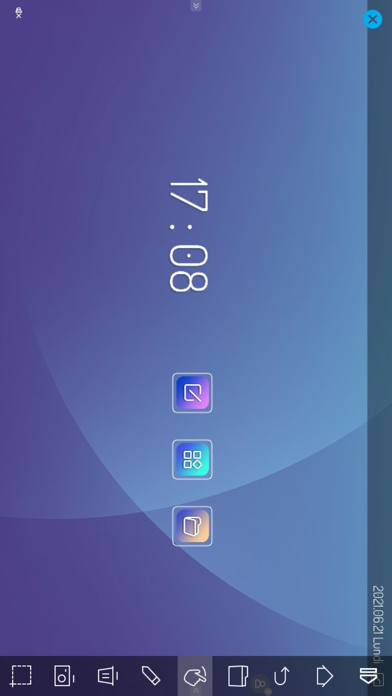
Use your AIOS/AVS/SmartPresent Endpoint as a second monitor
Mirror any application or games (for watching) wirelessly on your iPhone/iPad screen to TVs over your wifi network
Streaming or casting photos, videos, music from your iPhone&iPad to TVs
Cast youtube, Vimeo, facebook, Netflix, huluplus, ... & any streaming media to TVs
Reverse mirror your screen to hundreds of different endpoints.
No cables, no additional hardware, nothing else needed
Initiate presentations and flip through slides from your mobile device
Remotely access media servers
Minimize germ spread in environments where computers are a shared resource
Control Your TV/Screen/Interactive Flat Panel
Once paired, SmartPresent Remote can control the your screen.
Extend Desktop
Use your TV as a wireless second screen for your computer.
Build Playlists
Find media files on your computer and add them to a playlist for continuous streaming.
Initiate reverse mirroring
Initiate reverse screen mirroring connections to a number of receivers with no limitation on any endpoint from pc to mobile.
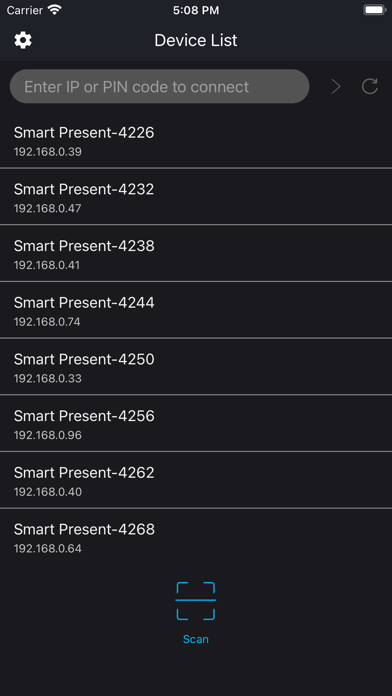
Secure Pairing
Pairing SmartPresent Sender to SmartPresent receiver is easy and secure. The apps are paired directly with no in-between connections. Use a Quick Connect Code of SSID, automatic discovery to begin.

Wirelessly control your computer keyboard and mouse from a phone or tablet
Remotely initiate screen mirroring and media streaming from your computer
Use your AIOS/AVS/SmartPresent Endpoint as a second monitor
Mirror any application or games (for watching) wirelessly on your iPhone/iPad screen to TVs over your wifi network
Streaming or casting photos, videos, music from your iPhone&iPad to TVs
Cast youtube, Vimeo, facebook, Netflix, huluplus, ... & any streaming media to TVs
Reverse mirror your screen to hundreds of different endpoints.
No cables, no additional hardware, nothing else needed
Initiate presentations and flip through slides from your mobile device
Remotely access media servers
Minimize germ spread in environments where computers are a shared resource
Control Your TV/Screen/Interactive Flat Panel
Once paired, SmartPresent Remote can control the your screen.
Extend Desktop
Use your TV as a wireless second screen for your computer.
Build Playlists
Find media files on your computer and add them to a playlist for continuous streaming.
Initiate reverse mirroring
Initiate reverse screen mirroring connections to a number of receivers with no limitation on any endpoint from pc to mobile.
Secure Pairing
Pairing SmartPresent Sender to SmartPresent receiver is easy and secure. The apps are paired directly with no in-between connections. Use a Quick Connect Code of SSID, automatic discovery to begin.
Show More
최신 버전 1.0.0의 새로운 기능
Last updated on Aug 27, 2021
Version History
1.0.0
Aug 27, 2021
SmartPresent FAQ
제한된 국가 또는 지역에서 SmartPresent를 다운로드하는 방법을 알아보려면 여기를 클릭하십시오.
SmartPresent의 최소 요구 사항을 보려면 다음 목록을 확인하십시오.
iPhone