Stage Timer
무료
4.1for iPhone, iPad
Age Rating
Stage Timer 스크린 샷
About Stage Timer
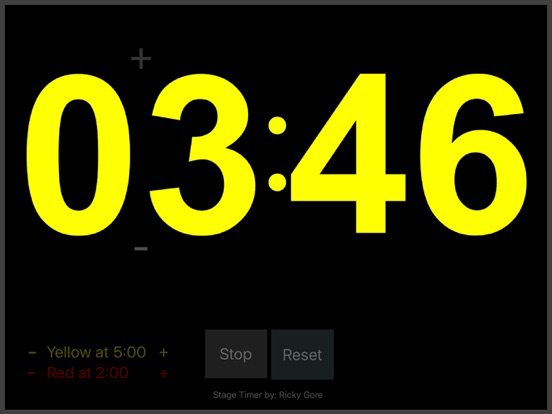
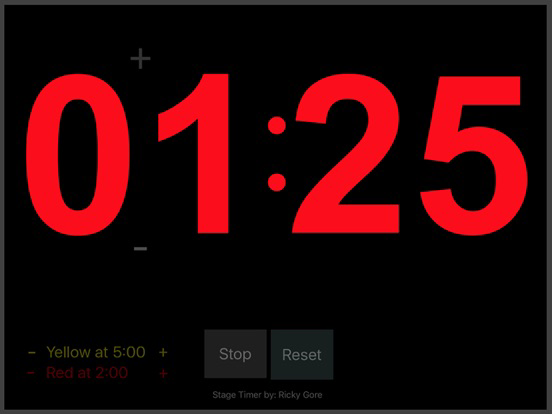
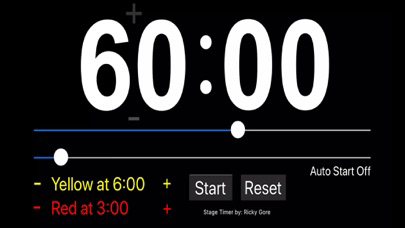
This app is a countdown timer, designed for presenters (on a stage or at a podium or pulpit) to keep them on time.
Most features are self evident, however there are a couple of features that need to be covered.
1. AutoStart
To use this feature, simply click on Auto Start to toggle it On or Off
When it is on, you have the option to adjust the time to when you would like to the countdown to begin
2. Clock Mode - The Icon at the top right will turn Clock Mode on or Off. If it is On, after the countdown finishes, the application will switch over to show the current time.
3. PowerPoint Remote
Using a Lightning (or whatever connection your device has) to USB adapter, you can connect a PowerPoint Remote to the iPad
On the remote, you can press the bottom button to Start / Stop (and reset) the countdown
While the timer is stopped, pressing the left & right buttons, will increment or decrement the time by five minute intervals
While the timer is running, pressing the left & right Buttons will increment or decrement the time by one minute
Note: Click on Developer Website to see instructions for using the PowerPoint remote.

Most features are self evident, however there are a couple of features that need to be covered.
1. AutoStart
To use this feature, simply click on Auto Start to toggle it On or Off
When it is on, you have the option to adjust the time to when you would like to the countdown to begin
2. Clock Mode - The Icon at the top right will turn Clock Mode on or Off. If it is On, after the countdown finishes, the application will switch over to show the current time.
3. PowerPoint Remote
Using a Lightning (or whatever connection your device has) to USB adapter, you can connect a PowerPoint Remote to the iPad
On the remote, you can press the bottom button to Start / Stop (and reset) the countdown
While the timer is stopped, pressing the left & right buttons, will increment or decrement the time by five minute intervals
While the timer is running, pressing the left & right Buttons will increment or decrement the time by one minute
Note: Click on Developer Website to see instructions for using the PowerPoint remote.
Show More
최신 버전 4.1의 새로운 기능
Last updated on Mar 2, 2022
오래된 버전
Added a Clock Function that can be on or off. When the countdown is completed, it will switch to show the current time.
Show More
Version History
4.1
Mar 2, 2022
Added a Clock Function that can be on or off. When the countdown is completed, it will switch to show the current time.
Stage Timer FAQ
제한된 국가 또는 지역에서 Stage Timer를 다운로드하는 방법을 알아보려면 여기를 클릭하십시오.
Stage Timer의 최소 요구 사항을 보려면 다음 목록을 확인하십시오.
iPhone
iPad