Task-a-Lyzer
무료
1.01for iPhone, iPad and more
Age Rating
Task-a-Lyzer 스크린 샷
About Task-a-Lyzer
Over 54% of the world population is still without a computer in their household while 84% of people have a personal smartphone.
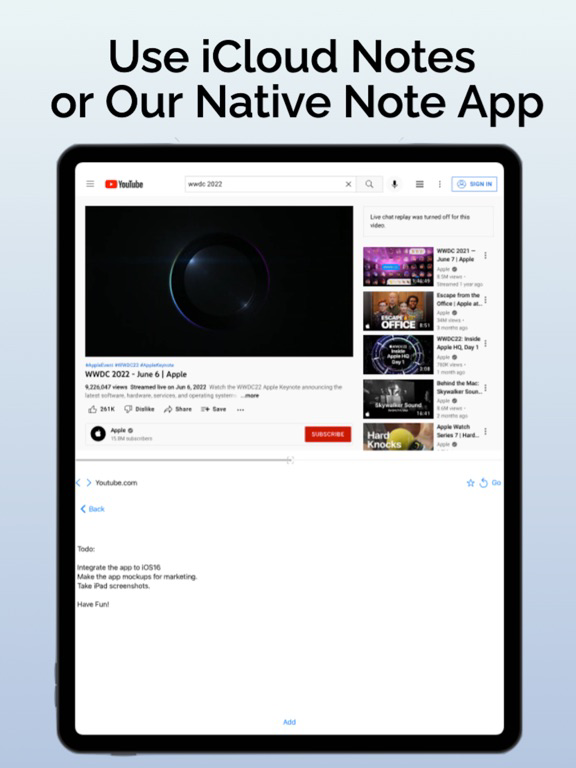
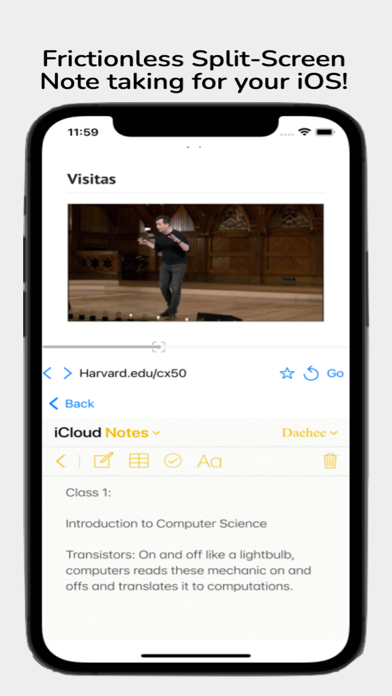
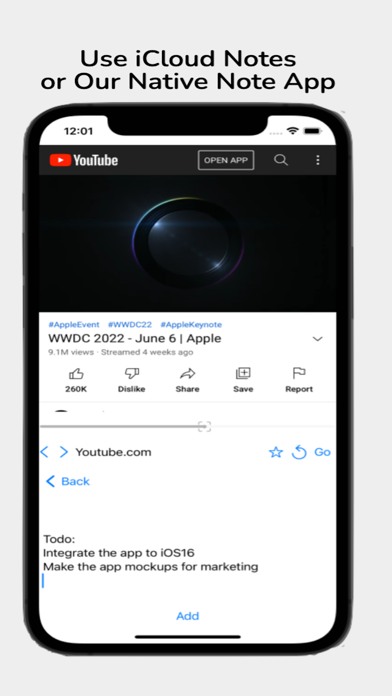
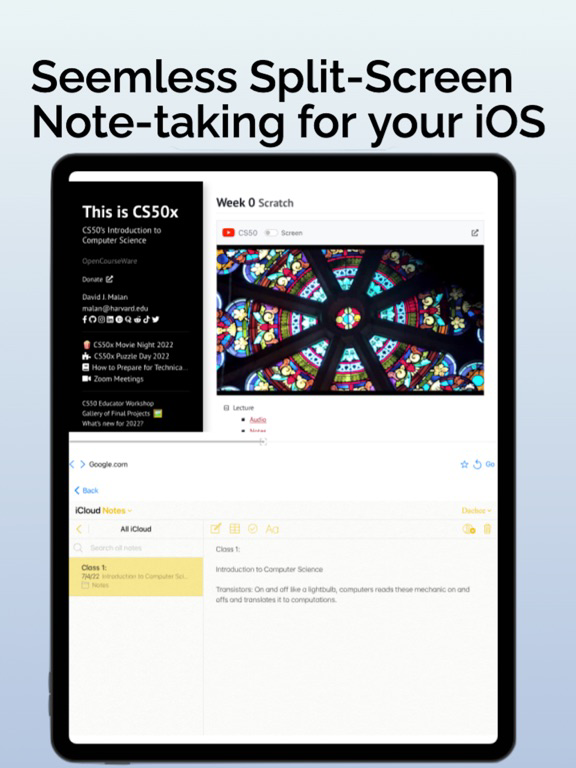
Task-a-Lyzer attempts to bridge the equipment-gap for iOS based learning for people without personal computers or multiple iOS devices by providing them a frictionlesss support for split-screen learning on their single iOS device. While allowing them to familiarize themselves with using a mobile device for productivity - as pen and paper becomes more antiquated every year.
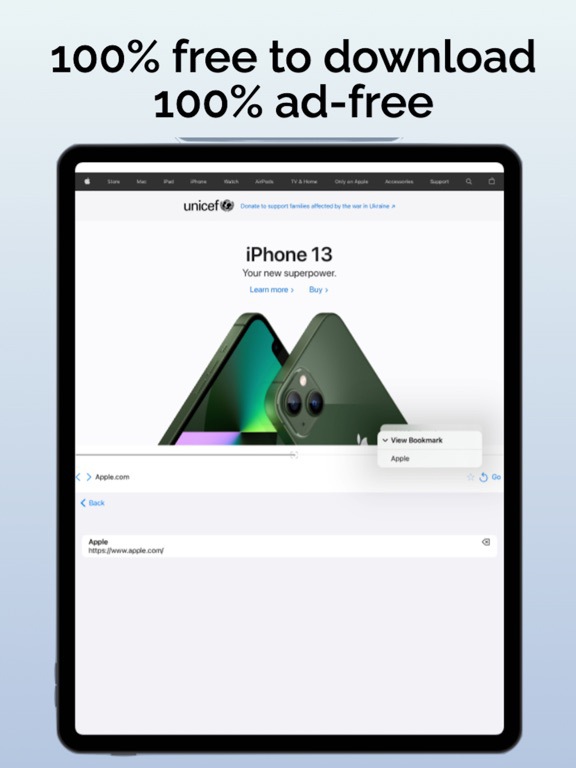
Currently, iPhones do not support split-screen natively and iPads do not support top-down multiscreen view. Users do not have an option to do two things at once natively on iPhones, Task-a-Lyzer changes that.
The app is also useful to users who are on-the-go and have a need to write down notes while reading the news, watching the market, etc.

Task-a-Lyzer attempts to bridge the equipment-gap for iOS based learning for people without personal computers or multiple iOS devices by providing them a frictionlesss support for split-screen learning on their single iOS device. While allowing them to familiarize themselves with using a mobile device for productivity - as pen and paper becomes more antiquated every year.
Currently, iPhones do not support split-screen natively and iPads do not support top-down multiscreen view. Users do not have an option to do two things at once natively on iPhones, Task-a-Lyzer changes that.
The app is also useful to users who are on-the-go and have a need to write down notes while reading the news, watching the market, etc.
Show More
최신 버전 1.01의 새로운 기능
Last updated on Jul 9, 2022
오래된 버전
Update Log:
Version 1.01 (1) - Fixed issue where bottom screen did not work out of box. Fixed grayspace issue with older iPads.
- Users reported that the bottom screen did not work out of box on some devices. Issue was that the bottom screen required a certain screen height in order for it to function. Fixed by increasing the starting/min height of the bottom screen.
- Users reported that older generation iPads had grayspace rendering for the navigation bar and part of the bottom view. Hotfix with forcing Navigation View Style, should continue to work unless the Swift call gets deprecated. Will continue to monitor through future iOS updates.
Version 1.01 (1) - Fixed issue where bottom screen did not work out of box. Fixed grayspace issue with older iPads.
- Users reported that the bottom screen did not work out of box on some devices. Issue was that the bottom screen required a certain screen height in order for it to function. Fixed by increasing the starting/min height of the bottom screen.
- Users reported that older generation iPads had grayspace rendering for the navigation bar and part of the bottom view. Hotfix with forcing Navigation View Style, should continue to work unless the Swift call gets deprecated. Will continue to monitor through future iOS updates.
Show More
Version History
1.01
Jul 9, 2022
Update Log:
Version 1.01 (1) - Fixed issue where bottom screen did not work out of box. Fixed grayspace issue with older iPads.
- Users reported that the bottom screen did not work out of box on some devices. Issue was that the bottom screen required a certain screen height in order for it to function. Fixed by increasing the starting/min height of the bottom screen.
- Users reported that older generation iPads had grayspace rendering for the navigation bar and part of the bottom view. Hotfix with forcing Navigation View Style, should continue to work unless the Swift call gets deprecated. Will continue to monitor through future iOS updates.
Version 1.01 (1) - Fixed issue where bottom screen did not work out of box. Fixed grayspace issue with older iPads.
- Users reported that the bottom screen did not work out of box on some devices. Issue was that the bottom screen required a certain screen height in order for it to function. Fixed by increasing the starting/min height of the bottom screen.
- Users reported that older generation iPads had grayspace rendering for the navigation bar and part of the bottom view. Hotfix with forcing Navigation View Style, should continue to work unless the Swift call gets deprecated. Will continue to monitor through future iOS updates.
1.0
Jul 9, 2022
Task-a-Lyzer FAQ
제한된 국가 또는 지역에서 Task-a-Lyzer를 다운로드하는 방법을 알아보려면 여기를 클릭하십시오.
Task-a-Lyzer의 최소 요구 사항을 보려면 다음 목록을 확인하십시오.
iPhone
iOS 15.4 이상 필요.
iPad
iPadOS 15.4 이상 필요.
iPod touch
iOS 15.4 이상 필요.
Task-a-Lyzer은 다음 언어를 지원합니다. 영어