WriteCube
무료Offers In-App Purchases
6.51for iPhone, iPad and more
Age Rating
WriteCube 스크린 샷
About WriteCube
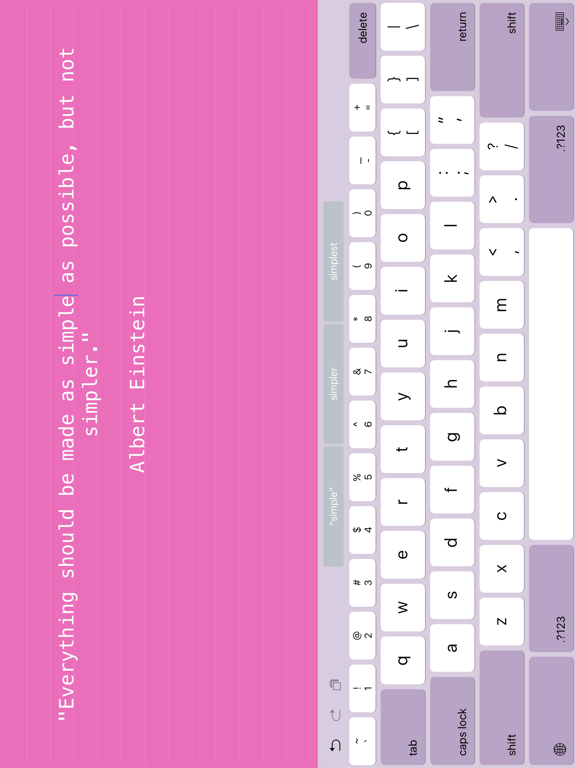
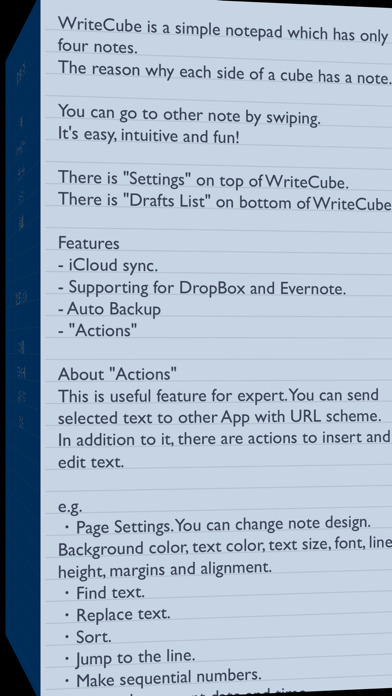
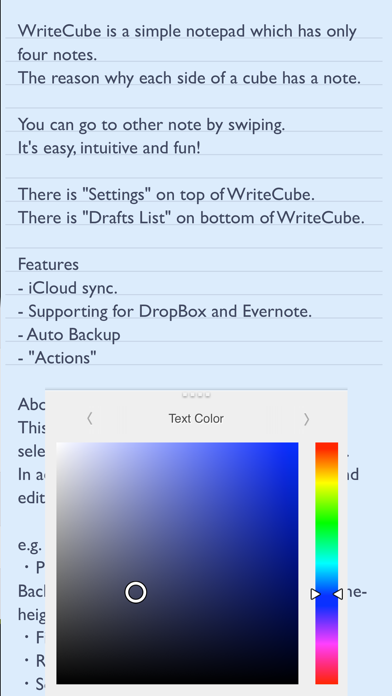
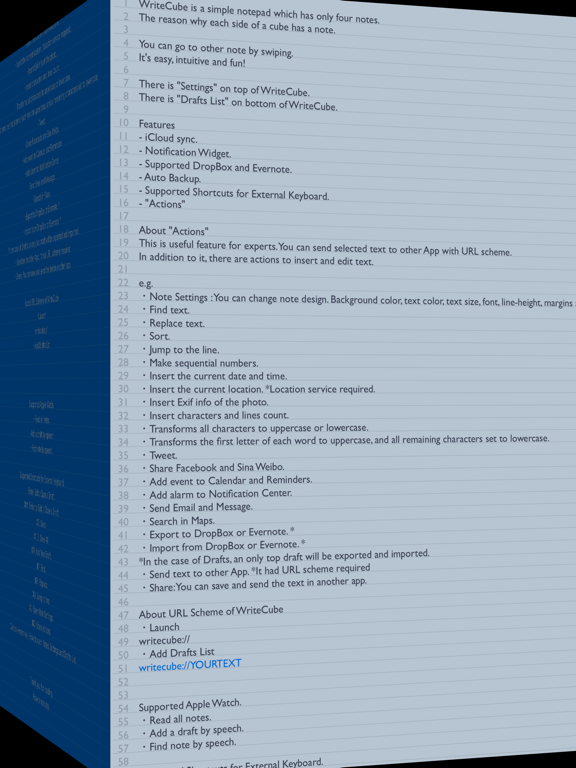
WriteCube is a simple notepad which has only four notes.
The reason why each side of a cube has a note.
You can go to other note by swiping.
It's easy, intuitive and fun!
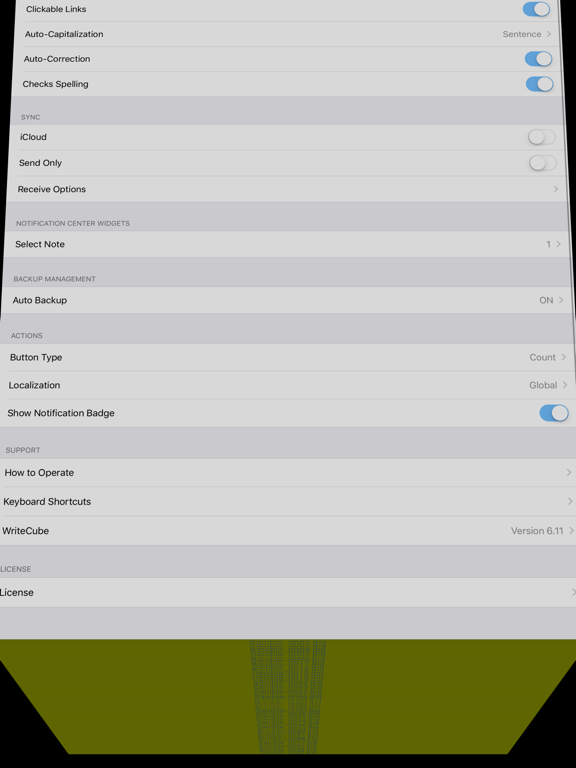
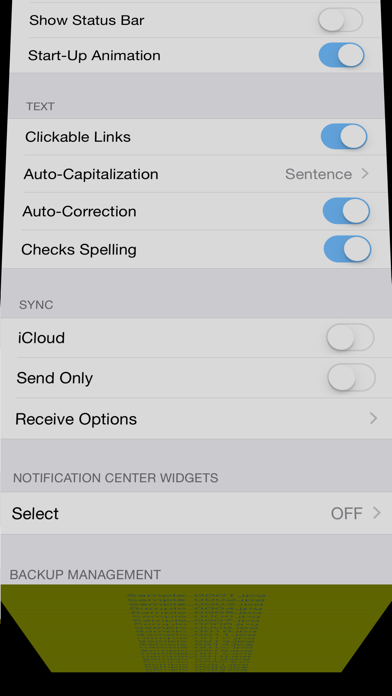
There is "Settings" on top of WriteCube.
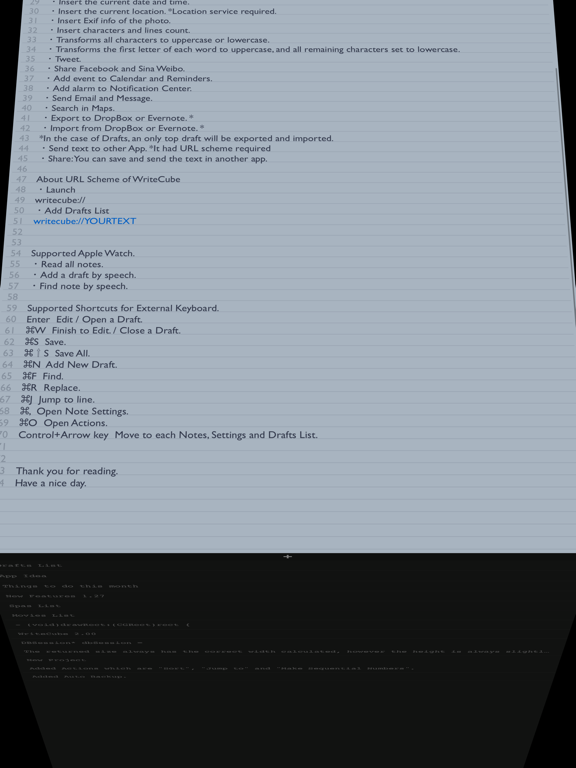
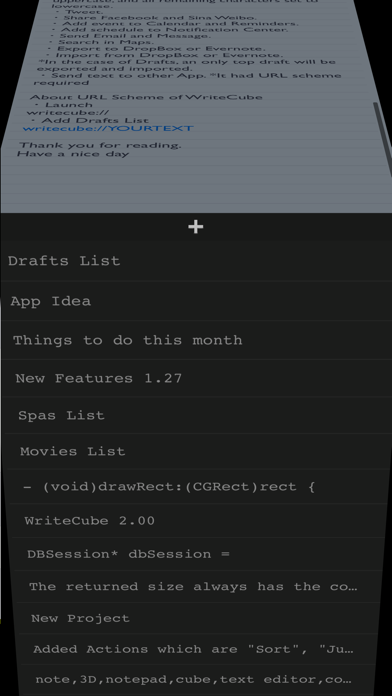
There is "Drafts List" on bottom of WriteCube.
Features
- iCloud sync. *There is size limit ( around half a million characters ).
- Notification Widget.
- Supported DropBox and Evernote.
- Auto Backup.
- Supported Shortcuts for External Keyboard.
- "Actions"
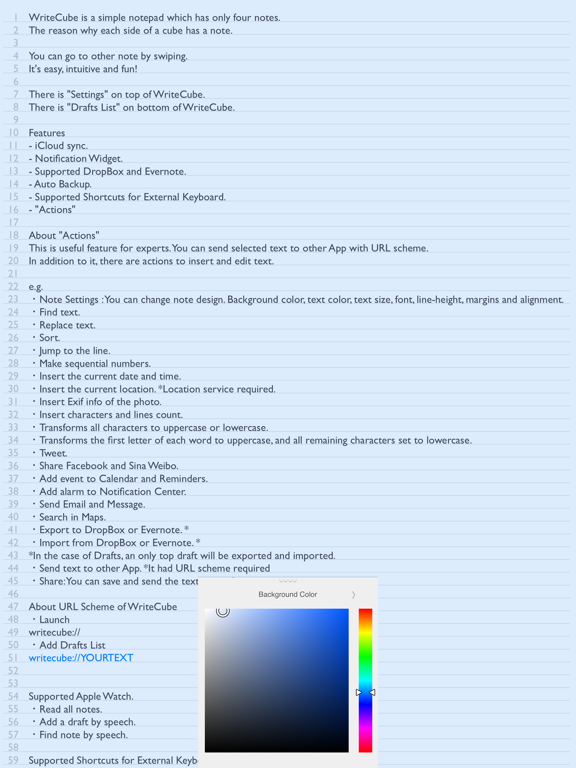
About "Actions"
This is useful feature for experts. You can send selected text to other App with URL scheme.
In addition to it, there are actions to insert and edit text.
e.g.
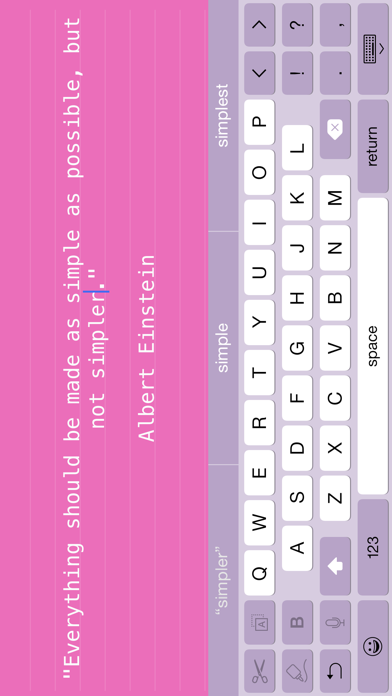
・Note Settings : You can change note design. Background color, text color, text size, font, line-height, margins and alignment.
・Find text.
・Replace text.
・Sort.
・Jump to the line.
・Make sequential numbers.
・Insert the current date and time.
・Insert the current location. *Location service required.
・Insert Exif info of the photo.
・Insert characters and lines count.
・Transforms all characters to uppercase or lowercase.
・Transforms the first letter of each word to uppercase, and all remaining characters set to lowercase.
・Tweet.
・Share Facebook and Sina Weibo.
・Add event to Calendar and Reminders.
・Add alarm to Notification Center.
・Send Email and Message.
・Search in Maps.
・Export to DropBox or Evernote. *
・Import from DropBox or Evernote. *
*In the case of Drafts, an only top draft will be exported and imported.
・Send text to other App. *It had URL scheme required
・Share: You can save and send the text in another app.
About URL Scheme of WriteCube
・Launch
writecube://
・Add Drafts List
writecube://YOURTEXT
Supported Apple Watch.
・Read all notes.
・Add a draft by speech.
・Find note by speech.
Supported Shortcuts for External Keyboard.
Enter Edit / Open a Draft.
command W Finish to Edit. / Close a Draft.
command S Save.
command shift S Save All.
command N Add New Draft.
command F Find.
command R Replace.
command J Jump to line.
command , Open Note Settings.
command O Open Actions.
Control+Arrow key Move to each Notes, Settings and Drafts List.
Thank you for reading.
Have a nice day.
The reason why each side of a cube has a note.
You can go to other note by swiping.
It's easy, intuitive and fun!
There is "Settings" on top of WriteCube.
There is "Drafts List" on bottom of WriteCube.
Features
- iCloud sync. *There is size limit ( around half a million characters ).
- Notification Widget.
- Supported DropBox and Evernote.
- Auto Backup.
- Supported Shortcuts for External Keyboard.
- "Actions"
About "Actions"
This is useful feature for experts. You can send selected text to other App with URL scheme.
In addition to it, there are actions to insert and edit text.
e.g.
・Note Settings : You can change note design. Background color, text color, text size, font, line-height, margins and alignment.
・Find text.
・Replace text.
・Sort.
・Jump to the line.
・Make sequential numbers.
・Insert the current date and time.
・Insert the current location. *Location service required.
・Insert Exif info of the photo.
・Insert characters and lines count.
・Transforms all characters to uppercase or lowercase.
・Transforms the first letter of each word to uppercase, and all remaining characters set to lowercase.
・Tweet.
・Share Facebook and Sina Weibo.
・Add event to Calendar and Reminders.
・Add alarm to Notification Center.
・Send Email and Message.
・Search in Maps.
・Export to DropBox or Evernote. *
・Import from DropBox or Evernote. *
*In the case of Drafts, an only top draft will be exported and imported.
・Send text to other App. *It had URL scheme required
・Share: You can save and send the text in another app.
About URL Scheme of WriteCube
・Launch
writecube://
・Add Drafts List
writecube://YOURTEXT
Supported Apple Watch.
・Read all notes.
・Add a draft by speech.
・Find note by speech.
Supported Shortcuts for External Keyboard.
Enter Edit / Open a Draft.
command W Finish to Edit. / Close a Draft.
command S Save.
command shift S Save All.
command N Add New Draft.
command F Find.
command R Replace.
command J Jump to line.
command , Open Note Settings.
command O Open Actions.
Control+Arrow key Move to each Notes, Settings and Drafts List.
Thank you for reading.
Have a nice day.
Show More
최신 버전 6.51의 새로운 기능
Last updated on Nov 5, 2017
오래된 버전
This app has been updated by Apple to display the Apple Watch app icon.
Fixed "Auto BackUp"
Fixed "Auto BackUp"
Show More
Version History
6.51
Nov 5, 2017
This app has been updated by Apple to display the Apple Watch app icon.
Fixed "Auto BackUp"
Fixed "Auto BackUp"
6.50
Oct 18, 2017
Fixed crash on iOS 11.
Removed option "Reopen the Note when Start".
6.22
Jan 11, 2016
Fixed bugs.
Disabled Glance of Apple Watch.
6.17
Dec 16, 2015
New features
Scale text with "Pinch Gesture".
Added an action "Merge All Drafs".
Moved "Lock Function" to actions.
Improved Undo/Redo behavior after action.
Improved "Replace" action.
Fixed "Reopen the Note when Start" bugs.
Fixed other bugs and improved.
Scale text with "Pinch Gesture".
Added an action "Merge All Drafs".
Moved "Lock Function" to actions.
Improved Undo/Redo behavior after action.
Improved "Replace" action.
Fixed "Reopen the Note when Start" bugs.
Fixed other bugs and improved.
6.16
Dec 10, 2015
Optimized for iOS 9.
Supported to Slide Over and Split View for iPad.
Action button was made large.
Added an action "Import a Text File from iCloud Drive or Other Apps".
Added an extension ”WiteCube Web+”. This is powerful text exporter for Safari. Yo can export title, URL, selected text, html souse, and manually text to WriteCube drafts.
Added an action ”Convert Japanese Kana”.
Fixed scrolling bug on iOS 9.
Fixed a bug in "Reminders" action.
Fixed other bugs and improved.
Supported to Slide Over and Split View for iPad.
Action button was made large.
Added an action "Import a Text File from iCloud Drive or Other Apps".
Added an extension ”WiteCube Web+”. This is powerful text exporter for Safari. Yo can export title, URL, selected text, html souse, and manually text to WriteCube drafts.
Added an action ”Convert Japanese Kana”.
Fixed scrolling bug on iOS 9.
Fixed a bug in "Reminders" action.
Fixed other bugs and improved.
5.19
Jun 23, 2015
Update for Apple Watch.
Added function 'Reload' when you 'Deep Press' on lists.
Added 'Theme' option. You can change theme color. Open Apple Watch App on iPhone, select WriteCube.
Added function 'Reload' when you 'Deep Press' on lists.
Added 'Theme' option. You can change theme color. Open Apple Watch App on iPhone, select WriteCube.
5.16
Jun 5, 2015
Added option "Reopen the Note when Start”.
Improved for Apple Watch.
Fixed bugs on iPad.
Improved for Apple Watch.
Fixed bugs on iPad.
5.13
May 13, 2015
Supported Apple Watch!
Fixed a bug turn on iCloud.
Fixed bugs by using external keyboard.
Fixed a bug turn on iCloud.
Fixed bugs by using external keyboard.
4.34
Apr 25, 2015
Fixed crucible link bug.
Fixed Today Widget bug.
Improved iCloud sync.
Improved auto save.
Improved keyboard shortcuts.
Fixed other bugs.
Fixed Today Widget bug.
Improved iCloud sync.
Improved auto save.
Improved keyboard shortcuts.
Fixed other bugs.
4.32
Mar 25, 2015
Upgraded ”Open In” action to ”Share” action by share extension of iOS 8.
Fixed ”App Store” and ”Contacts” action bugs.
4.21
Feb 4, 2015
Optimized for iPad.
Changed iCloud Sync Options.
Fixed minor bugs.
Changed iCloud Sync Options.
Fixed minor bugs.
4.2
Jan 22, 2015
Come back Landscape restart on iPad.
Fixed Notifications.
Fixed minor bugs.
Fixed Notifications.
Fixed minor bugs.
3.05
Dec 9, 2014
Fixed crash on iPad.
3.04
Oct 24, 2014
Optimized for iOS 8
Optimized for the iPhone 6/6+
Added Widget as preview a note
Fixed bugs
Optimized for the iPhone 6/6+
Added Widget as preview a note
Fixed bugs
2.19
Mar 28, 2014
Fixed minor bug on iOS 7.1.
2.18
Mar 11, 2014
Improved Drafts List.
2.17
Feb 5, 2014
Supported more Character-Code in DropBox actions.
2.16
Jan 28, 2014
Added "Count ( + Line Brake) " in Action Button Type.
Fixed a bug in "Add Actions".
Fixed bugs in Landscape mode.
Fixed other minor bugs and improved.
Fixed a bug in "Add Actions".
Fixed bugs in Landscape mode.
Fixed other minor bugs and improved.
2.15
Jan 23, 2014
Improved iCloud Sync.
Added Actions.
・Export Text as New File to Evernote.
・Export Text as New File to DropBox.
Added Actions.
・Export Text as New File to Evernote.
・Export Text as New File to DropBox.
2.14
Jan 17, 2014
Fixed bugs iCloud sync.
2.13
Jan 13, 2014
Added "Do Not Receive Font Type" in iCloud option.
Changed Notification specification receiving from iCloud. It is removed passed Notifications.
Improved iCloud sync.
Added jump to bottom line. If you tap at States-Bar while scrolling down, jump to bottom.
Fixed a bug editing Notification.
Fixed a bug "Import All Note from DropBox"
Fixed a bug "Import All Note from Evernote"
Fixed bugs on iPad.
Added an action "Add Line Numbers".
Added an action "Insert Characters".
Added an action "Remove Characters".
Changed Notification specification receiving from iCloud. It is removed passed Notifications.
Improved iCloud sync.
Added jump to bottom line. If you tap at States-Bar while scrolling down, jump to bottom.
Fixed a bug editing Notification.
Fixed a bug "Import All Note from DropBox"
Fixed a bug "Import All Note from Evernote"
Fixed bugs on iPad.
Added an action "Add Line Numbers".
Added an action "Insert Characters".
Added an action "Remove Characters".
2.11
Jan 3, 2014
Added shortcuts for external keyboard.
Enter Edit / Open a Draft.
⌘W Finish to Edit. / Close a Draft.
⌘S Save.
⌘⇧S Save All.
⌘N Add New Draft.
⌘F Find.
⌘R Replace.
⌘J Jump to line.
⌘, Open Note Settings.
⌘O Open Actions.
Control+Arrow key Move to Each Notes, Settings, Drafts List.
Added "Lock" Function. It is disable to temporarily edit and move to other page.
Pinch-In to Lock, Pinch-Out to Un-Lock.
Fixed bug "DropBox: Import All Notes"
Fixed bug "Evernote: Import All Notes"
Fixed draft editing issue.
Fixed other bugs and improved.
Enter Edit / Open a Draft.
⌘W Finish to Edit. / Close a Draft.
⌘S Save.
⌘⇧S Save All.
⌘N Add New Draft.
⌘F Find.
⌘R Replace.
⌘J Jump to line.
⌘, Open Note Settings.
⌘O Open Actions.
Control+Arrow key Move to Each Notes, Settings, Drafts List.
Added "Lock" Function. It is disable to temporarily edit and move to other page.
Pinch-In to Lock, Pinch-Out to Un-Lock.
Fixed bug "DropBox: Import All Notes"
Fixed bug "Evernote: Import All Notes"
Fixed draft editing issue.
Fixed other bugs and improved.
2.01
Dec 8, 2013
iOS 7 Compatible.
Fixed bug to import All Notes from Evernote.
Fixed bugs and improved.
Fixed bug to import All Notes from Evernote.
Fixed bugs and improved.
1.27
Nov 6, 2013
Added actions for "DropBox" and "Evernote".
Added "Capitalize" action which transforms the first letter of each word to uppercase, and all remaining characters set to lowercase.
Fixed bugs and improved.
Added "Capitalize" action which transforms the first letter of each word to uppercase, and all remaining characters set to lowercase.
Fixed bugs and improved.
1.23
Oct 17, 2013
Enabled to change Line-Hight.
Changed a specification of "Characters Count" into "Without Line Brake Code".
Enabled to select "Included Line Brake Code" or "Without Line Brake Code" at "Information" action.
Fixed bugs of "Ruled Lines" and "Line Numbers".
Fixed other bugs and improved.

Changed a specification of "Characters Count" into "Without Line Brake Code".
Enabled to select "Included Line Brake Code" or "Without Line Brake Code" at "Information" action.
Fixed bugs of "Ruled Lines" and "Line Numbers".
Fixed other bugs and improved.
WriteCube FAQ
제한된 국가 또는 지역에서 WriteCube를 다운로드하는 방법을 알아보려면 여기를 클릭하십시오.
WriteCube의 최소 요구 사항을 보려면 다음 목록을 확인하십시오.
iPhone
iOS 8.0 이상 필요.
iPad
iPadOS 8.0 이상 필요.
iPod touch
iOS 8.0 이상 필요.
WriteCube은 다음 언어를 지원합니다. 영어, 일본어
WriteCube에는 인앱 구매가 포함되어 있습니다. 아래 요금제를 확인하세요.
Remove Ads
₩6,600