HT Tracker
免費
1.1.6for iPhone, iPod touch
Age Rating
HT Tracker 螢幕截圖
About HT Tracker
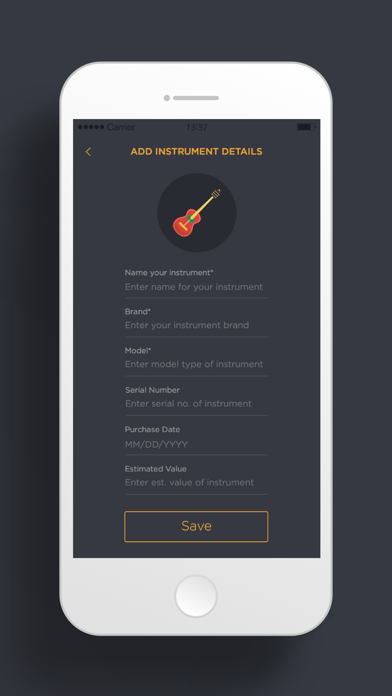
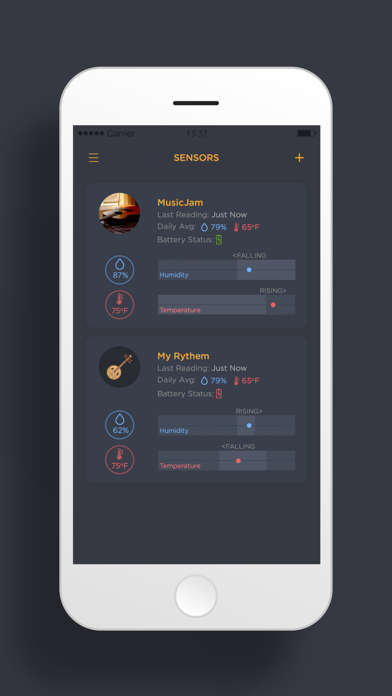
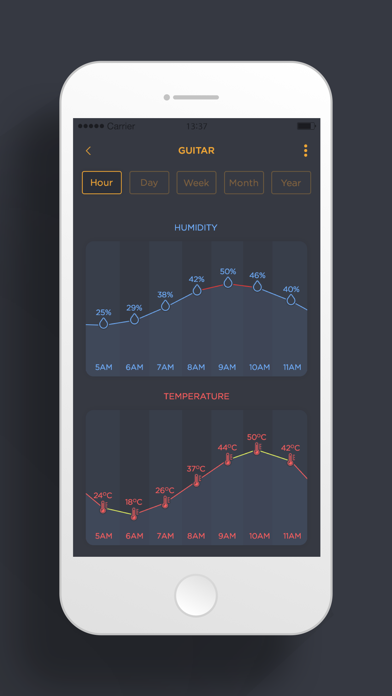
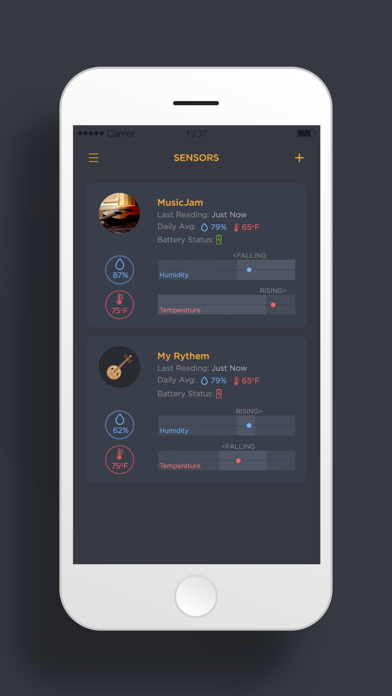
HT Tracker is used to maintain the track of humidity and temperature readings and display the fluctuation of the same in both real and historical time (days, weeks, months and years). Both readings are displayed in numbers and graphs with respective units i.e. Humidity in % and Temperature in Celsius or Fahrenheit as selected by the end user.
In addition to the monitoring current environmental conditions and time series displays, the graph view gives you an instant insight what temperature and humidity levels are widespread in a location and what were the extremes for the previous hour, day, week, month and year respectively.
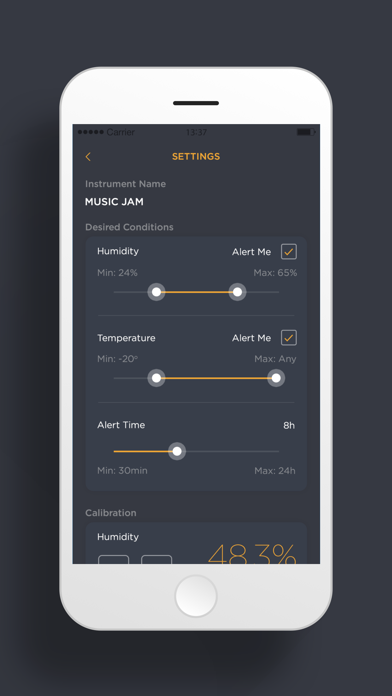
By dragging the slider of humidity and temperature you can set the optimal range for any situation. Then when your iOS device is within that range of the sensor (150+ foot line of sight), it will be continuously monitoring conditional changes.
———— About data sends by BLE Sensor—————
The BLE Sensor will continuously monitor conditions although when you are away and pushed the data seamlessly to our device so that we can see the changes and will notify if there are any problematic condition i.e. readings beyond the certain limit set by you.
High and low temperature/humidity alerts are set up by the user. Alerts will be sent to the smartphone when readings are outside the ranges set by the user from settings. HT Tracker has the ability to re-calibrate humidity readings if necessary. Also, you can set the alert time for the notifications.
———— Bluetooth Background —————
It is important for the app to stay connected with Bluetooth so the BLE sensor throws the temperature and humidity changes and the user can use their phone for other tasks while the sensor is throwing data to the phone.

In addition to the monitoring current environmental conditions and time series displays, the graph view gives you an instant insight what temperature and humidity levels are widespread in a location and what were the extremes for the previous hour, day, week, month and year respectively.
By dragging the slider of humidity and temperature you can set the optimal range for any situation. Then when your iOS device is within that range of the sensor (150+ foot line of sight), it will be continuously monitoring conditional changes.
———— About data sends by BLE Sensor—————
The BLE Sensor will continuously monitor conditions although when you are away and pushed the data seamlessly to our device so that we can see the changes and will notify if there are any problematic condition i.e. readings beyond the certain limit set by you.
High and low temperature/humidity alerts are set up by the user. Alerts will be sent to the smartphone when readings are outside the ranges set by the user from settings. HT Tracker has the ability to re-calibrate humidity readings if necessary. Also, you can set the alert time for the notifications.
———— Bluetooth Background —————
It is important for the app to stay connected with Bluetooth so the BLE sensor throws the temperature and humidity changes and the user can use their phone for other tasks while the sensor is throwing data to the phone.
Show More
最新版本1.1.6更新日誌
Last updated on 2019年10月25日
歷史版本
- bug fixes
Show More
Version History
1.1.6
2019年10月25日
- bug fixes
HT Tracker FAQ
點擊此處瞭解如何在受限國家或地區下載HT Tracker。
以下為HT Tracker的最低配置要求。
iPhone
Erfordert iOS 10.0 oder neuer.
iPod touch
Erfordert iOS 10.0 oder neuer.
HT Tracker支持Englisch