Movable Write
免費Offers In-App Purchases
1.3for iPhone, iPad and more
Age Rating
Movable Write 螢幕截圖
About Movable Write
[Movable Write] is open sourced: http://blog.yjpark.org/blog/2012/04/22/movable-write-open-sourced/
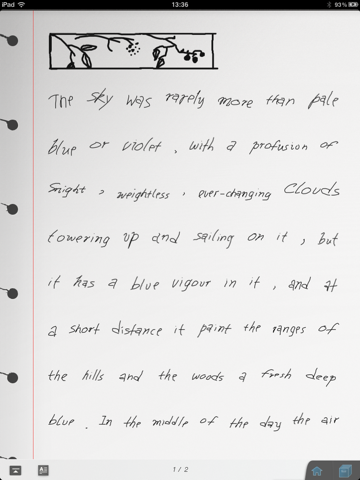
[Movable Write] is not like writing on a paper, it's like typing with your finger/stylus.
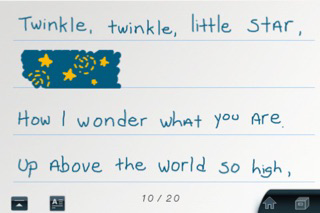
Written words are fully editable, found out missed a word in last line, no problem, you can just insert new word anywhere. You can break long lines into paragraphs too, you can remove a whole word, or just remove individual strokes.
As it says, they are movable, you can zoom in or zoom out, the words will be readjusted automatically.
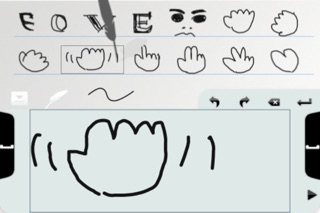
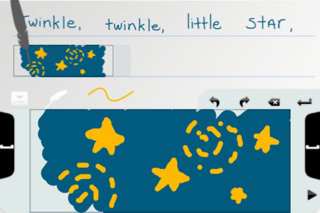
You write on a big panel, means it's both comfortable and looks nice. Just write on the panel, press one of the big space button after each word (it works best to use your thumb of the hand holding the iPad, works for left-handed too). use the scroll buttons for over-sized words. Other than the button, you can also double click on the page to toggle input panel.
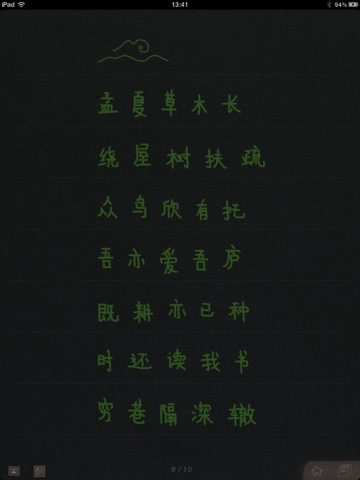
There are multiple themes you can choose from, make your notes or letters looks nicer. Three free themes packed in, more will be coming soon.
Long press the page to enter preview mode, it's exactly what it look like if you send it out, PDF file will be created and sent as attachment, so it can be viewed everywhere.
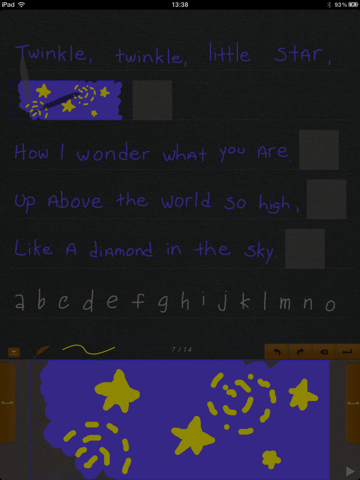
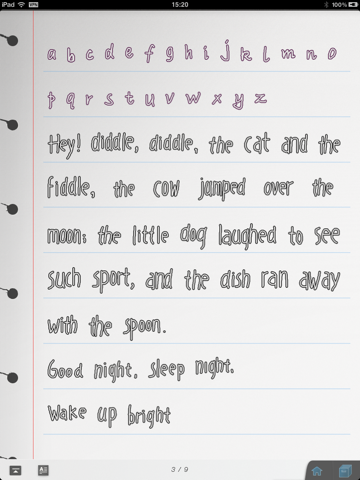
Also it's fun to play with, check out the bubble font effect, your normal writings will be rendered as nice bubble fonts with just one switch.
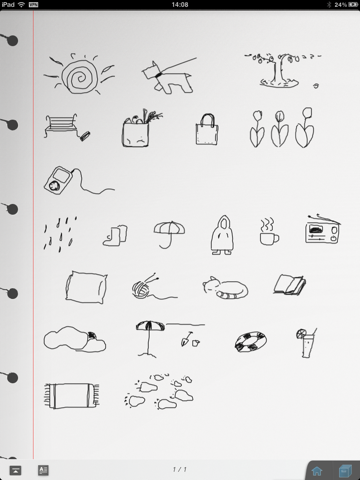
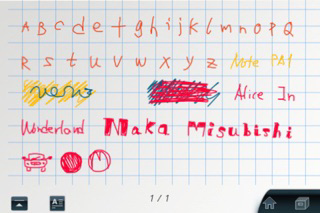
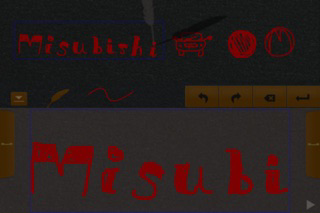
And who said it's only for writing? With selectable color (actual color might be changed when switching themes) and line width options, feel free to paint with it, check the screenshots for some nice samples.
Tired of the plain typed emails? with movable write, it's so easy to have nice hand-written letters, your family/friends gonna love it.
Note: It works great with your finger, for the ones prefer stylus, you may check http://astore.amazon.com/pettyfuncom-20

[Movable Write] is not like writing on a paper, it's like typing with your finger/stylus.
Written words are fully editable, found out missed a word in last line, no problem, you can just insert new word anywhere. You can break long lines into paragraphs too, you can remove a whole word, or just remove individual strokes.
As it says, they are movable, you can zoom in or zoom out, the words will be readjusted automatically.
You write on a big panel, means it's both comfortable and looks nice. Just write on the panel, press one of the big space button after each word (it works best to use your thumb of the hand holding the iPad, works for left-handed too). use the scroll buttons for over-sized words. Other than the button, you can also double click on the page to toggle input panel.
There are multiple themes you can choose from, make your notes or letters looks nicer. Three free themes packed in, more will be coming soon.
Long press the page to enter preview mode, it's exactly what it look like if you send it out, PDF file will be created and sent as attachment, so it can be viewed everywhere.
Also it's fun to play with, check out the bubble font effect, your normal writings will be rendered as nice bubble fonts with just one switch.
And who said it's only for writing? With selectable color (actual color might be changed when switching themes) and line width options, feel free to paint with it, check the screenshots for some nice samples.
Tired of the plain typed emails? with movable write, it's so easy to have nice hand-written letters, your family/friends gonna love it.
Note: It works great with your finger, for the ones prefer stylus, you may check http://astore.amazon.com/pettyfuncom-20
Show More
最新版本1.3更新日誌
Last updated on 2012年05月06日
歷史版本
* Working on iOS 5.1
* Movable Write is open sourced: http://blog.yjpark.org/blog/2012/04/22/movable-write-open-sourced/
Show More
Version History
1.3
2012年05月06日
* Working on iOS 5.1
* Movable Write is open sourced: http://blog.yjpark.org/blog/2012/04/22/movable-write-open-sourced/
1.2.1
2011年10月18日
Fix the problem of running on iOS 5.
1.2
2011年08月19日
iPad landscape supported.
1.1
2011年05月06日
[Movable Write] works on iPhone and iPod Touch now!
Improve help content.
1.0.1
2011年04月29日
Bug fixes:
* Showing input panel can't refresh current selected word.
* New bought theme/effects didn't remove watermark before next load or setup.
* The stroke colors no the preview page in store in not correct.
* Showing input panel can't refresh current selected word.
* New bought theme/effects didn't remove watermark before next load or setup.
* The stroke colors no the preview page in store in not correct.
1.0
2011年04月19日
Movable Write FAQ
點擊此處瞭解如何在受限國家或地區下載Movable Write。
以下為Movable Write的最低配置要求。
iPhone
須使用 iOS 4.2 或以上版本。
iPad
須使用 iPadOS 4.2 或以上版本。
iPod touch
須使用 iOS 4.2 或以上版本。
Movable Write支持簡體中文
Movable Write包含應用內購買。 以下為Movable Write應用內購買價格清單。
Ad Free
HK$ 18.00
Blackboard Theme
HK$ 8.00
Night Theme
HK$ 8.00
Bubble Fonts
HK$ 8.00