Picture Scan: PDF Scanner

Picture Scan: PDF Scanner


Document Editor, Image to PDF


免費Offers In-App Purchases

1.0.3for iPhone, iPod touch
8.5
12 Ratings
Trung Phong Hoang
Developer
29.3 MB
Size
2023年07月11日
Update Date
Utilities
Category
4+
Age Rating
Age Rating
4+
Apps in this category do not contain restricted content.
9+
Apps in this category may contain mild or occasional cartoon, fantasy or real-life violence, as well as occasional or mild adult, sexually suggestive or horrifying content and may not be suitable for children under 9 years of age.
12+
Apps in this category may contain occasional mild indecent language, frequent or intense cartoon or real-life violence, minor or occasional adult or sexually suggestive material, and simulated gambling, and may be for children under 12 years of age.
17+
You must be at least 17 years old to access this App.
Apps in this category may contain frequent and intense offensive language; Frequent and intense cartoon, fantasy or realistic violence: frequent and intense adult, scary and sexually suggestive subjects: as well as sexual content, nudity, tobacco, alcohol and drugs, may not be suitable for children under 17 years of age.
Picture Scan: PDF Scanner 螢幕截圖
Picture Scan: PDF Scanner 海報Picture Scan: PDF Scanner 海報Picture Scan: PDF Scanner 海報Picture Scan: PDF Scanner 海報

About Picture Scan: PDF Scanner

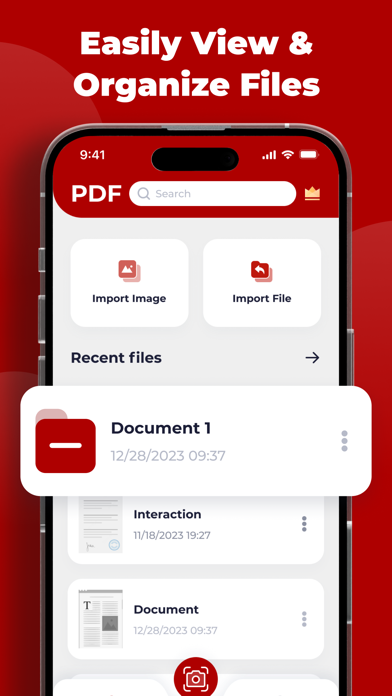
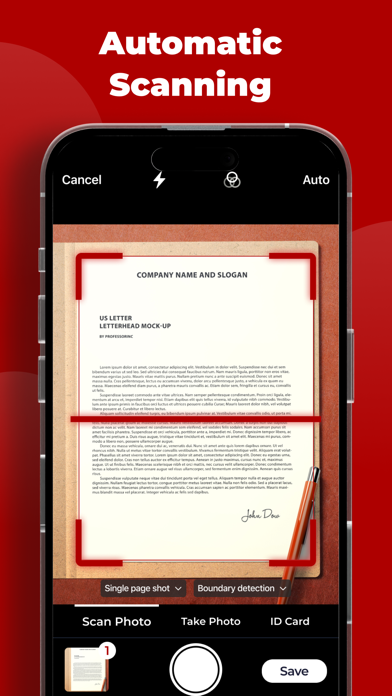
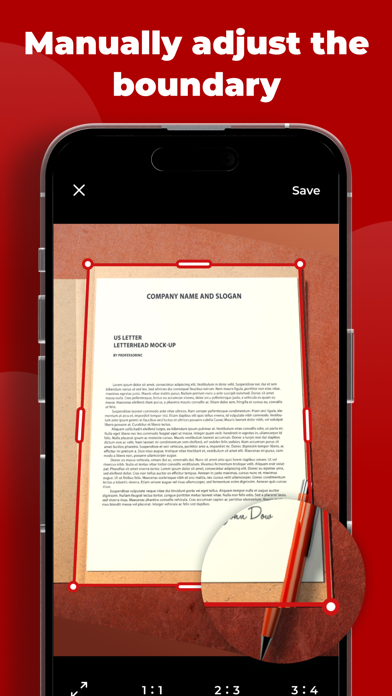
Effortlessly convert various images into PDF format. Import photos or scan physical documents using a camera and effortlessly convert them into PDF files. This includes various types of files such as receipts, invoices, forms, business cards, certificates, whiteboards, ID cards, and more.

1. Manually select the file you wish to import.
2. Select desired output format (DOCX, PDF, JPG, TXT, etc.).
3. Begin the conversion process! It will only require a few seconds.
4. Save or share file according to preference.
5. Support for converting files in the following commonly used formats: DOC, DOCX, HTML, ODT, PDF, RTF, TXT, JPG, PNG, JPEG, PNG.

Subscription Plans:
The Picture Scan offers an optional auto-renewable subscription called Premium Plans. The subscription prices are as follows: $9.99 per month or $29.99 for per year period.

Upon confirmation of purchase, payment will be charged to your iTunes account. The subscription will automatically renew at the selected duration and price unless auto-renew is disabled at least 24 hours before the current period ends. Your account will be charged for renewal within 24 hours prior to the end of the current period.

Please note that you cannot cancel the current subscription during its active period. However, you have the ability to manage your subscription and disable auto-renewal by accessing your iTunes Account Settings after making the purchase.

If you purchase a subscription, any unused portion of the initial one-week free trial period will be forfeited.


Terms of Use: https://sites.google.com/view/picture-scan-terms-of-use/homepage
Privacy Policy: https://sites.google.com/view/picture-scan-privacy-policy/homepage

Show More

最新版本1.0.3更新日誌

Last updated on 2023年07月11日
歷史版本
Bug fixed and improvements for speed and reliability.
Show More
Version History
1.0.3
2023年07月11日
Bug fixed and improvements for speed and reliability.
1.0.2
2023年07月04日
We've fixed several bugs and improved the app's performance.
Looking forward to providing a better experience for you in this version.
1.0.1
2023年06月05日
We've fixed several bugs and improved the app's performance.
Looking forward to providing a better experience for you in this version.
1.0.0
2023年05月30日

Picture Scan: PDF Scanner FAQ

點擊此處瞭解如何在受限國家或地區下載Picture Scan: PDF Scanner。
以下為Picture Scan: PDF Scanner的最低配置要求。
iPhone
須使用 iOS 14.0 或以上版本。
iPod touch
須使用 iOS 14.0 或以上版本。
Picture Scan: PDF Scanner支持俄文, 匈牙利文, 土耳其文, 德文, 意大利文, 捷克文, 日文, 法文, 波蘭文, 瑞典文, 簡體中文, 繁體中文, 英文, 荷蘭文, 葡萄牙文, 西班牙文, 阿拉伯文, 韓文
Picture Scan: PDF Scanner包含應用內購買。 以下為Picture Scan: PDF Scanner應用內購買價格清單。
Picture Scan Subscription Week
$4.99
Picture Scan Premium Month
$7.99
Picture Scan Subscription Year
$49.99

Picture Scan: PDF Scanner相關應用

你可能還喜歡

Trung Phong Hoang 開發者的更多應用