Proxyman - Capture HTTPS

Proxyman - Capture HTTPS


免費

3.30.0for iPhone, iPad
Age Rating
4+
Apps in this category do not contain restricted content.
9+
Apps in this category may contain mild or occasional cartoon, fantasy or real-life violence, as well as occasional or mild adult, sexually suggestive or horrifying content and may not be suitable for children under 9 years of age.
12+
Apps in this category may contain occasional mild indecent language, frequent or intense cartoon or real-life violence, minor or occasional adult or sexually suggestive material, and simulated gambling, and may be for children under 12 years of age.
17+
You must be at least 17 years old to access this App.
Apps in this category may contain frequent and intense offensive language; Frequent and intense cartoon, fantasy or realistic violence: frequent and intense adult, scary and sexually suggestive subjects: as well as sexual content, nudity, tobacco, alcohol and drugs, may not be suitable for children under 17 years of age.
Proxyman - Capture HTTPS 螢幕截圖
Proxyman - Capture HTTPS 海報Proxyman - Capture HTTPS 海報Proxyman - Capture HTTPS 海報
Proxyman - Capture HTTPS 海報Proxyman - Capture HTTPS 海報Proxyman - Capture HTTPS 海報Proxyman - Capture HTTPS 海報Proxyman - Capture HTTPS 海報

About Proxyman - Capture HTTPS

Meet a superb Web Debugging Proxy that can act like a middleman, aka Proxyman. 

### Features

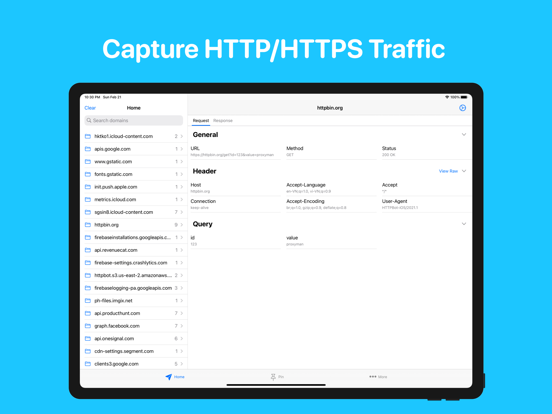
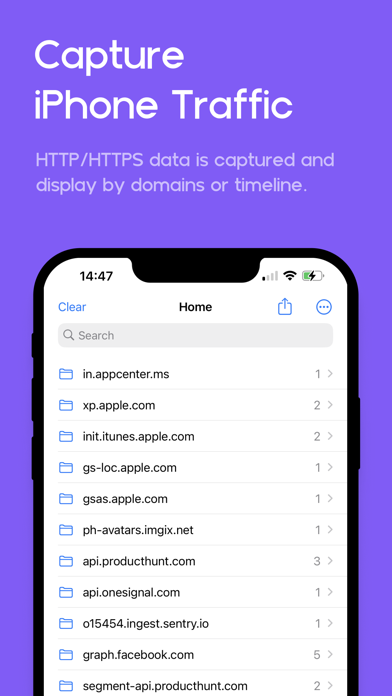
- Directly Capture & Inspect HTTP/HTTPS from your iOS/iPad Devices without using MacBooks.
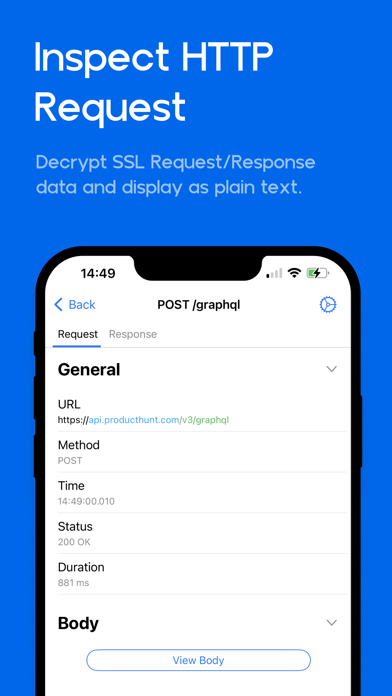
- Decrypt and View HTTP/HTTPS Request/Response in plain text
- JSON Syntax Highlighting
- Exclusively designed for iPhone and iPad (Landscape and Two Columns)
- Share traffic to Proxyman macOS - a native macOS app for better inspection
- Pin working domains
- Quick filter with URL, Header Body, and Type of Request/Response (e.g., JSON, Form, HTML, CSS, Document, etc)
- Better Request/Response Previewer: Multiple columns, JSON Preview, JSON TreeView, etc
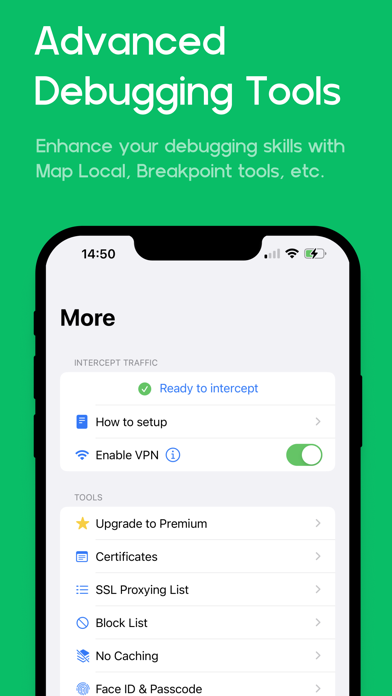
- Safe Lock: Protect your sensitive data with FaceID / TouchID / Passcode
- Advanced Debugging Tools: SSL Proxying, Block List, Map Local, Breakpoint, etc

### Proxyman macOS
Proxyman for iOS works perfectly with Proxyman for macOS (native macOS app, supports macOS 26 and M4 Chip)

### How it works

Proxyman iOS creates a local VPN on your device and then forwards all traffic to a Local Man-in-The-Middle Server. As long as the VPN is active, Proxyman iOS can capture all traffic over Wi-Fi and cellular Data.

### How about my sensitive data?

- Proxyman Root Certificate is a self-signed certificate that is generated on your local machine. Thus, all requests and responses are captured and stored on your devices and Proxyman does not have access to your data.
- There are no remote servers involved. What’s in your devices, it’s in your devices.

*************

- Support: https://proxyman.com/support
- Privacy Policy: https://proxyman.com/privacy
- Terms of Services: https://proxyman.com/terms-of-use

Show More

最新版本3.30.0更新日誌

Last updated on 2026年05月29日
歷史版本
- Redesign the sharing sheet
- Able to share with HAR or ProxymanLog format
- Fixed: Can't share a single request with a HAR format
Show More
Version History
3.30.0
2026年05月29日
- Redesign the sharing sheet
- Able to share with HAR or ProxymanLog format
- Fixed: Can't share a single request with a HAR format

Proxyman - Capture HTTPS FAQ

Proxyman - Capture HTTPS在以下限制國家以外的其他地區可用:
China,Russia
以下為Proxyman - Capture HTTPS的最低配置要求。
iPhone
iPad
點擊此處瞭解如何在受限國家或地區下載Proxyman - Capture HTTPS。

相關視頻

Latest introduction video of Proxyman - Capture HTTPS on iPhone

Proxyman - Capture HTTPS相關應用

你可能還喜歡

Proxyman LLC 開發者的更多應用