WaitroseQuickCheck
Free
5.2.13for iPhone
Age Rating
WaitroseQuickCheck 螢幕截圖
About WaitroseQuickCheck
Save time and money with Quick Check Mobile.
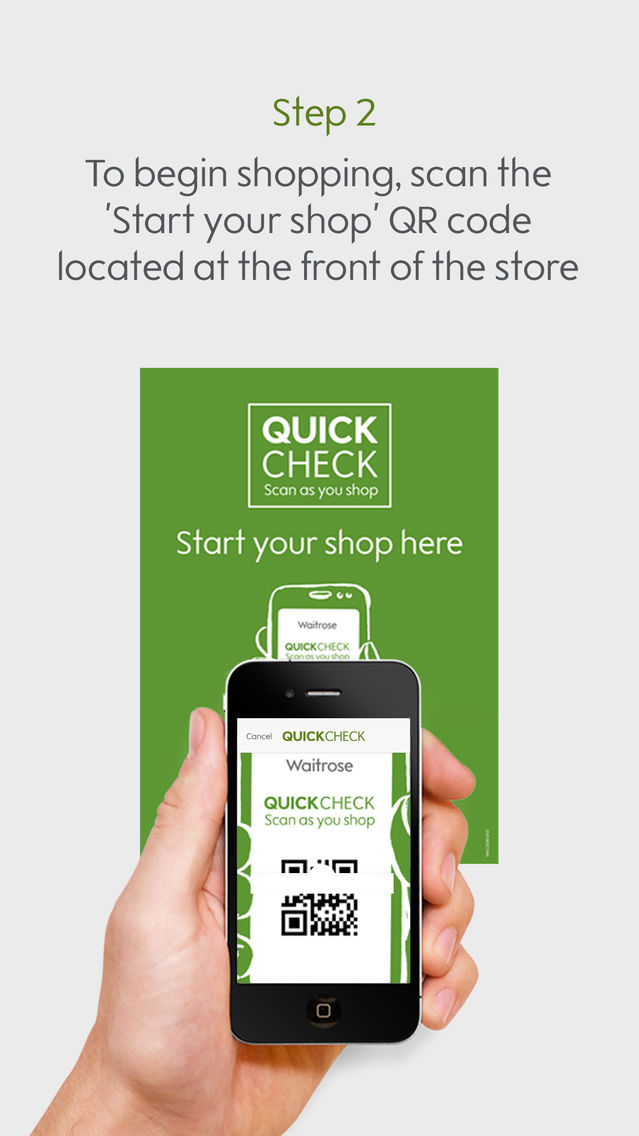
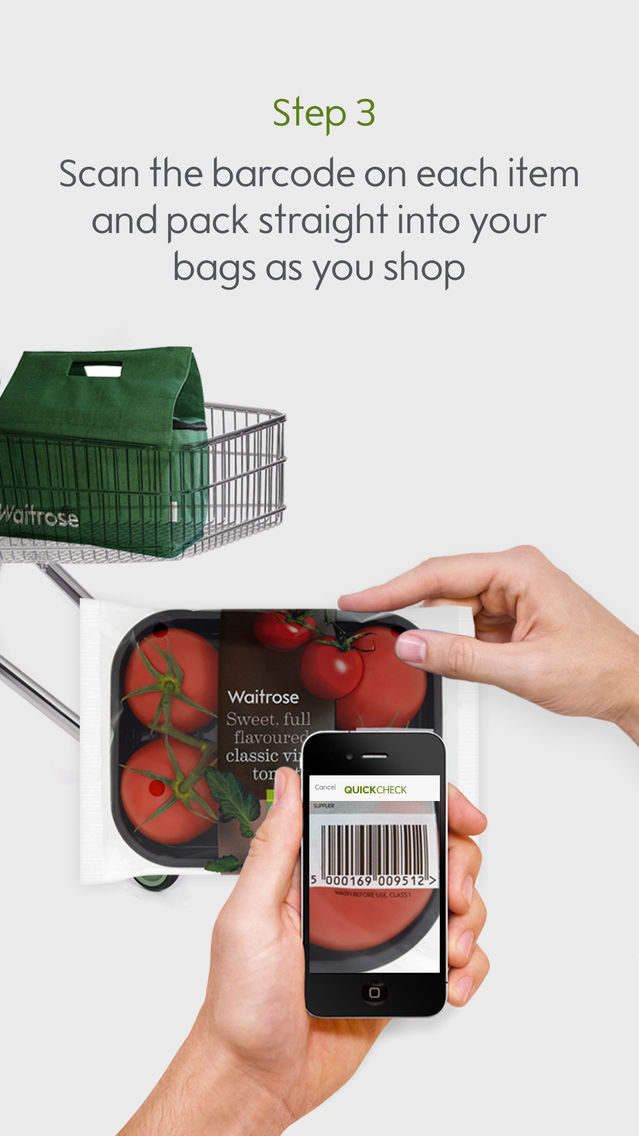
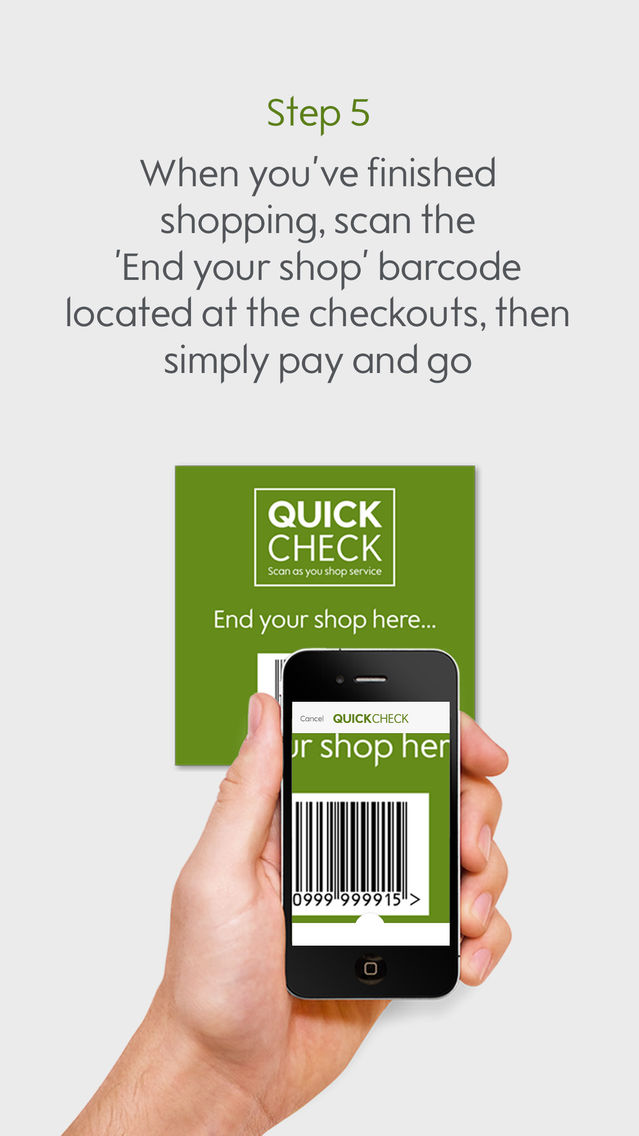
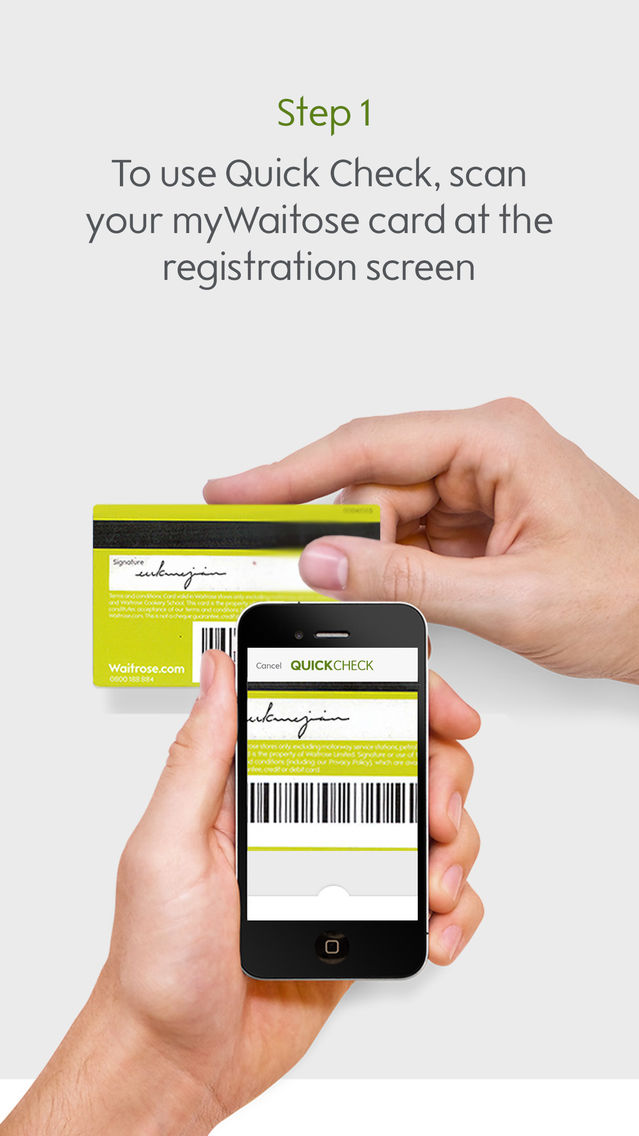
This application allows you, as a myWaitrose customer, to scan your shopping as you go using your smartphone. Simply scan and pack your items straight into your bags. You’ll see a running total of your spend on your phone, plus you’ll hear a beep to alert you to special offers. When you’ve finished just pay and go, with no need to unpack your bags at the checkout.
You will need a myWaitrose account number to activate this application. If you’re not already a member, simply sign-up at waitrose.com/mywaitrose to receive your account number immediately.
When using this application, you will have a better experience if you connect to the free WiFi available in the majority of our stores.
Occasional rescans
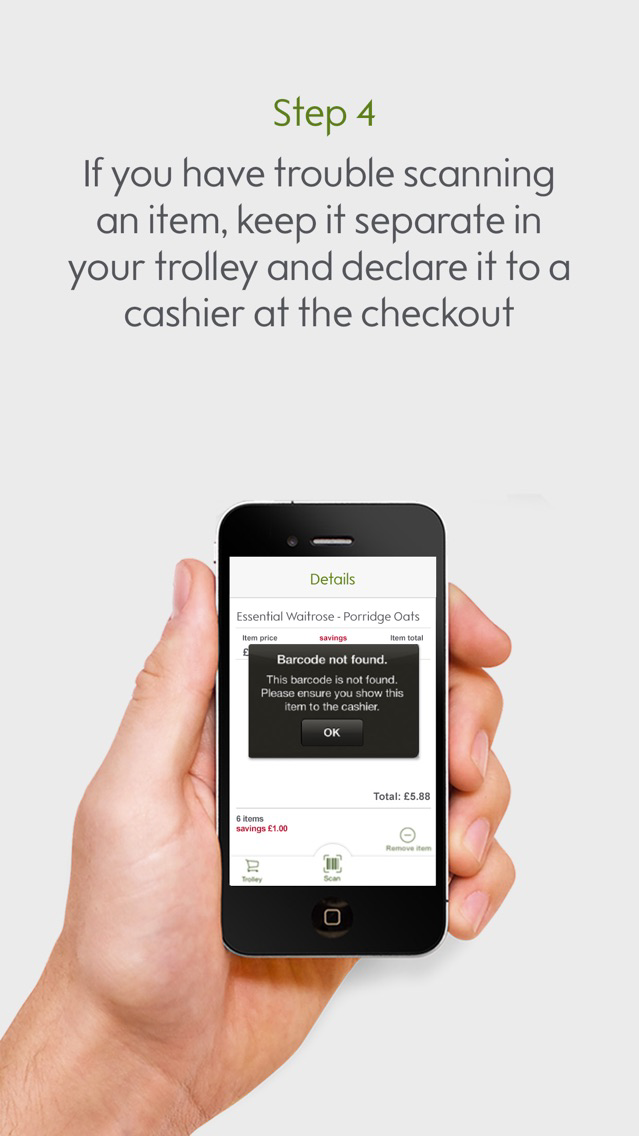
Quick Check was created to make your shopping quicker and easier. As part of the process, we’ll occasionally rescan your shopping, to make sure that you’re being charged correctly. Our Partners will assist you with this process.
Any questions?
Simply visit the Welcome Desk in store. We’ll happily show you how to use Quick Check on your phone.
We may, if necessary, remove access to the application in store, or remove the application from the App Store.

This application allows you, as a myWaitrose customer, to scan your shopping as you go using your smartphone. Simply scan and pack your items straight into your bags. You’ll see a running total of your spend on your phone, plus you’ll hear a beep to alert you to special offers. When you’ve finished just pay and go, with no need to unpack your bags at the checkout.
You will need a myWaitrose account number to activate this application. If you’re not already a member, simply sign-up at waitrose.com/mywaitrose to receive your account number immediately.
When using this application, you will have a better experience if you connect to the free WiFi available in the majority of our stores.
Occasional rescans
Quick Check was created to make your shopping quicker and easier. As part of the process, we’ll occasionally rescan your shopping, to make sure that you’re being charged correctly. Our Partners will assist you with this process.
Any questions?
Simply visit the Welcome Desk in store. We’ll happily show you how to use Quick Check on your phone.
We may, if necessary, remove access to the application in store, or remove the application from the App Store.
Show More
最新版本5.2.13更新日誌
Last updated on 2022年07月12日
歷史版本
Built using new framework Flutter
Show More
Version History
5.2.13
2022年07月12日
Built using new framework Flutter
4.2.8
2021年08月23日
New authentication certificate
Fixed problem where a small number of customers were unable to end their shopping trip in certain rare scenarios
3.2.3
2020年06月29日
This release contains a couple of further fixes, in addition to the recent fix for the "Start Trip" crash some customers were experiencing:
- Fixed a problem that sometimes occurred when removing items
- Switched off data matrix as an input type
If you continue to experience crashes when launching the app, you should be able to fix this by deleting and then reinstalling the app.
If you are unable to scan the "Start Trip" QR code, please hold your phone more than 30cm away from the QR code and try scanning again. (We will shortly be replacing these large QR codes with smaller versions, which can be scanned from any distance).
- Fixed a problem that sometimes occurred when removing items
- Switched off data matrix as an input type
If you continue to experience crashes when launching the app, you should be able to fix this by deleting and then reinstalling the app.
If you are unable to scan the "Start Trip" QR code, please hold your phone more than 30cm away from the QR code and try scanning again. (We will shortly be replacing these large QR codes with smaller versions, which can be scanned from any distance).
2.1.80
2016年08月02日
This version has updated server certificates.
WaitroseQuickCheck FAQ
點擊此處瞭解如何在受限國家或地區下載WaitroseQuickCheck。
以下為WaitroseQuickCheck的最低配置要求。
iPhone
WaitroseQuickCheck支持English