Shelly - SSH Client
免費
1.4.6for iPhone, iPad
Age Rating
Shelly - SSH Client 螢幕截圖
About Shelly - SSH Client
SSH client designed for usability and performance.
RELIABLE AND FAST
• Hardware accelerated text rendering.
• Robust terminal emulation based on the PuTTY engine.
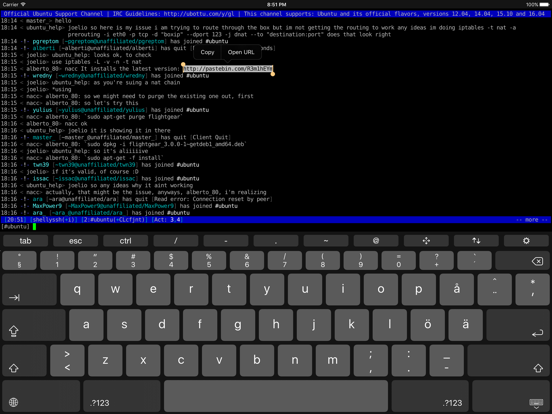
• Works great with programs such as 'screen' and 'irssi'.
CONTROL WITH GESTURES
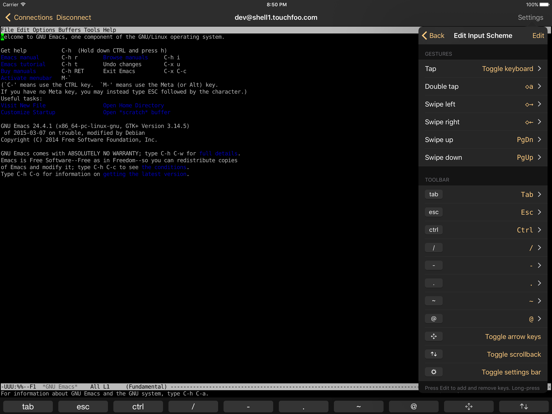
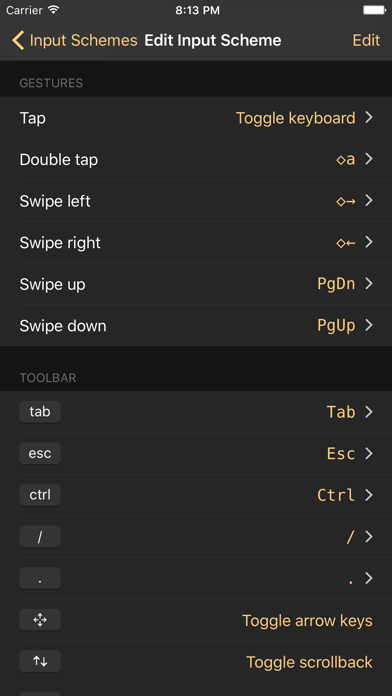
• Default gestures optimized for irssi. Just swipe to switch channels or to scroll up and down.
• Fully customizable. Any keypress or action can be attached to any gesture.
EASY CONNECTING
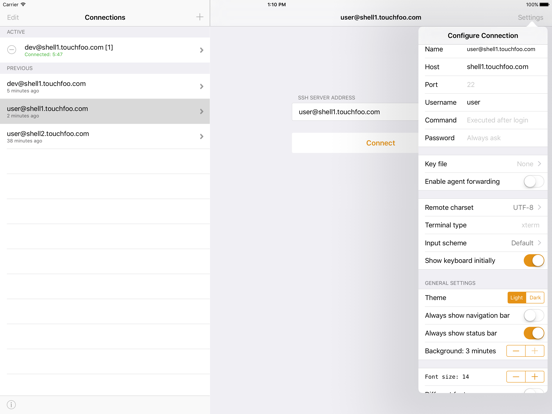
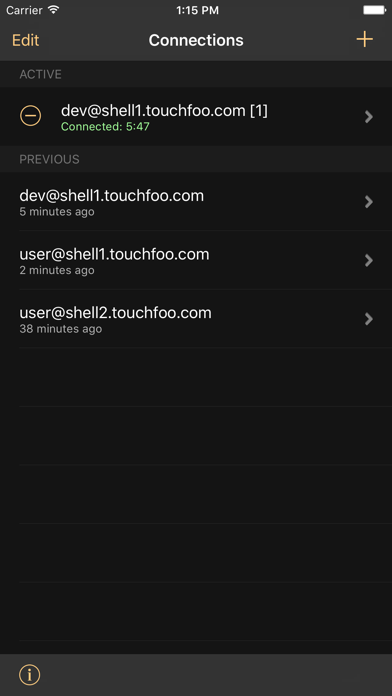
• Save user credentials and configure a remote command such as ‘screen -rd’ to connect with one tap.
• 3D touch support. Connect directly from the iOS home screen.
CUSTOMIZABLE KEYBOARD
• Easily bind custom actions to buttons on the keyboard toolbar.
• Works with custom iOS keyboards such as SwiftKey.
OPEN LINKS AND SELECT TEXT
• Familiar iOS text selection experience. Long-press on text to show the selection controls.
• Copy and paste text.
• Select a URL to easily open it in the web browser.
OTHER FEATURES
• iCloud sync support.
• Terminal color themes. Choose your favorite from the several themes included or make your own.
• Key file authentication support. Import an existing private key, or create a new key and export the public key.
• Host key verification and management.
• Agent forwarding (OpenSSH servers only).
• Keep connections alive while the app is in the background.
• Connection history with optional realtime location data.
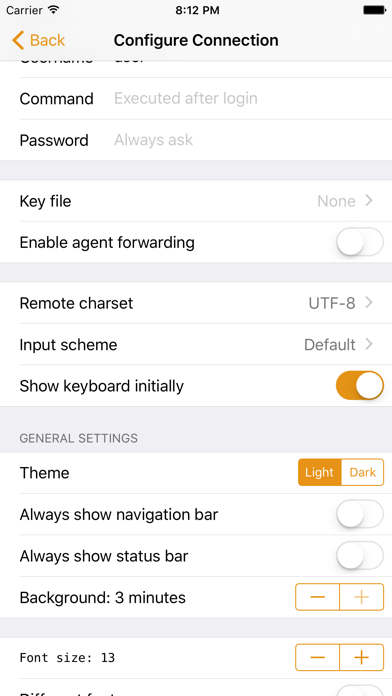
• Plenty of other configuration options.
Please note that some features require a paid upgrade. You can try all features for free for a limited time.

RELIABLE AND FAST
• Hardware accelerated text rendering.
• Robust terminal emulation based on the PuTTY engine.
• Works great with programs such as 'screen' and 'irssi'.
CONTROL WITH GESTURES
• Default gestures optimized for irssi. Just swipe to switch channels or to scroll up and down.
• Fully customizable. Any keypress or action can be attached to any gesture.
EASY CONNECTING
• Save user credentials and configure a remote command such as ‘screen -rd’ to connect with one tap.
• 3D touch support. Connect directly from the iOS home screen.
CUSTOMIZABLE KEYBOARD
• Easily bind custom actions to buttons on the keyboard toolbar.
• Works with custom iOS keyboards such as SwiftKey.
OPEN LINKS AND SELECT TEXT
• Familiar iOS text selection experience. Long-press on text to show the selection controls.
• Copy and paste text.
• Select a URL to easily open it in the web browser.
OTHER FEATURES
• iCloud sync support.
• Terminal color themes. Choose your favorite from the several themes included or make your own.
• Key file authentication support. Import an existing private key, or create a new key and export the public key.
• Host key verification and management.
• Agent forwarding (OpenSSH servers only).
• Keep connections alive while the app is in the background.
• Connection history with optional realtime location data.
• Plenty of other configuration options.
Please note that some features require a paid upgrade. You can try all features for free for a limited time.
Show More
最新版本1.4.6更新日誌
Last updated on 2026年03月31日
歷史版本
New in 1.4.6:
• Fixed an issue with restoring in-app purchases on another device.
• Fixed an issue where after deleting a key file, it remained loaded until app restart.
New in 1.4.5:
• Fixed right-swipe navigation gesture conflicting with terminal gestures.
New in 1.4.4:
• Updated Nerd Fonts.
• Shift+Enter is now mapped to \n when using an external hardware keyboard in order to enter newlines in agentic CLI tools.
• Shift+Tab and Shift+Enter key combinations can now be added to the on-screen keyboard toolbar.
• Fixed various UI layout issues and bugs.
• Fixed an issue with restoring in-app purchases on another device.
• Fixed an issue where after deleting a key file, it remained loaded until app restart.
New in 1.4.5:
• Fixed right-swipe navigation gesture conflicting with terminal gestures.
New in 1.4.4:
• Updated Nerd Fonts.
• Shift+Enter is now mapped to \n when using an external hardware keyboard in order to enter newlines in agentic CLI tools.
• Shift+Tab and Shift+Enter key combinations can now be added to the on-screen keyboard toolbar.
• Fixed various UI layout issues and bugs.
Show More
Version History
1.4.6
2026年03月31日
New in 1.4.6:
• Fixed an issue with restoring in-app purchases on another device.
• Fixed an issue where after deleting a key file, it remained loaded until app restart.
New in 1.4.5:
• Fixed right-swipe navigation gesture conflicting with terminal gestures.
New in 1.4.4:
• Updated Nerd Fonts.
• Shift+Enter is now mapped to \n when using an external hardware keyboard in order to enter newlines in agentic CLI tools.
• Shift+Tab and Shift+Enter key combinations can now be added to the on-screen keyboard toolbar.
• Fixed various UI layout issues and bugs.
• Fixed an issue with restoring in-app purchases on another device.
• Fixed an issue where after deleting a key file, it remained loaded until app restart.
New in 1.4.5:
• Fixed right-swipe navigation gesture conflicting with terminal gestures.
New in 1.4.4:
• Updated Nerd Fonts.
• Shift+Enter is now mapped to \n when using an external hardware keyboard in order to enter newlines in agentic CLI tools.
• Shift+Tab and Shift+Enter key combinations can now be added to the on-screen keyboard toolbar.
• Fixed various UI layout issues and bugs.
Shelly - SSH Client FAQ
Shelly - SSH Client在以下限制國家以外的其他地區可用:
France
以下為Shelly - SSH Client的最低配置要求。
iPhone
iPad
點擊此處瞭解如何在受限國家或地區下載Shelly - SSH Client。