TotalCtrl Inventory
免費
2.59for iPhone, iPod touch
Age Rating
TotalCtrl Inventory 螢幕截圖
About TotalCtrl Inventory
TotalCtrl Inventory is a digital inventory solution that makes it easy for managers and chefs to keep control over the inventory. They should not have to spend more than a few minutes every time upon receiving the products from retailers and on inventory. By using the power of expiration dates you’ll know when products expire and use it before it goes bad. This way you will also reduce food waste.
The app can be used in any company that handles food and can be used on a mobile device or on a net-based platform. You can have different user levels and multiple users in the company. Any time the managers need to he/she can get different reports based on what he/she wants to know more about.
Why to use TotalCtrl Inventory?
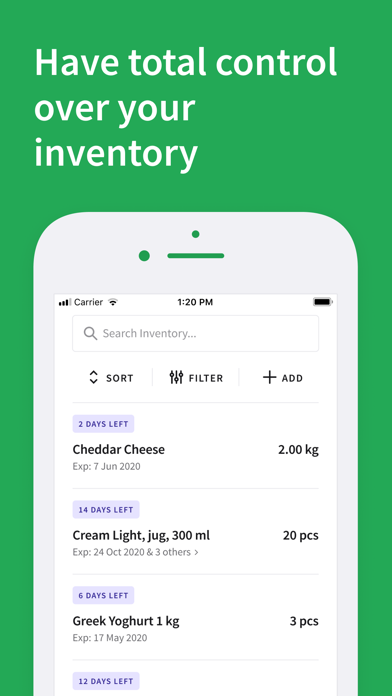
1. Take control of your inventory. Get TotalCtrl over your inventory based on the amount, price, and expiration date.
2. Spend less time on verifying delivery of food supplies.
3. Run your operations in an environmentally friendly way. Overall document digitizing process adds to your green credits and is an environmentally friendly initiative.
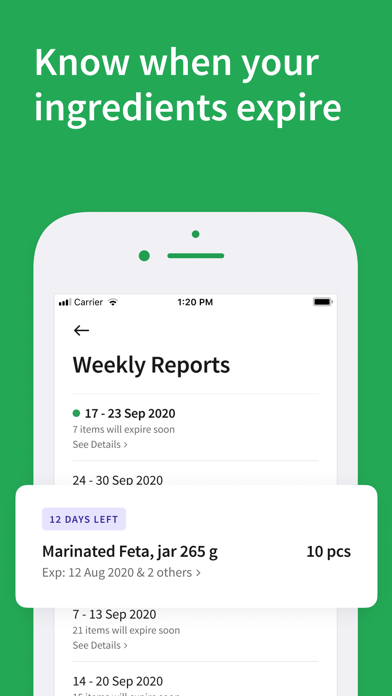
4. Receive operation reports. Every Monday you will receive a list of the products to expire soon in your inventory - this way prevents them from ending up in the trash can.
Also, you will receive instant reports of deliveries with submitted issues by your team in case of quantity and quality issues of the products.
5. Increase productivity in your daily operations. It takes a restaurant employee an average of 12 minutes to find the paper document they are looking for. With well-executed digitization, this can be reduced to a few seconds or less.
6. Access to real-time inventory and reports from anywhere. Reports can be easily accessed through any device that has internet, anywhere, or anytime.
For more details of the app usage, here is an example of typical daily routines that occurs:
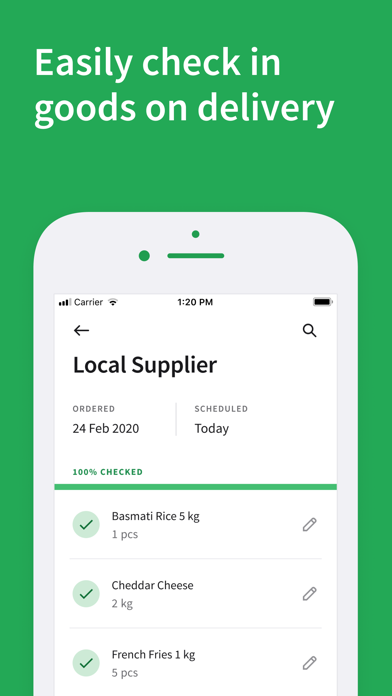
1. When ordering products from suppliers you will get a receipt of that purchase. That receipt can be uploaded in the system and be used as a checklist for the person receiving the goods when the supplier delivers. When all the products have been checked and verified the digital inventory will be updated.
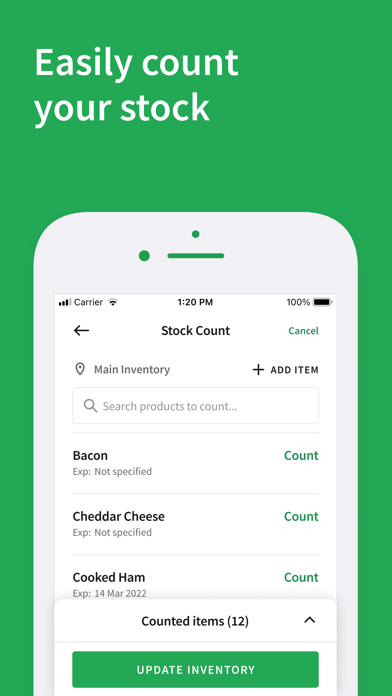
2. When making food or taking something out of the inventory, the person in charge will register the items out of the inventory and the digital inventory is updated accordingly.
3. If managers need to write reports at the end of the week or month this can be done with the desktop version. All the raw data for the day/week/month will be available on the web administration and can be transferred to the desired program of use.
The app can be used in any company that handles food and can be used on a mobile device or on a net-based platform. You can have different user levels and multiple users in the company. Any time the managers need to he/she can get different reports based on what he/she wants to know more about.
Why to use TotalCtrl Inventory?
1. Take control of your inventory. Get TotalCtrl over your inventory based on the amount, price, and expiration date.
2. Spend less time on verifying delivery of food supplies.
3. Run your operations in an environmentally friendly way. Overall document digitizing process adds to your green credits and is an environmentally friendly initiative.
4. Receive operation reports. Every Monday you will receive a list of the products to expire soon in your inventory - this way prevents them from ending up in the trash can.
Also, you will receive instant reports of deliveries with submitted issues by your team in case of quantity and quality issues of the products.
5. Increase productivity in your daily operations. It takes a restaurant employee an average of 12 minutes to find the paper document they are looking for. With well-executed digitization, this can be reduced to a few seconds or less.
6. Access to real-time inventory and reports from anywhere. Reports can be easily accessed through any device that has internet, anywhere, or anytime.
For more details of the app usage, here is an example of typical daily routines that occurs:
1. When ordering products from suppliers you will get a receipt of that purchase. That receipt can be uploaded in the system and be used as a checklist for the person receiving the goods when the supplier delivers. When all the products have been checked and verified the digital inventory will be updated.
2. When making food or taking something out of the inventory, the person in charge will register the items out of the inventory and the digital inventory is updated accordingly.
3. If managers need to write reports at the end of the week or month this can be done with the desktop version. All the raw data for the day/week/month will be available on the web administration and can be transferred to the desired program of use.
Show More
最新版本2.59更新日誌
Last updated on 2023年12月14日
歷史版本
- Improvements in the UI for Samsung tablets.
- Improvements in the scheduled orders.
- Bug fixes.
- Improvements in the scheduled orders.
- Bug fixes.
Show More
Version History
2.59
2023年12月14日
- Improvements in the UI for Samsung tablets.
- Improvements in the scheduled orders.
- Bug fixes.
- Improvements in the scheduled orders.
- Bug fixes.
2.58
2023年11月27日
- Stock Count UI improvements for Samsung tablets.
2.56
2023年11月20日
- Bug fixing and small UX improvements.
2.55.1
2023年11月10日
- Bug fixes with decimal numbers in the stock count.
- Other small improvements.
2.54
2023年11月06日
- UI/UX improvements in transfers and checkouts.
- Bugfixing.
- Bugfixing.
2.53
2023年10月10日
- Updating assigned inventory in scheduled orders.
2.52
2023年08月08日
Bug fixing and small UX improvements.
2.51
2023年07月05日
- Bug fixing and small UX improvements.
2.50
2023年06月26日
- Stock Count: Setting the scroll position to the bottom of the list when the counted tab has loaded.
- Improvements in the loading state when creating a new stock count.
- Small UX improvements.
- Improvements in the loading state when creating a new stock count.
- Small UX improvements.
2.49
2023年06月16日
- Release of sorting the uncounted items list based on the most recent stock count.
- Small UX improvements.
2.48
2023年06月09日
- Loading state improvements on the stock count.
2.46
2023年06月07日
- UI improvements in the stock count and inventory list.
2.45
2023年05月17日
Stock Count Improvements.
2.44
2023年05月15日
Introducing the Stock Count 2.0:
- New stock count section,
- Interrupting and resuming a stock count,
- Multiple-inventory support,
- Stock count collaboration,
- Speeding up your workflow,
- Report sharing.
- New stock count section,
- Interrupting and resuming a stock count,
- Multiple-inventory support,
- Stock count collaboration,
- Speeding up your workflow,
- Report sharing.
2.38
2023年02月23日
- Improvements on styling and copywriting for the forced & optional updates popup.
- Improvements on styling and copywriting for the maintenance popup.
- Fixing issues with multiple expiration dates while adding a product manually to counted items in the stock count process.
- Norwegian copywriting improvements in the stock count process.
- Improvement on the interaction design of the keyboard and action buttons in the counting item screen of the stock count.
- Improvement on the visualization of the decimal point of quantities depending on the country selected.
- English copywriting improvement on the “Finish” stock count button.
- Improvements on styling and copywriting for the maintenance popup.
- Fixing issues with multiple expiration dates while adding a product manually to counted items in the stock count process.
- Norwegian copywriting improvements in the stock count process.
- Improvement on the interaction design of the keyboard and action buttons in the counting item screen of the stock count.
- Improvement on the visualization of the decimal point of quantities depending on the country selected.
- English copywriting improvement on the “Finish” stock count button.
2.35
2023年02月14日
- Bugs fixing.
- Improvements on the Stock Count User Experience.
- Improvements on Norwegian copywriting.
- Improvements on the Stock Count User Experience.
- Improvements on Norwegian copywriting.
2.34
2023年02月12日
- Bugs fixing.
- Updates to continue an on-going stock count easier.
- Updates to show messages to prevent overwriting an stock count when there are multiple users counting.
- Updates to continue an on-going stock count easier.
- Updates to show messages to prevent overwriting an stock count when there are multiple users counting.
2.33
2023年02月07日
- Bugs fixing.
- Updates in copywriting for the button “start stock count” when the stock count is under progress.
2.32
2023年02月03日
- Bugs fixing.
- Improvements in the stock count process.
- Prevent ‘undefined’ product name in the add items process.
- Remove typo in the success message when editing a product quantity.
- Prevent that canceling the add items process close all the stock count.
- Improvements in the stock count process.
- Prevent ‘undefined’ product name in the add items process.
- Remove typo in the success message when editing a product quantity.
- Prevent that canceling the add items process close all the stock count.
2.30
2023年01月17日
- Improvements in checkout.
- Improvements in scheduled order details.
2.29
2022年12月31日
- Improvements on the stock count.
- Improvements on the inventory list.
- Improvements on the transfer list.
- Improvements on the inventory list.
- Improvements on the transfer list.
2.27
2022年12月14日
- Improvements on the stock count process.
2.25
2022年11月27日
- General improvements.
- Adding skeleton loading to product lists.
2.24
2022年11月05日
- Bug fixing.
- Improvements on loading search results.
- Improvements on list items.
- Improvements on loading search results.
- Improvements on list items.
2.23
2022年11月04日
- Bug fixing.
- Improvements on add products.
- Improvements on search scrolling.

- Improvements on add products.
- Improvements on search scrolling.
TotalCtrl Inventory FAQ
點擊此處瞭解如何在受限國家或地區下載TotalCtrl Inventory。
以下為TotalCtrl Inventory的最低配置要求。
iPhone
須使用 iOS 9.0 或以上版本。
iPod touch
須使用 iOS 9.0 或以上版本。
TotalCtrl Inventory支持巴克摩挪威文, 英文