

Age Rating
4Memo Screenshots
About 4Memo
Recording and sending voice memos made easy!
Voice memos are a great way to quickly capture some ideas and send them to your own or someone else's mailbox. Unfortunately this usually requires a lot of steps until you are done. Until now. 4Memo provides you with a workflow that uses the least possible steps in order to record a voice memo and send it to whoever you want while protecting your privacy.
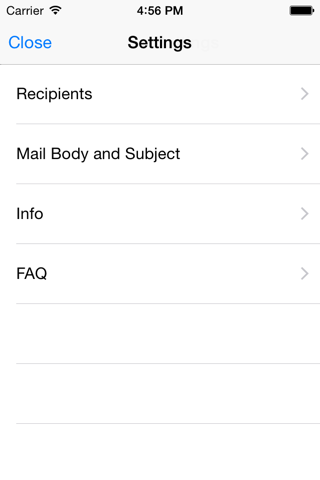
Just enter up to four recipients to which you can send your voice memo as quick as possible. Those recipients will appear as big, easy-to-hit buttons on the app's main screen. After recording your memo, just hit the respective contact button and your voice memo will be attached to a prepopulated, ready-to-send email. Just on more tap on "Send" and your message is on its way.
And the best thing: You can now do that also from your Apple Watch and via Siri Shortcuts! (Paid premium features)
We developed 4Memo with your privacy in mind. Therefore, there is no data transmitted to our servers nor is it in any other way processed on your device. The recording and processing of your voice memo is completely and solely done on your iPhone. The email is sent via the mail account which is configured on your device. This means that it is sent solely through the servers of the email provider of your choice, just like any other email that you send through the iPhone's mail app. This makes the final tap on "Send" necessary but it also asures you that all your data stays in your hands all the time.
Voice memos are a great way to quickly capture some ideas and send them to your own or someone else's mailbox. Unfortunately this usually requires a lot of steps until you are done. Until now. 4Memo provides you with a workflow that uses the least possible steps in order to record a voice memo and send it to whoever you want while protecting your privacy.
Just enter up to four recipients to which you can send your voice memo as quick as possible. Those recipients will appear as big, easy-to-hit buttons on the app's main screen. After recording your memo, just hit the respective contact button and your voice memo will be attached to a prepopulated, ready-to-send email. Just on more tap on "Send" and your message is on its way.
And the best thing: You can now do that also from your Apple Watch and via Siri Shortcuts! (Paid premium features)
We developed 4Memo with your privacy in mind. Therefore, there is no data transmitted to our servers nor is it in any other way processed on your device. The recording and processing of your voice memo is completely and solely done on your iPhone. The email is sent via the mail account which is configured on your device. This means that it is sent solely through the servers of the email provider of your choice, just like any other email that you send through the iPhone's mail app. This makes the final tap on "Send" necessary but it also asures you that all your data stays in your hands all the time.
Show More
What's New in the Latest Version 3.2
Last updated on Mar 12, 2026
Old Versions
- Code optimizations
- Bug fixes
- Bug fixes
Show More
Version History
3.2
Mar 12, 2026
- Code optimizations
- Bug fixes
- Bug fixes
4Memo Price
Today:
$0.99
Lowest:
$0.49
Highest:
$0.99
4Memo FAQ
Click here to learn how to download 4Memo in restricted country or region.
Check the following list to see the minimum requirements of 4Memo.
iPhone


