Bluetooth Smart Data
Free
1.1for iPhone, iPad
Age Rating
Bluetooth Smart Data Screenshots
About Bluetooth Smart Data
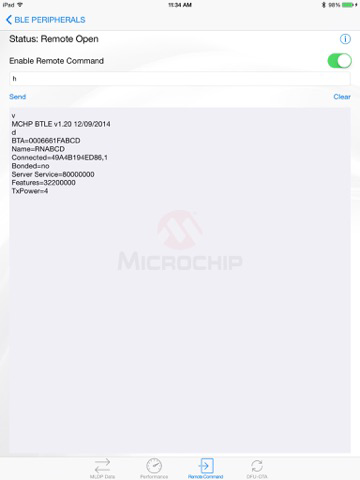
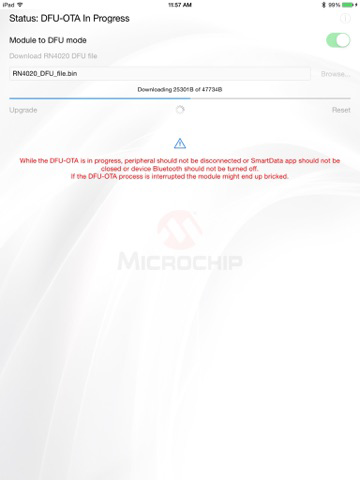
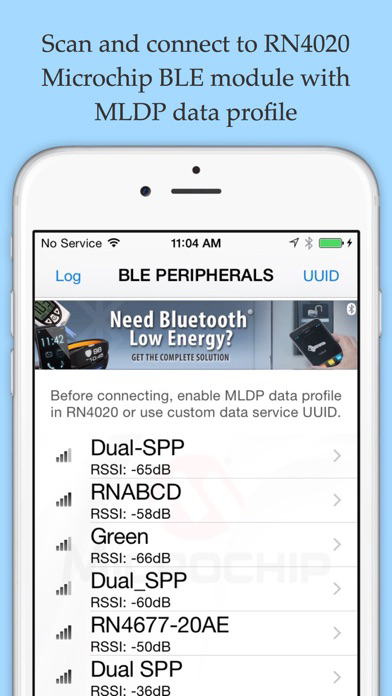
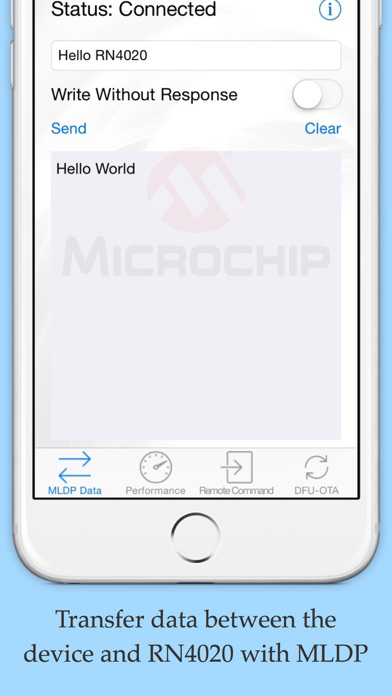
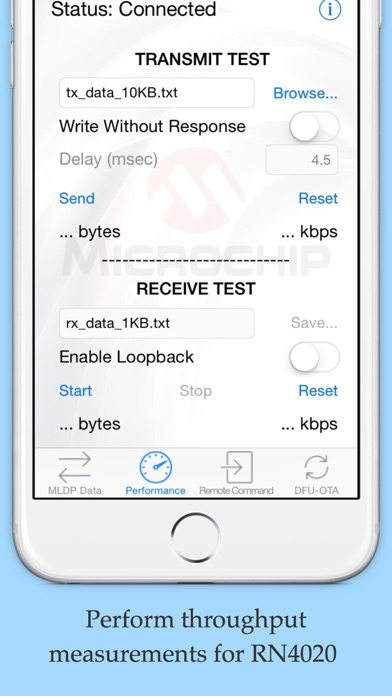
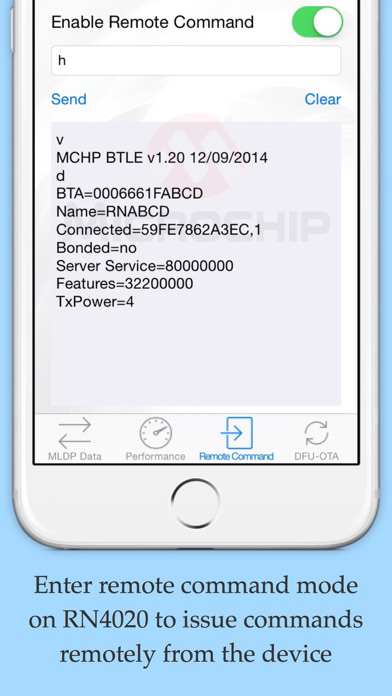
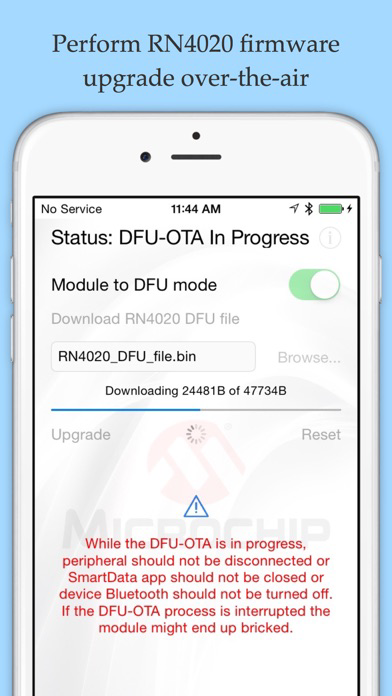
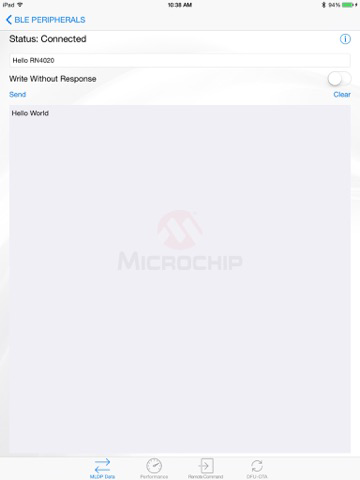
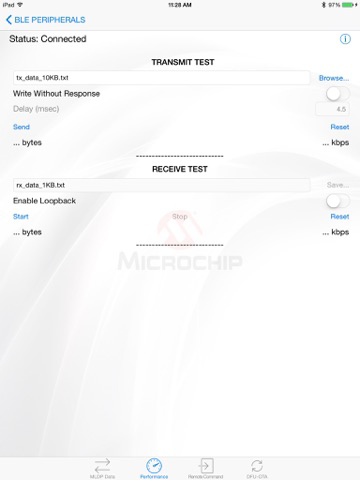
Microchip’s SmartData provides the ability to scan and connect to RN4020 Microchip Bluetooth Low Energy (BLE) peripherals with Microchip Low Energy Data Profile (MLDP). Once connected to a RN4020 Microchip BLE peripheral with MLDP, the MLDP tab lets user to transfer data back and forth between the device and BLE peripheral using a simple data terminal view. The performance tab can be used to stream and receive files to measure throughput. The remote command tab lets the user open and exercise a remote command session to configure the RN4020 module remotely. The DFU-OTA tab allows device firmware upgrades over-the-air on the RN4020 module. The help on each tab provides description and the commands that can be used to configure the RN4020.
Show More
What's New in the Latest Version 1.1
Last updated on Aug 24, 2015
Old Versions
This update from Apple will improve the functionality of this app. No new features are included.
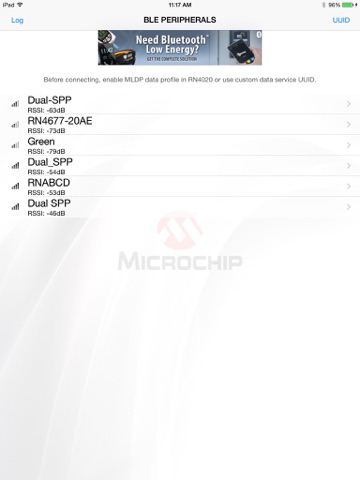
- Scan view updated to include BLE peripherals with empty name as 'Unknown'.
- Scan view updated to handle active scanning.
- Scan view updated to show Bluetooth off message if Bluetooth is turned off by user.
- All views return to Scan view when Bluetooth is turned off by user.
- Send button title text in MLDP view turns green to indicate acknowledgement for Write With Response request.
- Auto correct disabled for text fields in Performance, Remote Command, DFU-OTA views.
- Receive text field in Performance view updated to move when keyboard pops up to keep the text field from hiding behind keyboard.

- Scan view updated to include BLE peripherals with empty name as 'Unknown'.
- Scan view updated to handle active scanning.
- Scan view updated to show Bluetooth off message if Bluetooth is turned off by user.
- All views return to Scan view when Bluetooth is turned off by user.
- Send button title text in MLDP view turns green to indicate acknowledgement for Write With Response request.
- Auto correct disabled for text fields in Performance, Remote Command, DFU-OTA views.
- Receive text field in Performance view updated to move when keyboard pops up to keep the text field from hiding behind keyboard.
Show More
Version History
1.1
Aug 24, 2015
This update from Apple will improve the functionality of this app. No new features are included.
- Scan view updated to include BLE peripherals with empty name as 'Unknown'.
- Scan view updated to handle active scanning.
- Scan view updated to show Bluetooth off message if Bluetooth is turned off by user.
- All views return to Scan view when Bluetooth is turned off by user.
- Send button title text in MLDP view turns green to indicate acknowledgement for Write With Response request.
- Auto correct disabled for text fields in Performance, Remote Command, DFU-OTA views.
- Receive text field in Performance view updated to move when keyboard pops up to keep the text field from hiding behind keyboard.
- Scan view updated to include BLE peripherals with empty name as 'Unknown'.
- Scan view updated to handle active scanning.
- Scan view updated to show Bluetooth off message if Bluetooth is turned off by user.
- All views return to Scan view when Bluetooth is turned off by user.
- Send button title text in MLDP view turns green to indicate acknowledgement for Write With Response request.
- Auto correct disabled for text fields in Performance, Remote Command, DFU-OTA views.
- Receive text field in Performance view updated to move when keyboard pops up to keep the text field from hiding behind keyboard.
Bluetooth Smart Data FAQ
Click here to learn how to download Bluetooth Smart Data in restricted country or region.
Check the following list to see the minimum requirements of Bluetooth Smart Data.
iPhone
iPad