Brainloop MeetingSuite
Free
1.6.0for iPhone, iPad and more
Age Rating
Brainloop MeetingSuite Screenshots
About Brainloop MeetingSuite
With the Brainloop MeetingSuite for iOS app, you have access to your Brainloop MeetingSuite accounts anywhere and on any iOS device.
The app offers a secure platform for synchronizing and sharing data efficiently across different organizations and teams, thus making it the perfect solution for businesses of all sizes. It provides you with full control of your current, future, and past meetings and circular resolutions, including the related meeting documents, as well as your files and folders in all your data rooms.
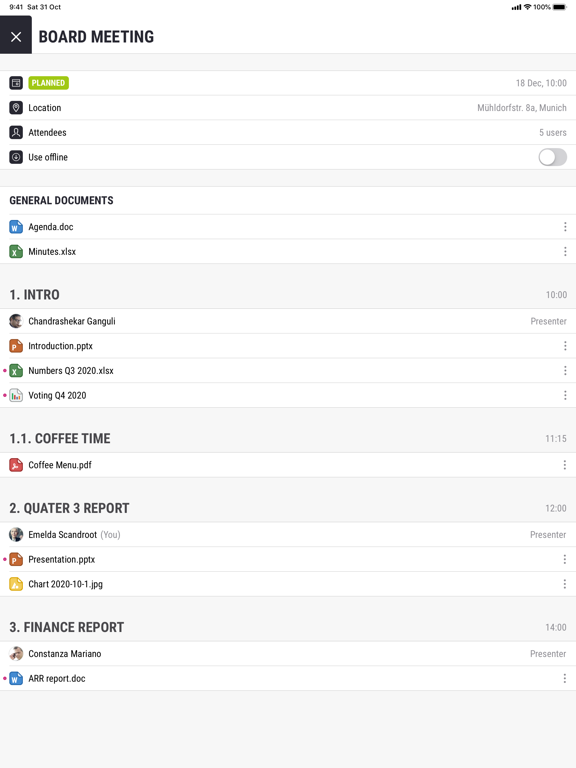
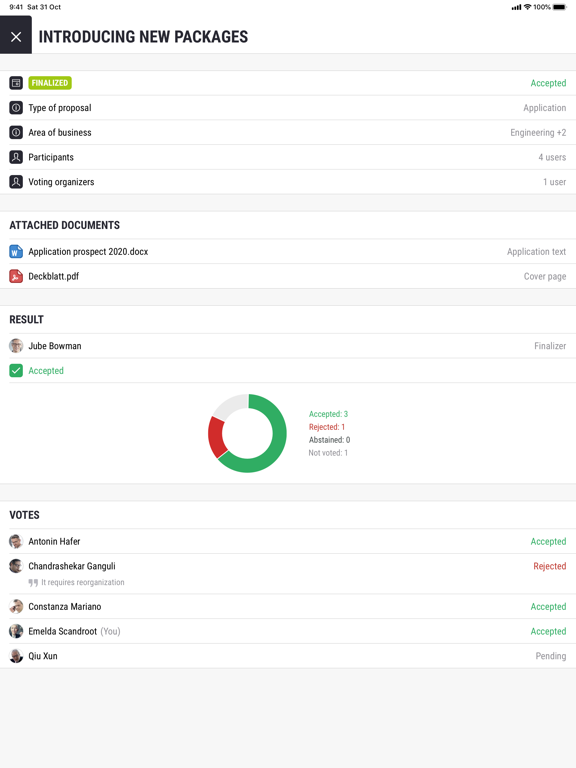
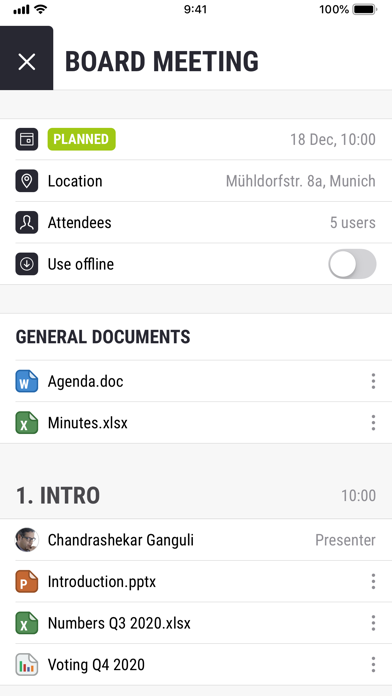
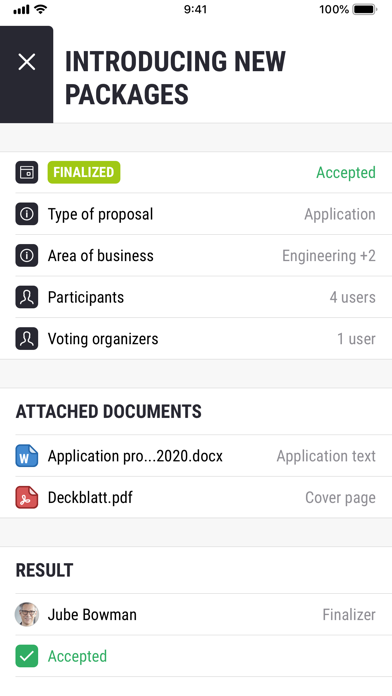
When viewing individual meetings, you not only see when and where the meeting will take place, but also who will attend, the issue at stake, the agenda, and which documents and attachments have been made available. Additionally, you see the votes and circular resolutions that require your participation and you can cast or change your votes.
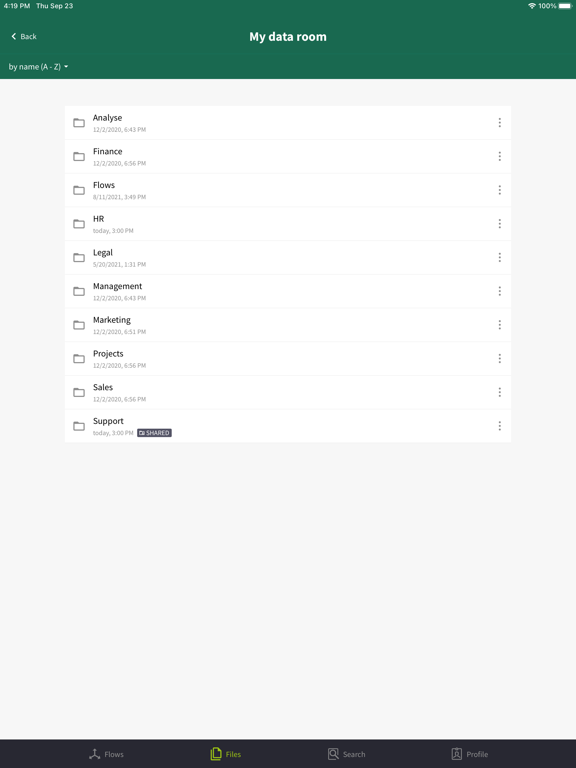
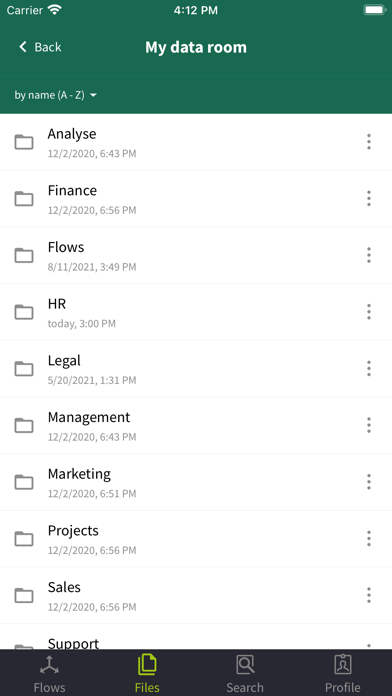
The Files view offers direct access to your data stored in your My data room and Team data rooms. To read and comment on documents, just download them to your iPhone or iPad. You can even send links to files and folders and share your folders.
You don't want to use another calendar for your meetings? Then just synchronize your meetings from the MeetingSuite for iOS app with your native iOS calendar.
Your benefits at a glance:
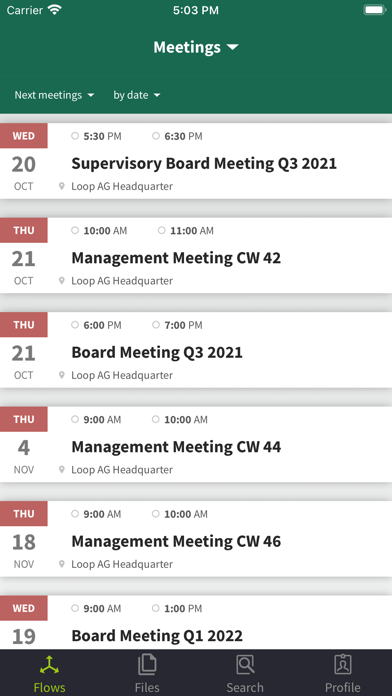
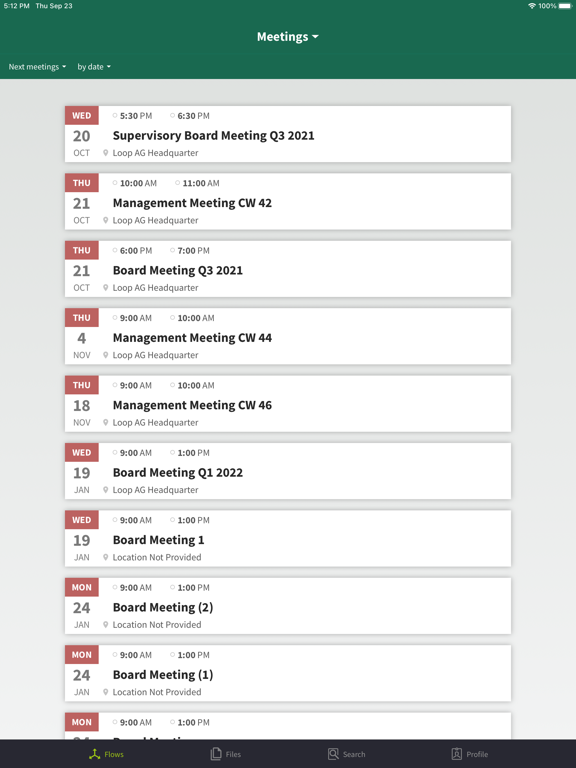
- Detailed overview of all your meetings and circular resolutions in the Flows tab.
- The Files tab gives you access to your My data room and your Team data rooms.
- Integration into your personal calendar.
- Send links to your files and folders and share folders in your data rooms.
- Manage your shares and view file properties.
- Highly secure environment for your documents thanks to data encryption and two-factor authentication.

The app offers a secure platform for synchronizing and sharing data efficiently across different organizations and teams, thus making it the perfect solution for businesses of all sizes. It provides you with full control of your current, future, and past meetings and circular resolutions, including the related meeting documents, as well as your files and folders in all your data rooms.
When viewing individual meetings, you not only see when and where the meeting will take place, but also who will attend, the issue at stake, the agenda, and which documents and attachments have been made available. Additionally, you see the votes and circular resolutions that require your participation and you can cast or change your votes.
The Files view offers direct access to your data stored in your My data room and Team data rooms. To read and comment on documents, just download them to your iPhone or iPad. You can even send links to files and folders and share your folders.
You don't want to use another calendar for your meetings? Then just synchronize your meetings from the MeetingSuite for iOS app with your native iOS calendar.
Your benefits at a glance:
- Detailed overview of all your meetings and circular resolutions in the Flows tab.
- The Files tab gives you access to your My data room and your Team data rooms.
- Integration into your personal calendar.
- Send links to your files and folders and share folders in your data rooms.
- Manage your shares and view file properties.
- Highly secure environment for your documents thanks to data encryption and two-factor authentication.
Show More
What's New in the Latest Version 1.6.0
Last updated on Dec 8, 2021
Old Versions
• Introduced the possibility to select the role of the recipients when users share a folder.
• Introduced the option to change the role of a recipient for a shared folder after sending the share.
• Introduced the option to share the log files with other apps available on the device.
• To help meeting participants identify updated meetings at a glance, an “unread” icon in form of a pink dot is shown next to these meetings.
• Introduced the option to change the role of a recipient for a shared folder after sending the share.
• Introduced the option to share the log files with other apps available on the device.
• To help meeting participants identify updated meetings at a glance, an “unread” icon in form of a pink dot is shown next to these meetings.
Show More
Version History
1.6.0
Dec 8, 2021
• Introduced the possibility to select the role of the recipients when users share a folder.
• Introduced the option to change the role of a recipient for a shared folder after sending the share.
• Introduced the option to share the log files with other apps available on the device.
• To help meeting participants identify updated meetings at a glance, an “unread” icon in form of a pink dot is shown next to these meetings.
• Introduced the option to change the role of a recipient for a shared folder after sending the share.
• Introduced the option to share the log files with other apps available on the device.
• To help meeting participants identify updated meetings at a glance, an “unread” icon in form of a pink dot is shown next to these meetings.
1.5.0
Sep 29, 2021
- Access your My data room and your Team data rooms in the new Files tab.
- Send links to your files and folders and share your folders.
- New user interface design
- Send links to your files and folders and share your folders.
- New user interface design
1.4.0
Jun 1, 2021
- The meetings in the Meetings tab are now displayed as a list.
- You can now mark all documents of a meeting as read or unread in one go.
- You can see the name of the person that has delivered a meeting document is shown in the document Properties.
- It is now possible to show or hide the access code that is typed in.
- Using the new “Online help” option, you can access the user guide for the app from the Settings.
- You can now mark all documents of a meeting as read or unread in one go.
- You can see the name of the person that has delivered a meeting document is shown in the document Properties.
- It is now possible to show or hide the access code that is typed in.
- Using the new “Online help” option, you can access the user guide for the app from the Settings.
1.3.0
Apr 26, 2021
- The new search tab lets you search for meetings, votes, and documents by name.
- A new option provides detailed properties for each document.
- To help meeting participants find new or modified documents easily, an “unread” icon in form of a pink dot is shown next to unread documents.
- A new option provides detailed properties for each document.
- To help meeting participants find new or modified documents easily, an “unread” icon in form of a pink dot is shown next to unread documents.
1.1
Feb 9, 2021
A new feature lets you switch directly from an open meeting document to the next or previous document.
1.0
Dec 8, 2020
Brainloop MeetingSuite FAQ
Click here to learn how to download Brainloop MeetingSuite in restricted country or region.
Check the following list to see the minimum requirements of Brainloop MeetingSuite.
iPhone
Requires iOS 13.0 or later.
iPad
Requires iPadOS 13.0 or later.
iPod touch
Requires iOS 13.0 or later.
Brainloop MeetingSuite supports English, German