Brillview
Free
1.2.1for iPhone, iPod touch
Age Rating
Brillview Screenshots
About Brillview
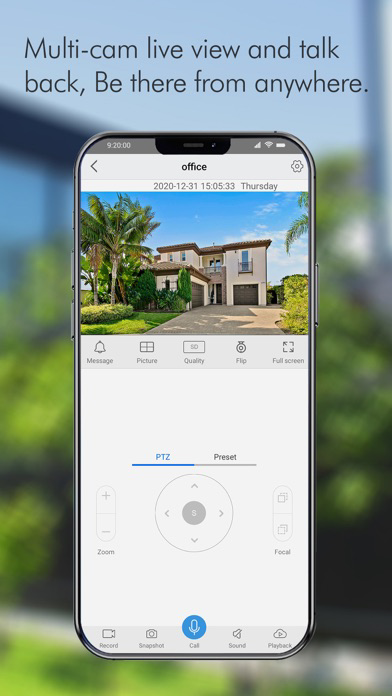
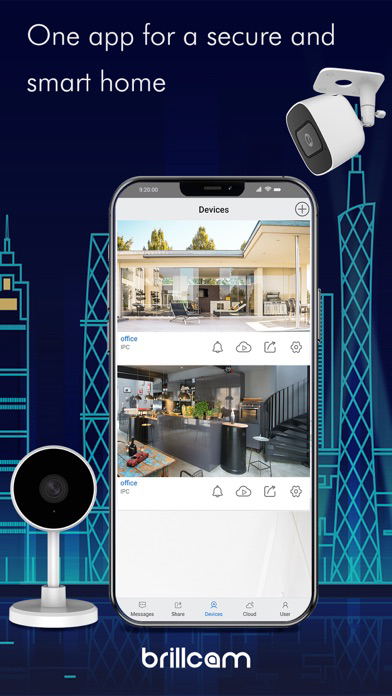
Brillview App is an easy-to-use security camera system surveillance app. It enables you to locally or remotely access your IP cameras and NVRs on mobile devices. You can monitor and watch live streaming of your home and business anywhere and anytime. It helps you easily get peace of mind.
Key Features:
1. Only 3 steps to access cameras and NVRs (at the same local network) --- the easiest solution ever.
2. Easy and friendly interface for all users to use.
3. Remotely monitor and watch live streaming via 3G/4G or WiFi anywhere and anytime.
4. Multi-channel viewing (up to 16 channels) on screen at the same time.
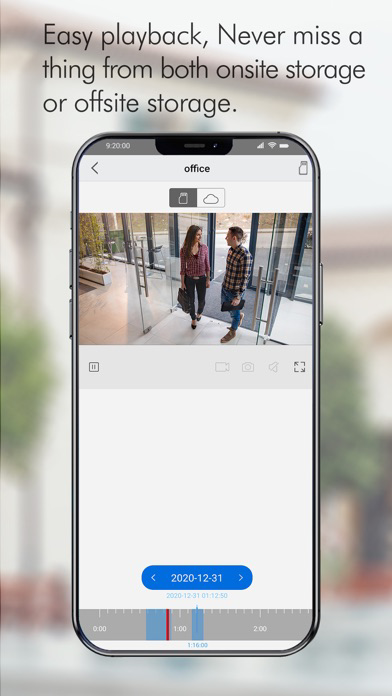
5. Remotely playback video recording from your camera SD card and NVR HDD.
6. Capture video from live view channels on your mobile device to playback.
7. Capture single and multiple images to save on your mobile device.
8. Get emails or push notifications in real time when motion detection is triggered.
9. Schedule video recording (including motion-triggered recording) at anytime.
10. Control PTZ (pan-tilt-zoom) cameras remotely (left, right, up and down).
Note: Brillview APP is compatible with NVRs and IP Cams from Brillview.
More Supports:
Website: https://brillcam.com/
Contact: contact@brillcam.com
Support: support@brillcam.com

Key Features:
1. Only 3 steps to access cameras and NVRs (at the same local network) --- the easiest solution ever.
2. Easy and friendly interface for all users to use.
3. Remotely monitor and watch live streaming via 3G/4G or WiFi anywhere and anytime.
4. Multi-channel viewing (up to 16 channels) on screen at the same time.
5. Remotely playback video recording from your camera SD card and NVR HDD.
6. Capture video from live view channels on your mobile device to playback.
7. Capture single and multiple images to save on your mobile device.
8. Get emails or push notifications in real time when motion detection is triggered.
9. Schedule video recording (including motion-triggered recording) at anytime.
10. Control PTZ (pan-tilt-zoom) cameras remotely (left, right, up and down).
Note: Brillview APP is compatible with NVRs and IP Cams from Brillview.
More Supports:
Website: https://brillcam.com/
Contact: contact@brillcam.com
Support: support@brillcam.com
Show More
What's New in the Latest Version 1.2.1
Last updated on May 26, 2021
Old Versions
New Version for release:
1. Updated some new features;
2. Fixed some bugs;
3. Updated the language more readable;
1. Updated some new features;
2. Fixed some bugs;
3. Updated the language more readable;
Show More
Version History
1.2.1
May 26, 2021
New Version for release:
1. Updated some new features;
2. Fixed some bugs;
3. Updated the language more readable;
1. Updated some new features;
2. Fixed some bugs;
3. Updated the language more readable;
1.0
Jan 13, 2021
Brillview FAQ
Click here to learn how to download Brillview in restricted country or region.
Check the following list to see the minimum requirements of Brillview.
iPhone
Requires iOS 9.0 or later.
iPod touch
Requires iOS 9.0 or later.
Brillview supports English, Czech, French, German, Italian, Japanese, Polish, Portuguese, Russian, Simplified Chinese, Spanish, Traditional Chinese