Bugs Panic

Bugs Panic


$0.99

1.0.1for iPhone, iPad
Age Rating
4+
Apps in this category do not contain restricted content.
9+
Apps in this category may contain mild or occasional cartoon, fantasy or real-life violence, as well as occasional or mild adult, sexually suggestive or horrifying content and may not be suitable for children under 9 years of age.
12+
Apps in this category may contain occasional mild indecent language, frequent or intense cartoon or real-life violence, minor or occasional adult or sexually suggestive material, and simulated gambling, and may be for children under 12 years of age.
17+
You must be at least 17 years old to access this App.
Apps in this category may contain frequent and intense offensive language; Frequent and intense cartoon, fantasy or realistic violence: frequent and intense adult, scary and sexually suggestive subjects: as well as sexual content, nudity, tobacco, alcohol and drugs, may not be suitable for children under 17 years of age.
Bugs Panic Screenshots
Bugs Panic posterBugs Panic poster
Bugs Panic posterBugs Panic posterBugs Panic poster

About Bugs Panic

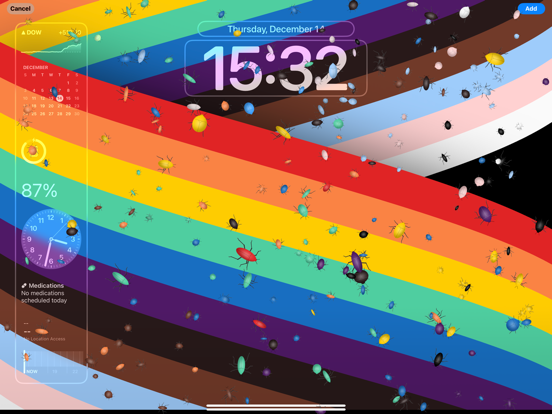
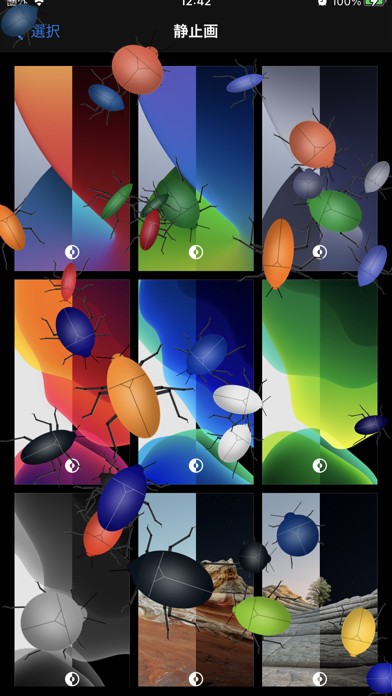
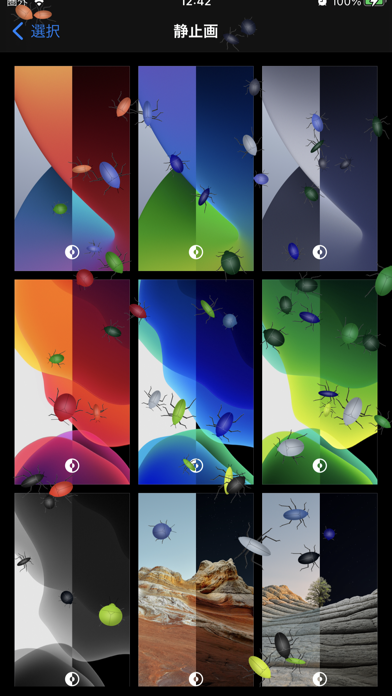
Tap the screen and be surprised! The more you tap, the more bugs will appear!
Surprise everyone with this unique fake screen!

Bugs roam around the screen.
Eventually, the bugs start fighting.
The color of the bug changes depending on where you touch it.
The speed and shape of the bug's movement are determined randomly.

Using screenshots of the home screen, calculator, etc. is very effective.

[How to make bugs appear]
Tap the photo icon on the toolbar.
Take a photo with your camera or select a photo from your album.
When you touch the screen, bugs will appear where you touch.

[How to erase all bugs]
Long tap (press and hold) the screen.
Tap the trash icon in the toolbar.
Alternatively, swipe vertically across the screen.

[How to change the photo]
Long tap (press and hold) the screen.
Tap the photo icon on the toolbar.
Take a photo with your camera or select a photo from your album.

[Settings]
・Bug size
・Sound effect switch
・Random bug shape switch
・Bug extinguishing switch in battle

[Note]
・The more bugs appear at once, the harder the drawing process will be.
・Please be careful not to drop the main unit due to being surprised by bugs.

[How to take a screenshot]
Launch the app you want to use as a fake screen and display the screen.
Take a screenshot according to your device's screenshot instructions.
If you hear the shutter sound, it's a success.
If Siri starts, exit Siri and try again.
Screenshots are saved in the Photos app album on your home screen.

Show More

What's New in the Latest Version 1.0.1

Last updated on Mar 21, 2024
Old Versions
・Added privacy manifests.
・Added app version number to help.
Show More
Version History
1.0.1
Mar 21, 2024
・Added privacy manifests.
・Added app version number to help.

Bugs Panic FAQ

Click here to learn how to download Bugs Panic in restricted country or region.
Check the following list to see the minimum requirements of Bugs Panic.
iPhone
iPad

Related Videos

Latest introduction video of Bugs Panic on iPhone

Bugs Panic Alternative

You May Also Like

Get more from Masanori Katsuta