Calendar Blocks
Manage your time and goals
Free
1.1.1for iPhone, iPod touch
Age Rating
Calendar Blocks Screenshots
About Calendar Blocks
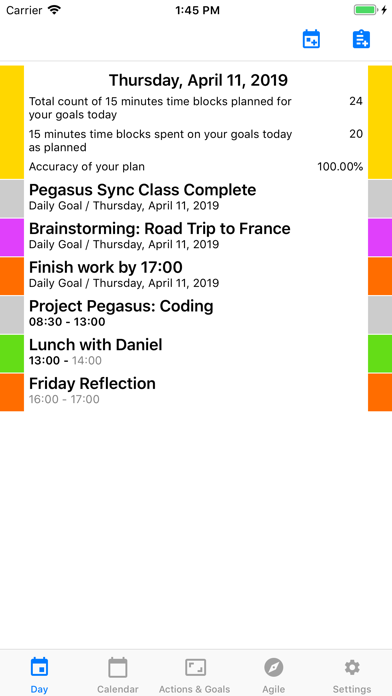
- Schedule your day by setting up time blocks and track your time spent on them.
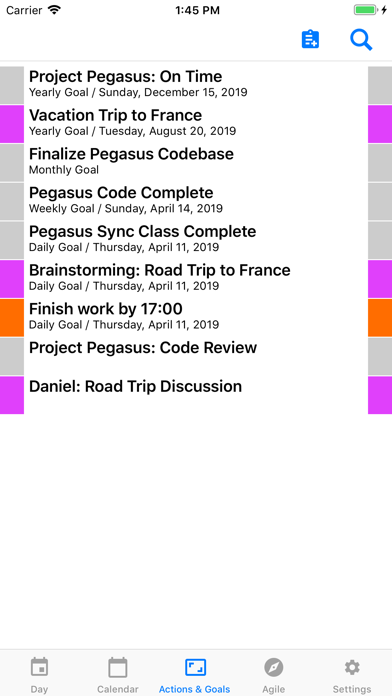
- Set yearly, monthly, weekly and daily goals.
- Add action items to be taken.
- Schedule your daily goals and actions.
- Organize your life into life areas.
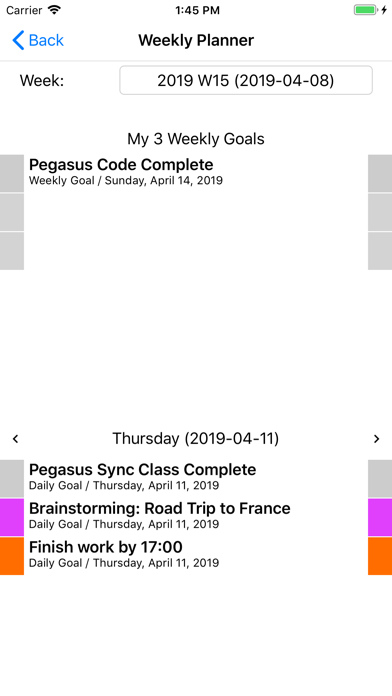
- Plan your weeks by setting 3 weekly goals, the decompose them into daily goals.
- Schedule up to 3 daily goals for each day of the week in the weekly planner.

- Set yearly, monthly, weekly and daily goals.
- Add action items to be taken.
- Schedule your daily goals and actions.
- Organize your life into life areas.
- Plan your weeks by setting 3 weekly goals, the decompose them into daily goals.
- Schedule up to 3 daily goals for each day of the week in the weekly planner.
Show More
What's New in the Latest Version 1.1.1
Last updated on Jun 4, 2019
Old Versions
- Fixed a problem that caused crash during saving a modified task.
- Fixed a problem that caused crash in certain conditions, when creating new task.
- Fixed a problem that caused the date picker for the task not to close the life area picker.
- Temporarily disabling drag and drop in Weekly Planner, to avoid a crash in the short term. In long term the problematic component will be fixed and the ordering will be re-enabled.
- Fixed a problem that caused crash in certain conditions, when creating new task.
- Fixed a problem that caused the date picker for the task not to close the life area picker.
- Temporarily disabling drag and drop in Weekly Planner, to avoid a crash in the short term. In long term the problematic component will be fixed and the ordering will be re-enabled.
Show More
Version History
1.1.1
Jun 4, 2019
- Fixed a problem that caused crash during saving a modified task.
- Fixed a problem that caused crash in certain conditions, when creating new task.
- Fixed a problem that caused the date picker for the task not to close the life area picker.
- Temporarily disabling drag and drop in Weekly Planner, to avoid a crash in the short term. In long term the problematic component will be fixed and the ordering will be re-enabled.
- Fixed a problem that caused crash in certain conditions, when creating new task.
- Fixed a problem that caused the date picker for the task not to close the life area picker.
- Temporarily disabling drag and drop in Weekly Planner, to avoid a crash in the short term. In long term the problematic component will be fixed and the ordering will be re-enabled.
1.1
May 25, 2019
- Disabled features under implementation from the release build. If you already used these features, please contact us on the support email address, which is in the App.
- Updating support email address as part of the process of migrating our domain hosting solutions.
- Bugfixes related to application stability.
- Updating support email address as part of the process of migrating our domain hosting solutions.
- Bugfixes related to application stability.
1.0
Apr 19, 2019
Calendar Blocks FAQ
Click here to learn how to download Calendar Blocks in restricted country or region.
Check the following list to see the minimum requirements of Calendar Blocks.
iPhone
Requires iOS 9.0 or later.
iPod touch
Requires iOS 9.0 or later.