Call Notes

Call Notes


Free

2.1for iPhone, iPod touch
4.1
12 Ratings
J. Rick Adams, M.D.
Developer
3.1 MB
Size
Jan 13, 2014
Update Date
Productivity
Category
4+
Age Rating
Age Rating
4+
Apps in this category do not contain restricted content.
9+
Apps in this category may contain mild or occasional cartoon, fantasy or real-life violence, as well as occasional or mild adult, sexually suggestive or horrifying content and may not be suitable for children under 9 years of age.
12+
Apps in this category may contain occasional mild indecent language, frequent or intense cartoon or real-life violence, minor or occasional adult or sexually suggestive material, and simulated gambling, and may be for children under 12 years of age.
17+
You must be at least 17 years old to access this App.
Apps in this category may contain frequent and intense offensive language; Frequent and intense cartoon, fantasy or realistic violence: frequent and intense adult, scary and sexually suggestive subjects: as well as sexual content, nudity, tobacco, alcohol and drugs, may not be suitable for children under 17 years of age.
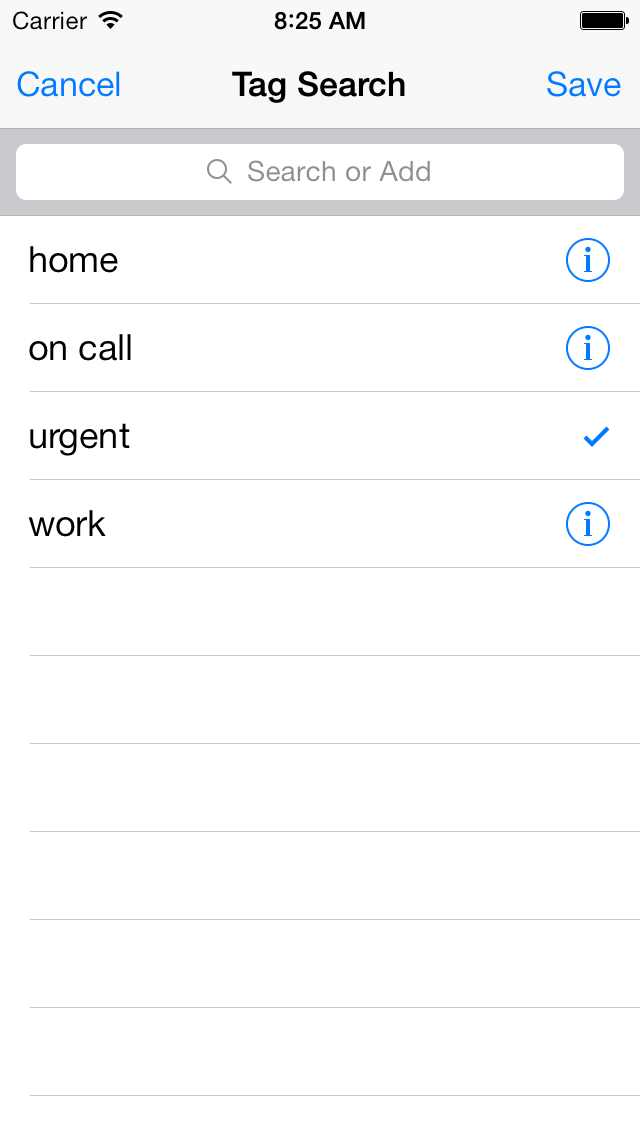
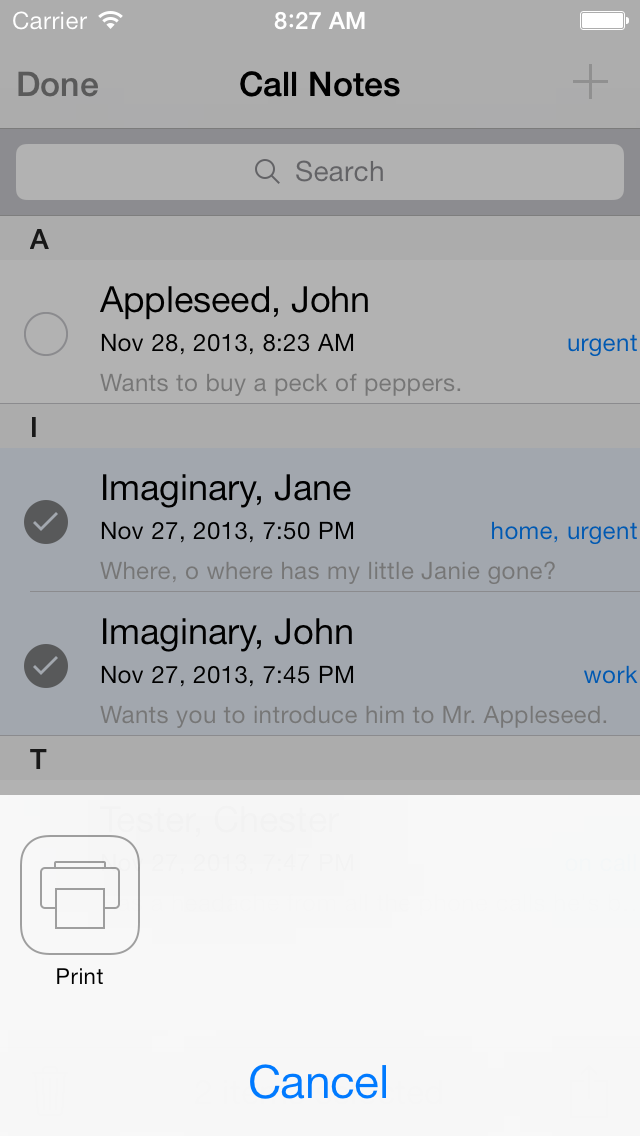
Call Notes Screenshots
Call Notes posterCall Notes posterCall Notes posterCall Notes poster

About Call Notes

Document your phone calls on the go. Though originally designed to fill the needs of healthcare providers, this utility meets the needs of anyone requiring documentation of phone calls while on the go with their iPhone or iPod touch.
Show More

What's New in the Latest Version 2.1

Last updated on Jan 13, 2014
Old Versions
2.1

- added a 'Delete Call Note' button to the bottom of the note detail view
- added DOB to contacts in choose list to further differentiate contacts
- adjusted contact edit view so that the contact list only redraws the changed row on exit, not the whole list
- contacts can be directly viewed from a button ('i') in the call detail view
- redefined the icons in the contact select list, the 'person head button' is selectable to show the Address Book entry and edit there, 'i' takes you to the Call Notes contacts section
- call notes for the contact are now listed in the contact view
- phone number now saves when a number is selected from a popup list of numbers
- phone number consistently auto selected when there is only one phone number associated with a contact
- changing contact information in a linked call notes contact changes the pertinent data in the address book contact. Address Book phone numbers are excluded- they are not changed/deleted/edited/added in the address book.
- added ability to mail or message an encrypted PDF of call notes
- added preference to enter the user's pdf securing password
- added URL scheme calls for add and search (see http://www.jrad.com/documentation/call-notes/url-schemes.html) for details
- switched the when and duration cells in the detail and add call note views
- added a 'initiate phone call" button to detail and add view to call directly from Call Notes if your device is capable
- tapping a direct entry row in the add or detail view (i.e., Phone Number or Duration) will now exit data entry mode
- fixed a problem where a caller name could appear as 'null'
- added ability to place phone call using app GV Connect (http://gvconnect.com/)
- adjusted table drawing so that delete and insert animations are smoother
- fixed a bug causing a crash if a call was deleted from the search view
- fixed a bug causing a TextExpander fill in to not work while in the Add New call detail view
- fixed a bug that caused a TextExpander fill in to not show completely in the notes view when first expanded
- implemented dynamic text sizes in the Notes view
- implemented automatic phone number formatting similar to the Contacts app
- removed the Phone Format preference item
- clicking on the Add phone button of the Contact view now adds a phone just like clicking on the row
- clicking an active Phone field in the Contact view now makes the edit of that phone number inactive / closes the keyboard
- compiled for 64 bit

Show More
Version History
2.1
Jan 13, 2014
2.1

- added a 'Delete Call Note' button to the bottom of the note detail view
- added DOB to contacts in choose list to further differentiate contacts
- adjusted contact edit view so that the contact list only redraws the changed row on exit, not the whole list
- contacts can be directly viewed from a button ('i') in the call detail view
- redefined the icons in the contact select list, the 'person head button' is selectable to show the Address Book entry and edit there, 'i' takes you to the Call Notes contacts section
- call notes for the contact are now listed in the contact view
- phone number now saves when a number is selected from a popup list of numbers
- phone number consistently auto selected when there is only one phone number associated with a contact
- changing contact information in a linked call notes contact changes the pertinent data in the address book contact. Address Book phone numbers are excluded- they are not changed/deleted/edited/added in the address book.
- added ability to mail or message an encrypted PDF of call notes
- added preference to enter the user's pdf securing password
- added URL scheme calls for add and search (see http://www.jrad.com/documentation/call-notes/url-schemes.html) for details
- switched the when and duration cells in the detail and add call note views
- added a 'initiate phone call" button to detail and add view to call directly from Call Notes if your device is capable
- tapping a direct entry row in the add or detail view (i.e., Phone Number or Duration) will now exit data entry mode
- fixed a problem where a caller name could appear as 'null'
- added ability to place phone call using app GV Connect (http://gvconnect.com/)
- adjusted table drawing so that delete and insert animations are smoother
- fixed a bug causing a crash if a call was deleted from the search view
- fixed a bug causing a TextExpander fill in to not work while in the Add New call detail view
- fixed a bug that caused a TextExpander fill in to not show completely in the notes view when first expanded
- implemented dynamic text sizes in the Notes view
- implemented automatic phone number formatting similar to the Contacts app
- removed the Phone Format preference item
- clicking on the Add phone button of the Contact view now adds a phone just like clicking on the row
- clicking an active Phone field in the Contact view now makes the edit of that phone number inactive / closes the keyboard
- compiled for 64 bit
2.0.1
Dec 16, 2013
- completely rewritten for iOS 7
- does it's best to import data from the old versions of Call Notes
- adds access to Address Book contacts
- localized to Spanish
- updated to support latest TextExpander (2.3+)
1.3
Mar 16, 2010
- made the check for a wifi connection and error reporting therein more robust
- added TextExpander integration to the Notes field
- added a preference to turn on and off the TextExpander capability (default: OFF)
- added landscape mode for most views
- adjusted layouts of several views to prepare for landscape mode
- added HIPAA warning to email sends
- added HIPAA warning preference item
1.2
Aug 16, 2009
- compiled for version 3.0 SDK
- fixed the check and uncheck icons for transparency purposes
- added index search to all lists
- added search to all lists
- added in app emailing instead of closing and going to the mail app
- fixed crash on sharing a note with no tags
- changed list items to show additional information with patient name, date of note, text of note, phone number, etc.
- added share via WiFi
- added a # indicator in the toolbar to indicate the number of notes to be 'Delete'd or 'Share'd
- fixed problem with redrawing list after delete
1.1.1
Mar 4, 2009
1.1.1

- fixed a crash that occurred when a patient whose DOB was not entered was "shared" via email
- fixed a problem with 'Unknown Tag' being listed in a shared email
- fixed a problem with blank # of minutes being sent in a shared email

1.1

- added DOB identifier for patient
- added phone entry to record phone number and duration of phone call (can select this from Recent Calls list of iPhone when Apple allows it)
- fixed random display errors within list rows
- switched the Edit and Add buttons in the main view to make layouts consistent
- added flexibility to the email sharing feature by utilizing the built in Mail app
- changed the prompt in the Tags select window to signify its ability to add Tags
- altered the selectability of the Edit button in the Tags window to more appropriately show when Edit-ing is possible
1.1
Feb 19, 2009
1.0.1
Dec 31, 2008
1.0
Dec 17, 2008

Call Notes FAQ

Click here to learn how to download Call Notes in restricted country or region.
Check the following list to see the minimum requirements of Call Notes.
iPhone
Requires iOS 7.0 or later.
iPod touch
Requires iOS 7.0 or later.
Call Notes supports English, Spanish

Call Notes Alternative

You May Also Like

Get more from J. Rick Adams, M.D.